
Billing Center
Billing Center is used to review devices and team resources, recharge the wallet, and view billing records. E-commerce accounts are unlimited and are not billed here.
Services and Wallet
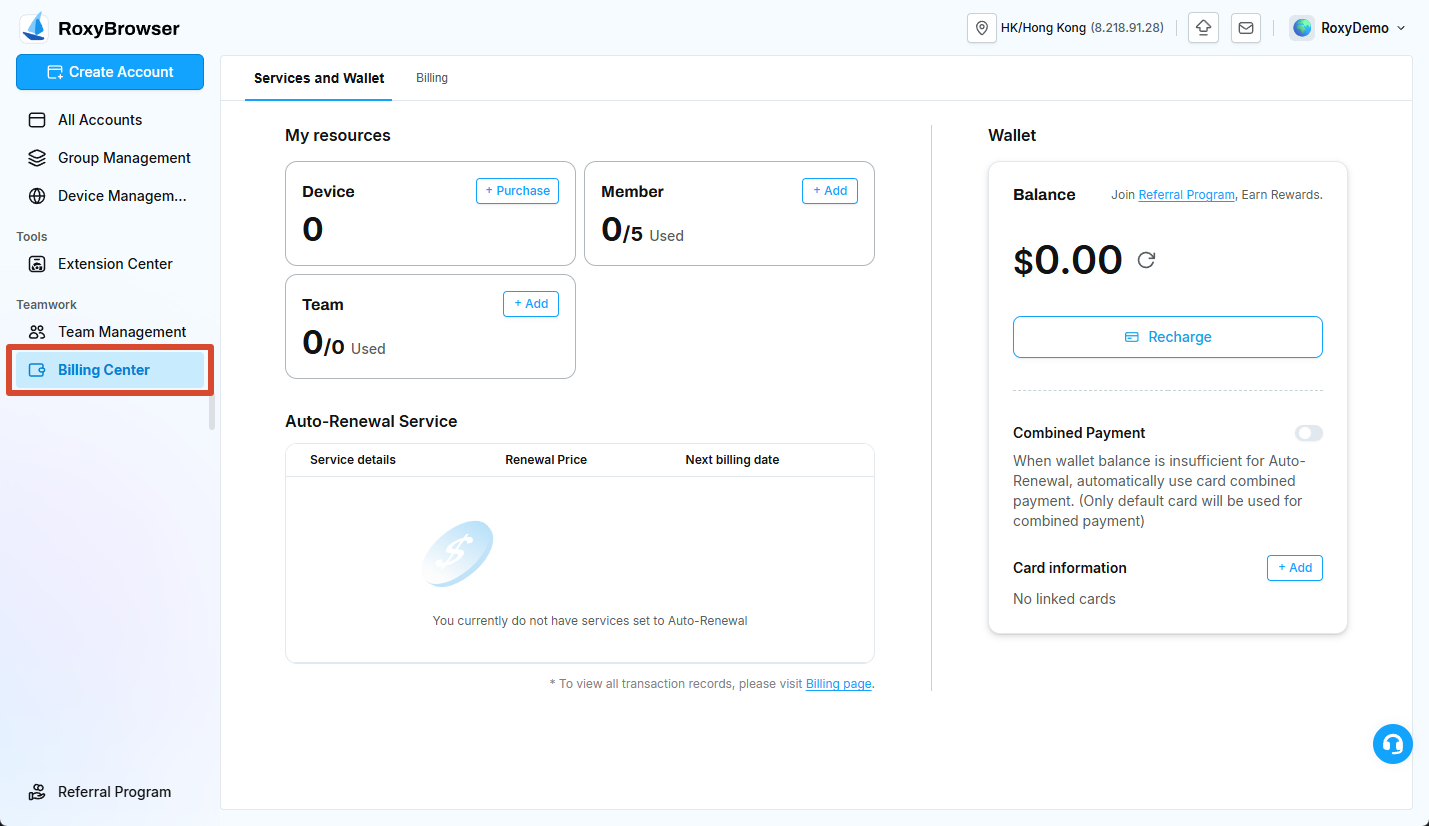
Under Services and Wallet, My resources shows the current Device, Member, and Team resources. Use Purchase or Add beside the corresponding resource when more capacity is required.
Device Services and Renewal
Auto-Renewal Service displays purchased-device renewal information and the next billing date. Imported-device software service fees also appear in the relevant service records.
The first imported device is free permanently. Starting with the second imported device, the software service fee is $2/month/device. Review the free allowance, device count, and service period before importing.
Purchased devices currently cost $6 each. Review their renewal status in Device Management and confirm the final amount before payment.
Member and Team
Each additional Member costs a one-time $5 payment. Each additional Team costs a one-time $10 payment. Both remain available permanently, and purchases cannot be canceled or refunded.
Member capacity limits the number of collaborators who can be invited. It does not limit how many e-commerce accounts you can create.
Wallet
The Wallet balance can be used for devices, imported-device service fees, members, teams, and other resources that support wallet payment.
Click Recharge, enter the amount, and select an available payment method such as a bank card, Alipay, WeChat Pay, or USDT. Available methods vary by region and account.
USDT recharge
- Transfer exactly the amount shown in the order; a different amount can delay crediting.
- Payment after an order expires may not be credited automatically.
- Verify the network and receiving address character by character. Blockchain transfers normally cannot be reversed.
Combined Payment and Card Information
When Combined Payment is enabled and the wallet does not have enough for an auto-renewal charge, the default card pays the difference. Only the default card is used.
Before enabling it, add a card under Card information and confirm the default card and billing details. Disable Combined Payment or the relevant device renewal if you do not want the card charged automatically.
Billing
Open Billing to view wallet recharges, device purchases, imported-device service fees, and team-resource transactions. For a billing question, record the order number, time, amount, payment method, and status before contacting support.
See Service Fees for the complete fee rules.