
Advanced Fingerprint Settings
TIP
Advanced fingerprint values should be consistent with the selected operating system, browser kernel, and User-Agent. RoxyBrowser generates defaults for the current environment; keep them unless you have a specific compatibility requirement.
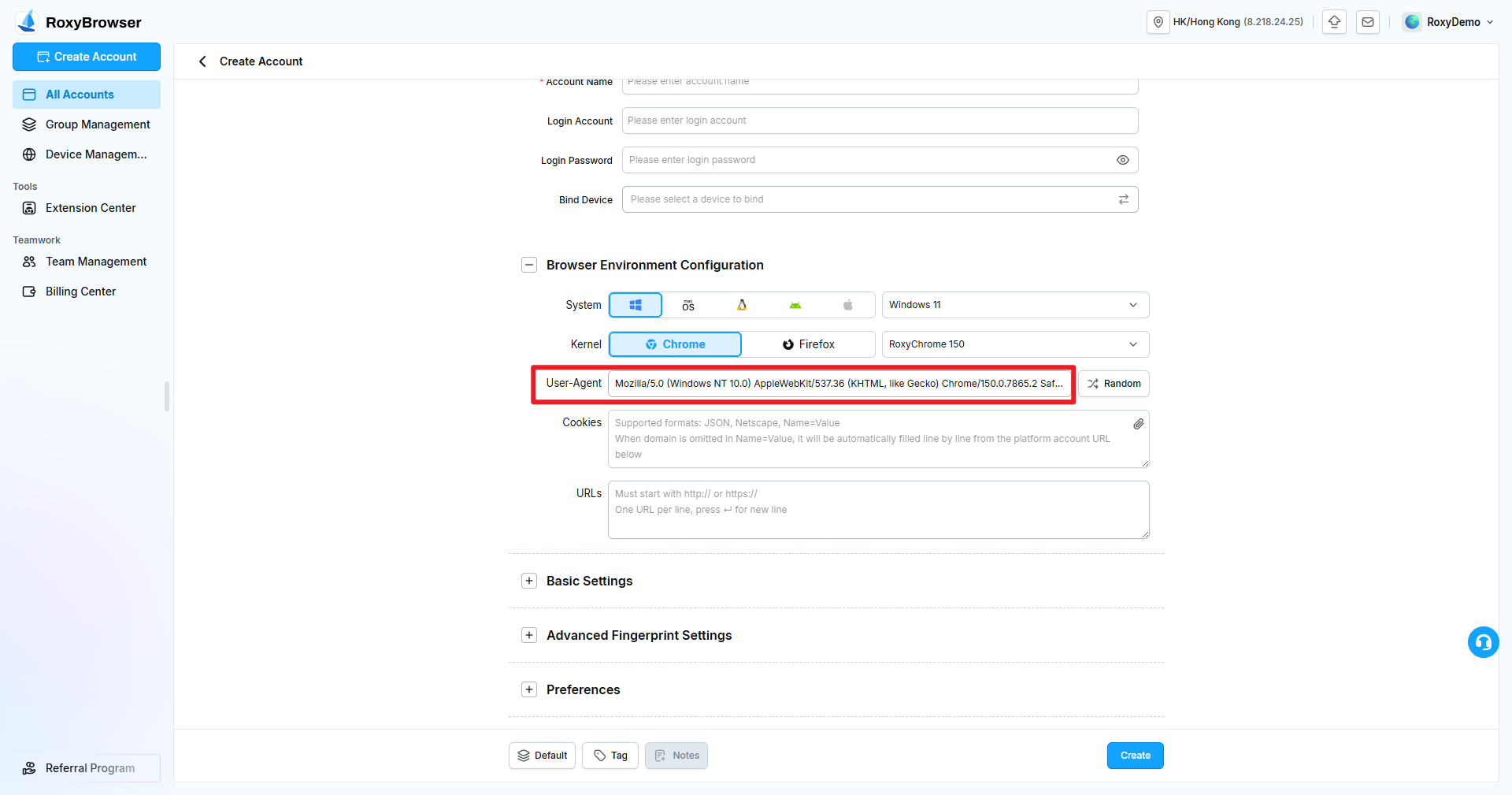
User-Agent
The User-Agent identifies the browser type, version, and operating system in HTTP requests. RoxyBrowser generates a value that matches the selected system and kernel and also supports random or custom values.
Example Chrome User-Agent on Windows:
Mozilla/5.0 (Windows NT 10.0) AppleWebKit/537.36 (KHTML, like Gecko) Chrome/135.0.7039.0 Safari/537.36| String | Meaning |
|---|---|
Mozilla/5.0 | Compatibility identifier used by modern browsers. |
(Windows NT 10.0) | Operating system identifier; Windows 10 and 11 both commonly report NT 10.0. |
AppleWebKit/537.36 | Rendering engine and version identifier. |
(KHTML, like Gecko) | Compatibility identifier retained for websites. |
Chrome/135.0.7039.0 | Chrome browser and version. |
Safari/537.36 | Safari compatibility identifier. |
Mobile, when present | Indicates a mobile device environment. |
WARNING
A custom User-Agent must remain consistent with the system, kernel version, and hardware values. Conflicting fields are more likely to create an abnormal fingerprint than the defaults.
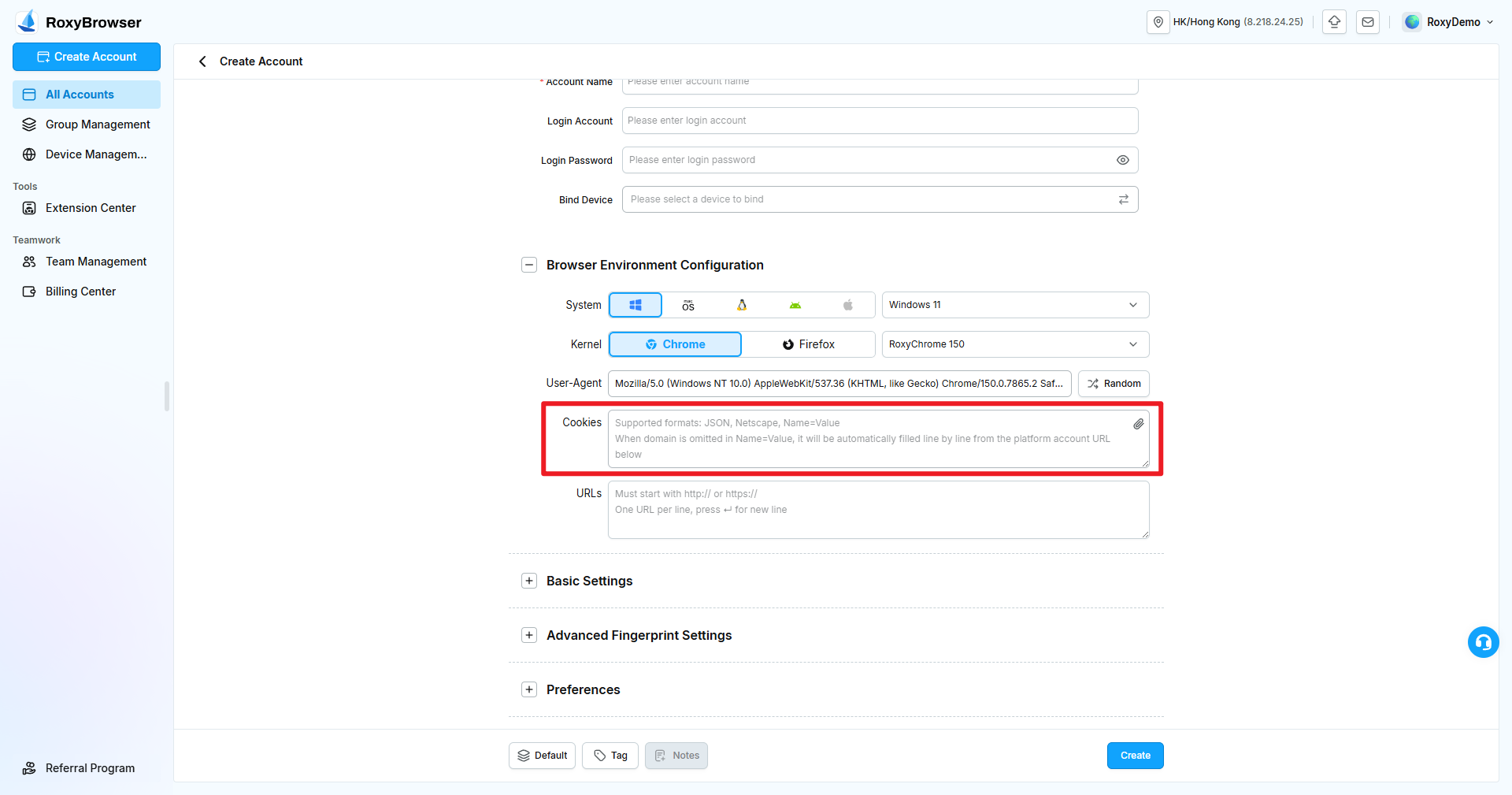
Cookies
Cookies store website sessions, credentials, and preferences. Account creation and editing support JSON, Netscape, Name=Value, and Cookie file upload.
If a Name=Value entry has no domain, the client completes it using the platform account URLs. Import only cookies from a trusted source and confirm that they are still valid.
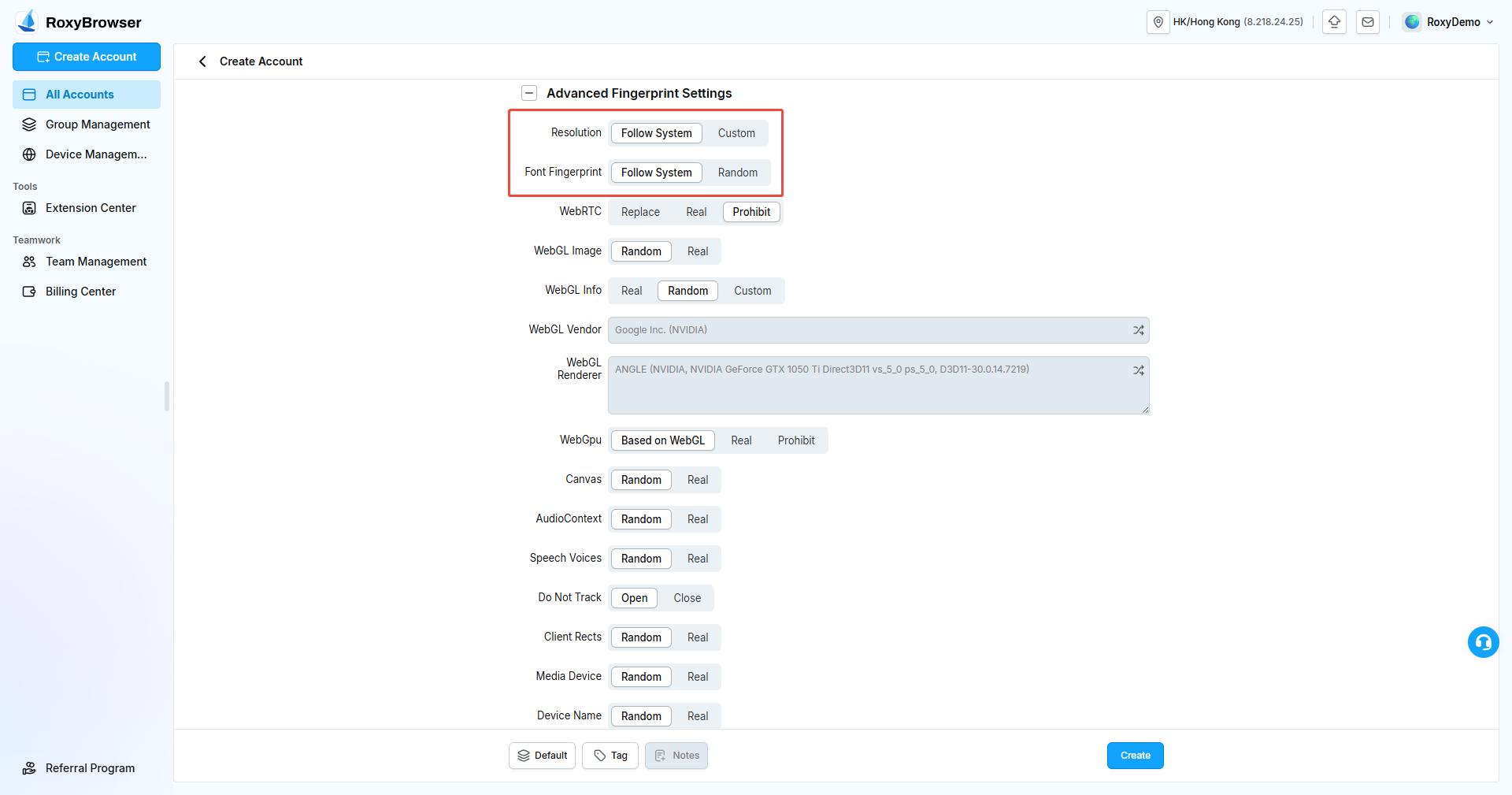
Resolution and Font Fingerprint
- Resolution: Follow the system or enter a custom value. A custom value should be realistic for the selected device and system.
- Font Fingerprint: Follow the system or use a random value. Available fonts depend on the operating system, language, and installed fonts.
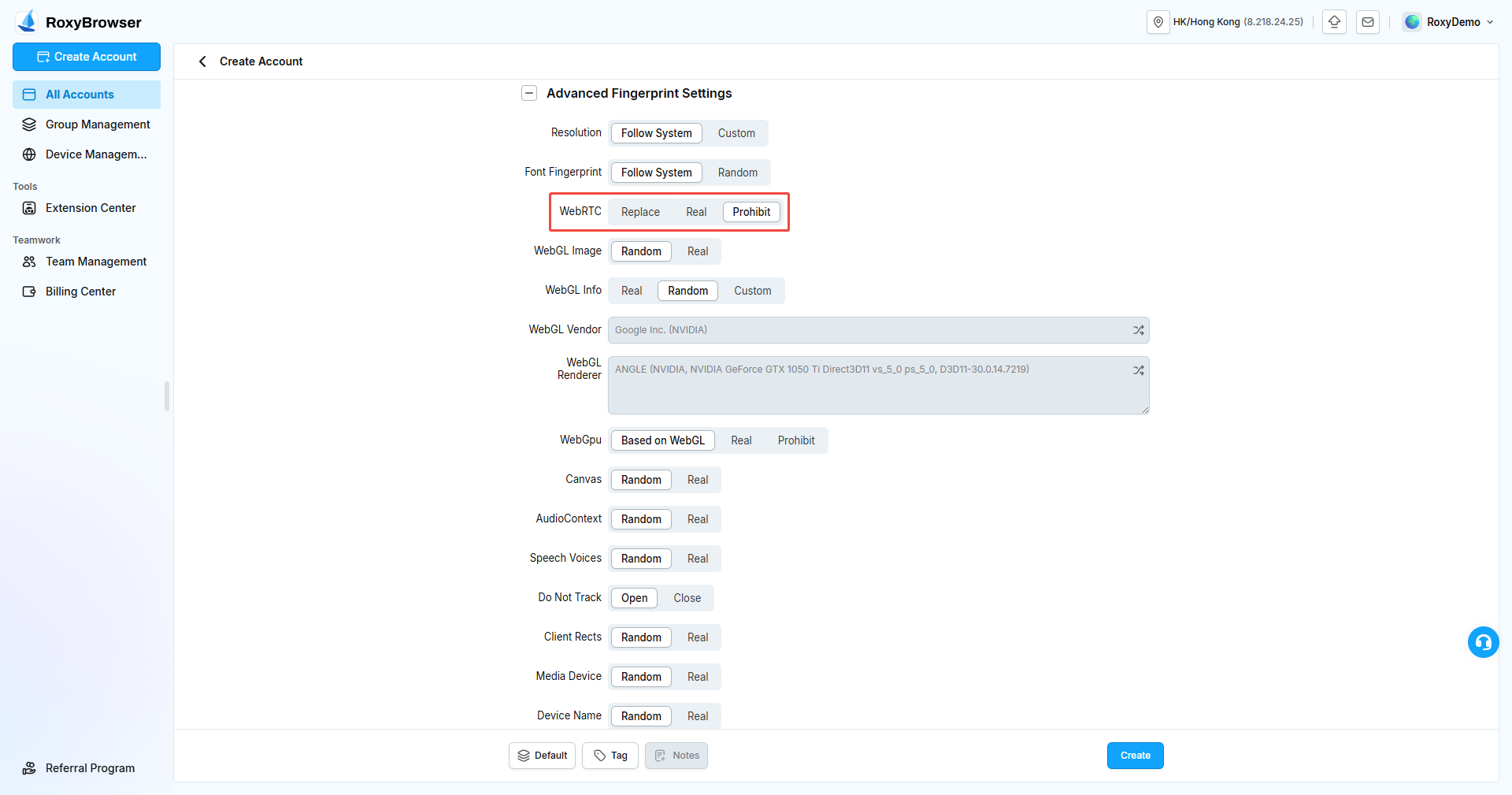
WebRTC
WebRTC enables real-time audio, video, and peer-to-peer communication and can expose local network information.
- Replace: Replace real values with network information generated for the environment.
- Real: Return the computer's real WebRTC information.
- Disable: Turn off WebRTC-related capabilities.
Test the selected mode before using web meetings, voice, or video features.
WebGL Image, WebGL Info, and WebGPU
WebGL and WebGPU expose graphics capabilities, GPU vendor, and renderer information.
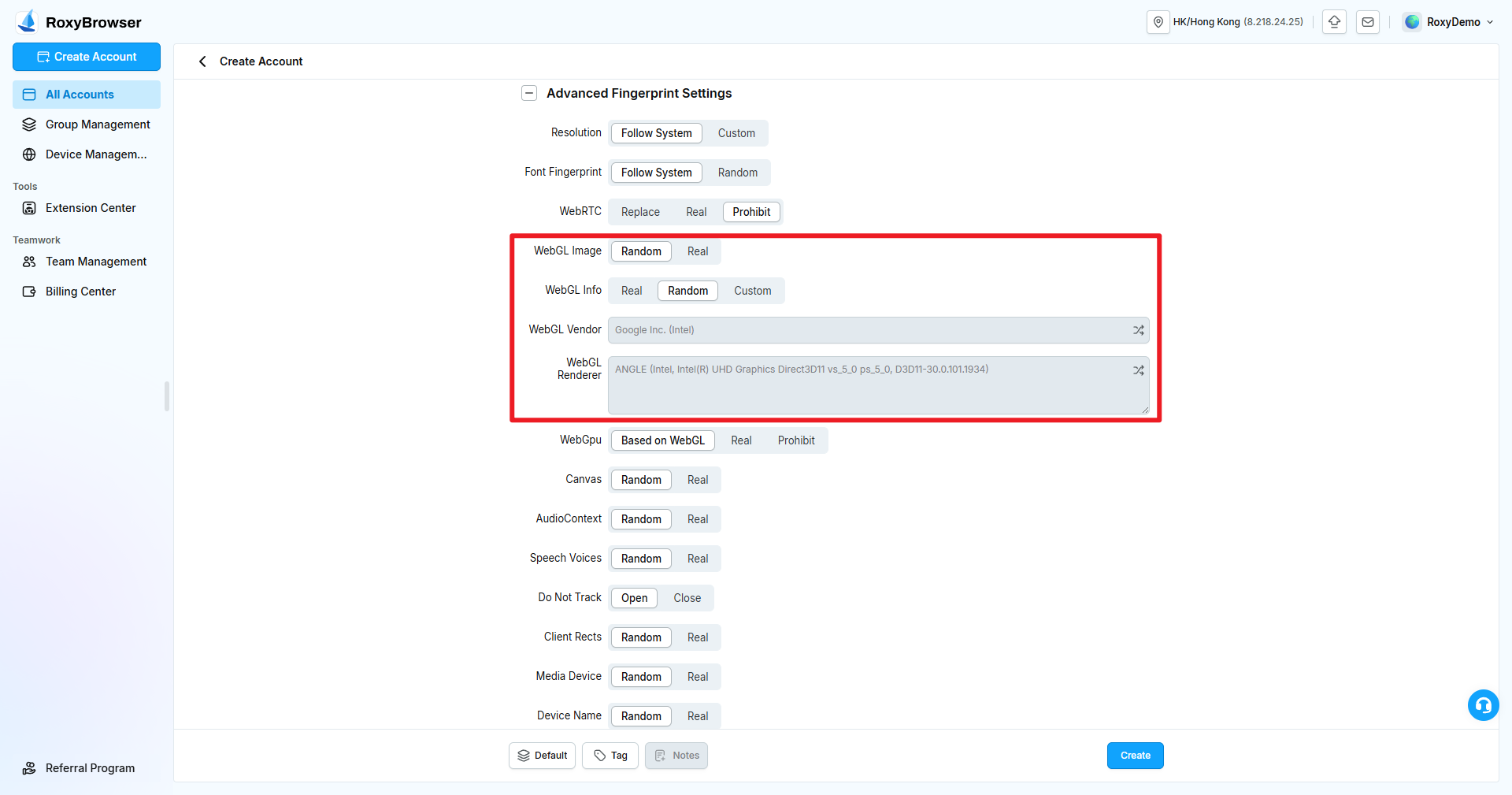
WebGL Image
- Random: Add environment-level variation to rendering results.
- Real: Use the computer's real WebGL rendering results.
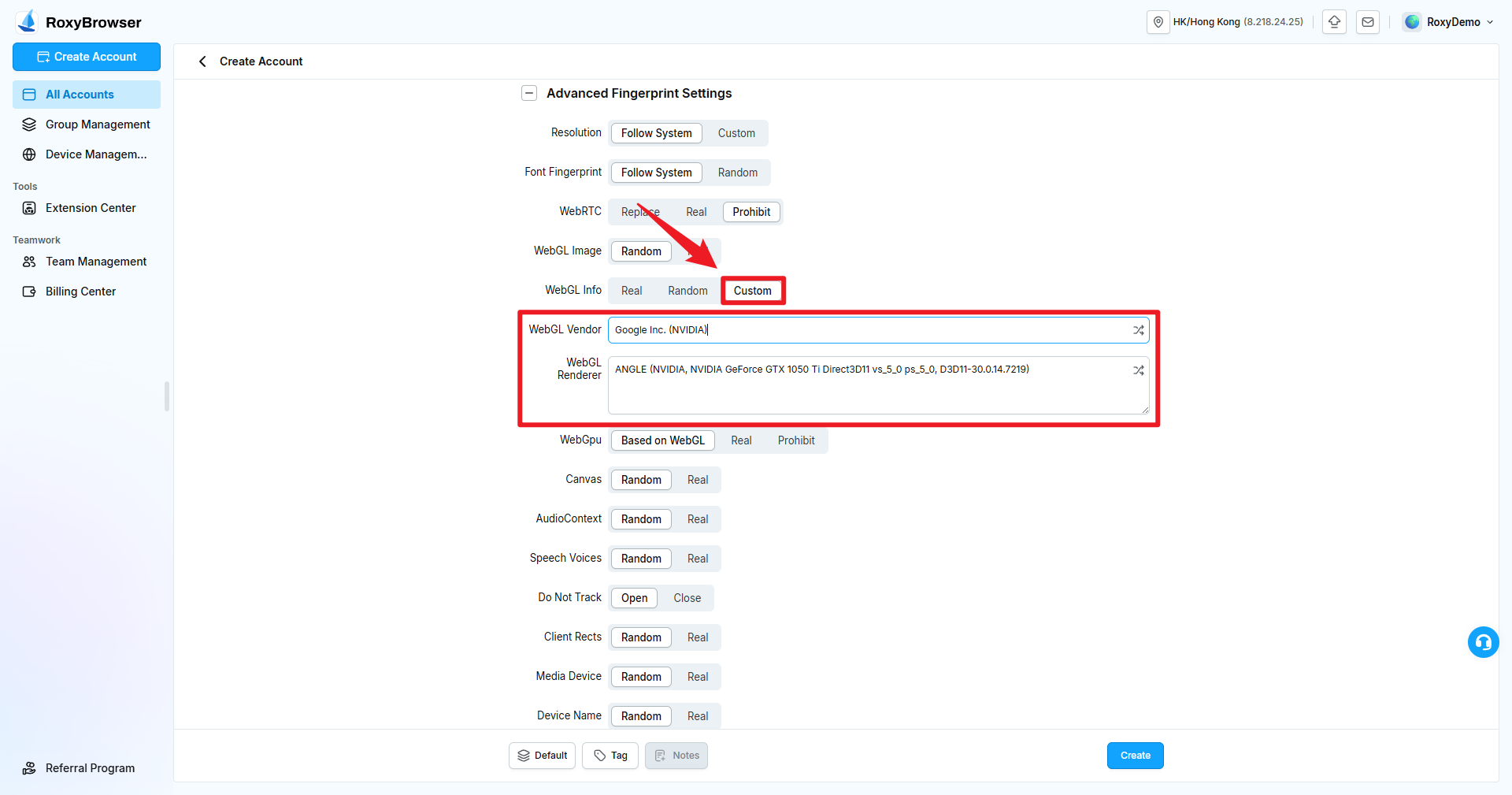
WebGL Info
- Real: Return the computer's real GPU vendor and renderer.
- Random: Generate virtual information that matches the environment.
- Custom: Enter a WebGL vendor and renderer manually.
The vendor and renderer fields become editable only in custom mode. They must match each other and remain plausible for the system and User-Agent.
WebGPU
- Match Based on WebGL: Generate corresponding values from the WebGL configuration.
- Real: Return real information.
- Disable: Disable WebGPU.
Canvas
Canvas rendering varies with hardware, drivers, fonts, and the browser engine. Select Random to generate environment-specific variation or Real to use the computer's rendering result.
AudioContext
AudioContext is part of the Web Audio API. Select Random to generate environment-specific audio results or Real to use the computer's result.
Speech Voices
Speech Voices is the voice list exposed by the Web Speech API. Select Random for a virtual list that matches the environment or Real for the computer's list.
Do Not Track
When enabled, the browser sends DNT: 1. This value also contributes to the fingerprint, so keep it stable within the same account.
Client Rects
Client Rects exposes element positions and dimensions. Select Random for varied measurements or Real for the computer's measurements.
Media Devices
MediaDevices can expose cameras, microphones, and speakers. Choose Random or Real and confirm that required devices are detected before using meetings, live streams, or recording.
Device Name and MAC Address
- Device Name: Select Random or Real.
- MAC Address: Select Real or Custom. A custom value must use a valid MAC address format and remain stable throughout the account's lifetime.
Hardware Concurrency and Device Memory
Hardware concurrency represents the number of logical processors visible to a website. Device memory represents the approximate memory capacity. Keep both values consistent with the selected device type, operating system, and other hardware fields.
SSL Fingerprint Settings
SSL/TLS handshake characteristics can identify a client. Keep the client-generated setting unless you are resolving a specific compatibility problem or following a tested standard configuration.
Port Scan Protection
When enabled, websites are restricted from scanning local ports. Add only required ports to the Scan Whitelist, separated by commas.
WARNING
Allowing unnecessary ports can expose information about local services.
Hardware Acceleration Mode
Hardware acceleration affects graphics performance and rendering. Disabling it can reduce performance on video, 3D, or WebGL pages. Test the target platform and required extensions after changing it.
Disable Sandbox
Disable Sandbox changes the browser's security isolation. Use it only temporarily in a controlled environment to troubleshoot a known compatibility issue.
Launch Arguments
Enter browser launch arguments such as --mute. Separate multiple arguments with semicolons.
WARNING
Incorrect or conflicting launch arguments can prevent an account from starting, cause unexpected behavior, or disable security protections. Test new arguments on a small number of accounts first.