
Key Takeaways
- LinkedIn’s 6-layer detection stack (network, hardware, browser, cache, behavior, TLS/JA3) means only an anti-detect browser plus static residential proxies can truly isolate accounts.
- Built-in AI Agents replace RPA scripts, letting teams run multiple LinkedIn accounts concurrently via plain-text commands.
- A 14-day warming curve (≤5 requests/day) plus passwordless cloud sharing keeps outreach safe and scales global teams to 100+ users without 2FA friction.
Introduction
In the 2026 B2B marketing landscape, LinkedIn remains a premier channel for lead generation. However, as the platform’s risk control algorithms tighten exponentially, the traditional solo-operator model has become largely obsolete.
To seize market share, scalable and omni-channel client acquisition is non-negotiable for businesses. Yet, compared to other social platforms, LinkedIn’s compliance scrutiny is exceptionally strict. This creates a critical operational challenge for B2B marketing teams: when building a massive social media matrix, how to manage multiple LinkedIn accounts safely and efficiently, while drastically reducing the risk of mass bans caused by environmental association?
This article is more than a basic multi-login tutorial; it is an advanced, technical guide covering everything from core technological analysis to cross-border team collaboration. Based on in-depth research into anti-association technologies, we will help you navigate LinkedIn’s compliance boundaries and unpack the underlying logic of device fingerprinting and network isolation necessary for running multiple LinkedIn accounts.
Why Do You Need to Manage Multiple LinkedIn Accounts?

A single profile caps at ~100–200 connection requests per week. Marketing, agency, recruiter, and global-sales teams all hit this ceiling and must run an account matrix to keep the lead funnel fed — without triggering association detection.
In today’s competitive business landscape, operating from a single profile quickly hits a growth ceiling. To achieve true scalability, building a marketing matrix with multiple LinkedIn accounts has become standard practice for professional growth teams.
1. Bypassing Weekly Connection Limits Per Account
To protect user experience, LinkedIn enforces strict weekly invitation limits on individual profiles. For B2B companies looking to penetrate markets rapidly, a single account’s quota falls short of feeding the top of the sales funnel. By mastering how to manage multiple accounts, marketing teams can distribute outreach volume across various digital sales identities. This effectively multiplies lead generation without triggering platform risk alerts. (Source: LinkedIn User Agreement clauses regarding individual account invitation limits)
2. Agencies Managing Dozens to Hundreds of Client Profiles Simultaneously
Agencies operate in highly complex environments, driving lead generation for clients across diverse regions and industries. Because each client profile represents a valuable commercial asset, account managers must seamlessly switch between and control these accounts on a single device. In this scenario, ensuring strict environmental isolation between profiles is a critical technical boundary required to safeguard client assets and maintain the agency’s reputation when managing multiple LinkedIn accounts.
3. Staffing Agencies Coordinating Multiple Recruiter Seats and Employee Profiles
Large recruitment firms or corporate HR departments often require several LinkedIn Recruiter seats. While LinkedIn’s official architecture supports multi-seat collaboration—allowing admins to allocate independent seats to team members—real-world execution presents risks. If multiple team members frequently switch profiles on the same device with overlapping digital fingerprints, risk algorithms may misinterpret this as a single user operating duplicate accounts, triggering a chain-reaction ban across the entire corporate matrix.
4. Multi-Lingual and Multi-Regional Sales Matrices for Global Markets
For global enterprises, deploying localized sales profiles tailored to specific markets—such as North America, Europe, or Southeast Asia—is key to building prospect trust. This requires not only localized messaging but also precise IP geolocation matching. Successfully running a multinational sales matrix means operators must accurately replicate regional access characteristics, ensuring each profile functions naturally, as if a local employee were operating it within that specific country.
Why Do Your Multiple LinkedIn Accounts Keep Getting Banned?
In 2026, the dominant cause of mass bans on LinkedIn account matrices is device-fingerprint overlap, not IP overlap. LinkedIn’s 6-layer detection stack identifies all accounts running on the same hardware — switching IPs or using incognito mode bypasses none of it.
There is only one core reason: LinkedIn’s six-layer fingerprinting stack can now identify all accounts operating on the same device. Traditional methods like switching IPs or using incognito mode largely fail to bypass device-level association detection. When attempting to scale lead generation by managing multiple LinkedIn accounts, many marketing teams fall into a frustrating trap: “We implemented technical isolation, but our accounts still got banned .” This almost always happens because teams ignore LinkedIn’s dynamically updated compliance boundaries.
2026 LinkedIn Compliance Boundaries
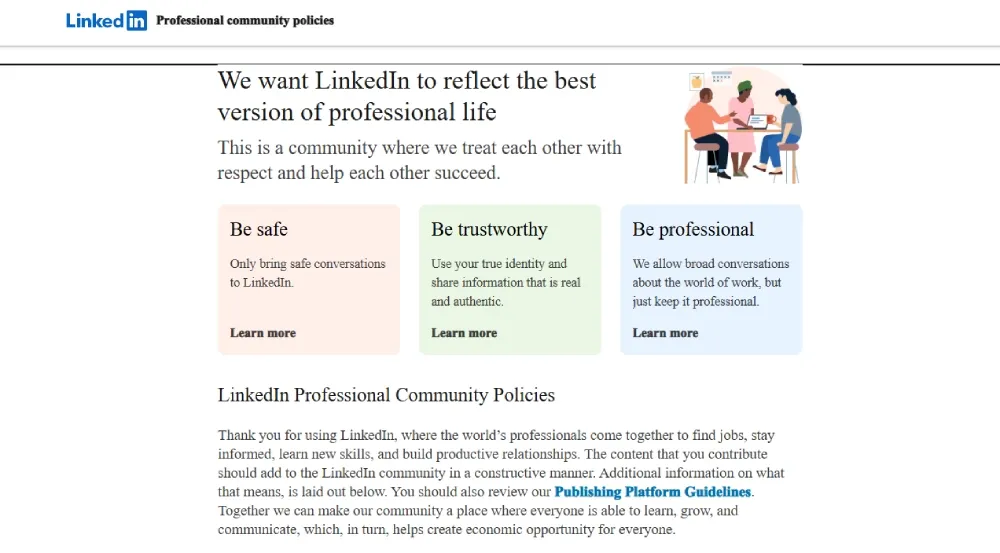
As of May 2026, LinkedIn’s Professional Community Policies explicitly state that the platform is dedicated to maintaining a professional ecosystem based on authentic identities. To help B2B teams stay compliant while figuring out how to manage multiple LinkedIn accounts, we have compiled the following comparison table based on the latest User Agreement:
| ✅ Compliant (Allowed) | ❌ Violates Agreement (Bannable) |
|---|---|
| Agency Management: Agencies managing a client’s personal profile within a dedicated environment, provided they have explicit client authorization. | Duplicate Identities: A single natural person registering and operating multiple LinkedIn accounts under their own name. |
| Enterprise Seat Management: Corporate administrators assigning official Recruiter seats to employees via standard platform protocols. | Fake Personas: Creating fabricated identities, using AI-generated avatars, or impersonating non-existent professionals. |
| Multi-Product Seat Parallelism: A single user holding multiple Recruiter or Sales Navigator seats simultaneously for legitimate business operations. | Account Purchasing: Buying “aged accounts” or “blank profiles” from third-party platforms to impersonate real users. |
| Matrix Page Management: A single authentic identity managing multiple Company Pages or Showcase Pages simultaneously. | Engagement Manipulation: Operating a network of controlled accounts for cross-liking, fake commenting, or “engagement farming.” |
LinkedIn’s 6-Layer Fingerprinting Stack
To accurately identify and crack down on mass automated operations when you manage multiple LinkedIn accounts, LinkedIn has built a sophisticated, six-layer fingerprint detection stack that probes deep into the system level.
Layer 1: Network and Geolocation Layer
This layer focuses primarily on monitoring “network address overlap and abnormal geographic jumps.” If your multiple LinkedIn accounts frequently log in from the exact same public IP address, the system immediately flags them as a high-risk associated cluster. Illogical physical movements are penalized even more severely: for example, if an account is active in Shanghai one minute and posts from Los Angeles three minutes later, this “abnormal geographic jump” will directly trigger strict ban mechanisms.
Layer 2: Hardware and Operating System Layer
Your physical device acts like a transparent digital ID card. Through low-level APIs, the platform can comprehensively read exposed data such as your Graphics Processing Unit (GPU) model, screen resolution, and even your approximate RAM capacity (rounded to the nearest tier). As long as these hardware characteristics remain highly consistent, the platform knows the same person is operating behind the screen, even if you switch networks while managing multiple LinkedIn accounts.
Layer 3: Browser Fingerprint Layer
This is a major pitfall for beginners trying to figure out how to manage multiple LinkedIn accounts. Traditional “incognito mode” offers almost zero protection against deep hardware scans. Incognito merely prevents browsing history from being saved locally; it does not stop web pages from reading your underlying rendering data.
The platform overlays two independent mechanisms for identification: Canvas Fingerprinting generates a persistent, cross-session unique device identifier, while WebRTC (Web Real-Time Communication) bypasses proxies via ICE candidate addresses, directly leaking your real public and local IPs. The former answers “who is it,” and the latter answers “where are they.” Combined, they easily expose most superficial cloaking attempts.
Canvas Fingerprinting: This refers to the browser drawing invisible graphics or text using a hidden canvas HTML element. Because there are microscopic differences in GPUs, driver versions, and OS font rendering engines across different devices, the final pixel output generates a distinct hash value. The site calls toDataURL() to export the base64-encoded pixel data, and then applies an MD5/SHA-1 hash to serve as a unique device ID. Even using the exact same browser version, the final hash can differ between devices.
Layer 4: Cache and Session Layer
This is the hidden culprit behind chain-reaction account bans. When switching between profiles in a standard browser, deep local storage and uncleared deep cache data frequently intersect. Once a single account is flagged for a violation, this tainted association marker spreads through the shared cache data, putting your entire matrix of multiple LinkedIn accounts at risk of a collective, cascading ban.
Layer 5: Behavioral and Automation Monitoring Layer
The system analyzes your interaction trajectory in real-time, heavily penalizing “clumsy bot behavior.” If your account exhibits mechanical, fixed-frequency clicking for likes and connection requests, or if your access requests carry the underlying signatures of a “headless browser” (a script-driven automated testing browser without a graphical user interface, such as Puppeteer or Playwright in default mode), the risk engine will instantly flag it as automated mass operation.
Layer 6: TLS Fingerprint Layer (JA3 / JA4)
Added to LinkedIn’s risk stack in late 2025, this layer inspects the TLS handshake itself — cipher suite ordering, extension lists, and elliptic-curve preferences — and hashes them into a JA3 or JA4 signature. Two browsers can have identical Canvas, WebGL, and User-Agent fingerprints, yet still get associated if their underlying TLS stack matches.
This is why running multiple Chromium instances on the same OS through the same proxy library (e.g., raw requests or default Puppeteer) leaks association even with perfect upper-layer cloaking. A production-grade anti-detect browser must rotate JA3/JA4 signatures alongside browser fingerprints — most consumer-grade tools do not.
Why Common Multi-Accounting Methods Often Fail
Many operators are still relying on five-year-old habits. This technological lag is the root cause of mass account bans when managing multiple LinkedIn accounts. Below is our in-depth evaluation of several common solutions currently on the market.
In-Depth Comparison of Anti-Association Solutions
| Solution | Anti-Association Strength | Team Collaboration | Monthly Cost | Learning Curve | Recommendation |
|---|---|---|---|---|---|
| Built-in Browser Multi-User | ★ | ❌ | Zero | Low | ❌ |
| Incognito Mode | ★ | ❌ | Zero | Low | ❌ |
| Multiple Browser Profiles | ★ | ❌ | Zero | Low | ❌ |
| Multiple Physical Devices (Phones/PCs) | ★★★ | Partial Support | Extremely High | High | ⚠️ |
| VPS / Cloud PC | ★★ | Partial Support | High | Medium | ⚠️ |
| Virtual Machines (VM) | ★★★ | ❌ | Medium | High | ⚠️ |
| Anti-Detect Browser + Residential Proxy | ★★★★★ | ✅ | Medium | Low | ✅ |
As seen from the table above, traditional methods that attempt to take “shortcuts” on environmental isolation often result in mass account restrictions.
Standard browser profile switching and incognito mode are essentially “running naked” in the face of deep hardware fingerprinting. While Virtual Private Servers (VPS) or cloud computers do switch network addresses, their extremely poor data center IP reputations actively trigger platform risk radars. As for using multiple physical devices, the exorbitant procurement and maintenance costs eliminate the possibility of scaling up and enabling team collaboration.
The Core Anti-Ban Foundation: Anti-Detect Browsers and Authentic Core Technology

As the comparison above shows, traditional shortcuts on environmental isolation almost always end in mass restrictions. Standard profile switching and incognito mode run “naked” against deep hardware fingerprinting; VPS and cloud-PC IPs are pre-flagged as datacenter traffic; multi-device setups carry costs that don’t scale and can’t be shared across a remote team.
For most B2B teams, the architecture that best balances isolation, collaboration, and cost is an anti-detect browserpaired with high-quality residential proxies. The next section breaks down the three technical pillars that make it work.
Layer 1: The Isolation Layer — Anti-Detect Browsers
To shield your operations from LinkedIn’s risk control detection at the foundational level, the first step is achieving robust, physical-level isolation.
The Essential Difference Between Anti-Detect Browsers and Standard Profiles: Standard multi-user browser profiles only separate browsing history at the application layer. Under the platform’s deep scanning, they still share the exact same underlying operating system APIs and screen resolution. In contrast, an anti-detect browser intervenes directly at the rendering kernel. Utilizing virtualization technology, it generates and locks a completely unique set of underlying hardware parameters (such as Canvas rendering traits, AudioContext, etc.) for every individual window.
Forging an Independent “Digital DNA” for Each Account: This kernel-level spoofing effectively injects a highly independent “digital DNA” into every profile. Even if you are managing multiple LinkedIn accounts—potentially hundreds of them—on a single computer, the platform’s six-layer detection stack will perceive them as hundreds of real, physical devices distributed across different locations. This significantly reduces the fatal association risks caused by overlapping device fingerprints.
Layer 2: The Network Layer — High-Quality Residential Proxies vs. Datacenter Proxies
Once you have a pristine, isolated device shell, you must pair it with a highly realistic network path. The reputation of your network environment directly dictates the survival of your accounts.
Ban Rate Comparison Across Three Proxy Types: Because Datacenter proxies are primarily used for server hosting, their IP subnets are preemptively marked as high-risk by social platforms. They are easily flagged by AI as bot traffic, leading to exceptionally high ban rates. In contrast, residential proxies originate from real home broadband users worldwide, carrying a much higher initial trust score. Static residential proxies (ISP proxies) offer the best of both worlds: the stealth of authentic users combined with the high speed and stability of a datacenter network, resulting in incredibly low ban rates.
Why You Must Use Residential or Static Residential Proxies: When figuring out how to manage multiple LinkedIn accounts safely, compromising on network nodes is a critical mistake. You must use high-quality residential-grade proxies to match the localized, authentic professional personas forged by your anti-detect browser. This ensures that every login IP aligns perfectly with the account’s stated physical location, effectively bypassing any abnormal geographic jump alerts.
Layer 3: The Automation Layer — Safely Nesting Tools Within Isolated Environments
After securing highly pristine underlying hardware and network environments, teams typically introduce automated outreach tools to achieve true scalable efficiency across multiple LinkedIn accounts.
The Correct Protocol for Running Mainstream Plugins: A common, high-risk mistake is running automation scripts “naked” in an unprotected, shared environment. The correct operational standard is to strictly nest your automation plugins within each independent anti-detect browser profile. This ensures that the distinct signatures of the automation tools are contained and never leak to the platform.
Simulating Human Behavioral Rhythms: You must strictly control the pace of your automated operations. It is crucial to introduce human behavior simulation by configuring randomized operational delays and non-linear page scrolling trajectories. Avoid executing high-intensity, batch actions—such as liking posts or sending connection requests at fixed intervals. The goal is to make the automation tool’s activity mirror the daily, organic rhythm of a real human user as closely as possible.
How to Set Up Your First Isolated Account Environment
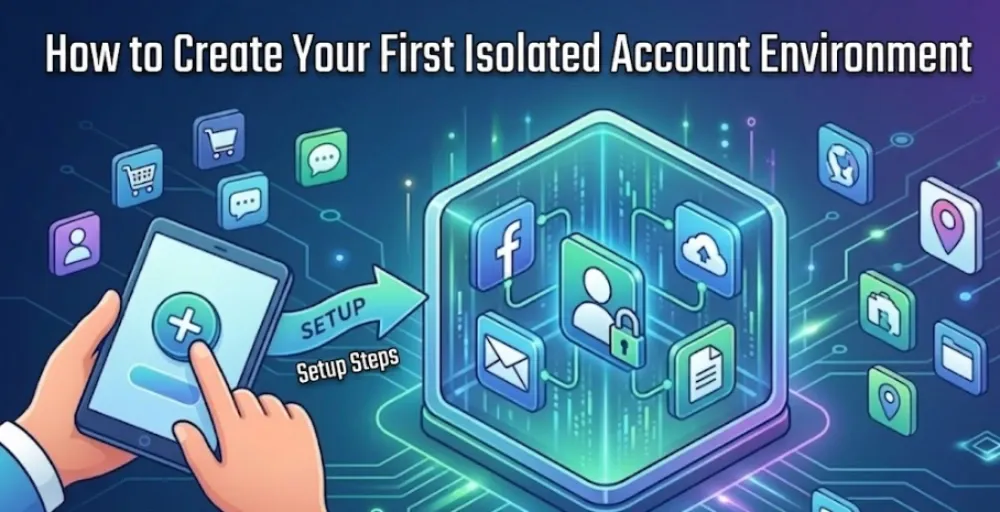
Practical execution is the key to scalable client acquisition. By following these five steps, you can build a highly robust, underlying isolated space to safely manage multiple LinkedIn accounts. Each step includes verifiable acceptance criteria; do not proceed to the next step until these standards are met.
Step 1: Prepare Your Network Proxy (Select Type and Test Purity)
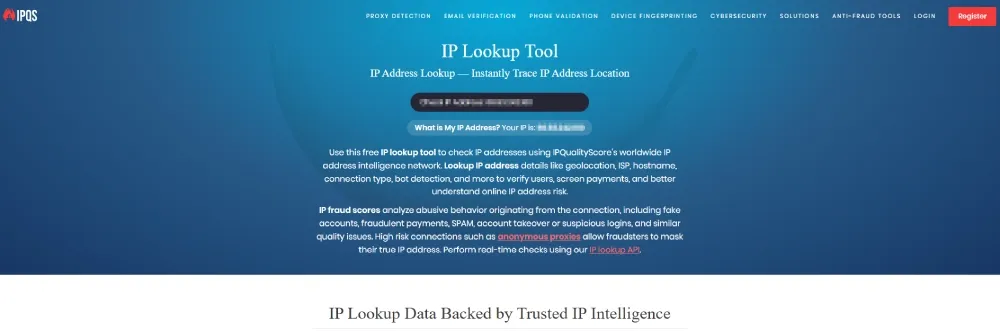
Network nodes are the cornerstone of your digital identity. At this stage, discard cheap datacenter proxies and prioritize high-quality residential or static residential (ISP) proxies. Once acquired, do not use them immediately. You must first check their fraud score and blacklist status using professional purity testing tools. We recommend a combination of:
 !
!
IPQualityScore (Focus primarily on the Fraud Score)
Scamalytics (Cross-reference for blacklists)
IP2Location (Verify the ASN type)
The higher the node’s purity, the lower the probability of platform demotion during the initial stages of managing multiple LinkedIn accounts.
Acceptance Criteria: Fraud Score ≤ 25 (ideally ≤ 10); ASN type is ISP (not Hosting/VPN); zero hits on major blacklists.
Tip for Scale: Sourcing and manually testing clean IPs can become a logistical bottleneck as your matrix grows. If you want to bypass the manual purity testing phase, enterprise-grade tools like RoxyBrowser offer a built-in proxy pool (featuring 90M+ self-operated residential nodes across 210+ countries). This allows you to bind a clean, ready-to-use IP directly to your profile in under 30 seconds.
Step 2: Create a New Profile in Your Anti-Detect Browser (Key Parameter Configuration)
Open your anti-detect browser and create a brand-new digital profile. While there are many tools on the market (e.g., Multilogin, AdsPower, BitBrowser), we recommend RoxyBrowser for this practical guide for three reasons:
It is based on an independent Chromium kernel, ensuring comprehensive fingerprint coverage.
It supports multi-user collaboration and group management, ideal for operating multiple LinkedIn accounts in a matrix.
The free version provides a quota of 5 profiles, keeping the trial-and-error cost low for beginners.
When creating a profile in RoxyBrowser, focus on configuring the underlying parameters. Through kernel-level masking, RoxyBrowser allows you to strictly control and spoof over 210+ hardware and software parameters, ensuring each profile functions as a highly independent physical device.
Canvas Fingerprint: Enable “Noise” mode (injecting slight noise rather than complete randomization).
WebGL Fingerprint: Randomize the Vendor and Renderer, but ensure they remain consistent with the Operating System.
AudioContext Fingerprint: Enable randomization.
Timezone/Language/Geolocation Interlock: If the proxy IP is in New York → set Timezone to America/New York → set Language to en-US → match coordinates to New York’s latitude/longitude.
User-Agent: Strictly match the OS and Chromium versions; do not manually overwrite this.
Acceptance Criteria: Tested on pixelscan.net, consistency shows as “Consistent”; anonymity score on whoer.net is ≥ 90%.
Step 3: Bind the Proxy and Verify Leaks (WebRTC and DNS Leak Detection)
Configure the proxy node prepared in Step 1 into the newly created profile. RoxyBrowser supports HTTP/HTTPS/SOCKS5 protocols; SOCKS5 is highly recommended. Before officially accessing LinkedIn, you must conduct rigorous environmental leak testing:
WebRTC Leaks: Visit browserleaks.com/webrtc and check three key metrics: Public IP leak (must equal the proxy exit IP), Local IP leak (your real internal IP should not appear), and mDNS hostname (Chrome 76+ defaults to a xxxx.local format to mask internal IPs; though a mitigation, it can still act as a weak association marker and should not repeat across profiles).
DNS Leaks: Visit dnsleaktest.com and run the Extended Test. Verify that the DNS server location matches the proxy IP’s country and region.
Comprehensive Fingerprint Check: Visit pixelscan.net and confirm the Browser Fingerprint Consistency is marked green.
Acceptance Criteria: No Local IP/Real IP exposure across all three tests; DNS matches the proxy region; Pixelscan comprehensive score is “Consistent”.
Step 4: Initial Login and Device Authentication (Real Email and Phone Verification)
Open the LinkedIn webpage for the first time within your pristine, isolated environment. If logging into an existing account, ensure you use an authentic backup email or a compliant physical phone number to receive security codes. Strictly avoid virtual numbers like Google Voice, TextNow, or SMS-Activate; the platform has a very low tolerance for virtual number ranges, which easily trigger permanent bans.
If registering a new account, we recommend using a custom domain email rather than Gmail, and a local physical SIM card or eSIM for phone verification. Do not modify any profile information within 24 hours of registration.
Acceptance Criteria: Received an official “New Device Login Notice” email from LinkedIn; no 2FA or facial recognition prompts appeared; the personal homepage is accessible without any risk control warning banners.
Step 5: Initiate Account Warming Mode
Completing the environmental setup does not mean you can immediately launch high-intensity outreach. When learning how to manage multiple LinkedIn accounts, remember that a new environment requires a rigorous “warming period.” We recommend following this schedule:
| Stage | Timeframe | Daily Online Duration | Allowed Actions | Prohibited Actions |
|---|---|---|---|---|
| Cold Start | Day 1-3 | ≤ 15 minutes | Browse homepage, read 2-3 articles | Add connections, send messages, edit profile |
| Soft Activation | Day 4-7 | 20-30 minutes | Like 3-5 posts, follow 2-3 companies | Proactively send connection requests |
| Trust Building | Day 8-14 | 30-45 minutes | ≤ 5 connection requests daily (2nd-degree connections only) | Mass connection requests, promotional DMs |
| Official Operations | Day 15+ | Based on business rhythm | ≤ 20 connection requests daily | Exceeding 30+ requests in a single day |
Your daily operation times should mimic the fragmented browsing habits of a real user (e.g., logging in once in the morning, afternoon, and evening for 5-10 minutes each session). Avoid staying online for long, continuous blocks at fixed times.
Acceptance Criteria: No risk control prompts for 14 consecutive days; search functions work normally; connection request acceptance rate is ≥ 30%.
Failure Signal Checklist
After completing the five steps above, you must continuously monitor the account status for the first 30 days. The following signals indicate issues with either the environment or your behavior. Immediately halt all proactive operations and return to the corresponding step to troubleshoot:
Prompted for facial verification or ID upload within 24 hours of login → Return to Step 1. Your proxy purity is substandard.
Search function returns “Unusual Activity” or “Restricted Feature” errors → Return to Step 5. Your warming pace is too aggressive.
Triggering reCAPTCHA or “Enter recipient’s email” prompts when sending connection requests → Return to Step 3. There is a leak in your fingerprint or WebRTC configuration.
Device/Geolocation shown in the login notification email does not match the proxy → Return to Step 2. Your timezone or language configuration conflicts with the proxy IP.
Received a “We’ve restricted your account” email → The account has been placed on a watchlist. Cease all operations for 7 days before re-evaluating.
Patiently cultivating the initial trust weight of your environments is the core secret to long-term stability when operating multiple LinkedIn accounts.
Team Collaboration and Cross-Border Outsourcing
Once a company’s matrix-based lead generation reaches a certain scale, delegating daily operations to overseas teams or freelancers becomes inevitable. However, safely handing over core accounts to team members scattered across the globe is a critical collaboration gap that must be bridged when figuring out how to manage multiple LinkedIn accounts securely.
The Pain Points of Managing Cross-Border Freelancers
In traditional collaboration models, managers typically hand over work to cross-border freelancers by directly sharing account passwords. Under strict risk control systems, this practice is extremely risky.
First, it directly triggers the platform’s most sensitive “abnormal geographic jump” risk control. For example, if an account is active on a local network node one day and suddenly starts making high-frequency connection requests from a network in the Philippines or Eastern Europe the next, the system immediately flags the account as potentially compromised or in violation of sharing rules, resulting in an emergency ban.
Second, transmitting passwords in plain text during cross-border communication easily leads to core data leaks. Furthermore, the high turnover rate of outsourced personnel poses a massive threat to the security of corporate digital assets when managing multiple LinkedIn accounts.
Passwordless Cloud Environment Sharing
To achieve efficient collaboration while guaranteeing underlying security, modern matrix management solutions have introduced the advanced mechanism of “passwordless cloud environment sharing.”
Through an anti-detect browser, team administrators can synchronize a “browser profile”—pre-configured with pristine proxy nodes and its underlying digital DNA—directly to the cloud. They can then grant one-click access to designated freelancers via a permission allocation system (rather than sending passwords).
Ensuring the Environment Runs Natively: When an overseas freelancer opens their assigned profile on their local computer, they are actually operating with the exact same underlying hardware parameters and fixed network address as the original creator. As far as the LinkedIn platform is concerned, regardless of where the operator is physically located, the account is always running smoothly within this unique and compliant “native environment.” This significantly reduces the probability of association alerts triggered by remote logins across your multiple LinkedIn accounts.
Escaping the 2FA (Two-Factor Authentication) Loop of Remote Logins: In cross-border collaboration, the most frustrating aspect is often not account bans, but rather that overseas teams trigger LinkedIn’s remote security protections upon every login. This requires email or SMS 2FA codes, causing communication costs to skyrocket.
Through the profile-sharing feature of an anti-detect browser, you are sharing more than just the network environment; you are migrating the complete Cookies and Sessions containing the logged-in state. This means the overseas freelancer opens the browser already logged in without needing a password, effectively bypassing the 2FA prompts and achieving true, seamless cross-border collaboration.
Asset Protection with Instant Revocation: This is the core defense line of an enterprise-grade asset moat. Cross-border collaborators never see the actual account passwords from start to finish; they only possess temporary usage rights to that isolated environment. Once the collaboration ends or an employee resigns, the administrator simply clicks a button in the main control panel to revoke the profile’s access permissions. This instantly severs the other party’s operational link, safely recovering all commercial leads and achieving a truly secure and seamless business transition when you manage multiple LinkedIn accounts.
Building a LinkedIn Growth Ecosystem: Fundamental Anti-Ban + Operational Efficiency
Security and efficiency are not a tradeoff — they’re a stack. Isolation at the foundation keeps accounts alive; automation on top turns living accounts into pipeline. Skip the foundation, and automation only accelerates your ban rate.
Merely keeping a large number of LinkedIn accounts alive is only the first step. True B2B client acquisition requires the scalable flow of leads. The core challenge is translating a secure technological foundation into actual commercial profit — and that requires deeply integrating isolated environments with business tools to build a healthy growth ecosystem.
What “good” looks like in 2024–2026
Across the agencies and growth teams operating LinkedIn matrices today, three patterns hold consistently:
Ban rate scales with shared infrastructure. Teams running 20+ profiles on shared Chrome profiles plus rotating residential proxies typically see quarterly ban rates in the 15–30% range. Teams that migrate to per-account isolated environments (anti-detect browser + static ISP proxy + 14-day warming SOP) typically settle at single-digit ban rates within 90 days. The steepest drop usually comes from killing IP rotation, not from the browser swap itself.
Connection acceptance correlates with environmental authenticity. Profiles operating from a clean static ISP IP matched to the operator’s stated location often outperform rotating-IP profiles on acceptance rate by 1.5×–2×, though this varies sharply by industry and ICP.
2FA frequency is the leading indicator of fingerprint leakage. If a profile triggers more than ~1 device-verification challenge per week after warming, the cause is almost never “behavior” — it’s an environmental leak (such as exposed WebRTC local IPs, mismatched timezones, or shared JA3 TLS fingerprints). Fix the environment, and 2FA challenges drop to near zero within two weeks.
The takeaway: The largest single ROI lever is environmental isolation, not automation tooling. Teams that invest in the foundation first see automation deliver compounding returns; teams that skip the foundation see automation accelerate their losses.
Choosing the right automation tool for your matrix
Do I need complex RPA coding skills to automate multiple LinkedIn accounts in 2026?
No. While legacy browser extensions and tools like Dux-Soup or PhantomBuster require manual configuration, webhook attachments, or fragile RPA scripts, the industry has shifted toward intelligent, zero-code automation.
As the industry’s first anti-association platform to integrate a real AI Agent (AI Navigator), RoxyBrowser supports the MCP protocol and custom Skills. Instead of writing code, you can command your entire social matrix of hundreds of profiles simultaneously using a single natural language prompt (e.g., “Filter 2nd-degree connections in London and send customized follow-ups”). This AI-driven orchestration delivers a 10x efficiency leap while ensuring each automated action closely mimics organic human behavior within its isolated sandbox.
While RoxyBrowser’s built-in AI Navigator provides the ultimate all-in-one automation experience, many teams still rely on legacy workflows or specific third-party CRM plugins. If you prefer to use external automation tools alongside your anti-detect foundation, the five tools below cover the realistic option space for most B2B teams in 2026:
| Tool | Execution Type | Concurrent Accounts | Anti-Detect Browser Required | Starting Price | Best For |
|---|---|---|---|---|---|
| Dux-Soup | Local Chrome plugin | 1 | No | $14.99/mo | Solo operators, lightweight outreach on a budget |
| PhantomBuster | Cloud workflow | Multiple | Strongly recommended | $56/mo | Cross-platform automation sequences, headless scraping |
| Kanbox | SaaS aggregation | Multiple | No | $45/mo | Agencies needing unified inbox + lead CRM |
| HyperClapper | SaaS AI agent | Multiple | No | $39/mo | Batch AI commenting, rapid account warming |
| Expandi | Cloud human-simulation | 1 per subscription | No | $99/mo | High-safety, premium outreach campaigns |
The Non-Negotiable Rule: Any plugin-based or custom-environment automation tool (Dux-Soup, PhantomBuster, and similar) must be nested inside an independent anti-detect browser profile. Running automation scripts “naked” in a shared local environment — without hardware fingerprint protection — is currently the single largest cause of matrix-wide bans. Cloud-native tools like Kanbox, HyperClapper, and Expandi handle isolation server-side and don’t require a local anti-detect browser, but they also offer less control over the underlying fingerprint.
Deploying automation and CRM correctly
Even with the perfect tool selected from the options above, the reason many teams fail isn’t the software itself — it’s the deployment. Running automation directly on a primary local machine causes the underlying data of every account to contaminate every other account through shared cache, cookies, and TLS sessions.
The correct deployment pattern:
- One automation instance per anti-detect profile. Each plugin or data-sync script lives strictly inside its corresponding browser profile. No sharing.
- One closed data pipeline per account. High-intent leads generated by each profile flow point-to-point directly into your central CRM — no cross-account aggregation at the browser layer.
- Human-paced execution. Randomized delays, non-linear scroll patterns, and fragmented session times. Never execute fixed-interval batch actions.
This keeps data collection isolated at the application layer and dramatically reduces the probability of triggering risk control alerts during automated operations.
The principle of “ecological compatibility”
The ultimate philosophy of modern matrix operations is ecological compatibility: the foundation layer (anti-detect browsers + high-quality proxies) provides robust environmental isolation, which then makes it safe to nest aggressive lead-generation automation on top.
Under this closed-loop architecture, the foundation shields your operations from LinkedIn’s risk algorithms and continuously supplies high-authority, zero-association active profiles. The automation layer then acts as a team of diligent digital employees inside a secure greenhouse — sending connection requests and surfacing high-value leads at a human-like pace.
Working in synergy, these two layers build a lead generation ecosystem that withstands LinkedIn’s rigorous scrutiny while delivering exponential growth in lead volume. That is what it actually means to manage multiple LinkedIn accounts successfully in 2026.
Appeals and Recovery Guide After a LinkedIn Ban
In the process of matrix-based lead generation, even the most cautious teams will inevitably encounter risk control scrutiny when managing multiple LinkedIn accounts. Facing a platform ban, haphazard appeals often drastically increase the difficulty of account recovery. The correct approach is to first diagnose the issue, then apply the targeted remedy.
Accurately Identifying the Type of Account Restriction
Before taking any action, you must accurately determine the current level of restriction on your account:
-
Explicit Restriction Grading: First, distinguish between a “temporary restriction” and a “permanent ban”. Temporary restrictions usually occur because you hit the weekly connection request limit over a short period or triggered an unusual activity alert; the recovery rate for these situations is extremely high. Conversely, permanent bans are often due to completely failing identity verification or severe violations of platform agreements, making recovery exceedingly difficult.
-
Implicit Demotion (Shadowbanning): This is a much more stealthy punishment mechanism. It means that although the account can log in and operate normally, published content receives zero impressions, and search ranking weight is significantly lowered. You can self-test for a shadowban by using a completely unassociated external account to search for the restricted account’s full name. If the profile cannot be found, it indicates your account has been placed in the “dark room”.
High-Success-Rate Recovery Steps
If you confirm that a profile within your multiple LinkedIn accounts matrix has been banned, please strictly follow these three steps for a professional appeal:
- Step 1: Silent Cooldown Period. This is the most common fatal mistake people make. When an account is banned, it is strongly advised against submitting an immediate appeal within the original “dirty environment” (i.e., a contaminated network address or a browser with associated fingerprints). Machine algorithms will quickly identify the anomaly and likely reject the appeal. You must first disconnect the current network and allow the account to enter a silent cooldown period of at least 24 hours.
- Step 2: Core Credential Preparation. Prepare a set of authentic verification materials with a high pass rate. This includes a valid government-issued ID with a clear photo, a copy of the company’s business license, or employment verification documents bearing the official company seal.
- Step 3: Appeal Letter Strategy. Avoid using cliché, copy-pasted templates found online. You need to guide your team to draft the appeal letter with an extremely professional business tone. Objectively and detailing explain the severe impact the account restriction is having on normal business operations, and conclude the letter with a strong compliance commitment promising not to repeat the offense.
Leveraging Official and “External Pressure” Channels
Standard web-based appeals often sink like a stone; you must master higher-dimensional outreach techniques when figuring out how to manage multiple LinkedIn accounts securely.
- Official Help Center: Do not blindly submit forms. Learn to navigate through the hidden portals of the official LinkedIn Help Center and use precise phrasing to trigger direct intervention by human customer service representatives.
- Cross-Platform Assistance Strategy: If the on-site appeal stalls, try mentioning LinkedIn’s official customer support accounts on external platforms like Twitter to artificially create “social noise”. Legitimate requests made in the public eye often significantly elevate the intervention priority for senior support teams.
Cutting Losses Promptly: Decisively “Abandoning and Rebuilding”
Even with the most professional appeal processes, some profiles among your multiple LinkedIn accounts will remain unrecoverable. In these situations, it is crucial to control sunk costs at critical moments.
-
Client Asset Transfer Strategy: If three or more escalated appeals yield no results, you must decisively abandon the account. Immediately initiate an asset transfer strategy to seamlessly hand over high-intent prospect leads to other secure backup accounts within your matrix, minimizing business losses.
-
Safely Merging and Closing Historical Duplicate Accounts: Before launching a brand-new, pristine environment, if you have accidentally registered multiple highly similar, non-compliant duplicate accounts in the past, take action. The correct approach is to use the official LinkedIn path (“Settings & Privacy → Account preferences → Account management”) within the original device environment to safely dispose of this historical baggage. This prevents new accounts from being physically associated with uncleared old accounts.
-
Ultimate Isolation and Rebirth: Utilize a professional anti-detect browser (like RoxyBrowser) equipped with rapid kernel iteration capabilities (such as the industry-leading pure Chrome 148 kernel) to forge a brand-new “digital native identity” completely isolated from past history at the foundational fingerprint level. Only then can you maximize the severance of the platform’s underlying tracking, prevent new accounts from being implicated by old ones, and successfully rebuild your client acquisition matrix.
Don’t Let Risk Control Limit Your Scale
True scalable operations require not only strict adherence to LinkedIn’s compliance boundaries but also the construction of a sufficiently robust underlying technical defense line when figuring out how to manage multiple LinkedIn accounts.
From deep environmental isolation and high-purity network proxies to secure, passwordless cloud team collaboration, anti-detect browsers have become critical infrastructure for building a modern social media growth ecosystem. Rather than continuously draining sunk costs in the quagmire of bans and appeals while managing multiple LinkedIn accounts, it is far better to adopt professional foundational tools with rapid kernel iteration capabilities from the very beginning. This proactive approach guarantees that you grant a pristine, native digital life to every profile among your multiple LinkedIn accounts.


