
TL;DR: Is AdsPower Still the Best in 2026?
While AdsPower was once an industry leader, its massive $4.7M crypto theft breach in 2025 and increasingly cluttered UI have left many marketers seeking safer alternatives. If you want zero-breach security, built-in residential proxies, and next-gen AI automation (MCP protocol) at a much lower price, RoxyBrowser is the superior AdsPower alternative in 2026.
For years, AdsPower has been a go-to antidetect browser for e-commerce entrepreneurs and social media agencies. But heading into 2026, the landscape has changed. With the rise of sophisticated tracking algorithms and a devastating $4.7M security breach exposing user assets, relying on outdated or vulnerable tools is a risk your business cannot afford.
In this comprehensive 2026 review, we will dissect AdsPower’s features, hidden costs, and critical vulnerabilities. More importantly, we’ll introduce you to the next-generation alternative that is rapidly capturing AdsPower’s market share.
This review will examines all of its features, solutions, benefits, and drawbacks, allowing you to make an informed decision. We’ll also test AdsPower to see if it lives up to the hype and is the best way to manage several accounts.
What is AdsPower?
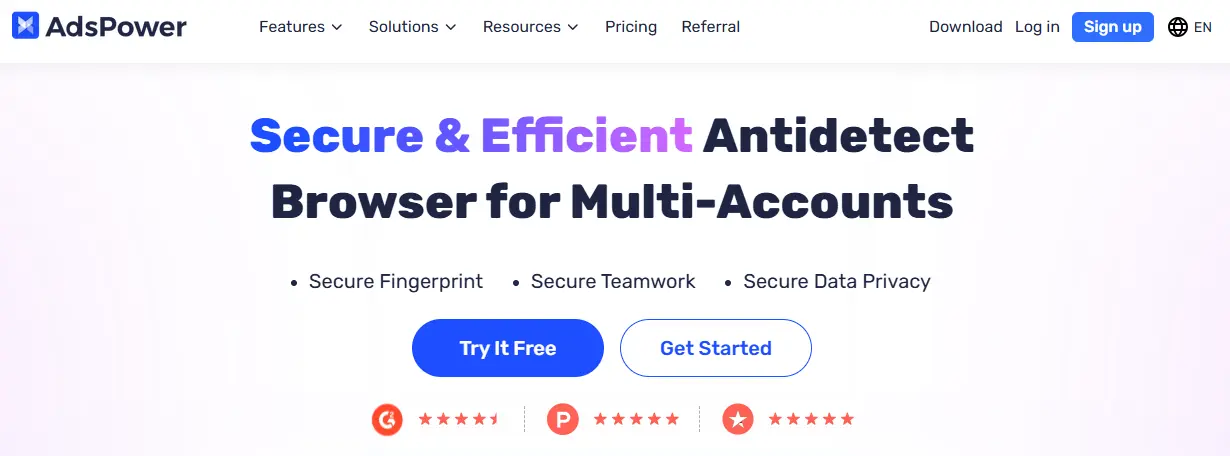
AdsPower is a Chinese-origin antidetect browser launched in 2019, designed to help users manage multiple online accounts securely without detection. The platform allows users to create and manage multiple browser profiles, each with unique digital fingerprints, making it appear as though each session is conducted from a different device or location. It’s primarily targeted at e-commerce entrepreneurs, digital marketers, social media managers, and cryptocurrency traders who need to operate multiple accounts without triggering platform bans.
Key Features & Capabilities of AdsPower
-
No-Code Automation (RPA): Records user actions like clicks and typing to automate repetitive tasks. While marketed as beginner-friendly, users report it remains overly technical and complex.
-
Profile Management: Supports both Chromium (SunBrowser) and Firefox (FlowerBrowser) cores across Windows, MacOS, and Linux operating systems.
-
Proxy Support: Compatible with HTTP, HTTPS, SOCKS5, and SSH protocols, though users must source and manage their own proxies as none are built-in.
-
Team Collaboration: Allows profile sharing and permission management, but each additional team member costs $5/month extra.
-
iOS Fingerprint Support: Unique capability for simulating iOS devices, valuable for mobile advertising platforms like TikTok and Pinterest.
-
Low Resource Usage: Requires only 2GB RAM, making it suitable for older or less powerful hardware.
AdsPower Platform Support
| Operating System | Availability |
|---|---|
| Windows | ✓ Available |
| MacOS | ✓ Available |
| Linux | ✓ Available |
| Android | × Not Available (Profile creation only) |
AdsPower Pricing Structure
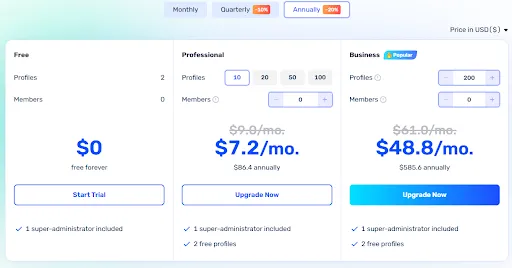
AdsPower follows a flexible pricing model with multiple tiers:
- Free Plan: Up to 2 profiles
- Professional Plan: Starting at $7.2/month for 10 profiles ($86.4 annually) + custom member seats
- Business Plan: Starting at $48.8/month for 200 profiles ($585.6 annually) + custom member seats
Important Note: While the base pricing appears affordable, costs can escalate significantly when adding profiles or team seats.
AdsPower’s Pros & Cons
Pros
-
Lower Resource Consumption: Requires only 2GB RAM, making it suitable for users with less powerful hardware
-
Affordable Entry Point: Competitive pricing for individuals and small businesses
-
Advanced Automation: Powerful RPA and Synchronizer features for experienced users
-
iOS Fingerprint Support: Unique capability for mobile platform work
-
Regular Updates: Frequent browser core updates maintain compatibility
-
Responsive Support: Multi-language customer service with good responsiveness. The Trustpilot reviews from Early January are all praises about its customer service.
Cons
- Major Security Breach: According to Binance News and Risky Business News, A data breach in 2025 resulted in over $4.7 million in stolen cryptocurrency from user accounts—a catastrophic failure that undermines trust in the platform.
- Overwhelming User Interface: The interface is cluttered and overly technical, confusing even experienced users. Simple tasks require multiple clicks through various pop-ups and banners.
- Hidden Proxy Costs & No Built-in Proxies: AdsPower forces you to source, purchase, and manually configure third-party proxies. This not only adds significant hidden costs to your monthly bill but also increases the risk of IP leaks due to misconfiguration.
- Limited Fingerprint Customization: Basic anti-fingerprinting capabilities compared to more advanced solutions. Only one profile template can be saved.
- Manual Extension Management: No pre-installed extensions; users must manually download from Chrome Web Store and upload to each profile.
- No Bookmark Import: Cannot add bookmarks to profiles
AdsPower’s User Experience
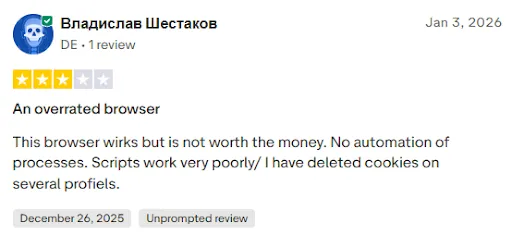
User feedback on AdsPower is mixed. While the platform offers comprehensive functionality, the user experience suffers from interface complexity. The dashboard presents too many options and technical settings simultaneously, which can overwhelm both beginners and experienced users. Simple tasks like creating profiles or adding proxies require multiple clicks and navigation through various pop-ups and banners.
Recent user reviews highlight significant concerns:
- “Very buggy software that keeps freezing…” - Diane Campbell, November 2025
- “An overrated browser… No automation of processes. Scripts work very poorly/ I have deleted cookies on several profiles.” - Vladislav Shestakov, January 2026
Is AdsPower Worth It in 2026?
AdsPower presents a mixed value proposition in the antidetect browser market. While it offers powerful features like no-code automation, iOS fingerprint support, and lower resource requirements, these advantages are significantly undermined by critical weaknesses.
A Better Alternative: RoxyBrowser
Given AdsPower’s significant limitations and security vulnerabilities, we recommend RoxyBrowser as a superior alternative that directly addresses these shortcomings while providing enhanced security, better usability, and more comprehensive features.
RoxyBrowser is a premier antidetect browser designed for both corporate and individual users who need reliable, secure multi-account management. Unlike AdsPower’s cluttered approach, RoxyBrowser emphasizes a light, fluid browsing experience without sacrificing power. The platform uses state-of-the-art fingerprint technology to create truly unique environments for each browser profile, ensuring enhanced privacy and seamless business growth.
Why RoxyBrowser Outperforms AdsPower
Enterprise-Grade Security: RoxyBrowser employs AES-256, RSA, and SHA-512 encryption protocols—a stark contrast to AdsPower’s recent $4.1M breach. Successfully bypasses detection tools like Fingerprint and CreepJS with under 2% ban rates when properly configured.
Intuitive Interface: Clean, uncluttered design with one-click profile creation and accessible features—unlike AdsPower’s overwhelming technical complexity. Both beginners and experts can use it effectively without frustration.
Built-In Premium Proxies: Direct access to tested residential IPs from 195+ countries eliminates AdsPower’s hassle of sourcing external proxies. Choose residential, mobile, or datacenter with precision city/ISP matching.
Advanced Fingerprinting: Auto-generates unique, proxy-matched fingerprints with dynamically randomized GPU, fonts, OS, WebGL, and Canvas parameters. Perfect IP-fingerprint synchronization eliminates detection patterns that expose AdsPower users.
Next-Gen AI Automation (MCP Protocol): While AdsPower relies on traditional, clunky RPA scripts that break easily, RoxyBrowser is the world’s first antidetect browser to fully integrate the MCP protocol and AI Agents. You can now use AI to completely automate your browser tasks, putting your business a generation ahead of AdsPower users.
AdsPower vs RoxyBrowser: Quick Comparison
| Feature | AdsPower | RoxyBrowser |
|---|---|---|
| Security Breach History | ❌ $4.7M loss (2025) | ✅ Zero breaches |
| OS Support | ✅ Win/Mac/Linux | ✅ Win/Mac/Linux |
| Encryption | Standard | ✅ AES-256, RSA, SHA-512 |
| User Interface | ❌ Cluttered | ✅ Intuitive |
| Built-in Proxies | ❌ | ✅ 195+ countries |
| Automation API | ⚠️ Complex RPA | ✅ Selenium/Puppeteer/Playwright |
| MCP Support | ❌ | ✅ |
| Extension Management | ❌ Manual upload | ✅ One-click |
| Bookmark Import | ❌ | ✅ |
| Cookie Management | ✅ | ✅ |
| Free Profiles | 2 | 2 |
| Free Trial for Premium Feature | ❌ | ✅ 7 days free |
| Starting Price | $7.2/mo | $4.8/mo |
| 24/7 Support | ✅ | ✅ |
How to Set Up and Use RoxyBrowser
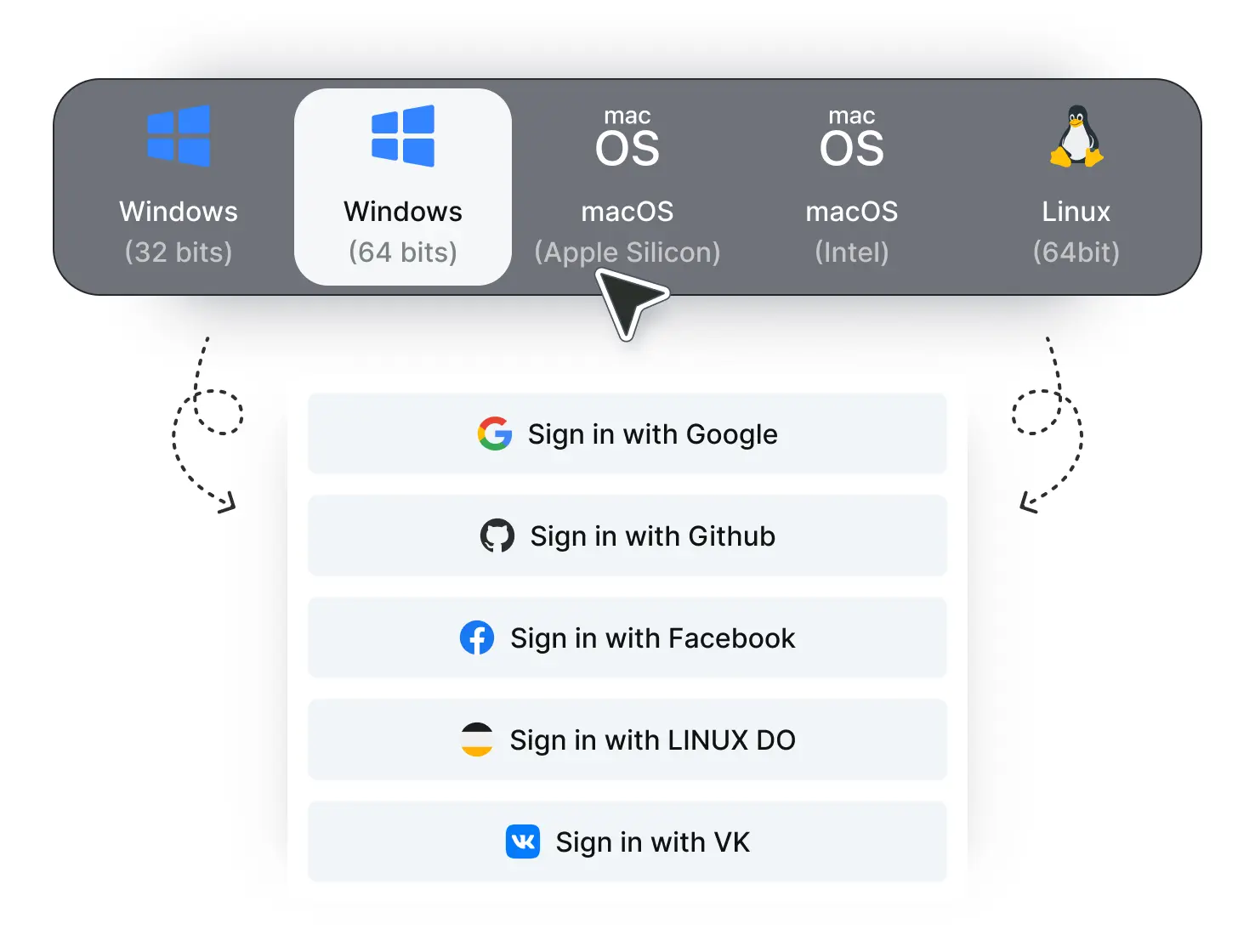
Step 1. Download and install the application for Windows, macOS, or Linux. Create your account for free with your email.
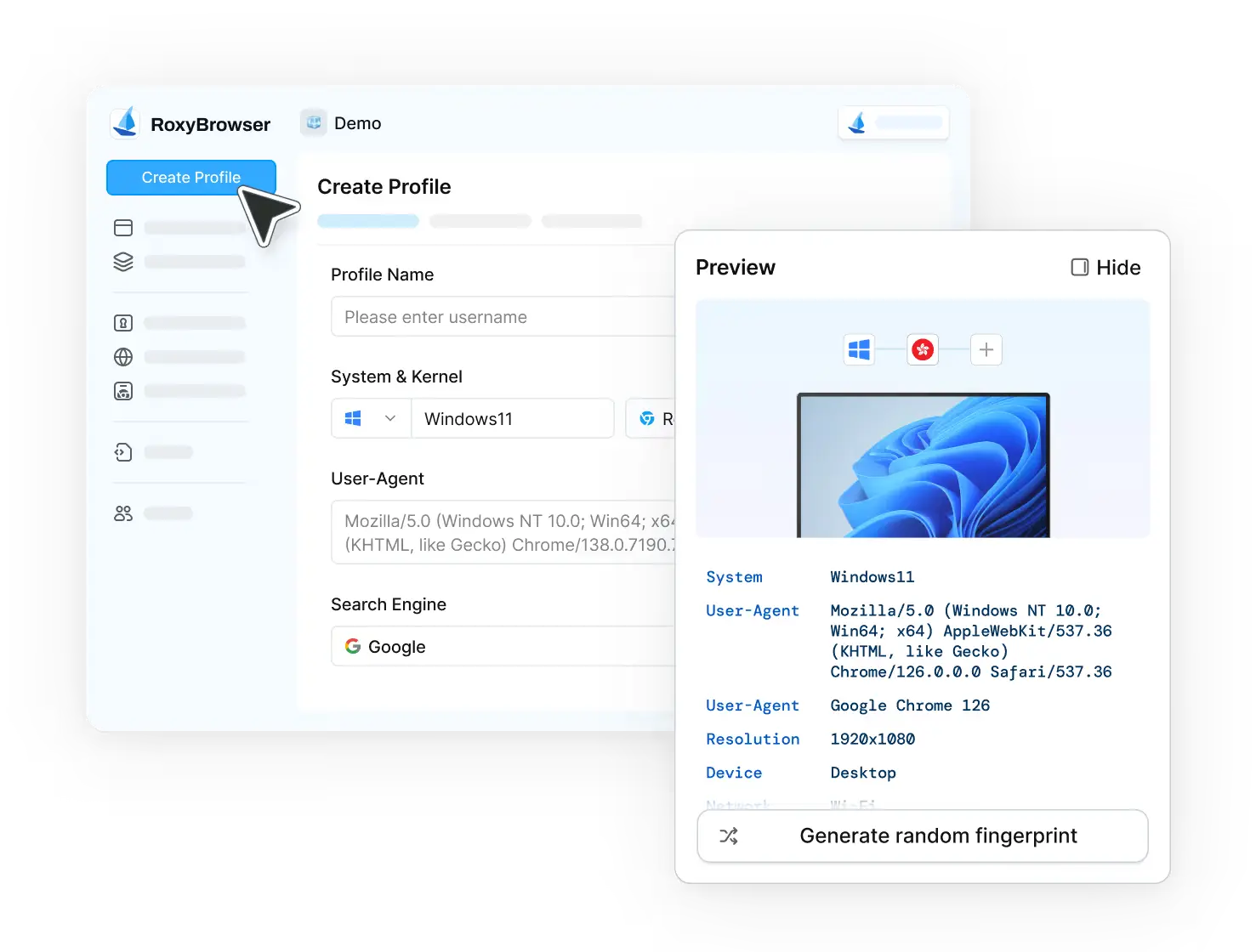
Step 2. Click “Create Profile” and enter details to configure your fingerprint settings—or use templates for instant setup. Add your proxy information using the helpful examples provided. Configure plugins at the project level to apply them automatically across all profiles.
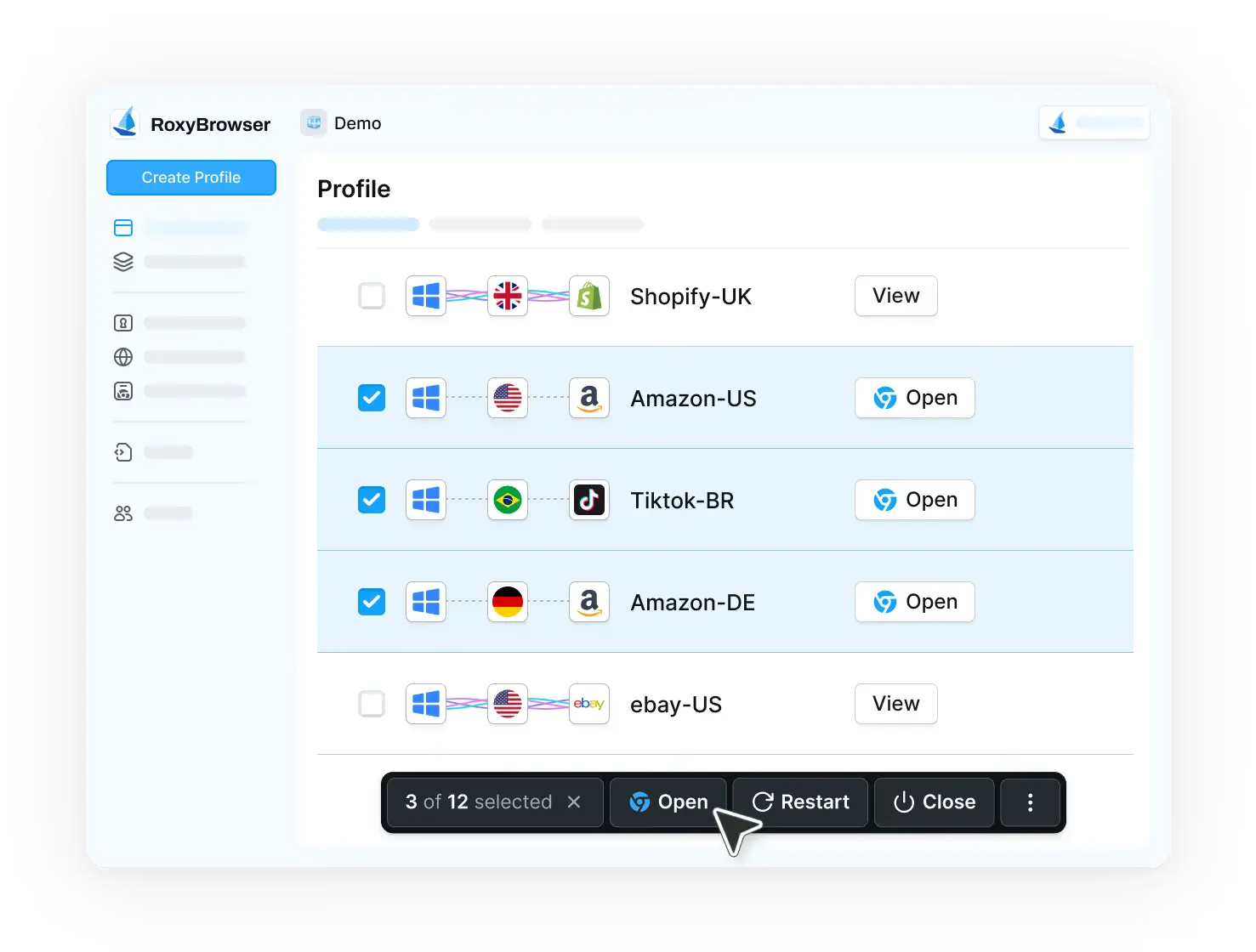
Step 3. Launch your profile and enjoy your browsing with complete account isolation and protection.
Who Should Use AdsPower vs. RoxyBrowser?
Consider AdsPower Only If:
• You specifically need iOS mobile fingerprint capabilities at budget pricing
• You have advanced technical skills and don’t mind complex interfaces
• You’re not handling cryptocurrency or highly sensitive data
Choose RoxyBrowser If:
• You handle cryptocurrency, financial transactions, or sensitive business data
• You need team collaboration without expensive per-seat charges
• You want built-in premium proxies to avoid sourcing and managing external providers
• You value user-friendly interfaces and quick setup over complex manual configuration
• You require enterprise-grade security with proven track record (no recent breaches)
• You need advanced fingerprinting that consistently achieves under 2% ban rates
• You’re running professional operations across e-commerce, social media, affiliate marketing, or web scraping
Conclusion
AdsPower presents a mixed value proposition in 2025’s antidetect browser market. While it offers adequate basic functionality and competitive entry-level pricing, the combination of critical security vulnerabilities (including the devastating $4.1M breach), and lack of built-in proxies, make it difficult to recommend.
The platform may have been competitive, but the market has evolved significantly. RoxyBrowser addresses every major AdsPower weakness while providing enterprise-grade security without breach history, intuitive interface design, built-in premium proxies, advanced fingerprinting technology, and true value for teams. For cryptocurrency activities, sensitive data handling, or professional multi-account management, RoxyBrowser is the clear choice.
AdsPower Rating Summary
| Category | Rating |
|---|---|
| Features | 7/10 |
| User Experience | 4/10 |
| Security | 4/10 |
| Value for Money | 6/10 |
| Support | 7/10 |


