
Discord is the central hub for Web3 communities, NFT projects, and gaming guilds. But for community managers, alpha hunters, and marketing agencies, a Discord ban or an infinite phone verification loop isn’t just an inconvenience—it’s a massive loss of revenue.
Whether you are managing multiple server admin accounts, running a community matrix, or grinding for whitelists (WL), traditional VPNs often trigger Discord’s strict anti-spam algorithms. In this guide, we’ll explore professional methods to bypass Discord IP bans, avoid device fingerprinting, and manage multiple accounts securely.
Common Reasons Why Discord Gets Blocked
Before diving into solutions, it’s important to understand why you’re seeing restrictions. Here are the most common reasons:
-
Account Bans
Discord may suspend or ban accounts that violate community guidelines or terms of service. Once banned, even logging in with different devices or browsers can trigger detection, preventing you from getting discord unblocked easily. -
IP Bans
If your IP address has been flagged (due to spam, botting, or other suspicious activity), Discord can block all logins from that IP. This affects not just the account but also the whole device or network, making it harder to get discord unblocked at the same IP address. -
Geo-Restrictions
In some countries or regions, Discord is restricted due to government policies or censorship. Accessing Discord servers might be entirely unavailable in these areas. -
Suspicious Activities
Discord may temporarily block access if unusual behavior is detected, such as too many logins from different devices, automated actions, or multiple accounts. These automated security measures often lock out legitimate users. -
API Abuse & Anti-Spam Filters
Discord strictly monitors API requests and account behaviors. Operating multiple accounts from the same IP or sharing the same browser fingerprint will trigger immediate shadowbans or permanent account disabled statuses. -
Device or Browser Fingerprint Tracking
Even if you change accounts or IPs, Discord can still recognize your device/browser fingerprint. This makes it difficult to create or manage multiple Discord accounts without detection.
5 Ways to Get Discord Unblocked in 2026
There are several methods you can try. Below, we’ll go through the most effective options, starting with the most secure and convenient approach.
Method 1. Access Discord with RoxyBrowser (Reliable and Free)
The simplest and most effective way to get Discord unblocked is using RoxyBrowser, an antidetect browser.
While other methods only handle one aspect of the problem (like changing your IP address), an antidetect browser can overcome all problems listed above.
- School/Work blocks: Creates isolated profiles that bypass local network filters.
- Government censorship: Generates unique fingerprints and IP addresses that are harder to detect and block.
- Firewalls: Runs Discord in an independent browsing environment that avoids common detection patterns.
- Multiple accounts: Lets you manage several Discord accounts without them being linked.
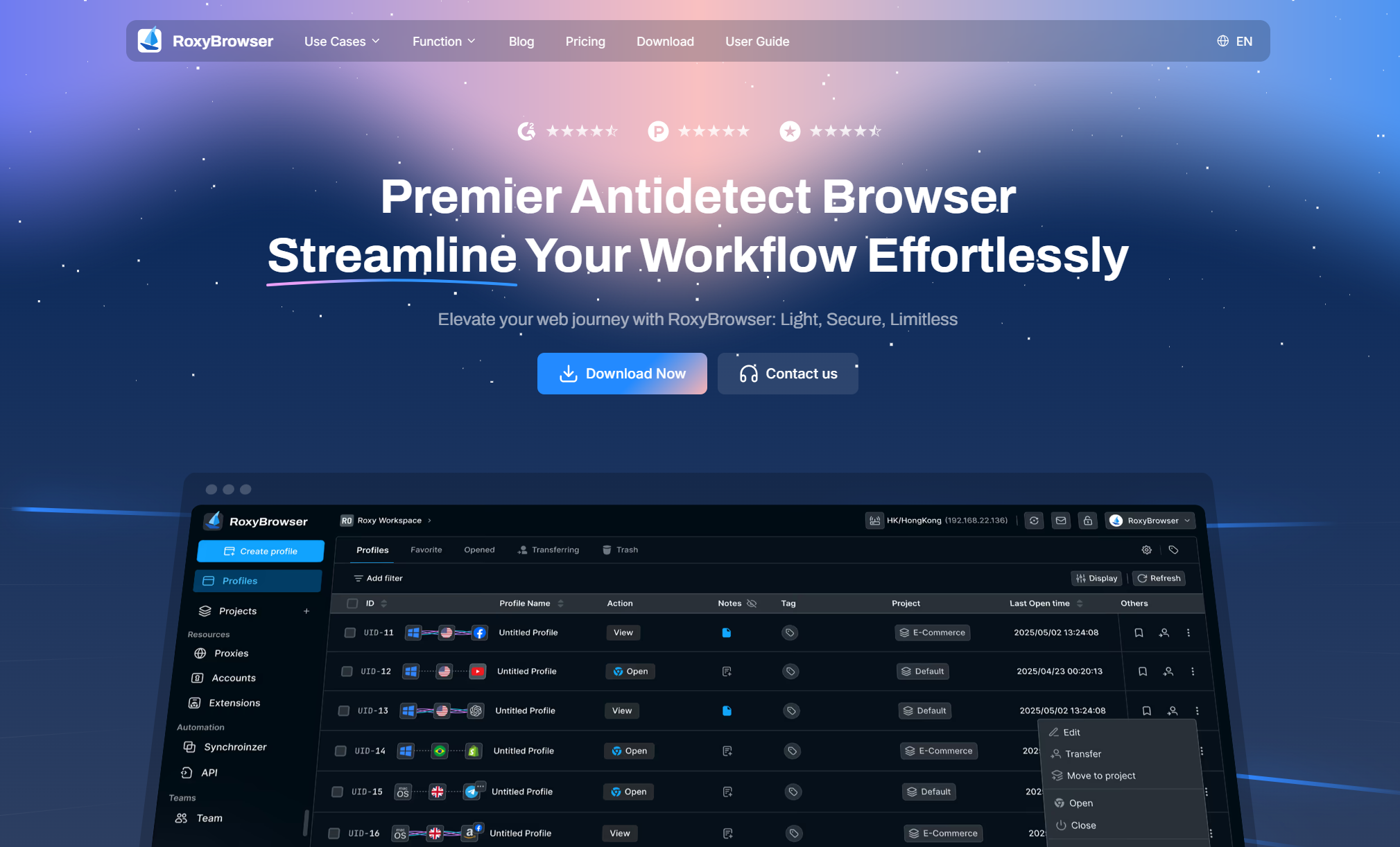
Advantages of Unblocking Discord with RoxyBrowser
Unlike VPNs or proxies, which only mask your IP address, RoxyBrowser builds an independent browser environment with its own digital fingerprint. This makes it look like you’re using a completely different device and network setup.
- Works for any type of block — school, work, government, or firewall.
- Provides a secure and private environment, preventing tracking and monitoring.
- Supports full Discord functionality — including voice and video calls.
- Simple to launch, without constant switching or configuration.
👉 If you want one solution that reliably unblocks Discord no matter where you are, an antidetect browser is the most convenient and secure option.
Download first, and then jump to the step guide.
Method 2. Use a VPN to Unblock Discord
A VPN is one of the most reliable ways to get Discord unblocked. It works by creating a secure, encrypted tunnel between your device and the internet. Instead of connecting directly to Discord, your traffic is rerouted through a remote server, masking your real IP address and location.
| Pros | Cons |
|---|---|
| Strong encryption and privacy | Can be detected and blocked again as the browser fingerprint stays the same |
| Effective for country-level censorship | Free VPNs often come with slow speeds, data caps, or questionable security |
| Works on nearly all devices | Can make Discord laggy, especially during voice or video calls |
Tips: While VPNs provide solid privacy, they aren’t always reliable in restrictive networks that actively block VPN protocols.
Method 3. Visit Discord Through a Proxy Server
A proxy server acts as a middleman between your computer and the websites you visit. When you access Discord through a proxy, the proxy masks your IP address and fetches the content for you.
Best for: Quickly accessing the Discord website on restricted networks.
Advantages:
- Simple to set up—just paste the Discord URL into a proxy site.
- No software installation required, which is useful on school or work computers.
Limitations:
- Proxies usually only work for text-based browsing, meaning features like voice chat and video calls won’t function properly.
- Less secure than VPNs, as traffic may not be encrypted.
Tip: Use only trusted proxy services, since some free ones may inject ads, slow down your connection, or even log your data.
Learn the differences between VPN and Proxy.
Method 4. Add Browser Extensions
Many browsers like Chrome and Firefox support add-ons that can help you bypass restrictions. These can range from lightweight VPN extensions to unblocker tools designed specifically for accessing restricted websites.
Best for: Casual browsing only. (Not recommended for Web3 community management due to high risks of WebRTC IP leaks).
Advantages:
- Quick to install—most extensions work instantly once added.
- Easy to turn on/off without changing system settings.
Limitations:
- They may only route traffic inside the browser, not across your entire device.
- Some networks block popular extensions outright, so they may stop working.
Tip: Choose highly rated extensions from verified publishers on the browser’s official store to avoid malware risks.
Method 5. Use Mobile Hotspot or Cellular Data
Mobile network IPs are highly trusted by Discord’s security system. Switching to a mobile hotspot can quickly bypass localized IP blocks or network restrictions.
Best for: Temporary access or emergency account recovery.
Limitations & Risks: > While the IP might be clean, if you are managing 10+ Discord accounts on a single hotspot, Discord’s anti-fraud system will still detect your shared hardware parameters (Canvas, WebRTC, fonts). You must combine mobile IPs with a professional antidetect browser like RoxyBrowser to isolate each account’s fingerprint and prevent a cluster ban.
3 Steps to Unblock Discord Permanently with RoxyBrowser
With RoxyBrowser, you can permanently unblock Discord using a secure, isolated browser profile. It’s straightforward and free.
Step 1: Download and Install RoxyBrowser
Download and install RoxyBrowser on your computer. It supports both Windows and macOS.
The basic installation is straightforward and only takes a few minutes.
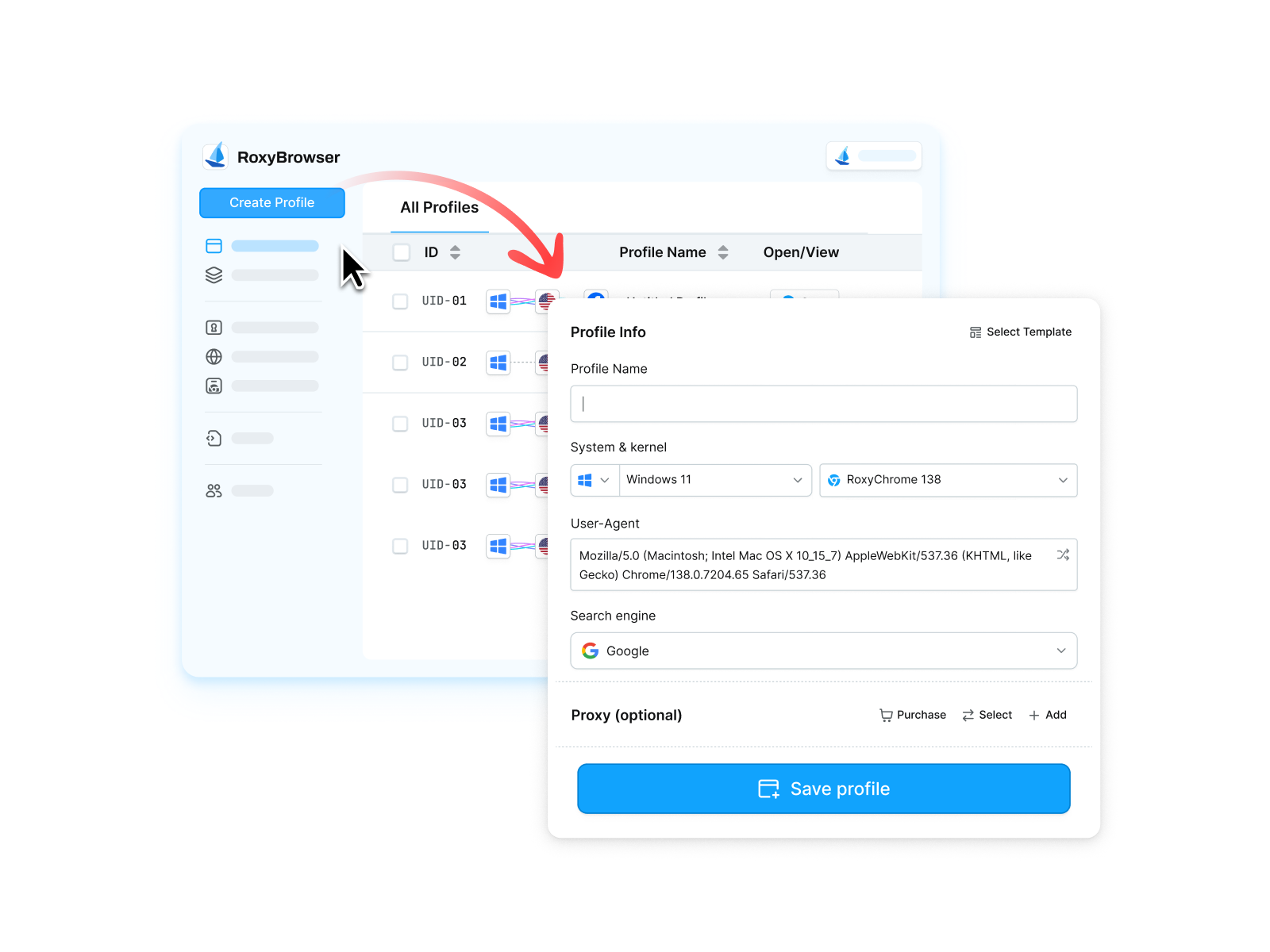
Step 2: Create a Profile for Accessing Discord Unblocked
Inside RoxyBrowser, create a new browser profile and fill in details like OS, timezone, and language. New users can claim free proxy IPs — these are tested and verified to access Discord without issues.
Then, generate a browser fingerprint that matches the proxy/IP with one click. This ensures your profile looks consistent and reduces the risk of being detected or blocked.
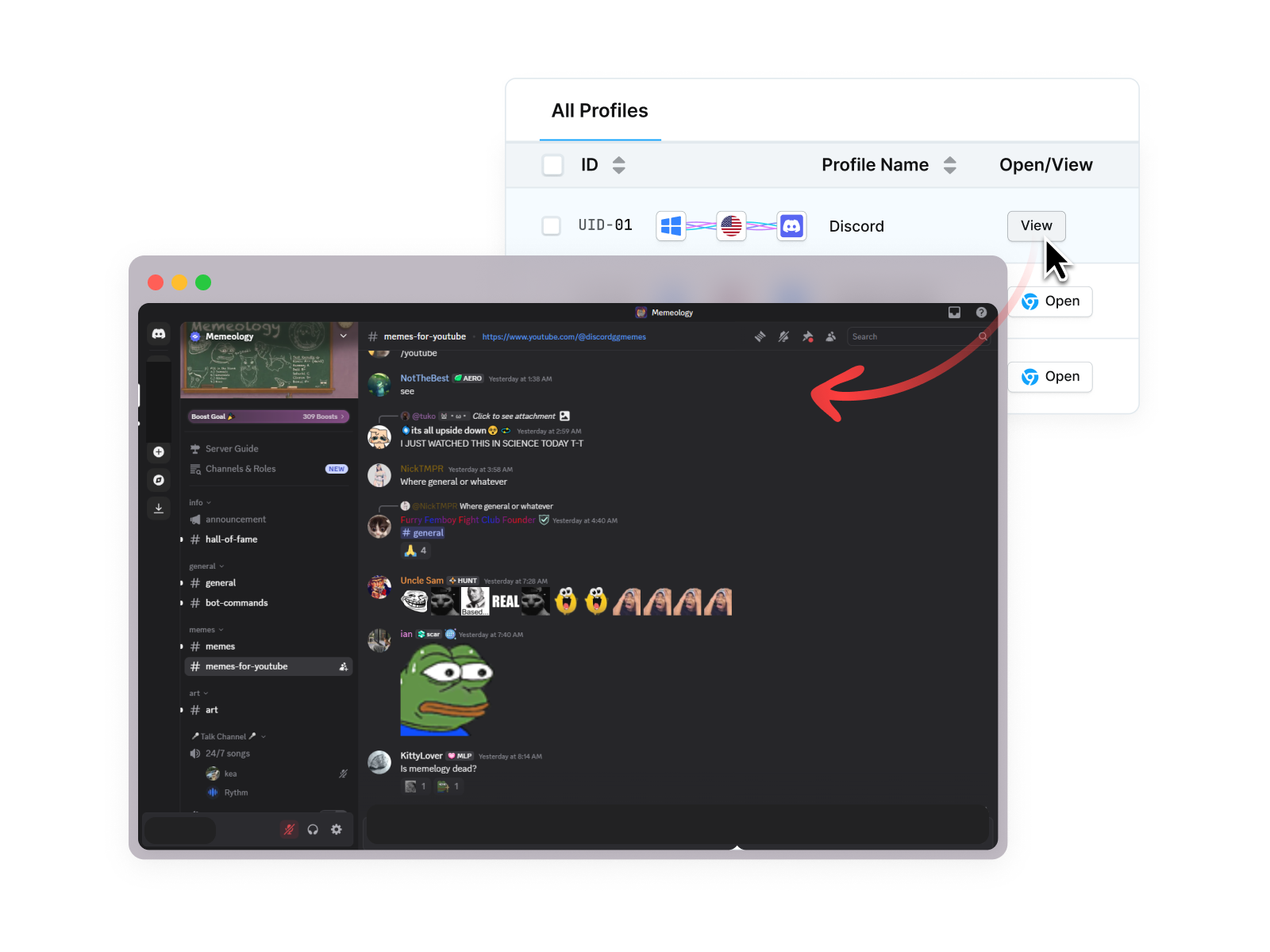
Step 3: Open the Profile and Log In to Discord
Launch the profile, open Discord in that profile’s browser, and sign in. Test text, voice, and video features to confirm full functionality.
If everything works, keep using that profile for future sessions — using the same matched fingerprint + IP makes access stable and minimizes the chance of future blocks.
Quick tips & precautions
- Use two-factor authentication on your Discord accounts.
- Don’t share or reuse a blocked account’s credentials across profiles.
- Respect your institution’s rules and local laws — bypassing network policies can have consequences.
- If you see any access issues, try a different clean proxy IP and regenerate a matching fingerprint.
This workflow gives you a long-term, consistent way to keep Discord accessible while minimizing detection signals.
Final Thoughts
Each method to get Discord unblocked comes with trade-offs. VPNs are powerful but increasingly detected. Proxies and extensions are convenient but limited in functionality and security. Mobile hotspots are simple but impractical for long-term use.
An antidetect browser doesn’t replace these tools entirely, but it does cover many of their weaknesses, especially in strict environments where VPNs or proxies are blocked, or when you need multiple Discord accounts. For users seeking a reliable and versatile solution, it stands out as a more comprehensive option.


