


Antidetect browsers are essential tools for managing multiple online accounts. Octo Browser has gained attention in the market since its 2021 launch. But in 2026, does it deliver enough value to justify its premium pricing and promotion?
We tested Octo Browser extensively and compared it against competitors like RoxyBrowser, GoLogin, and AdsPower. Here’s what we found.
What is Octo Browser?
Octo Browser is a Chromium-based antidetect browser created by a team from Belarus. It helps users manage multiple accounts without detection by masking digital fingerprints.
The platform targets affiliate marketers, e-commerce sellers, and social media managers who need multi-account capabilities. It offers fingerprint customization, proxy support, and team collaboration features.
Key Features of Octo Browser
Fingerprint Customization
Octo Browser offers detailed fingerprint control. You can adjust user agents, screen resolution, WebGL, Canvas, and hardware parameters like CPU cores and RAM.
The Quick Profile feature generates randomized fingerprints in one click. This saves much time but limits advanced users who want precise control.
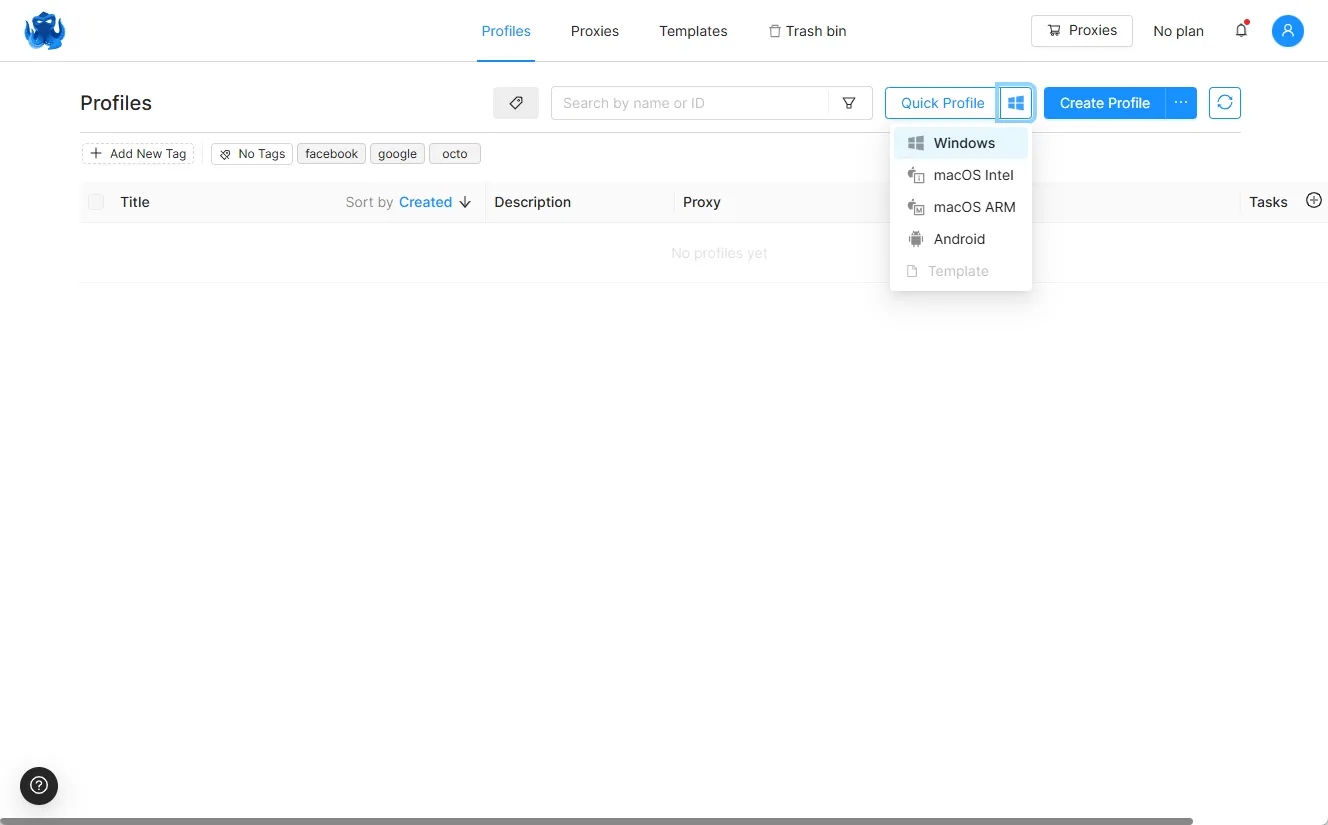
However, Octo Browser doesn’t support mobile OS emulation. You can’t simulate Android or iOS environments. This is a significant gap for mobile-focused campaigns.
How RoxyBrowser Compares:
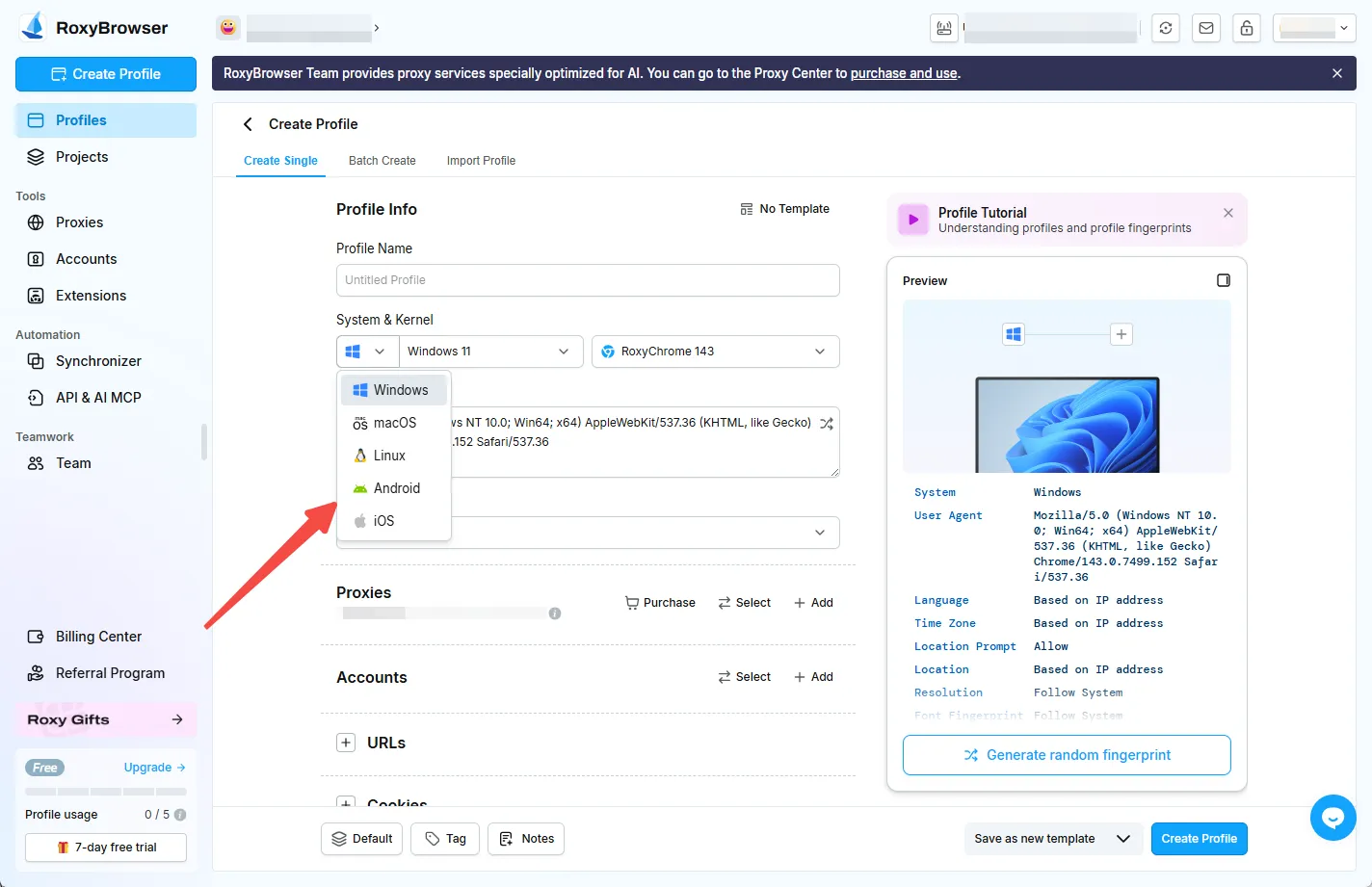
RoxyBrowser provides dynamic fingerprint generation that auto-matches with your proxy location. It supports custom or automatic fingerprint creation and offers better synchronization between IP and device characteristics.
Most importantly, RoxyBrowser offer mobile OS emulation, providing cross-platform flexibility. While it doesn’t have a mobile app yet, it offers more simulated operating system options than Octo.
Proxy Integration
The browser supports HTTP, HTTPS, SOCKS5, and SSH proxies. It includes a built-in Proxy Manager to save and organize proxies across profiles.
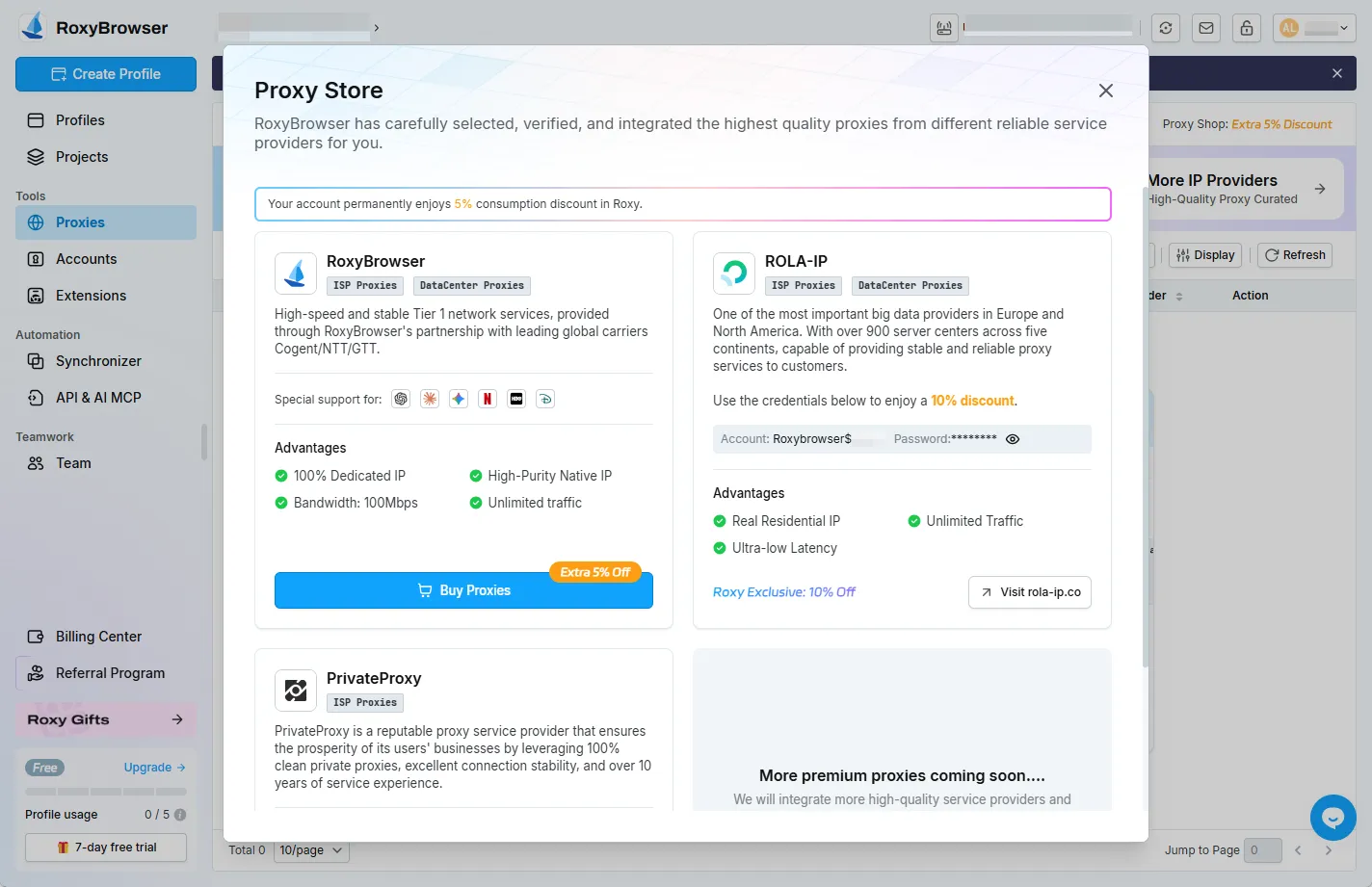
Octo has also added an integrated Proxy Shop. You can buy residential IPs directly in the app from three providers.
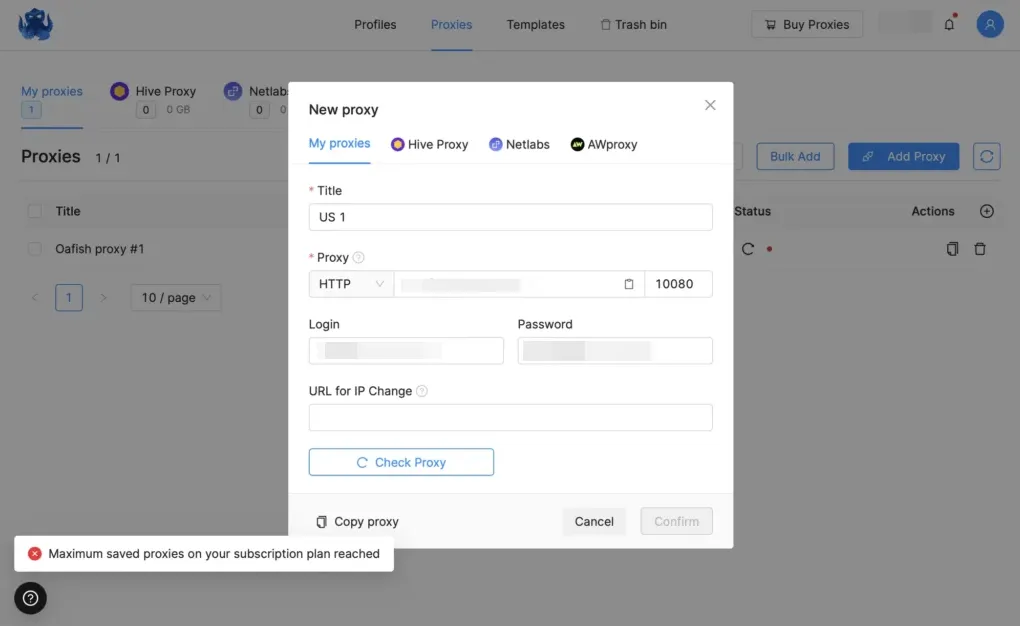
But Octo’s Starter plan limits you to just 1 proxy for 10 profiles. This forces all profiles to share the same IP, which defeats the purpose of an antidetect browser. It’s unsafe and increases ban risks.
How RoxyBrowser Compares:
RoxyBrowser offers built-in premium residential and mobile proxies tested and handpicked by the team. The free plan includes 5 profiles with no proxy restrictions, allowing proper testing without safety concerns.
Team Collaboration
Octo Browser allows profile sharing with team members. You can assign roles, track activities through action logs, and use the Profile Tasks feature on Team plans.
Limitation: Team seats are severely limited. The most expensive plan caps you at 8 team members. Larger agencies will need to pay extra for additional seats.
How RoxyBrowser Compares:
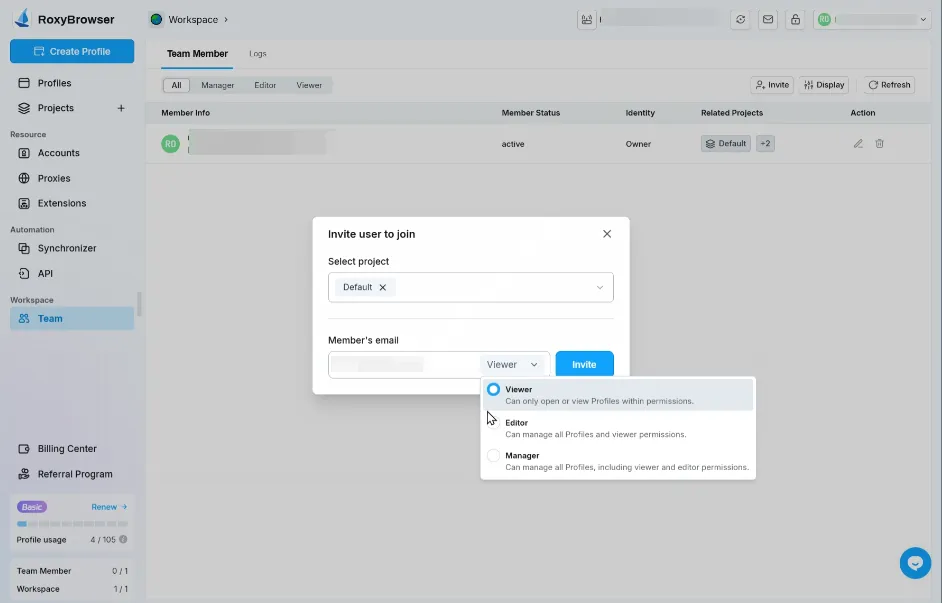
RoxyBrowser provides Team Space functionality with flexible workspace creation, project organization, and user-friendly role permissions. You can quickly invite members without restrictive seat limitations on higher-tier plans.
API and Automation
Octo provides API access starting with the Base plan. You can automate profile creation, proxy management, and data collection.
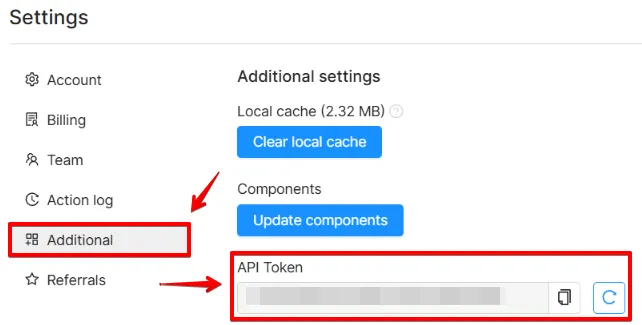
The API interface is buried deep in the settings. New users struggle to find it. Documentation could be more comprehensive.
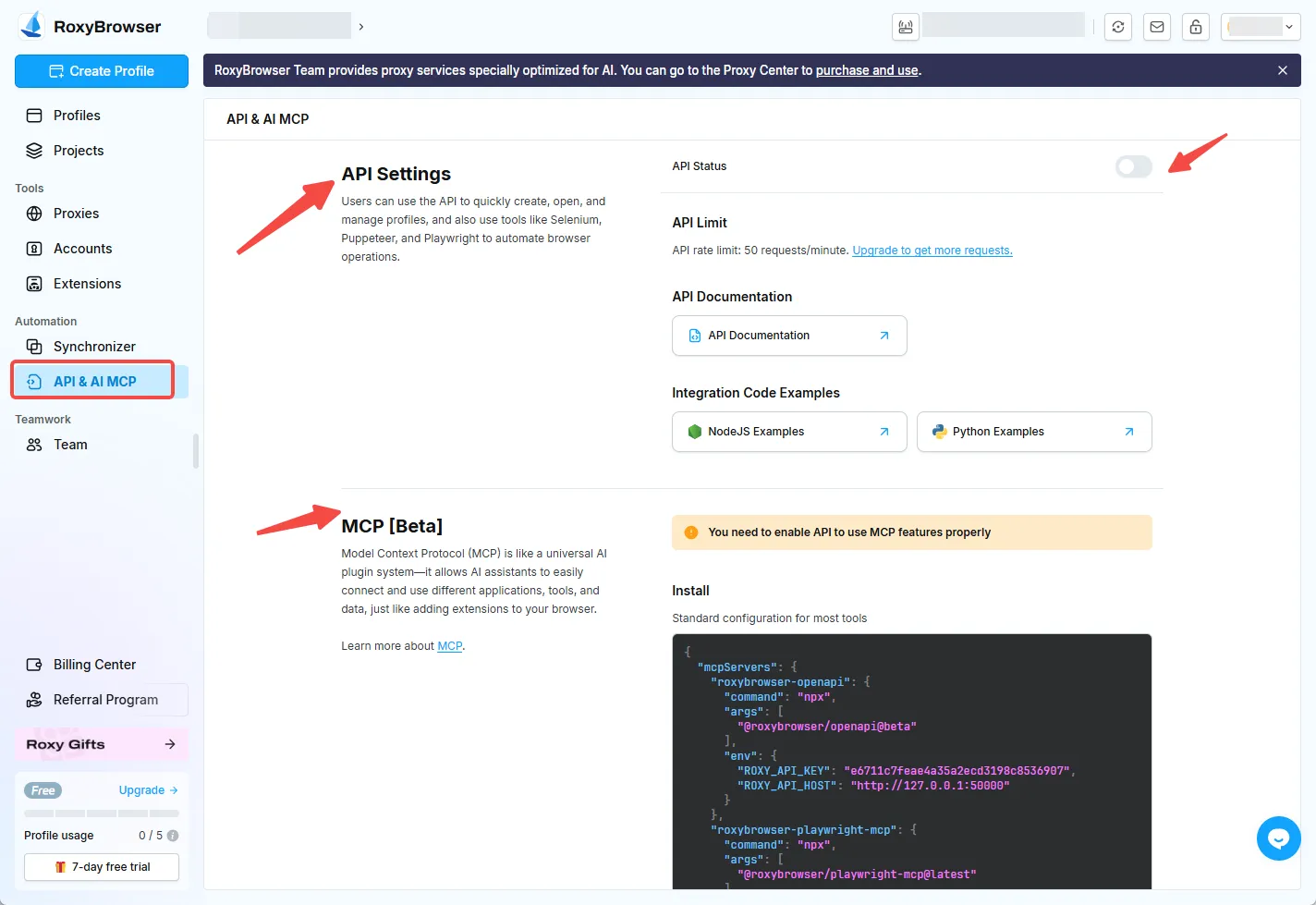
During our testing, we discovered Octo Browser lacks MCP (Multi-Control Protocol) support. This limits advanced automation capabilities and integration options.
How RoxyBrowser Compares:
RoxyBrowser features API Flow for automation with more intuitive access. It supports powerful API integration with built-in Selenium and Puppeteer hooks, making automation setup straightforward for both beginners and advanced users.
RoxyBrowser also supports the MCP protocol, enabling more sophisticated automation workflows and better control capabilities for professional users.
No Action Synchronizer
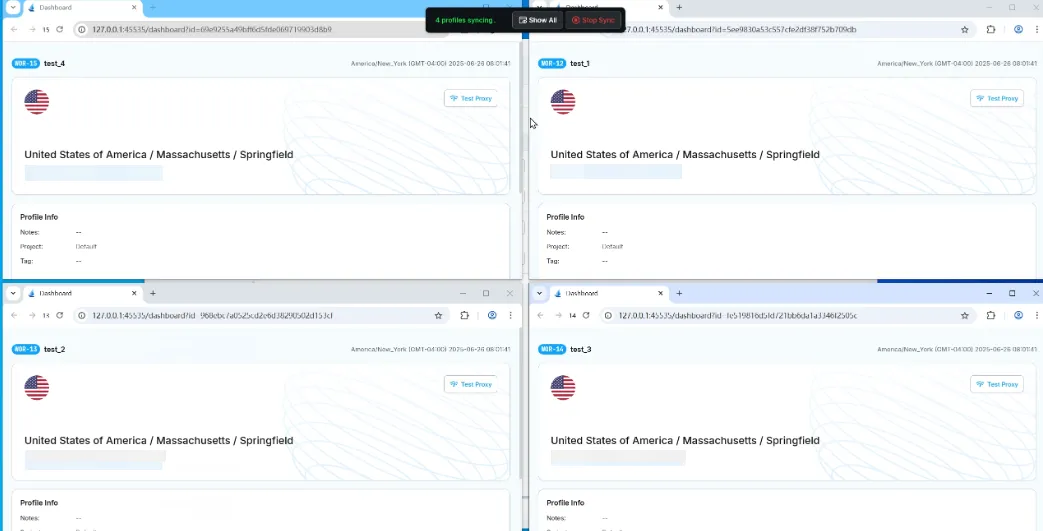
Octo Browser lacks a synchronizer feature. When you perform actions in one profile, you must manually repeat them in other profiles. This wastes time when managing dozens or hundreds of accounts.
How RoxyBrowser Compares:
RoxyBrowser includes Window Sync, which performs simultaneous actions across various windows. When you type or click in one profile, the action mirrors across all selected profiles. This dramatically reduces repetitive tasks and streamlines workflows.
Octo Browser Pricing: Is it Expensive?
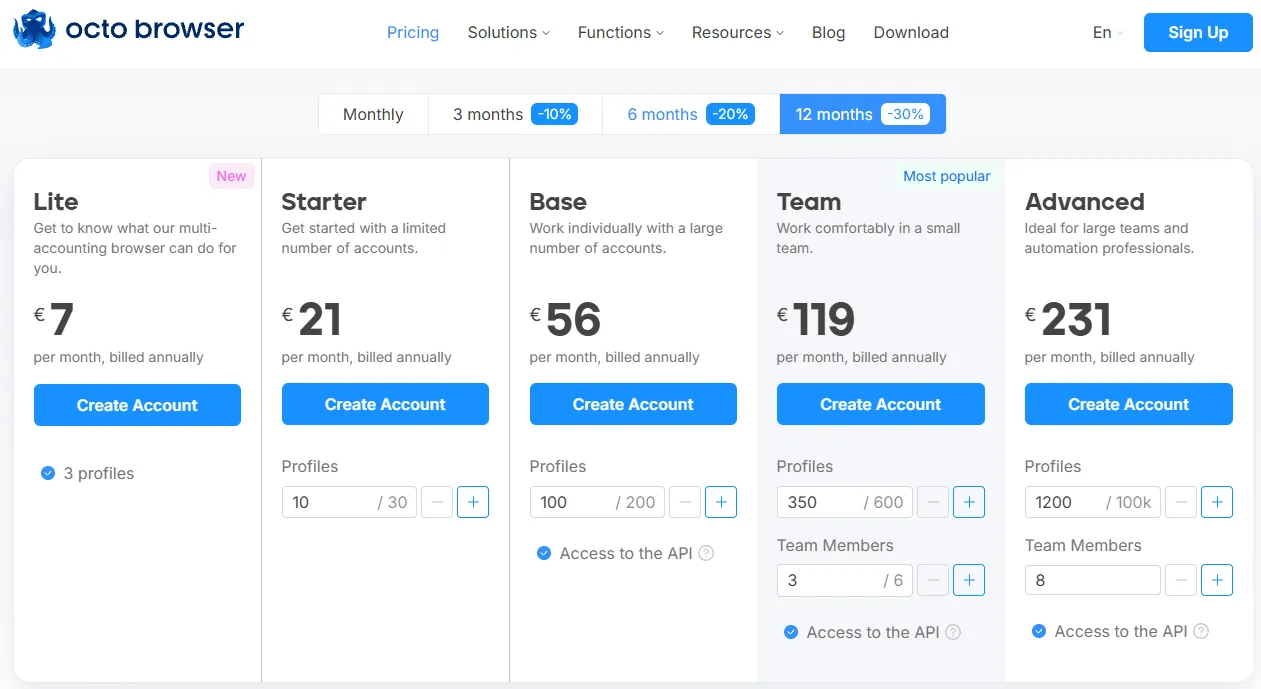
Octo Browser is significantly more expensive than its competitors. Here’s the breakdown based on annual billing:
| Plan | Profiles | Monthly Price | Team Members | Access to the API |
|---|---|---|---|---|
| Lite | 3 | €7 | 0 | No |
| Starter | 10 | €21 | 0 | No |
| Base | 100 | €56 | 0 | Yes |
| Team | 350 | €119 | 3 | Yes |
| Advanced | 1,200 | €231 | 8 | Yes |
The Free Trial Problem
Getting a free trial from Octo Browser is unnecessarily complicated.
Here’s the process we went through:
• Sign up on the website
• Download and install the desktop app
• Log into the app
• Contact customer service through the in-app chat
• Customer service redirects you to Telegram support
• Telegram support verifies your trial eligibility (1-10 minutes wait)
• Receive a trial code
• Enter the code in the app to activate a 3-day trial
This is absurd. Most competitors offer instant free trials or forever-free plans. Octo makes you jump through hoops just to test their product.
Even after getting the trial code, you only get 3 days. That’s barely enough time to properly evaluate the software for business use.
Octo Browser’s Performance and Stability
Octo Browser performs well in daily use. Profiles start and stop quickly. The interface is clean and responsive.
We tested Octo with fingerprint detection tools. It passed Iphey successfully. However, it showed some inconsistencies on Pixelscan with default profile settings.
The browser handles multiple profiles smoothly if you have decent hardware. Older computers may struggle with many simultaneous sessions.
Who Should Use Octo Browser?
Octo Browser might work for:
• Small teams with budgets that can absorb premium pricing
• Users who prioritize security and data protection above all else
• Businesses already invested in the Octo ecosystem
Octo Browser is NOT ideal for:
• Budget-conscious users or startups
• Large teams needing extensive collaboration features
• Mobile-focused operations requiring Android/iOS simulation
• Users who need bulk operations and mass profile management
• Anyone wanting to test before committing financially
Introducing a Better Alternative: RoxyBrowser
RoxyBrowser is a premier antidetect browser designed to streamline multi-account management workflows. It positions itself as a light, secure, and limitless solution for both corporate and individual users worldwide.
The browser focuses on creating truly unique environments for each profile using advanced fingerprint technology. RoxyBrowser serves affiliate marketers, e-commerce sellers, social media managers, SEO professionals, paid advertising specialists, web scrapers, and crypto traders.
What sets RoxyBrowser apart is its emphasis on ease of use combined with powerful functionality. The platform offers features like Window Sync for simultaneous actions, built-in premium proxies, MCP protocol support, and comprehensive automation capabilities for multi-accounting.
How RoxyBrowser Outperforms Octo Browser
RoxyBrowser addresses nearly every limitation we found in Octo Browser. Here’s a detailed comparison:
| Feature | Octo Browser | RoxyBrowser |
|---|---|---|
| Free Plan | None | 5 profiles (permanent) |
| Free Trial | 3 days (complex process) | 7 days (instant access) |
| Window Sync | Not available | Yes (simultaneous actions) |
| MCP Protocol | Not supported | Fully supported |
| Built-in Proxies | Yes (3 providers) | Yes (premium tested IPs) |
| Proxy Restrictions | 1 proxy on Starter plan | No restrictions on free plan |
| Fingerprint-IP Matching | Manual configuration | Automatic synchronization |
| API Accessibility | Hard to find | Easy access (API Flow) |
| RPA/No-Code Automation | Not available | Yes (built-in) |
| Profile Templates | Yes | Yes (one-click creation) |
| Team Collaboration | Max 8 members | Flexible team spaces |
| Operating Systems | Windows, macOS, Linux | Windows, macOS, Linux |
| User Interface | Clean, intuitive | Light, fluid, beginner-friendly |
| Starting Price | €21/month | Free (5 profiles) |
Key RoxyBrowser Strengths
1. Window Sync for Productivity
RoxyBrowser’s Window Sync feature lets you perform simultaneous actions across multiple profiles. Type in one window, and all selected windows replicate the action. This eliminates repetitive tasks and dramatically speeds up bulk operations.
2. True Fingerprint-IP Synchronization
RoxyBrowser automatically matches fingerprints with proxy locations. When you assign a UK proxy, the browser adjusts timezone, language, and device characteristics to match. This prevents detection red flags that occur when settings don’t align.
3. Better Value for Money
While Octo Browser charges €21/month for 10 profiles with severe proxy restrictions, RoxyBrowser gives you 5 profiles permanently free with no limitations. When you’re ready to scale, the 7-day premium trial is instantly accessible. Paid plans offer significantly better features per dollar spent.
How to Set Up and Use RoxyBrowser
Getting start with RoxyBrowser is really simple:
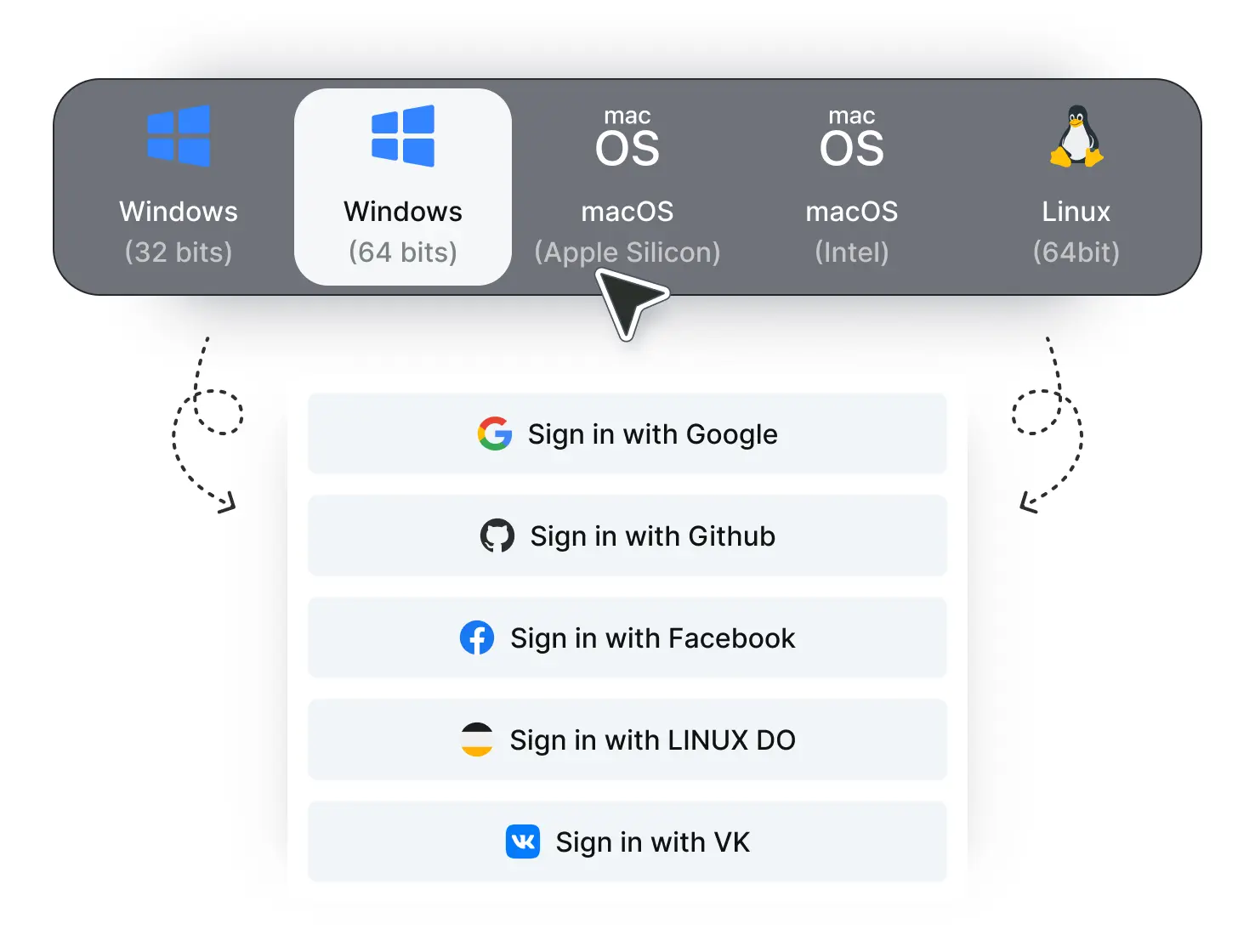
Step 1. Download and install the application for Windows, macOS, or Linux. Create your account for free with your email.
Step 2. Click “Create Profile” and enter details to configure your fingerprint settings—or use templates for instant setup. Add your proxy information using the helpful examples provided.
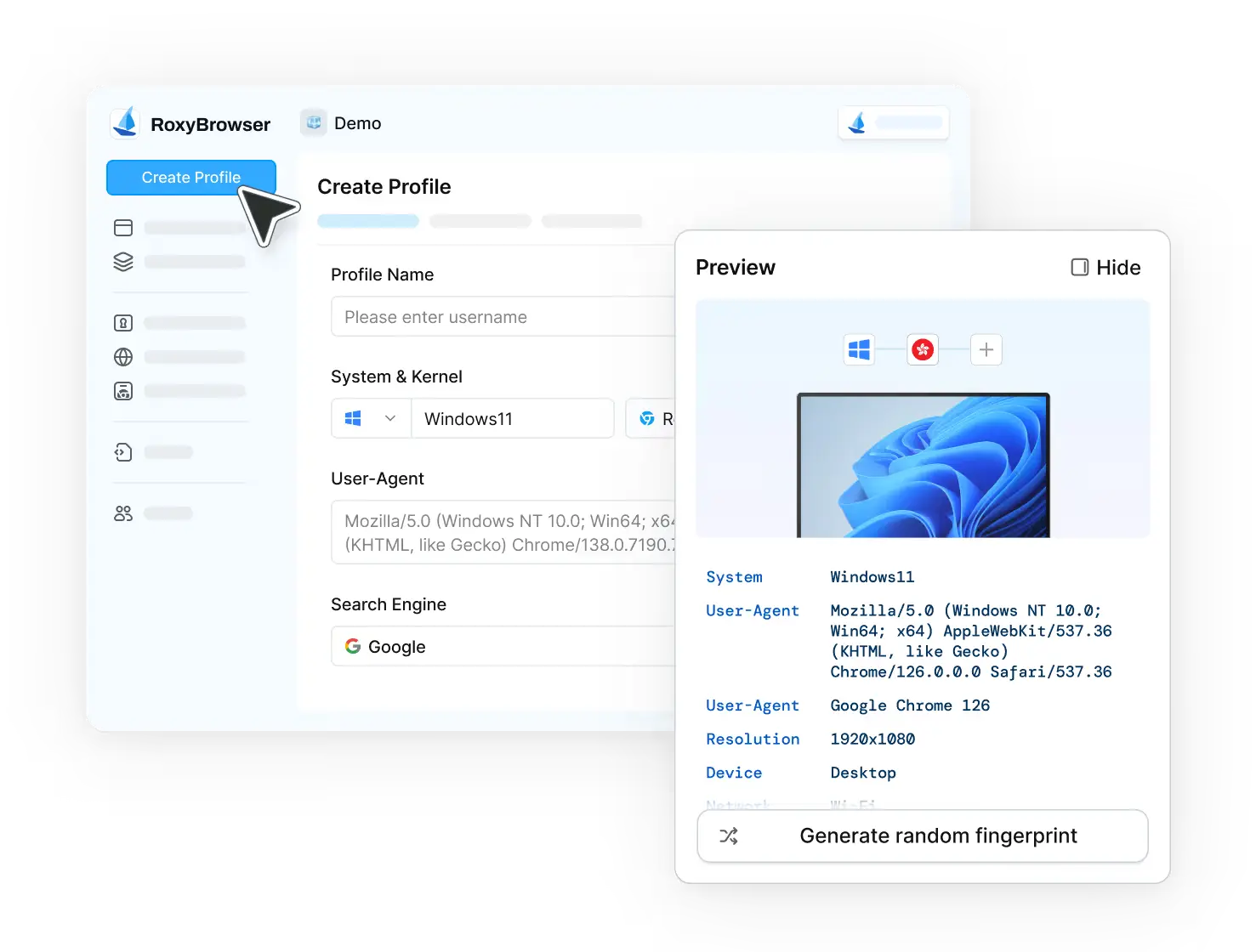
Step 3. Launch your profile and enjoy your browsing!
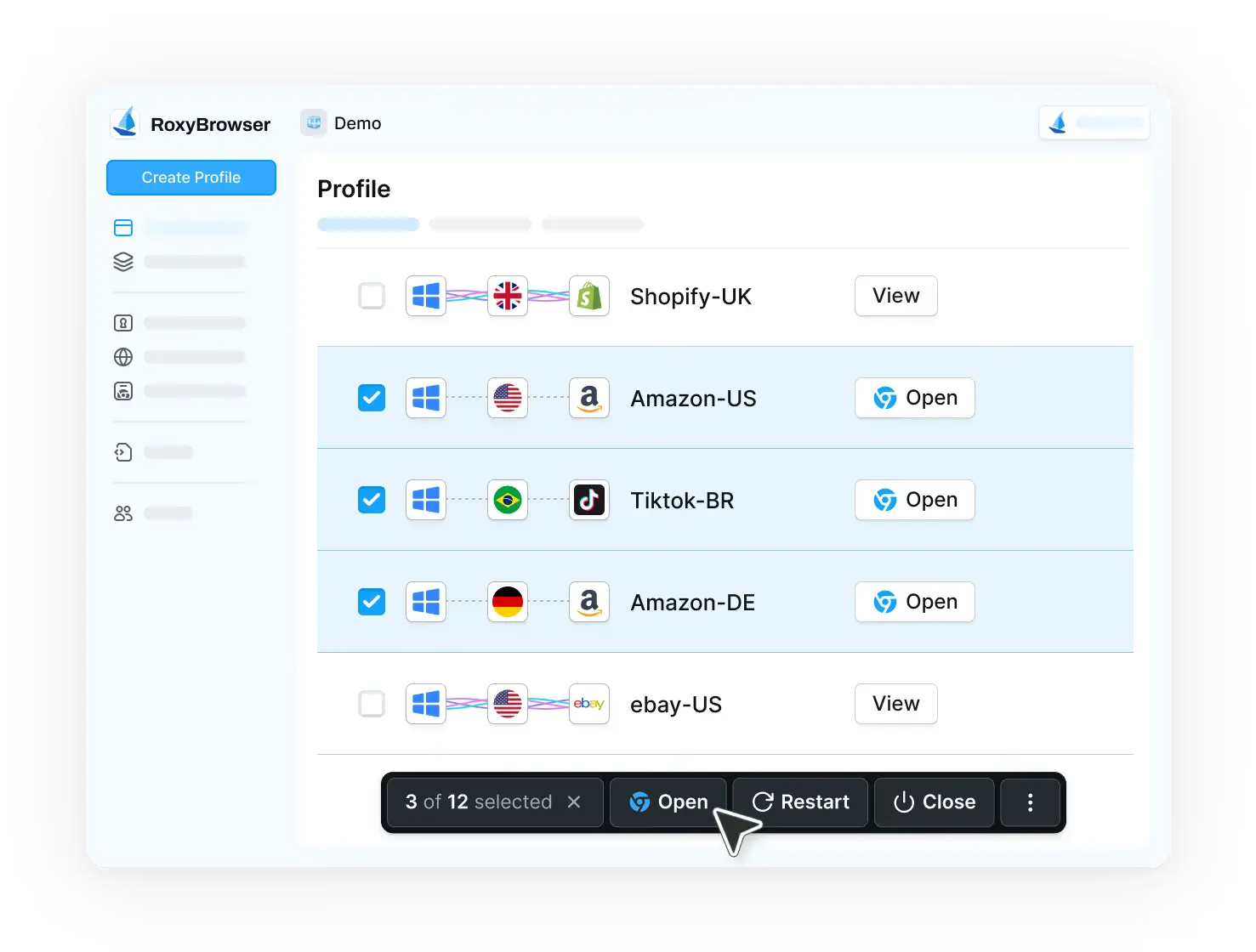
Final Verdict
Octo Browser is a capable antidetect browser with strong security features. The fingerprint customization is solid, and the interface is clean.
However, the pricing is hard to justify. You’re paying premium prices for a product that lacks features available in cheaper alternatives.
RoxyBrowser offer better value. Why not give it a shot yourself if you’re still unsure? Try RoxyBrowser with the free trial today to explore its full capabilities firsthand!


