
When people talk about using a multilogin antidetect browser, Multilogin is usually the first name that comes up. It is one of the earliest tools on the market.
It offers fingerprint protection. Instead of just hiding your browser data, it creates a new digital identity for your accounts. This core technology gets the job done.
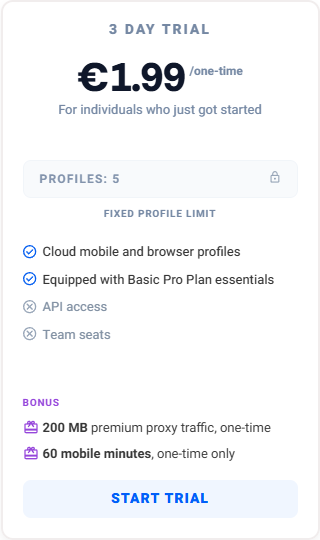
But being the oldest tool has its downsides. It is a web-based app only, which now requires a desktop agent to work. It is also hard to learn if you are a beginner. Most importantly, it is very expensive. If you want to test it out first, you will have to pay 1.99 euros for a Multilogin free trial.
Let’s be honest: Multilogin remains a functional legacy option for large enterprises equipped with extensive budgets and dedicated IT infrastructures.
But what if you are a solo marketer, a small agency, or a growing e-commerce business? You probably don’t want to pay top dollar for a heavy, complex tool. For most regular users today, finding a modern, easy-to-use, and affordable Multilogin alternative is the smartest move.
LDR: Want the bottom line? Scroll to the end for our quick summary table comparing the essentials.
Multilogin In 2026
registration and login
Multilogin mainly focuses on large enterprise clients. Because of this, their signup process is very complex for regular users.
If you are looking for a simple Multilogin free trial, you will be disappointed. A truly free option does not exist. You actually have to pay €1.99 just to get a three-day trial.
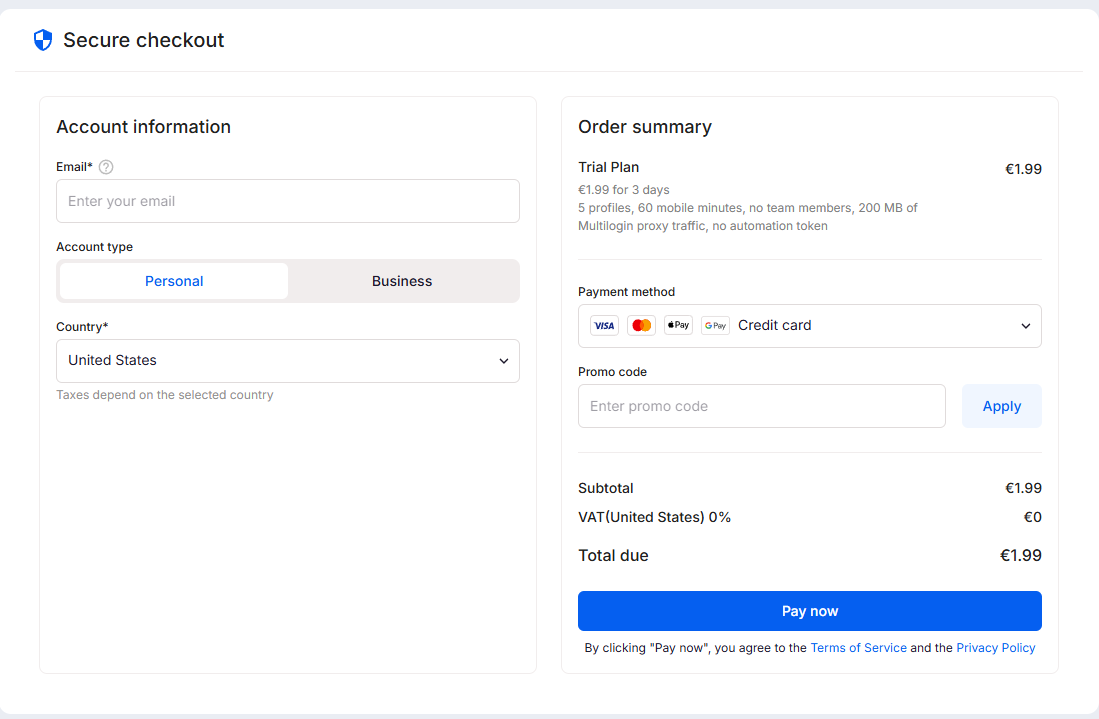
The payment process takes a lot of time. During checkout, you must provide your personal information and company details. You also have to link your credit card right away.
The hardest part? You still cannot just log in. You have to get on a call with their customer service team. They must verify your account before you can even use the browser.
If you just want to set up your accounts and get straight to business, navigating this convoluted onboarding process introduces significant operational friction.
First impressions
After jumping through a rather tedious download and registration process, getting into the actual Multilogin app brings a bit of relief.
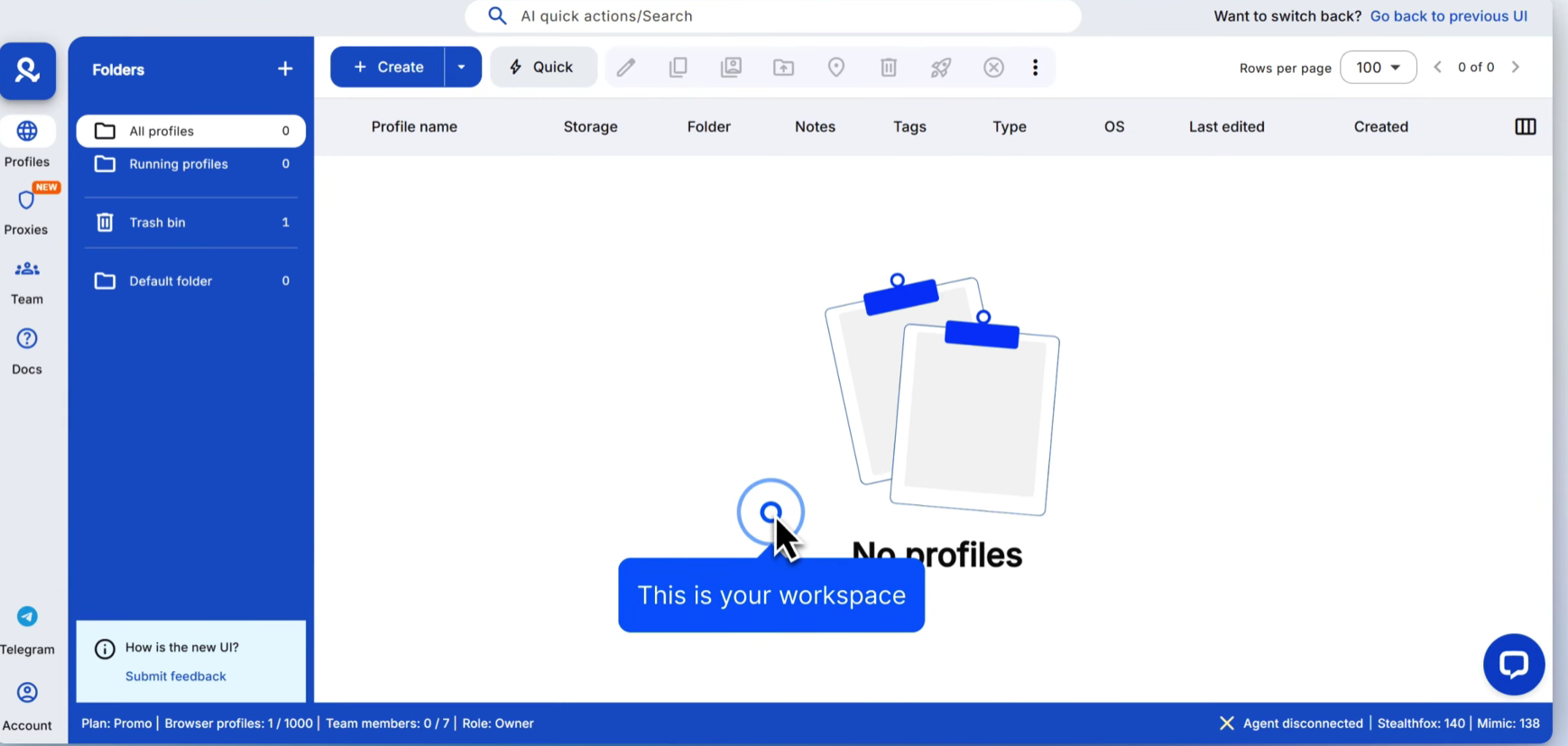
However, there is a catch. You cannot just open the app and start working.
First, you must download a separate program called an “agent.” Then, you have to connect this agent to the main app just to create a browser profile. This dependency creates a disjointed user experience and an unnecessary technical bottleneck.
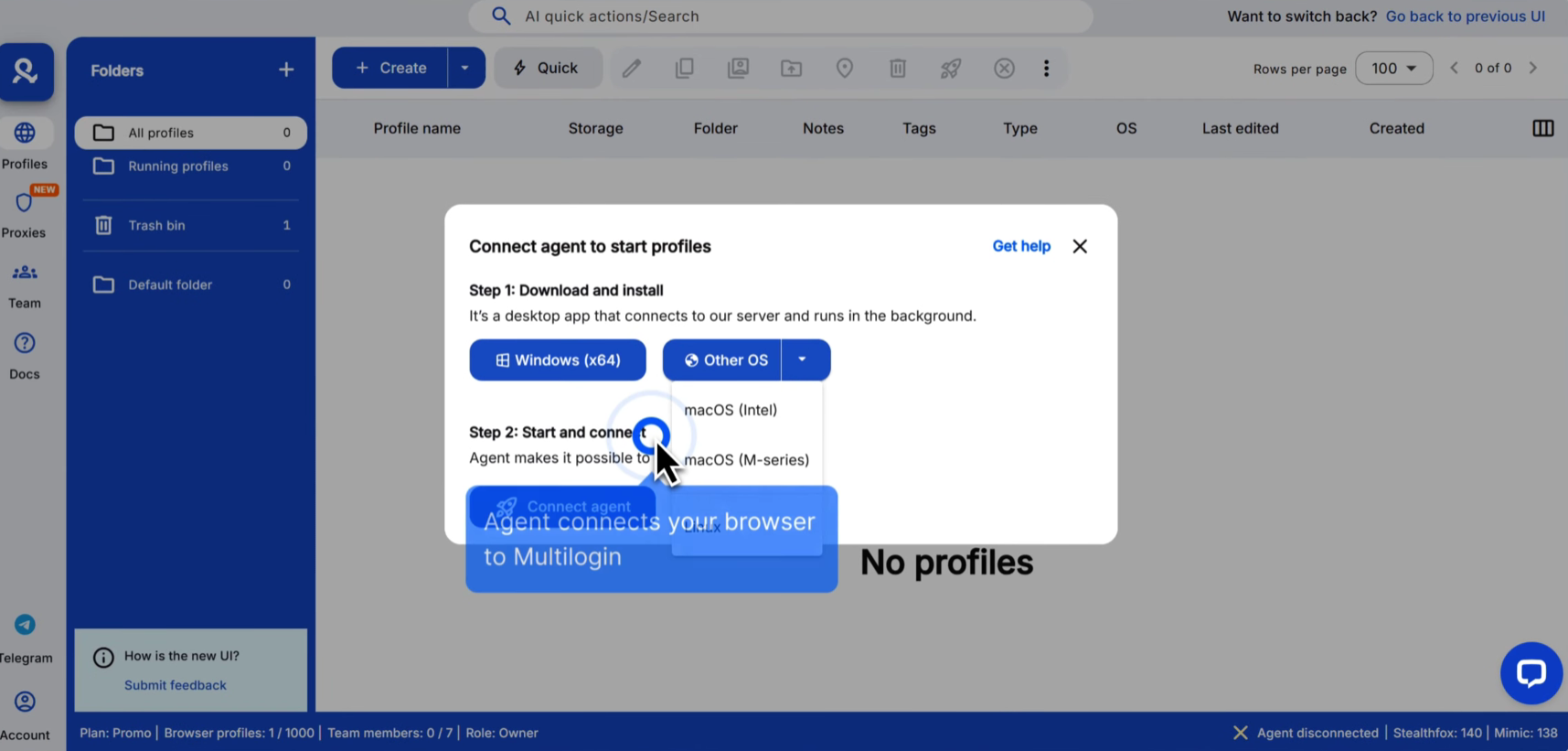
Worse, it does not always work smoothly. During our tests, the agent sometimes failed to connect. When that happens, your work stops completely.
We also noticed a few minor missing details. For example, the dashboard does not show when a profile was last created. It is not a huge problem, but it is annoying.
Finally, we tested their customer support via email. Their reply was very detailed and helpful. However, it took three full hours to get an answer. In the fast-paced world of affiliate marketing or e-commerce, a three-hour wait time to resolve a technical issue can easily translate into lost revenue.
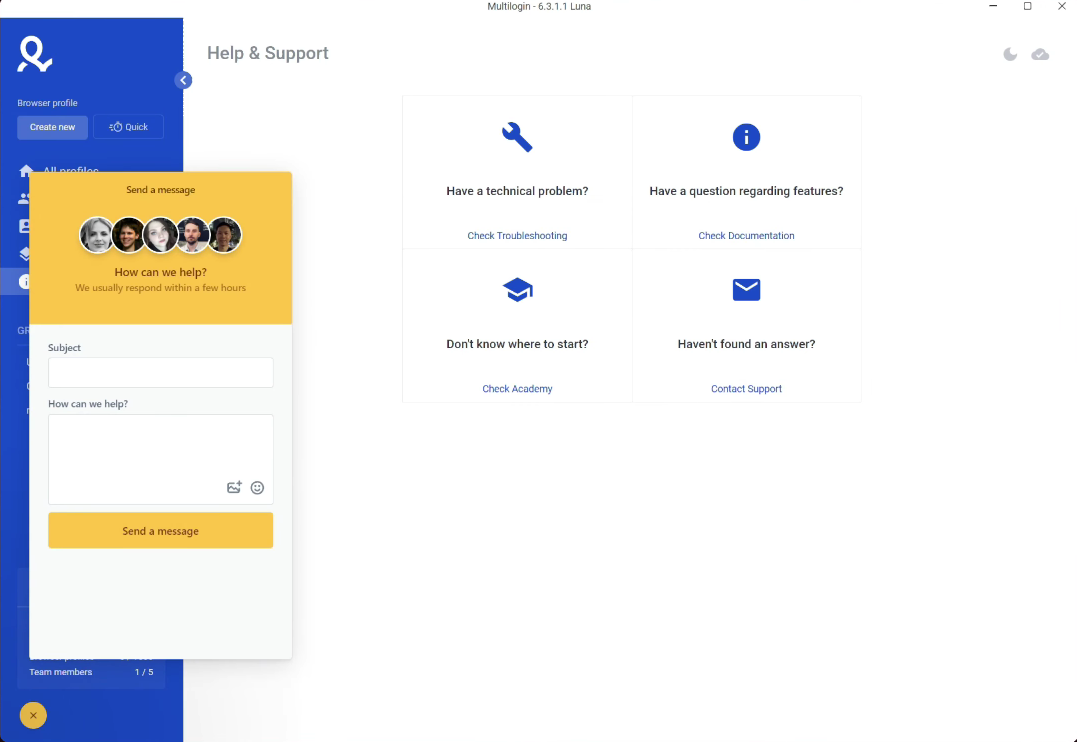
Comfort of use & Features
Key features
At first glance, the web app looks nice. The design is clean, simple, and easy to understand. But once you start working, you notice a big problem. The actual features are surprisingly limited, especially on the basic plan, in which you cannot use functions like team seats and API access.
In 2026, the platform feels left behind. While other tools have evolved, this interface has barely changed over the years. The platform essentially restricts users to foundational capabilities, lacking the granularity expected in modern environments.
Let’s look at the main dashboard. It is easy to read, but you cannot customize the layout at all. You are stuck with the default view.
The settings menu also feels old. You do not get many choices here. You can change the basic fingerprint settings, but that is it. Do you want advanced control? You are out of luck. You cannot adjust the screen resolution, RAM, or CPU limits.
Even if you rely on the Multilogin Chrome extension for quicker daily access, the core app still feels a bit clunky. Opening a browser profile takes a normal amount of time. Closing it down, however, is noticeably slow.
Proxy Integration
To import a proxy, you need to manually paste and check the proxy credentials for every single profile.
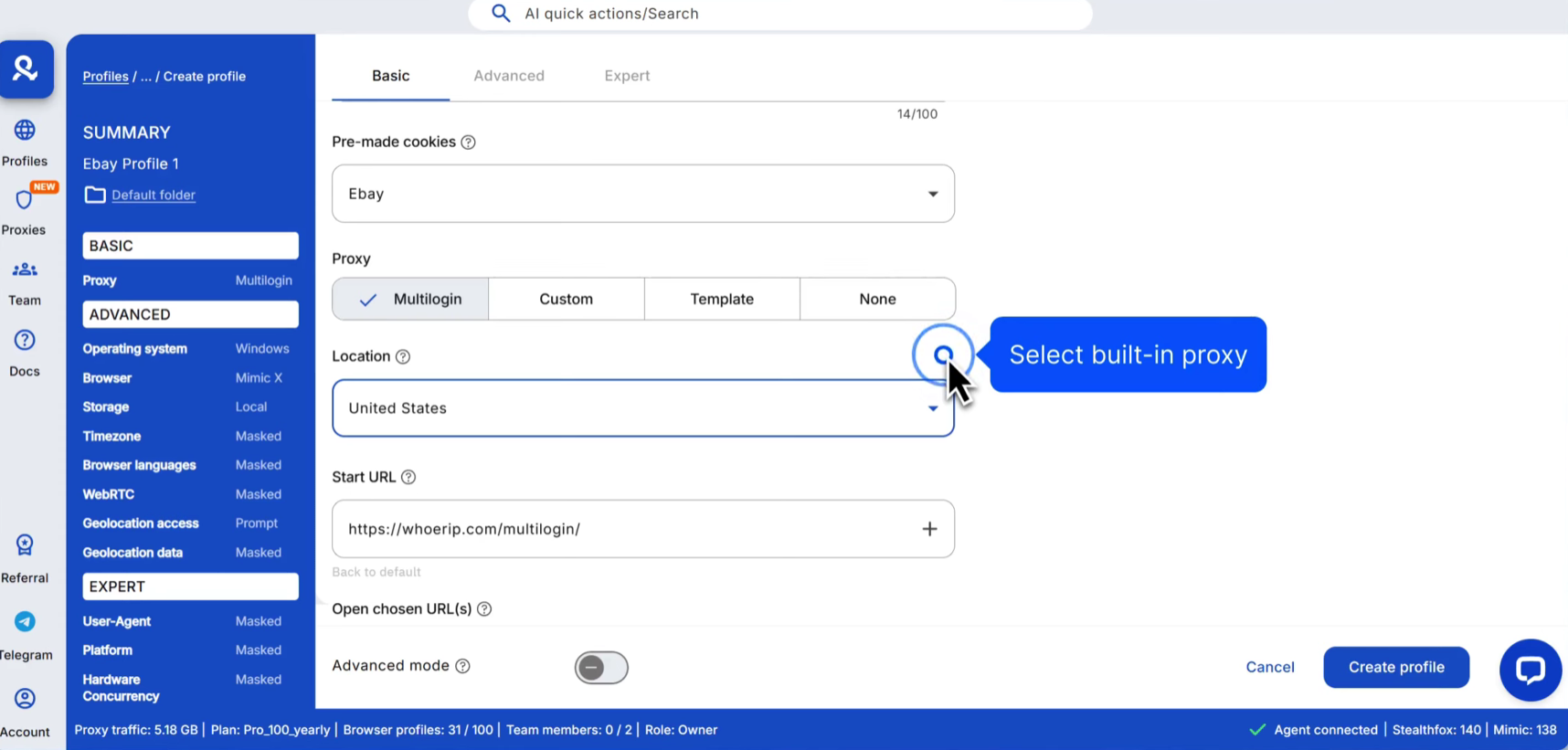
Support and updates
Multilogin positions its support team as specialized. However, practical application reveals significant inconsistencies: while live chat offers reasonable response times, email ticketing frequently results in protracted delays.
Their email support is surprisingly slow. If you have a complex problem that requires an email ticket, this delay can be very frustrating.
You should also know that their support options are a bit narrow. They only offer help in five languages: English, Vietnamese, Russian, Chinese, and Portuguese.
What about software updates? To be fair, Multilogin does a good job here. They push out new updates on time, so the software stays secure. But if you look closely, these frequent updates are usually very minor. They mostly fix small bugs. You will rarely see any major changes, fresh designs, or big new features.
Roxy browser as the best Multilogin alternative
Multilogin has been around for a long time and has a solid grip on the basics. But as we look at how businesses operate in 2026, their older setup is starting to show its age. For a lot of users, it just isn’t the right fit anymore.
The biggest roadblocks are the high price and the lack of a real Multilogin free trial. Most people don’t want to pay just to test a tool. When you add in the forced ID verification and the complex setup, it becomes a lot of work. For solo marketers or teams on a budget, Multilogin can feel like overkill. It is expensive, heavy, and missing some of the custom features that modern users need.
If you are looking for something faster and more affordable, you should check out Roxy Browser.
Roxy Browser is a highly effective multilogin alternative. It manages to keep the same high-level security, but completely removes the unnecessary stress of a complicated setup. Unlike those older tools, Roxy Browser is designed to let you start protecting your accounts in seconds, rather than making you waste hours figuring things out.
Roxy Browser delivers enterprise-grade fingerprint obfuscation while bypassing the administrative overhead typical of legacy platforms.
Multilogin vs Roxy browser:Third-party testing( fingerprint checks)
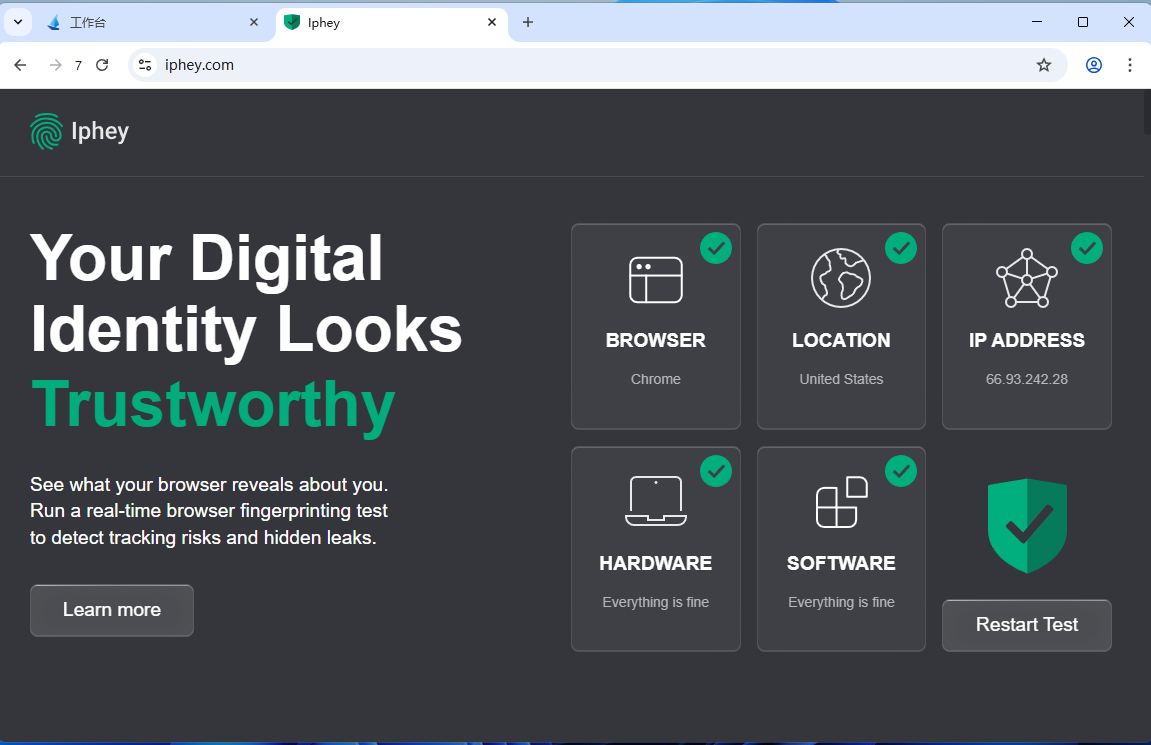
As always, we performed standard security checks. We tested Multilogin using Iphey.com and Pixelscan.net. The test was done on a Mac M2 using default profiles and proxies. We also tested a “Quick Profile.”
The results were disappointing. During our tests, the regular profile failed the IPhey check. It also failed the Pixelscan fingerprint test. In fact, Iphey.com flagged Multilogin as an “antidetect browser” immediately. If a simple website can detect this, social media platforms and large websites will likely see it too.
To be fair, failing these checks does not always mean your accounts will be blocked. However, these websites are a good marker for general browser safety. If a browser fails these tests, you should be careful.
This is where Roxy Browser takes a different approach. It uses advanced security tools like AES-256, RSA, and SHA-512 to build end-to-end encryption tunnels for your data. Because of this high-level protection, Roxy Browser is much harder to flag. Most third-party detection sites will not identify it as an anti-detect tool.
Multilogin vs Roxy browser: Team engagement and collaboration
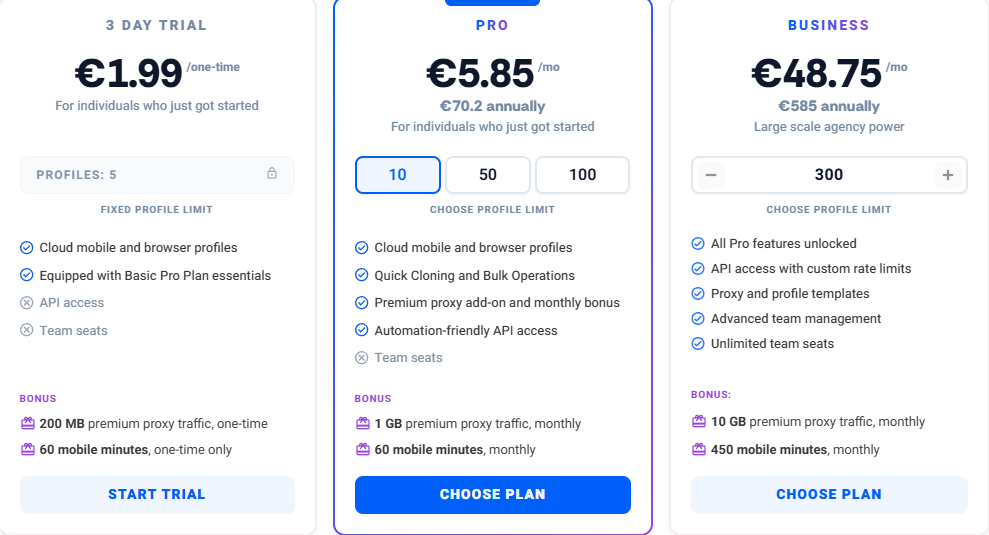
Teamwork is important for growing businesses. Multilogin offers team features, but there is a big catch.
If you use their free trial, you get no team access. You cannot share profiles at all. Even their expensive Pro plan only gives you very limited team tools. To unlock all collaboration features, you must buy their priciest Business plan. For most users, this costs way too much.
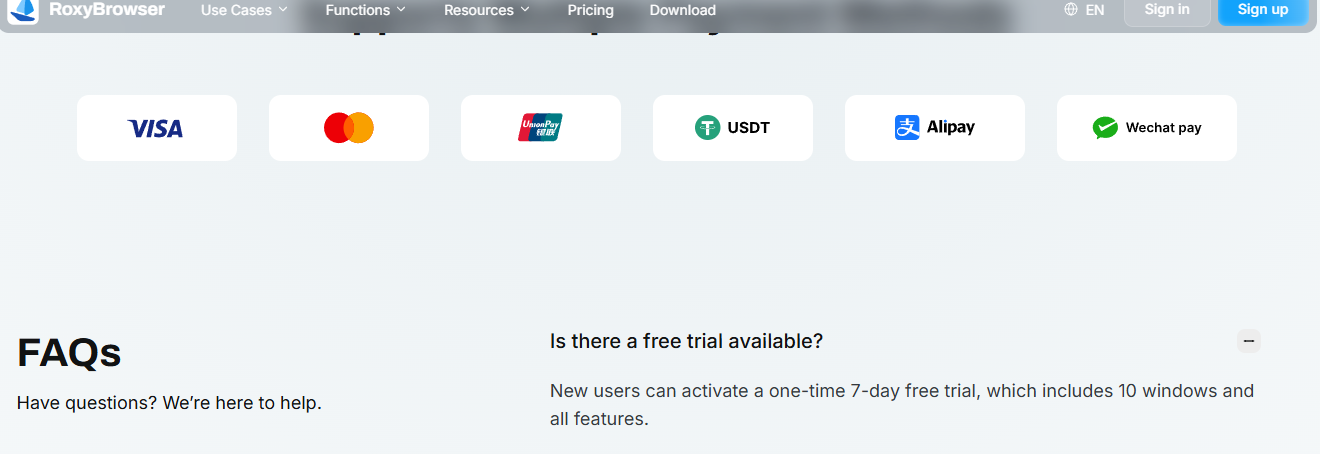
Roxy Browser makes teamwork simple.When you start your free trial, you get full team access right away. You do not pay extra. Just create an account. Your team can easily share browser profiles and work together from day one.
Multilogin vs Roxy browser: Pricing comparison
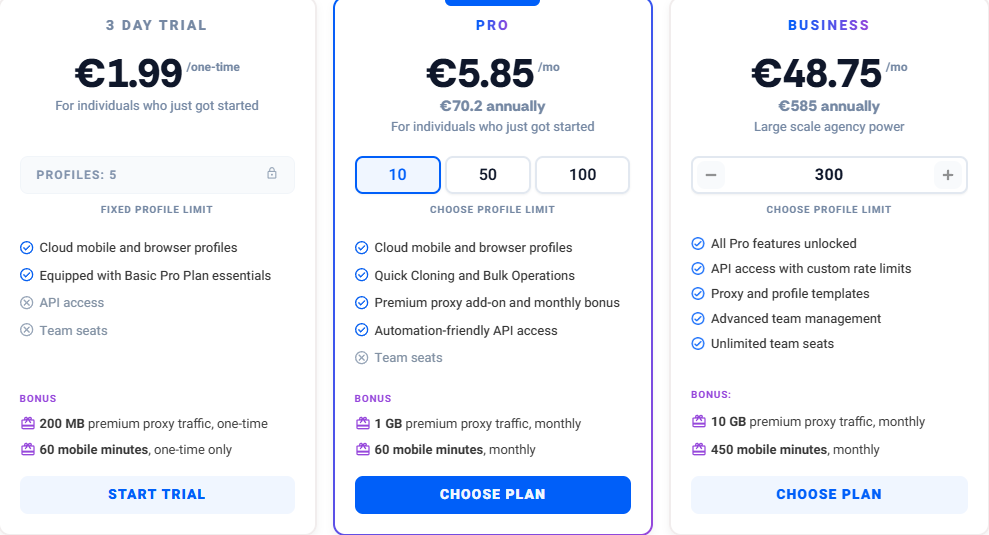
When it comes to your budget, the choice is very simple. Roxy Browser offers a massive price advantage over Multilogin.
Let’s look at the Multilogin free trial one more time. As we mentioned earlier, it is not actually free. You must pay at least €1.49 just to start. Even worse, that paid “trial” locks you out of the best tools. You only get to test the most basic features.
Roxy Browser does things differently. We give you a true, 7-day free trial. You do not pay a single cent. More importantly, we unlock everything for you. You can use all of our premium tools and team features for a full week.
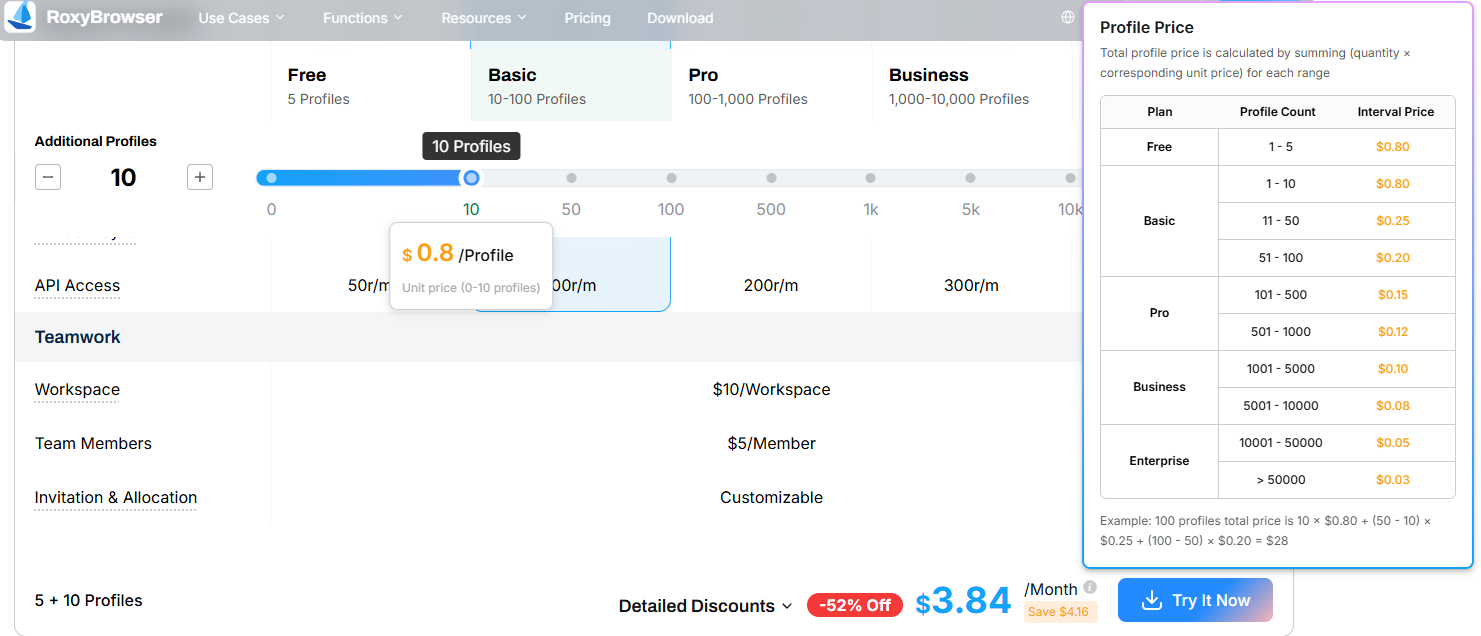
Beyond the trial, the regular plans are also much more affordable. Whether you choose a monthly or yearly subscription, Roxy Browser simply saves you a lot of money.
Finally, the checkout process is completely headache-free. While Multilogin strictly limits how you can pay, Roxy Browser supports a wide range of global payment methods. It even accepts popular local payment options from Asian countries. This level of flexibility easily makes it the most user-friendly Multilogin alternative available today.
Multilogin vs Roxy browser: 2026 Review Summary
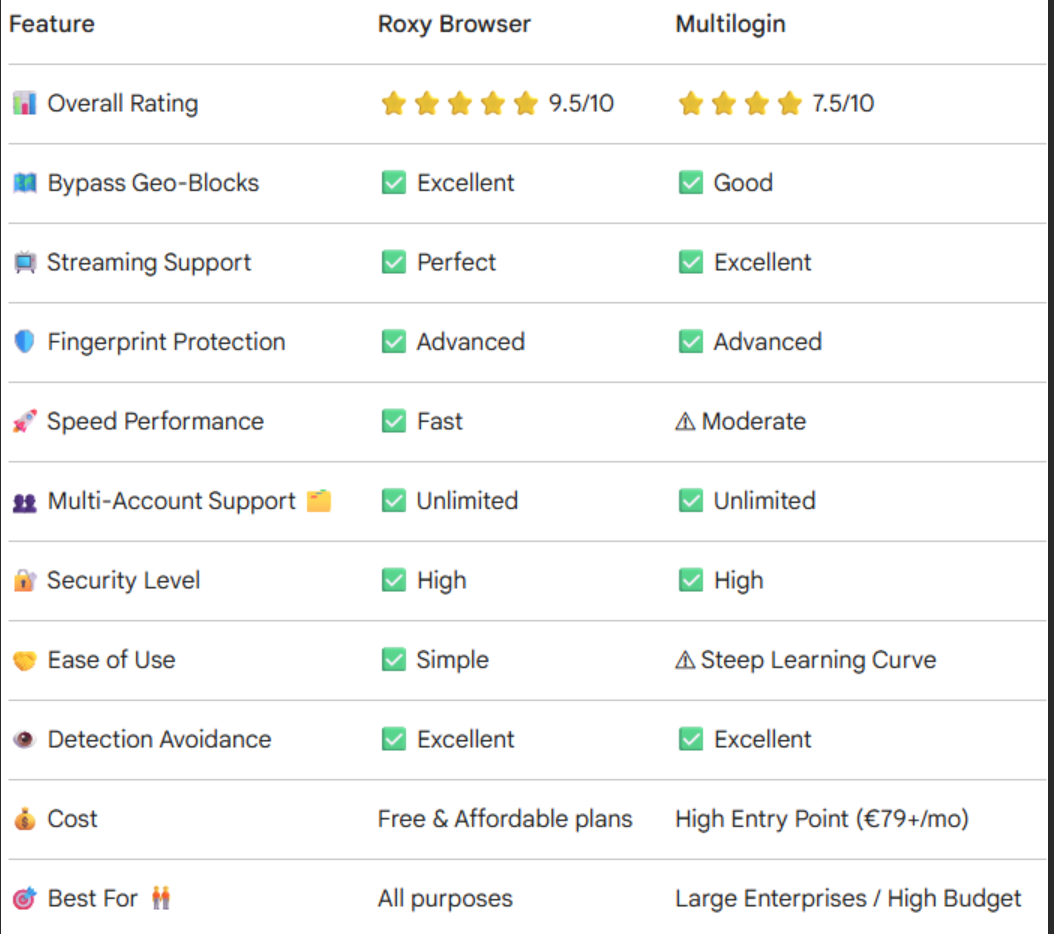
Let’s wrap this up. Multilogin is a classic anti-detect browser. It has a long history and strong core technology. But in 2026, it is simply too heavy and too expensive for most users.
The setup process is a massive hassle. The team features are locked behind huge paywalls. Most importantly, finding a real Multilogin free trial is impossible. You should not have to pay money just to test a product.
Roxy Browser is built for today’s needs. It is fast, highly secure, and incredibly easy to use. You do not need to download a separate background agent. You get full team collaboration access from day one. You also pass advanced security checks with ease thanks to our modern encryption tunnels.Best of all, Roxy Browser saves you a lot of money.
If you are tired of old software, slow support, and high prices, it is time to make a change. Roxy Browser is the absolute best Multilogin antidetect browser alternative on the market right now.


