
TL;DR
- Allowed: Snapchat lets you have multiple accounts, with no official cap on how many you create. What matters is how you operate them.
- No native switcher: Unlike Instagram, Snapchat keeps one active login per device, so switching is manual.
- Scaling safely: Running more than a handful of accounts on one device gets them linked. Real isolation needs a fingerprint browser plus a dedicated proxy per account.
If you manage a personal profile alongside a business one, or run social campaigns for clients, the same question comes up first: can you have multiple Snapchat accounts without getting flagged? The short version is yes. The longer version — the part that decides whether your accounts survive past the first month — depends entirely on how you separate them. This guide walks from creating a second login all the way to the isolation setup professional teams use to run dozens of profiles at once.
Can You Have Multiple Snapchat Accounts?
Yes. Snapchat allows multiple accounts, and there is no official cap on how many you can create. What the platform cares about is not the number of accounts but how you operate them.
Snapchat’s Terms of Service and Community Guidelines focus on behavior: no impersonation, no spam, no automated abuse. Nothing in those rules says one person can only hold one account. Plenty of users keep a personal account, a finsta-style private one, and a business profile side by side without issue. You can confirm the current policy directly on Snapchat Support.
The catch is structural, not legal. Snapchat was built around the idea of one phone, one person, one account. So the constraint you actually run into is this: one active login per device at a time. There is no built-in account switcher the way Instagram or Twitter/X offer. To use a different account, you log out of the current one and log back in with the other. Everything in this guide flows from that single limitation.
So the real question isn’t can you have multiple accounts on Snapchat — it’s how you create, switch between, and isolate them without tripping the systems that link accounts together.
Accounts vs. Public Profiles: What’s the Difference?
A second account has its own separate login; a Public Profile is a storefront layer attached to one existing account. People mix these up constantly, and choosing the wrong one wastes setup time.
A regular Snapchat account is a full, independent identity: its own username, password, email or phone, friends list, and Snap history. A Public Profile is a creator or business surface that sits on top of an account you already own. It unlocks Spotlight, Stories visible to non-friends, Lenses, and basic analytics — but it is not a separate login. You reach it through the same account credentials.
| Feature | Standard Second Account | Public Profile |
|---|---|---|
| Separate login | Yes — independent login required | No — tied to the primary account |
| Credentials needed | New email or phone number | None (uses existing account) |
| Best for | Keeping distinct identities apart | Public reach, Spotlight, analytics |
| How to switch | Log out, log back in | Toggle inside the same account |
If your goal is to run several distinct presences, what you want is multiple accounts on Snapchat — not multiple profiles on one account. The rest of this guide assumes that.
How to Make Multiple Snapchat Accounts
Create a new account with a fresh email or phone number, then verify it the same way you verified your first. The process is identical to signing up the first time; the only discipline is keeping credentials separate.
Before you start, you need:
- A unique email address or phone number for each account. Snapchat ties one credential to one account.
- A username plan. Usernames are permanent and can’t be reused once taken, so decide your naming pattern before you register.
Step by step for a second (or third) account:
- Log out of your current account: Profile → Settings → Log Out.
- On the login screen, tap Sign Up.
- Enter a name, then a birthday.
- Choose a new username that fits your plan.
- Set a password.
- Register the new email or phone number — not one already attached to another account.
- Complete the verification code sent to that email or number.
Credential reuse rules to know:
- One email or phone per account. You can’t point two accounts at the same primary email. Attempting to verify a second account with a phone number already in use unlinks that number from the first profile.
- Phone numbers verify a limited number of times. A single number can usually only sit on one account at a time, and repeated re-verification on the same number gets rate-limited.
Day-one tip to avoid instant linking: don’t blindly sync your contacts on a new account. Contact syncing is the fastest way for Snapchat to connect a new profile to your existing one, because it cross-references the same address book. Skip the “Find Friends” step on accounts you want kept separate, and keep early activity organic. These steps apply to multiple accounts you legitimately own — which Snapchat explicitly allows — not to impersonation or spam, which violate its Community Guidelines regardless of setup.
How to Switch Between Multiple Snapchat Accounts
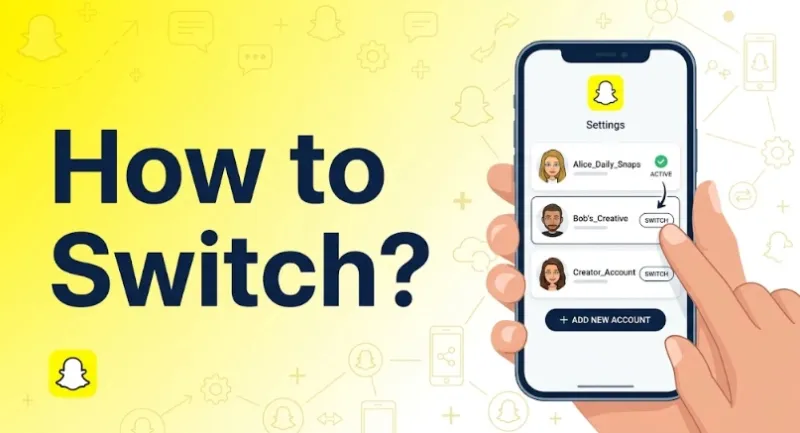
Once both accounts exist, day-to-day use comes down to switching between them, and this is where the one-login-per-device constraint applies directly.
Switching is manual: you log out of one account and log back into another. There is no one-tap toggle. Saving your login details first makes the round trip faster.
On iPhone
- Go to Profile → Settings.
- Scroll down and tap Log Out.
- Snapchat offers to save your login info — accept it so you don’t retype credentials.
- Log back in with the second account’s username and password.
On Android
The flow is the same manual loop: Settings → Log Out, save the login info if prompted, then log back in with the other account. Android offers a faster path for running two at once, covered in the next section.
On Desktop / Web
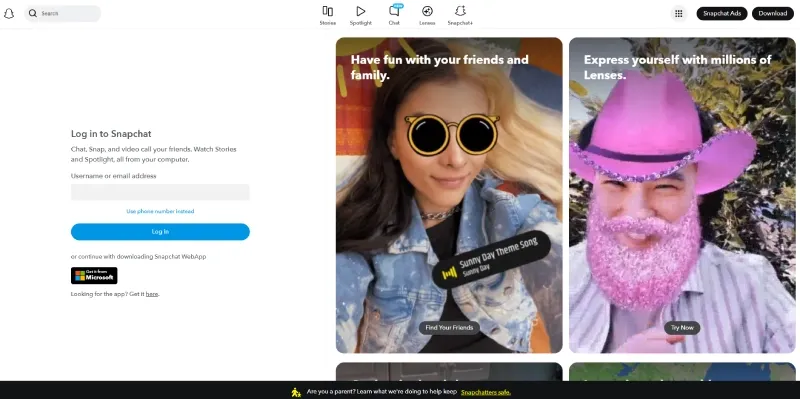
Snapchat for Web supports messaging and calls from a logged-in account, which is useful for handling chats without your phone. It’s still one account per browser session, so you log out and back in to switch, exactly like mobile. For managing several accounts at the desktop level without constant logouts, a dedicated environment per account is the real fix — covered in the isolation section below.
Expected limits: there’s no instant switching, and frequent log-out/log-in cycling raises flags. Snapchat treats rapid account swapping on one device as a linkage signal. A couple of accounts is fine; cycling through many on the same phone is exactly the pattern that gets them connected — and can temporarily lock you out.
How to Run Two Accounts at Once
Logging in and out works, but if you genuinely need two accounts live at the same time, the device’s operating system decides what’s possible.
You can run two at once with Android app cloning; iPhone offers only limited workarounds.
Android Cloning
Most Android skins ship with a built-in app duplicator, which creates a second, isolated copy of Snapchat with its own data:
- Dual Apps / Dual Messenger (Xiaomi, OnePlus, older Samsung)
- App Twin (Huawei)
- Work Profile (stock Android, via a work-profile app like Shelter or Island)
- Secure Folder (Samsung) — a fully separate encrypted space with its own Snapchat install
Each clone keeps separate storage and login, so you can stay signed into account A in the main app and account B in the clone. This is the cleanest native way to run two accounts on one device.
iPhone Limitations
iOS has no native app cloning. Apple’s sandbox allows only one instance of an app per device. The limited workarounds — mainly logging in through Snapchat for Web in Safari for the second account, or using the App Library with constant log-outs — are clumsy and don’t give you two live native sessions. For iPhone users who need more than one account running, the practical answer is either the desktop route or the professional isolation setup below.
Third-Party “Dual” Apps
App stores list parallel-space and cloner apps that promise unlimited copies of any app. Be honest about the trade-off: many request broad device permissions, route data through unknown servers, or repackage the Snapchat APK — which violates Snapchat’s terms and is a common trigger for permanent account lockouts. Convenience here comes with a real security and policy cost. If an account matters, avoid unofficial cloners.
Why Accounts Get Banned at Scale
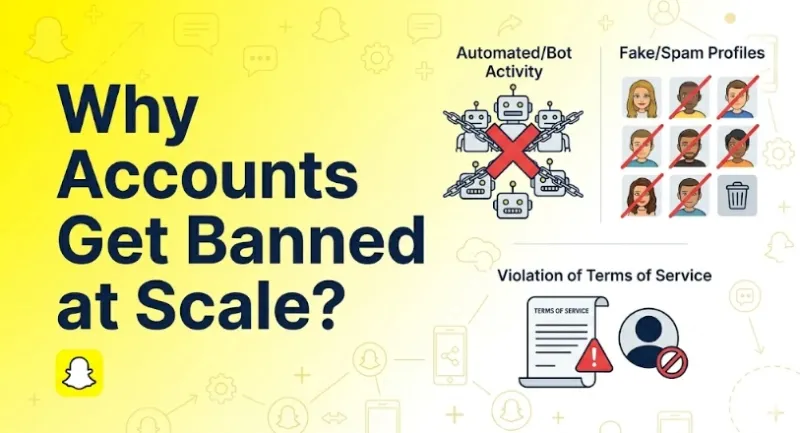
Cloning and switching handle two or three accounts. Past that count on one device, the underlying problem surfaces: the accounts get linked, then restricted.
Snapchat links accounts through four signals: device fingerprint, IP address, cookies and cache, and behavior patterns. Mitigating one signal leaves the others intact.
- Device fingerprint. The same phone exposes the same hardware and software identity to every account on it. This is the digital fingerprint built from canvas rendering, WebGL GPU data, screen metrics, fonts, and OS details. A canvas fingerprint generates a unique pixel hash from your GPU and drivers; when several accounts share that exact hash, the system groups them. Cloned apps don’t change it — the underlying device is identical.
- IP address. Every account logging in from your home IP shares one network identity. Snapchat sees five “different” users on a single connection, and a WebRTC leak can expose the real IP even behind a VPN.
- Cookies and cache. Stored identifiers and cached data bleed across sessions on the same device, tying logins together.
- Behavior patterns. Account creation clustered in time, the same typing rhythm, identical active hours, and overlapping contacts all feed account linkage detection — the same signals that surface when you manage multiple accounts from one device.
A first-hand data point: in our own testing, once several Snapchat logins came from the same residential IP and device fingerprint, a verification challenge appeared within the first few logins — even though each account had separate credentials. Your exact mileage varies by IP reputation and history, but the pattern is consistent: shared network + shared device is enough to group accounts.
This is why phone-based methods, cloning apps, and the log-out/log-in loop stop working past a few accounts: they change the login but not the device fingerprint or the IP. The cost of getting this wrong is steep. A ban doesn’t just remove one account; it can sweep every linked account, and you lose the account warming you invested — the 7-to-30-day period of gradual, natural activity it takes to build each account’s standing back from zero.
Troubleshooting Common Issues
Before scaling up, here are the snags that trip up most people running more than one account.
Most issues come from credential reuse, verification limits, or device conflicts.
- “Can’t create a new account” / hit a limit. You’ve likely created too many accounts from one IP or device in a short window, or your device ID is flagged for rapid registrations. Space out signups and don’t batch-create in one sitting.
- Phone or email won’t verify. The credential is probably already tied to another account, or the number has hit its re-verification limit — or it’s been blacklisted through association with banned profiles. Use a fresh email or number per account.
- Keeps logging out or won’t switch. Usually a cache conflict from rapid switching. Clear the app cache, confirm your saved login details, and avoid cycling accounts back-to-back.
- Shared-device access problems. Two people reaching the same account from different locations looks like a takeover and triggers a security lock. For team access, each operator needs a consistent, isolated environment — not shared logins on personal phones.
If you keep hitting these walls, it’s the signal that you’ve outgrown manual methods. The fix isn’t another workaround; it’s proper isolation.
How Pros Manage Accounts Safely
Teams that run dozens of Snapchat accounts don’t fight the device-fingerprint and IP problem — they remove it. The principle is simple: make each account look like it lives on its own separate device, on its own network.
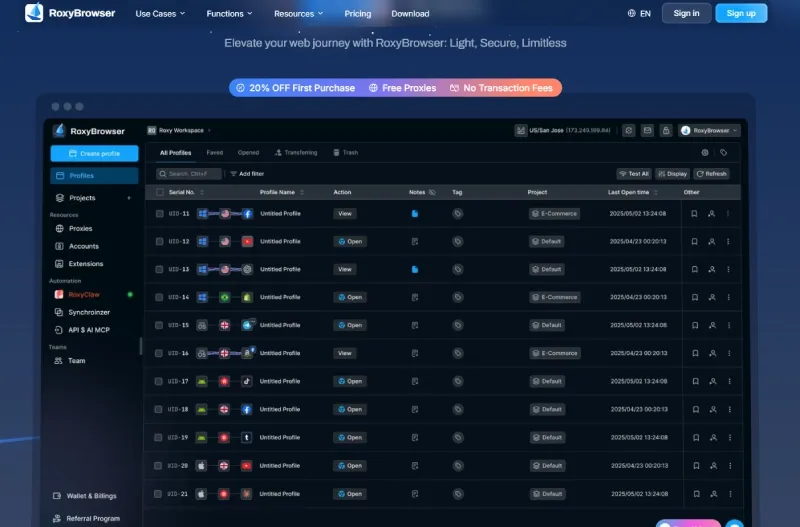
Pros isolate each account inside an antidetect browser paired with a dedicated proxy. That two-part formula maps directly onto the two signals that link accounts:
- Fingerprint browser → isolation. An antidetect browser creates a separate profile per account, each with its own complete browser environment. Where a cloned app shares one device identity, each profile here gets a distinct, internally consistent fingerprint.
- Proxy → unique IP. Each profile is bound to its own clean IP, so accounts never share a network identity.
What a fingerprint browser actually isolates:
- Cookies and storage — separate Cookie, LocalStorage, IndexedDB, and cache per profile, so no session data crosses over (session isolation).
- Canvas, WebGL, and OS fingerprint — each profile reports its own canvas hash, GPU vendor/renderer, screen metrics, fonts, and platform, all logically aligned so they don’t contradict each other.
- Automation and leak vectors — the
navigator.webdriverflag is suppressed and WebRTC is controlled so the real IP can’t leak past the proxy.
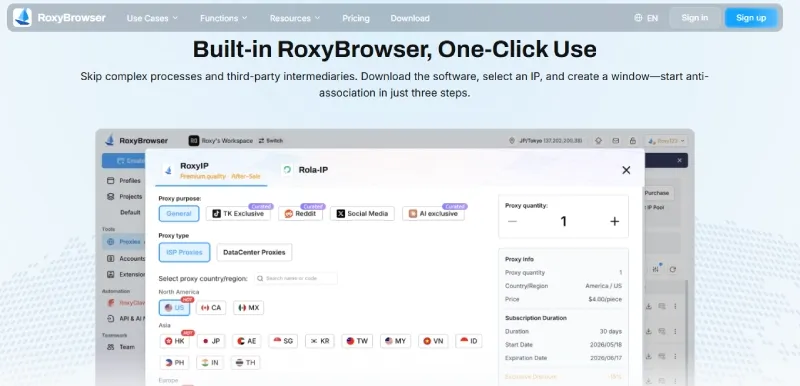
Proxy pairing is the other half. Bind one clean residential or mobile IP per account. A residential proxy carries consumer-ISP ASNs that platforms trust, unlike datacenter IPs that are far more likely to be flagged on sight. The IP’s geolocation must line up with the profile’s timezone and language, or the mismatch itself becomes the signal. The honest limit: this stops technical linkage, but it doesn’t excuse spammy behavior. Isolation plus sane operation is what keeps accounts alive — not isolation alone.
Best Tools for Multiple Snapchat Accounts
A note on responsible use: these methods are for managing accounts you own. Isolation reduces technical linkage between legitimate accounts — it is not a license to spam, impersonate, or otherwise break a platform’s rules, and won’t protect accounts that do.
For scaling, an antidetect browser is the most reliable choice. The tools below all perform per-account isolation; they differ in price, configuration depth, and target user. For one or two accounts, native switching or Android cloning is sufficient — these tools apply once you are past that count.
1. RoxyBrowser
RoxyBrowser provides per-account fingerprint isolation across 210+ hardware-level parameters — from canvas and audio context down to mobile-specific battery and Bluetooth traits — so each profile reads as a separate device.
Built-in proxy integration binds a clean IP to each profile in about 30 seconds, and the in-house IP store offers 90M+ residential nodes across 200+ countries for users who do not source proxies elsewhere. For teams, password-free sharing assigns account access without exposing plaintext credentials, with granular permissions and operation logs.
Pricing is low-barrier and includes a free tier, covering both single-operator use and 100-seat teams. An AI layer accepts plain-language instructions to direct 100+ windows in place of RPA scripts, with MCP protocol support for connecting an existing tool chain.
2. Multilogin
A mature, enterprise-leaning option with solid fingerprint management and a long track record. Capable, but it carries a higher cost that suits larger budgets more than individual creators. See our Multilogin alternative breakdown for a feature-by-feature look.
3. AdsPower
Feature-rich with deep configuration options and strong automation hooks. The depth is genuine, but the interface is heavier, with a steeper learning curve for newcomers. Compared in our AdsPower alternative review.
4. GoLogin
A budget-friendly entry point that covers core fingerprint isolation. Fewer advanced team and proxy features than the options above, but reasonable for small-scale use. Details in our GoLogin alternative guide.
Optional: for mobile-first app workflows where you need the native Snapchat app rather than web, cloud phones (such as GeeLark) run isolated Android instances in the cloud, each with its own device identity.
| Tool | Fingerprint isolation | Proxy support | Team features | Pricing | Best for |
|---|---|---|---|---|---|
| RoxyBrowser | 210+ params, kernel-level | Built-in 90M+ IP store + custom | Password-free sharing, granular roles | Low-barrier, free tier | Beginners to 100+ seat teams |
| Multilogin | Strong | Custom integration | Yes | High | Enterprise budgets |
| AdsPower | Strong | Custom integration | Yes | Mid–high | Power users wanting deep config |
| GoLogin | Core | Custom integration | Basic | Low–mid | Small-scale, budget users |
Safety Checklist & Best Practices
Tools handle the technical isolation. These habits keep accounts alive over the long run.
Keep one consistent identity per account: the same IP, fingerprint, and behavior, every session. Consistency is what real users have; the flag is change, not difference.
- One identity per profile. Lock IP, fingerprint, and behavior together. Don’t rotate the IP on an account that needs stability, and don’t reuse one proxy across several profiles. Make sure IP geolocation matches the browser’s timezone and language.
- Warm up new accounts gradually. Don’t post, add 50 friends, and message strangers on day one. Build activity over the first 1–2 weeks like a normal user. Avoid duplicate content and spam patterns across accounts; identical posts on parallel accounts are an obvious linkage signal.
- Use naming conventions and secure credentials. Plan usernames before registering, and store logins in a password manager. Never share plaintext passwords over chat or spreadsheets.

- Set team permissions and SOPs. For multi-operator teams, assign role-based access and use password-free multiple account management so operators get access without ever seeing raw credentials. Keep operation logs so you can trace who touched what.
- Know when to keep it simple. For 1–5 accounts, native switching or Android cloning is enough. Reach for a fingerprint browser and proxies when you’re past that count or running accounts for clients, where one ban has real cost.
Conclusion
So, can you have multiple Snapchat accounts? Yes, with no official cap. What decides their survival is isolation, not permission. Snapchat links accounts through device fingerprint, IP, cookies, and behavior, so the number you can safely run depends entirely on how well you separate them.
Match the method to the scale:
- 1–5 accounts: native log-out/log-in switching, or Android app cloning, is enough.
- Beyond that, or for client work: give each account a real, isolated environment — a fingerprint browser plus a dedicated proxy per account.
Once manual switching has been outgrown, a purpose-built tool addresses the device-fingerprint and IP signals directly. RoxyBrowser pairs per-account fingerprint isolation with a built-in proxy store and password-free team sharing, so each Snapchat account behaves like its own device on its own network.


