
TL;DR
MoreLogin is still workable for small teams that only need basic manage multiple accounts workflows, fixed proxies, and simple session isolation. Once proxy binding, team handoff, automation, or cloud phone requirements become central, a serious morelogin alternative review becomes necessary. For desktop workflows, compare RoxyBrowser, MultiLogin, GoLogin, AdsPower, and Dolphin Anty; for mobile-first workflows, evaluate GeeLark separately.
Introduction
When your operation grows beyond a small batch of social media or e-commerce accounts, basic fingerprint masking stops being enough. The morelogin browser can still work well for individual users handling a limited number of profiles with fixed proxies. The pressure starts when the operating burden stops being technical setup alone. Manual proxy binding, role handoffs, permission control, and Browser Fingerprint Consistency all start compounding at the same time.
Teams rarely switch because one browser stopped opening pages. They switch because scaling requires infrastructure, not just isolated windows. Once platforms start scoring IP geolocation alignment, timezone matching, rendering consistency, language settings, and behavior rhythm together, copying a small stable setup into a much larger profile pool without recalibrating those signals becomes one of the fastest ways to trigger verification loops or account limits. At that stage, reviewing a morelogin alternative becomes less of a feature comparison and more of an operational upgrade.
Evaluation method and evidence standard
This article compares MoreLogin and each morelogin alternative across seven dimensions:
- Browser environment quality and fingerprint consistency
- Proxy binding and IP geolocation alignment
- Bulk creation, import, export, and migration support
- API access, RPA integration, or AI scheduling compatibility
- Team permissions, log auditability, and handoff cost
- Whether the product fits desktop workflows, mobile cloud workflows, or both
- Entry cost versus scaled operating cost
The feature comparisons below combine three evidence types: official product positioning pages, public pricing pages, and editorial judgment about workflow fit. Pricing, profile limits, API quotas, and version-specific claims should be treated as time-sensitive and rechecked on the vendor’s official page before purchase or migration.
This is a product-selection article for legitimate use cases. The discussion is about browser isolation, multi-account separation, team collaboration, and environment consistency management. It is not a guide to bypass platform rules, abuse registration flows, or use proxies and automation for prohibited activity.
When is MoreLogin still enough for a small team?
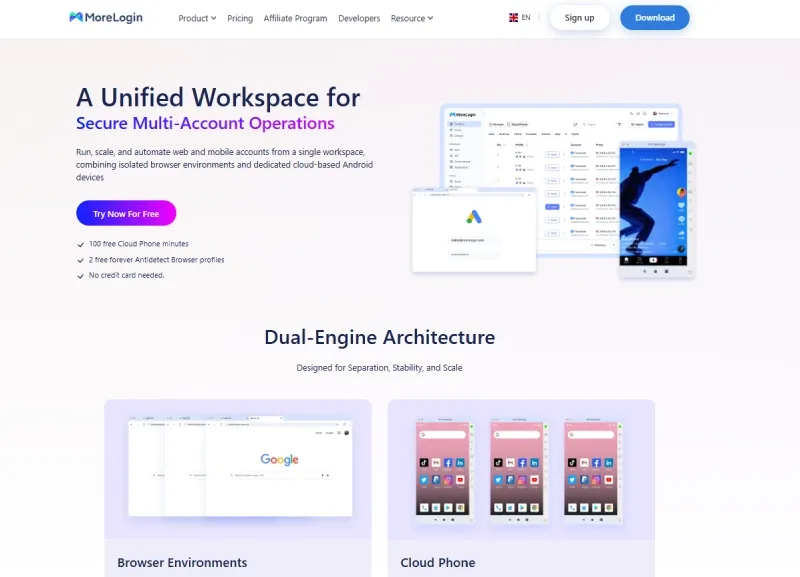
MoreLogin is often still enough when the workflow is simple, the operator count is low, and the team mainly needs stable session isolation instead of deeper automation or permission control. If profiles rarely change owners, proxies stay fixed, and the team does not need mobile cloud environments, a migration may not be urgent.
MoreLogin in 2026: still useful, but the bottlenecks are clearer
MoreLogin still has a place in the antidetect browser market. Its strengths are straightforward. The entry barrier is relatively low, the profile creation flow is easy to understand, common proxy types are supported, and the learning curve is still manageable for solo users and smaller teams.
If your workflow is still in the lightweight stage and the goal is simply to separate sessions, isolate local cookies and cache, and keep IP consistency with fixed proxies, a morelogin alternative may not be urgent yet. Many teams use the morelogin browser to build an initial batch of social media accounts, e-commerce profiles, or ad accounts, and for that stage it can still be enough. A single operator working with stable SOCKS5 proxies, fixed timezones, and basic cookie isolation is often still within a manageable range.
The problem tends to appear after the team scales. A common turning point is when profile maintenance becomes a shared operational task rather than a single-user task. That is where teams usually start feeling the cost of maintaining browser profiles in bulk.
Who bound which proxy to which profile? Which operator took over which environment? Did a Cookie import or export leave a permission gap behind? Can the API hand the profile directly to an automation script? Does the mobile-side scenario now require an extra cloud phone stack on top of the desktop browser?
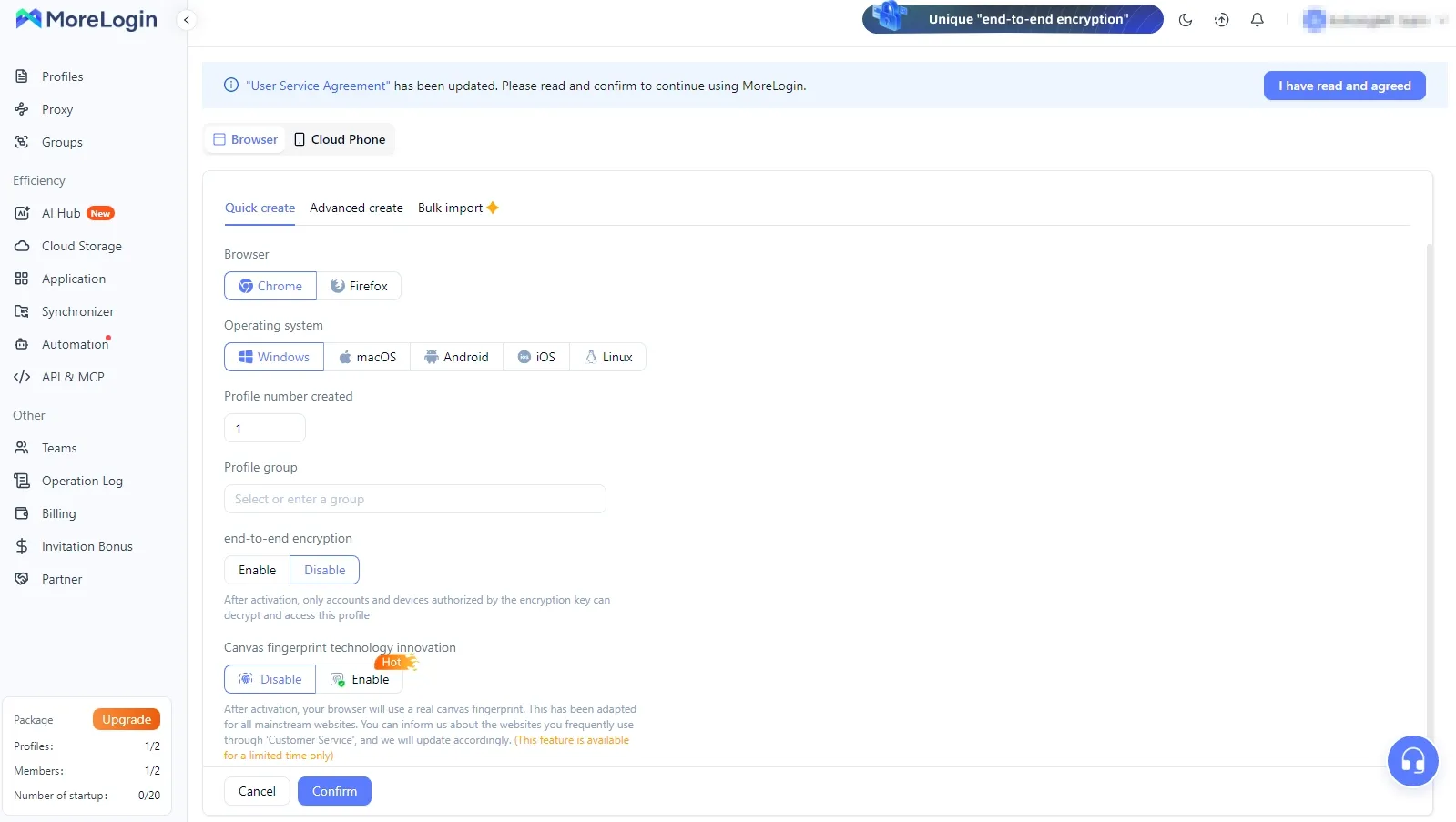
The morelogin proxy workflow is still workable at a small scale. It becomes harder to justify once the workflow involves frequent switching, shared usage, and bulk imports.
The next step up is where technical consistency starts to matter more than visible feature lists. Once the team begins checking pixel differences exposed through the Canvas API and local address exposure through the WebRTC API, it becomes obvious that tool selection cannot stop at surface-level claims like “supports proxies” or “supports multiple windows.”
At scale, risk usually comes less from the number of windows and more from an early-stage workflow that was never upgraded. Teams keep reusing weak proxies, keep the same repetitive behavior pattern, or stay dependent on old scripting habits long after the profile count has changed. Once platforms move into Multi-Signal Scoring, they assess IP ownership, timezone, language, behavior frequency, and browser fingerprint consistency together.
One common mistake is copying a small stable setup into a larger multi-operator system without correcting proxy geolocation, timezone, and language alignment. That is exactly the kind of mismatch that often leads to batch verification or account restriction.
At that point, the question is no longer whether to keep using MoreLogin. The question is where the bottleneck sits.
- If the issue is proxy binding and environment coordination, the problem is partly at the network layer and partly at the team layer.
- If the issue is automation depth, the problem is at the API, RPA integration, or concurrent scheduling layer.
- If the real demand has shifted to a mobile matrix, then the comparison should move toward a morelogin cloud phone replacement rather than trying to force a desktop browser tool into a mobile job.
Before you spend more time searching for morelogin download, it usually pays to identify which of those weak points is actually blocking the workflow.
How should you screen a MoreLogin alternative?
The dimensions that decide whether another tool is actually better are fairly consistent: browser fingerprint consistency, proxy binding efficiency, bulk creation and migration, API and automation depth, team permission control, log auditability, mobile or cloud phone support, and total cost after the team grows.
The most overlooked factor is consistency.
The User-Agent String can be changed, but that does not mean User-Agent Client Hints stay aligned. WebGL metadata can be spoofed, but that does not mean the rendering output and the claimed GPU still match. The timezone can be changed, but that does not mean the proxy IP’s geolocation, language, and currency settings will line up naturally.
The real difference between stronger tools and weaker ones is not how many fields can be edited. It is whether those fields still form a logically coherent profile.
That is why the evaluation order matters.
-
check the environment layer. Does the browser support stable profile isolation? Can Cookie Isolation, LocalStorage, and IndexedDB stay separate? Can it handle Canvas fingerprinting, AudioContext fingerprinting, WebGL rendering traits, font enumeration, timezone alignment, and WebRTC leak control?
-
check the network layer. Does it support SOCKS5 proxies, HTTP proxies, bulk proxy import, proxy binding, IP consistency maintenance, and both residential proxy and datacenter proxy scenarios?
-
check the collaboration layer. How well does it handle shared access, sub-accounts, change history, resource recovery, and handoff difficulty?
-
check the automation layer. Is there an open API? Can it connect cleanly to Selenium, Puppeteer, Playwright, or an internal scheduling system?
Price should come after that. Some tools look cheap until the team realizes it still has to pay separately for proxy management, cloud collaboration, script scheduling, or mobile-side tooling. That is where total cost often shifts.
A single pricing table from a homepage usually understates hidden cost. A team can scale from a small profile pool into a much larger one and only then discover that permissions cannot be cut cleanly, logs cannot be audited, and bulk proxy import still depends on manual spreadsheets.
In practice, each new operator can add handoff cost if the tool does not absorb operational structure well. When you put tool cost, proxy cost, maintenance time, and post-scale exception handling on the same line, the picture usually changes.
Why does fingerprint consistency matter more than price?
Because platforms do not assess risk based on which browser you bought. They assess risk based on whether the signals inside the environment contradict one another. Saving a few dozen dollars per month is rarely meaningful if WebRTC leaks, timezone mismatches, or abnormal behavior frequency trigger repeated verification. For a mid-sized team, avoiding one batch risk event is often more valuable than lowering the per-seat price.
Four lower-layer factors that create the real gap
Cloud storage versus local storage is not a minor feature
This is a collaboration-model decision, not a cosmetic one. Some tools lean toward cloud-based profiles. That can make sharing and synchronization easier, but it can also reduce offline flexibility, rollback options, and direct control over data. Other tools support local storage or a hybrid local-plus-cloud model. That tends to make migration more flexible and layered team management easier.
If you only operate from one device, the distinction may not feel very important. For cross-device teams, shared operations, or setups where part of the profile pool may need to be frozen temporarily, it affects daily maintenance directly. Where the browser profile lives determines more than convenience. It determines whether the team can migrate, isolate, and roll back quickly when something breaks.
Bulk operations matter more than “supports multiple profiles”
Bulk proxy import, profile creation, tagging, grouping, status management, cookie export, and LocalStorage migration all sound procedural, but together they form the operating skeleton of a scaled setup.
A tool that can create profiles but cannot handle bulk proxy replacement, bulk cloning, batch field changes, bulk handoffs, and bulk audit tasks efficiently will start slowing a team down once profile management becomes operationally dense. “How many profiles can it open?” is a shallow metric. A more useful question is what happens when many profiles need a region change, ownership transfer, or login-state migration at the same time.
An antidetect browser is not the same thing as a privacy browser
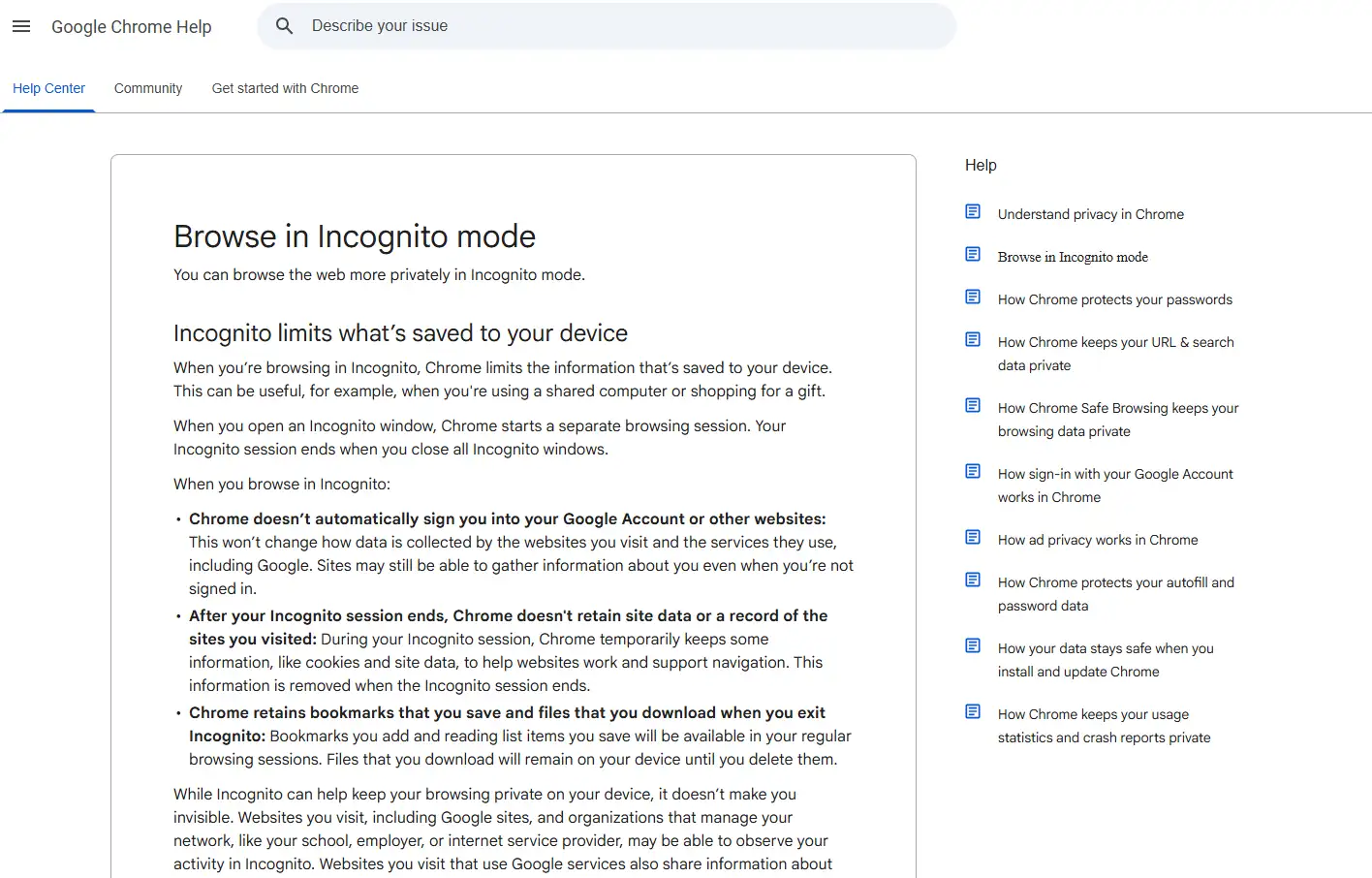
These products solve different problems. Browsers like Tor or Brave focus more on reducing cross-site tracking and lowering visibility for ordinary browsing. An antidetect browser focuses on making each profile behave like its own device and its own session.
That distinction matters for multi-account teams. Some industry overviews treat these product categories separately and compare them based on profile isolation, proxy integration, automation support, and fingerprint customization. If a team tries to replace an antidetect workflow with a privacy browser, the gaps usually show up in profile management, proxy binding, and bulk automation all at once.
That is why an antidetect browser is not the same as a private browsing mode. Private browsing reduces saved local traces. It does not create independent account environments the way a real profile-based isolation system does.
Trial structure, migration path, and rollback path should be judged separately
If a tool has no clear free trial, no low-friction test path, no staged migration option, or weak import and export support, the switching cost can become higher than the monthly price suggests. Downtime risk, repeated login risk, and retraining cost matter just as much as the sticker price.
Strong product selection is rarely about who has the longest feature list. It is more often about who is easier to roll back from when something breaks and who is less likely to trap the team in manual maintenance once the setup grows.
What is the difference between an antidetect browser and a privacy browser?
The answer is simple. A privacy browser is built to reduce tracking. An antidetect browser is built to split different accounts into genuinely separate environments. The first is better for ordinary browsing privacy. The second is better for multi-account management, proxy binding, and Browser Profile isolation.
Best MoreLogin alternative options in 2026
1. RoxyBrowser
Best for growing teams that need cost-efficient scaling, tighter proxy-and-profile coordination, and automation-heavy workflows.
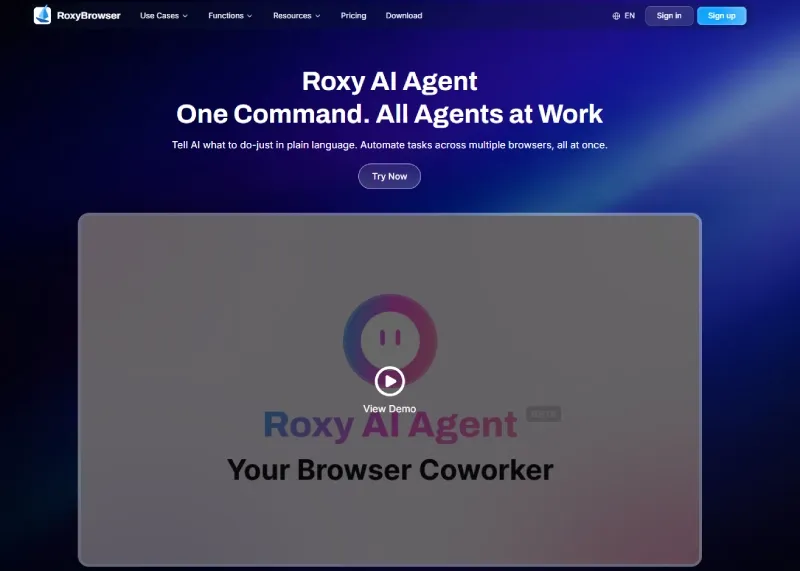
RoxyBrowser stands out in four areas.
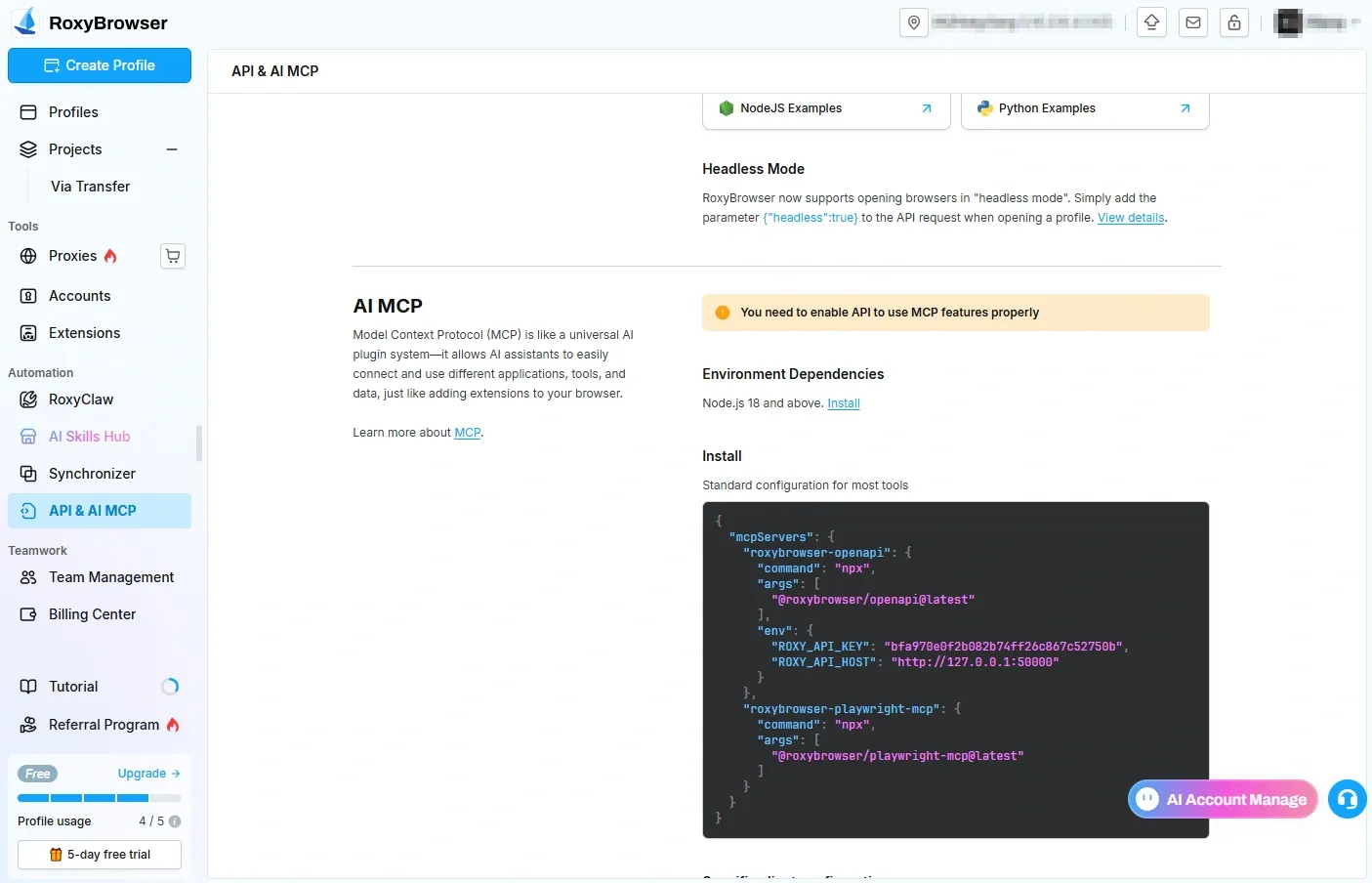
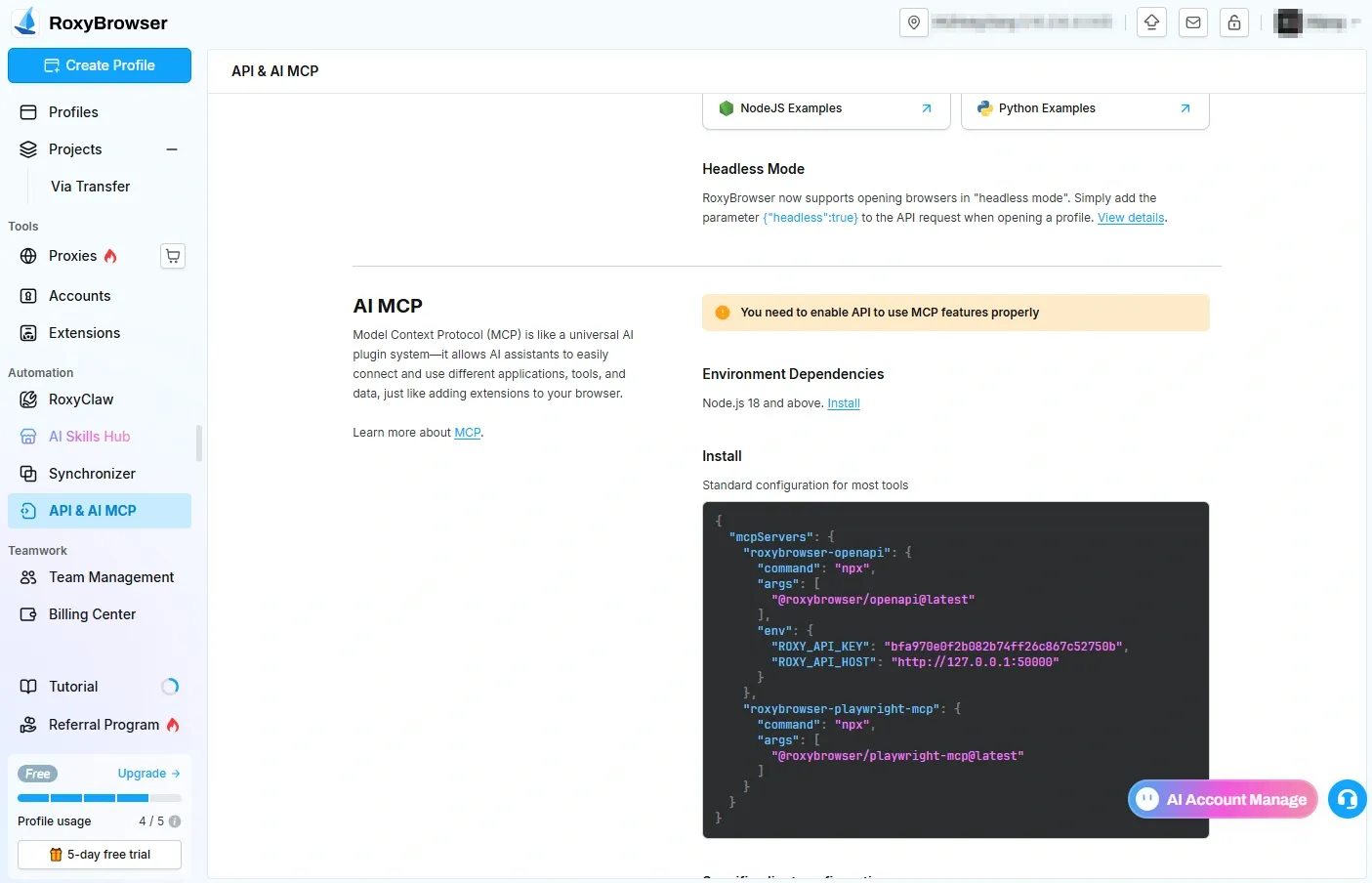
The first is automation compatibility. Teams that do not want to keep maintaining large RPA script libraries often care more about natural-language scheduling, batch concurrency, and a unified workflow layer. That is where RoxyBrowser’s direction around AI scheduling, its MCP integration path, and custom Skills support becomes more relevant.
The second is environment control. RoxyBrowser puts more emphasis on lower-layer fingerprint parameter control, proxy binding, and internal consistency rather than just front-end field editing. This matters more to teams that care about consistency across Canvas, AudioContext, and similar environment signals, or teams that want more diversity across Chromium- and Firefox-based profiles.
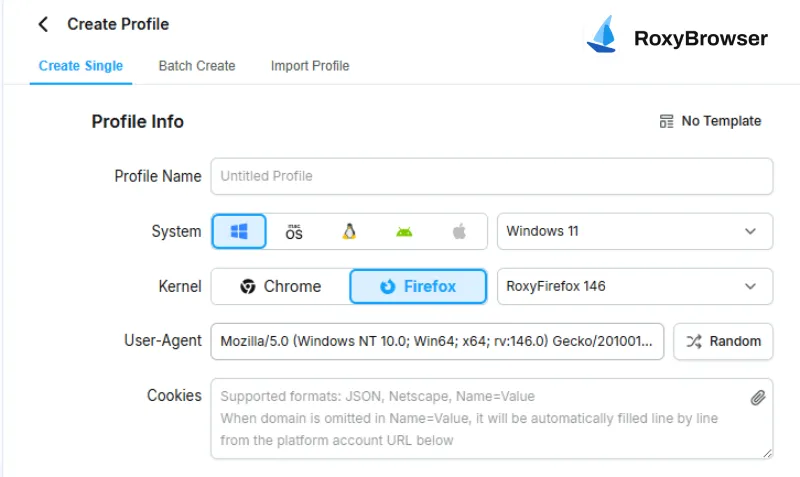
The official RoxyFirefox 146 announcement shows that RoxyBrowser now supports a dual-engine setup with both RoxyChrome and RoxyFirefox. For teams that want more flexibility in profile strategy, that matters because it adds a Firefox-based option instead of keeping every profile inside a single Chromium-style engine path.
The third is proxy-and-environment integration. Teams that want proxy selection, IP binding, profile isolation, and daily operations inside one workflow usually find this easier to manage than a split process. The official RoxyIP page claims 90 million residential IPs across 200-plus countries and regions, which makes the platform more relevant for teams that want to reduce the operational distance between proxy sourcing and environment binding.
The fourth is collaboration. Once a team is already dealing with shared operations, role-based permissions, environment handoffs, and action history, RoxyBrowser’s sub-account model, permission slicing, and template synchronization become more relevant than the raw number of windows it can open.
Compared with MoreLogin, RoxyBrowser tends to show its advantage in specific situations: where proxy and environment relationships need to be fixed rather than loosely attached, where multiple people need cleaner permission boundaries, and where the team does not want browser operations, proxy maintenance, and script execution to turn into three separate systems.
2. MultiLogin
Best for enterprise governance and formal operating procedures.
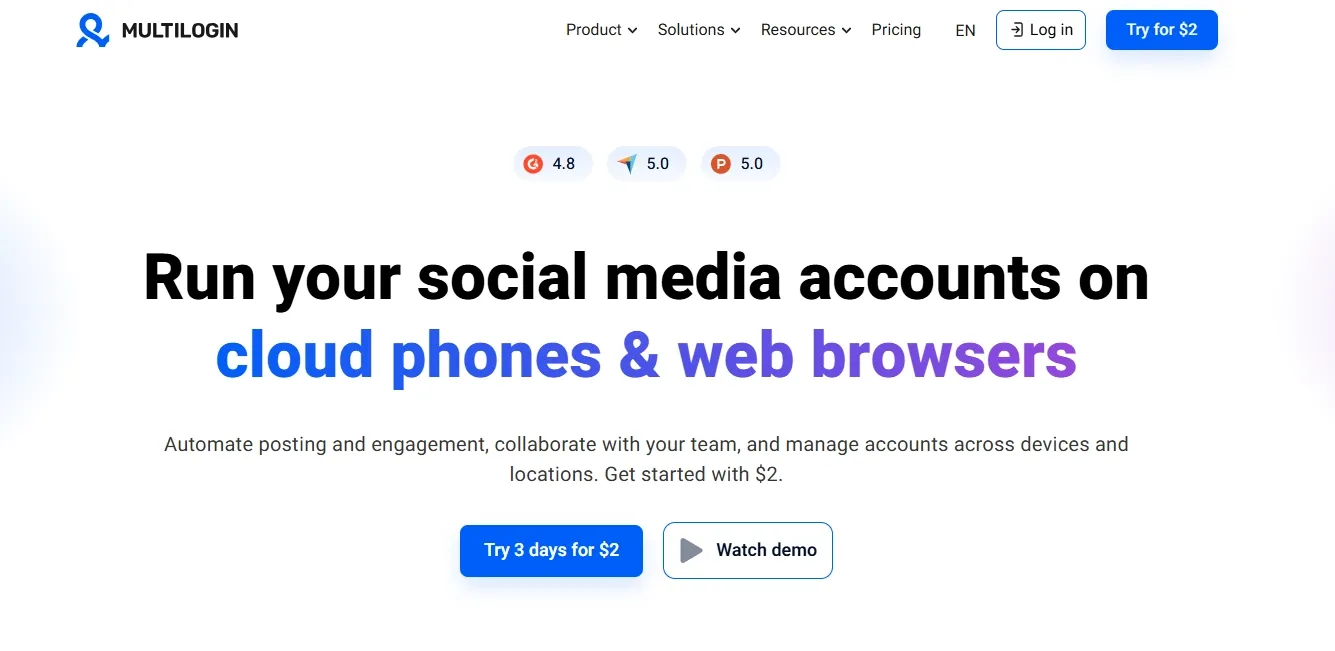
MultiLogin has long leaned toward the enterprise side of this market. It tends to suit agency structures, cross-border e-commerce teams, and departmental teams that need clearer handoff chains. The appeal is not that it fits everyone. The appeal is that it has a stronger track record around collaboration, shared management, enterprise permissions, and organizational stability.
For teams that already have documented workflows and want to treat profiles as operational assets, MultiLogin often feels more natural than tools built mainly around low-friction entry. Its advantage over the morelogin browser is that it pushes the workflow from “usable by an operator” toward “controllable by an organization.”
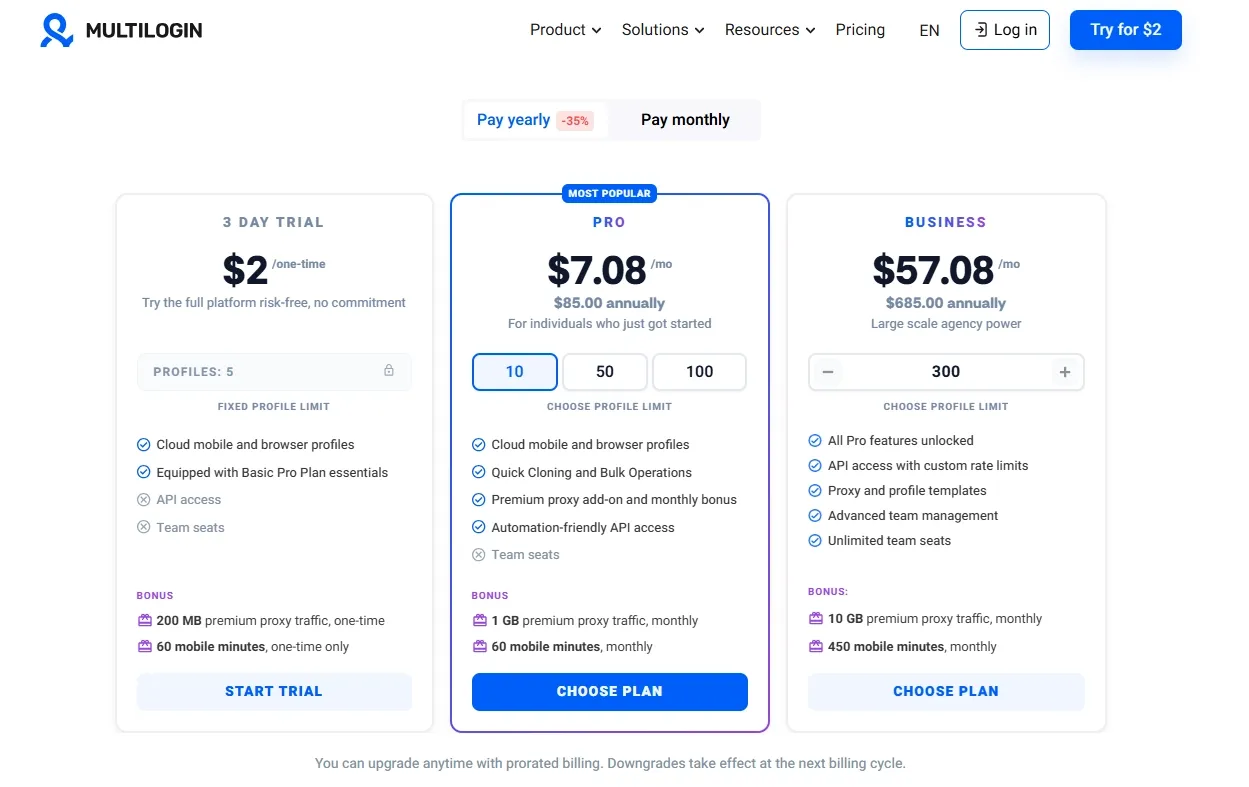
Once a team includes media buyers, operators, risk reviewers, and managers at the same time, permission slicing, traceable logs, profile transfer, and resource recovery matter more than solo efficiency. The downside is just as clear. The learning curve is steeper and the budget threshold is usually higher. If your workflow still sits below 20 profiles with no more than three people, a large part of the value may not be obvious yet.
3. GoLogin
Best for budget-conscious teams moving beyond the entry stage.
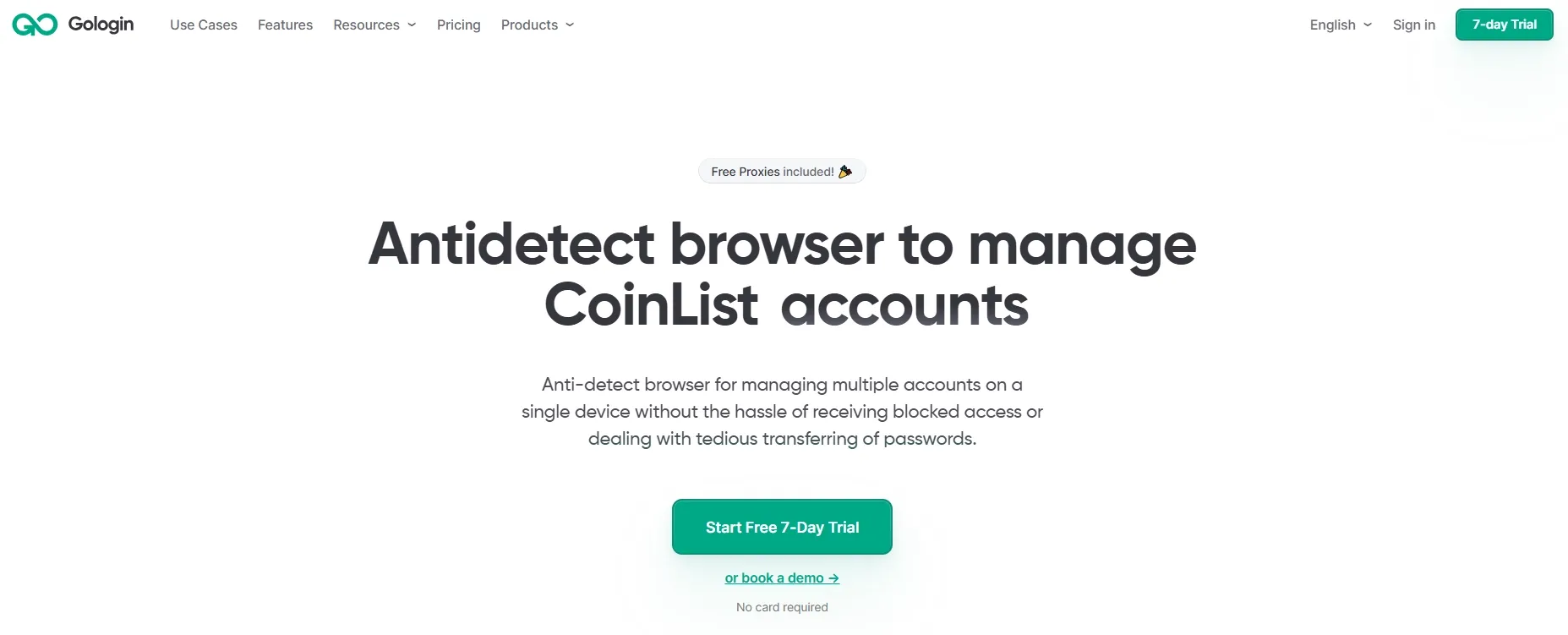
GoLogin usually fits solo operators, smaller social media teams, and growing businesses moving out of the earliest MoreLogin stage. Its appeal tends to come from a more balanced entry threshold, a cloud-oriented management model, and a cleaner onboarding experience.
Teams often start evaluating GoLogin when profile counts expand beyond the earliest setup stage. Cost pressure still matters, but they no longer want to stay fully in a beginner-level setup for proxy binding and profile organization. That is where GoLogin often gets traction as a middle-ground replacement option.
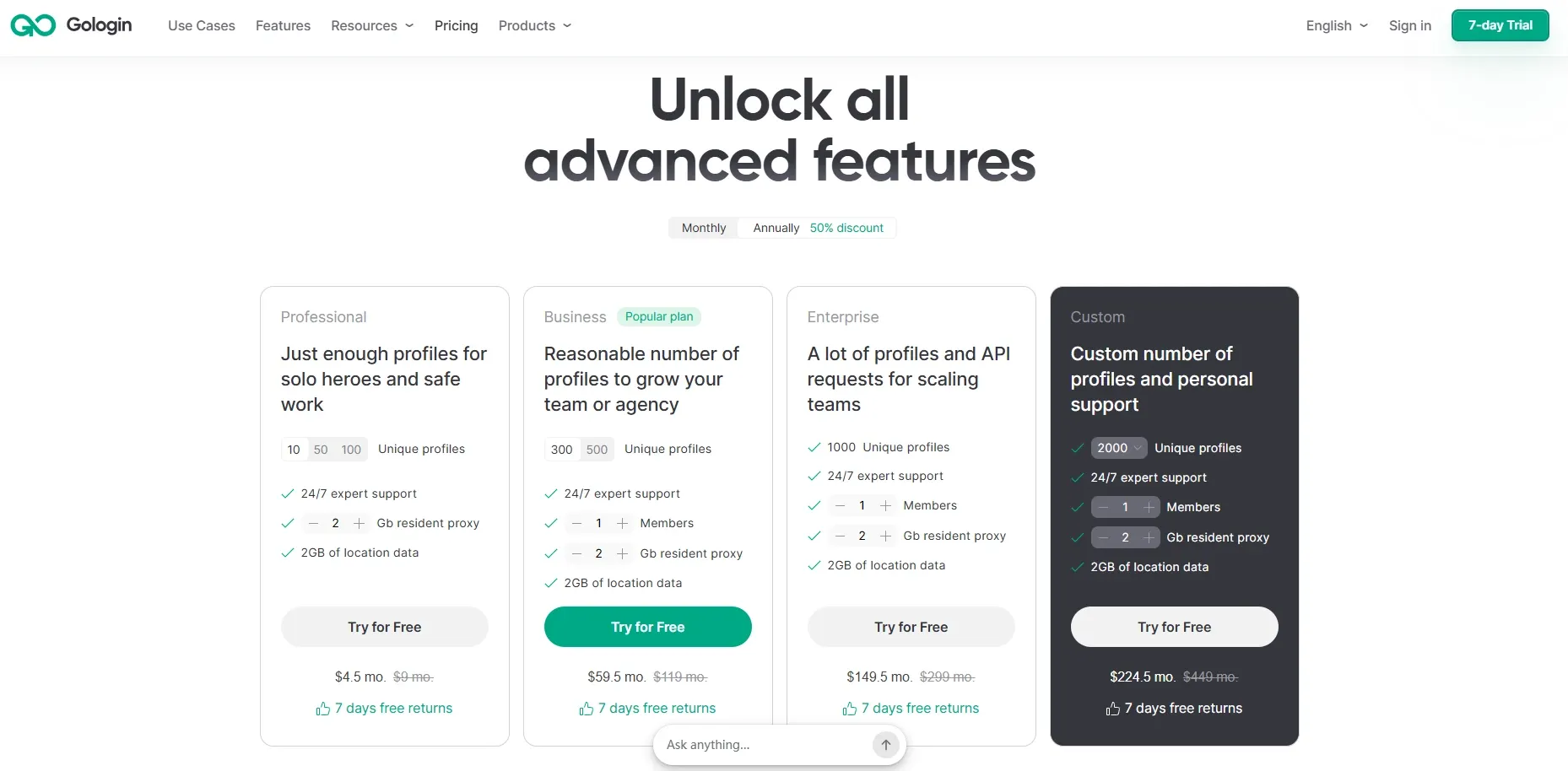
Compared with MoreLogin, it tends to suit light-to-mid-scale teams better, especially where cloud synchronization and basic collaboration are important. The limitation is that once automation depth, fine-grained permissions, and more complex proxy matrices become central, its ceiling is not always the highest. It works well as a bridge from solo operation to team collaboration, but it is not always the final answer for larger teams.
4. Dolphin Anty
Best for affiliate marketers and high-tempo media buying teams.
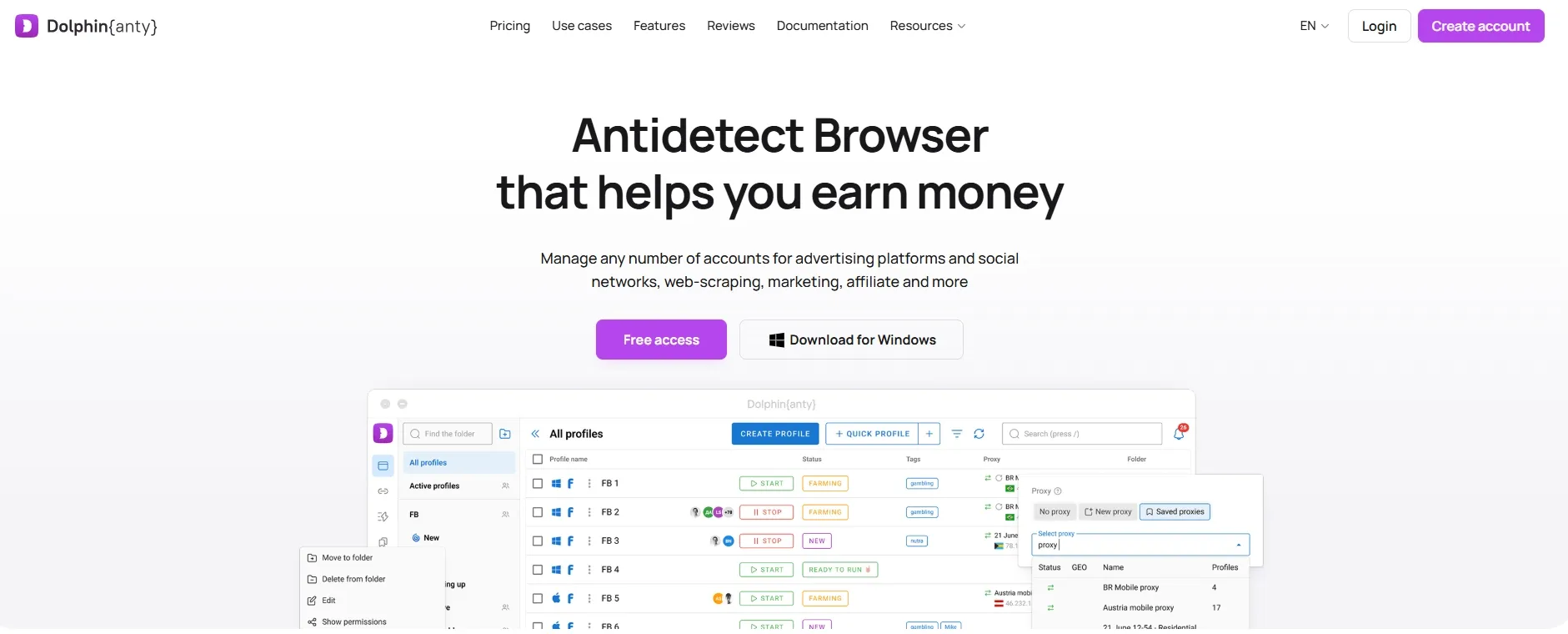
Dolphin Anty appears more often in affiliate marketing, ad buying, and high-tempo execution teams. Its strength is not universality. Its strength is that it maps cleanly to the daily reality of campaign work: many profiles, frequent switching, multiple operators, and creative testing running in parallel.
For those teams, the most important thing in a replacement tool is often not mobile support and not the deepest enterprise governance layer. It is bulk creation, fast onboarding, and smoother cooperation between buyers and operators.
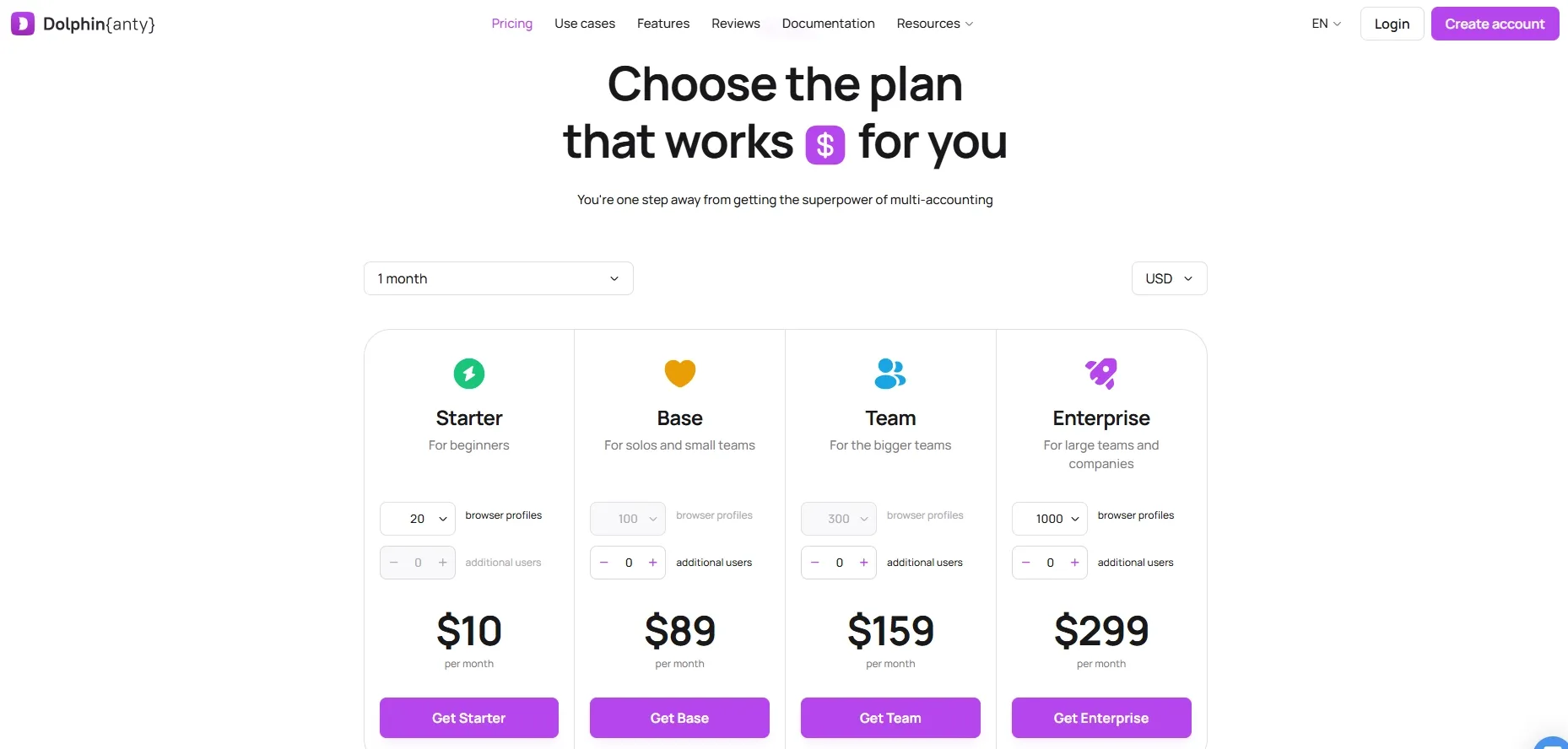
Compared with MoreLogin, Dolphin Anty feels more like a tool built for fast-moving execution teams than for full internal governance. It is better at solving the problem of running batches of advertising accounts and browser profiles in parallel than the problem of making one organization perfectly auditable end to end.
If your workflow is affiliate marketing, paid acquisition, or high-frequency creative testing, the fit is usually clearer. If your priority is enterprise auditability or a morelogin cloud phone replacement, this is usually not the first answer.
5. AdsPower
Best for e-commerce workflows and automation-heavy operations.
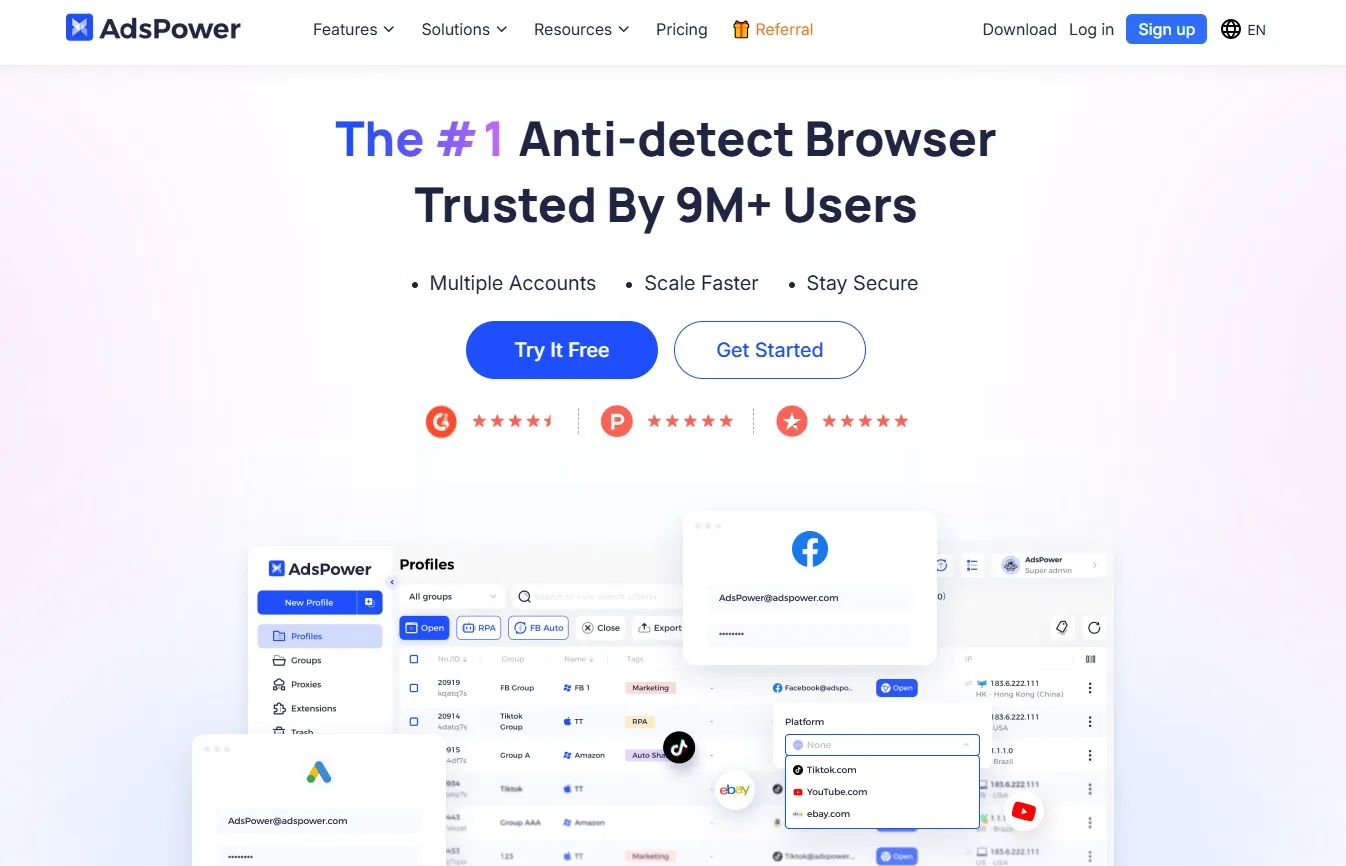
AdsPower's upgrade over the morelogin browser usually appears in automation compatibility, bulk management, and its fit with common e-commerce workflows. Many teams do not just need to launch a browser. They need to tie the browser environment into product collection, customer support login, store inspection, ad management, or internal workflow steps.
At that point, the key question is not whether a single profile can be created. The key question is whether the environment can connect to scripts, RPA, or internal systems without constant manual patching.
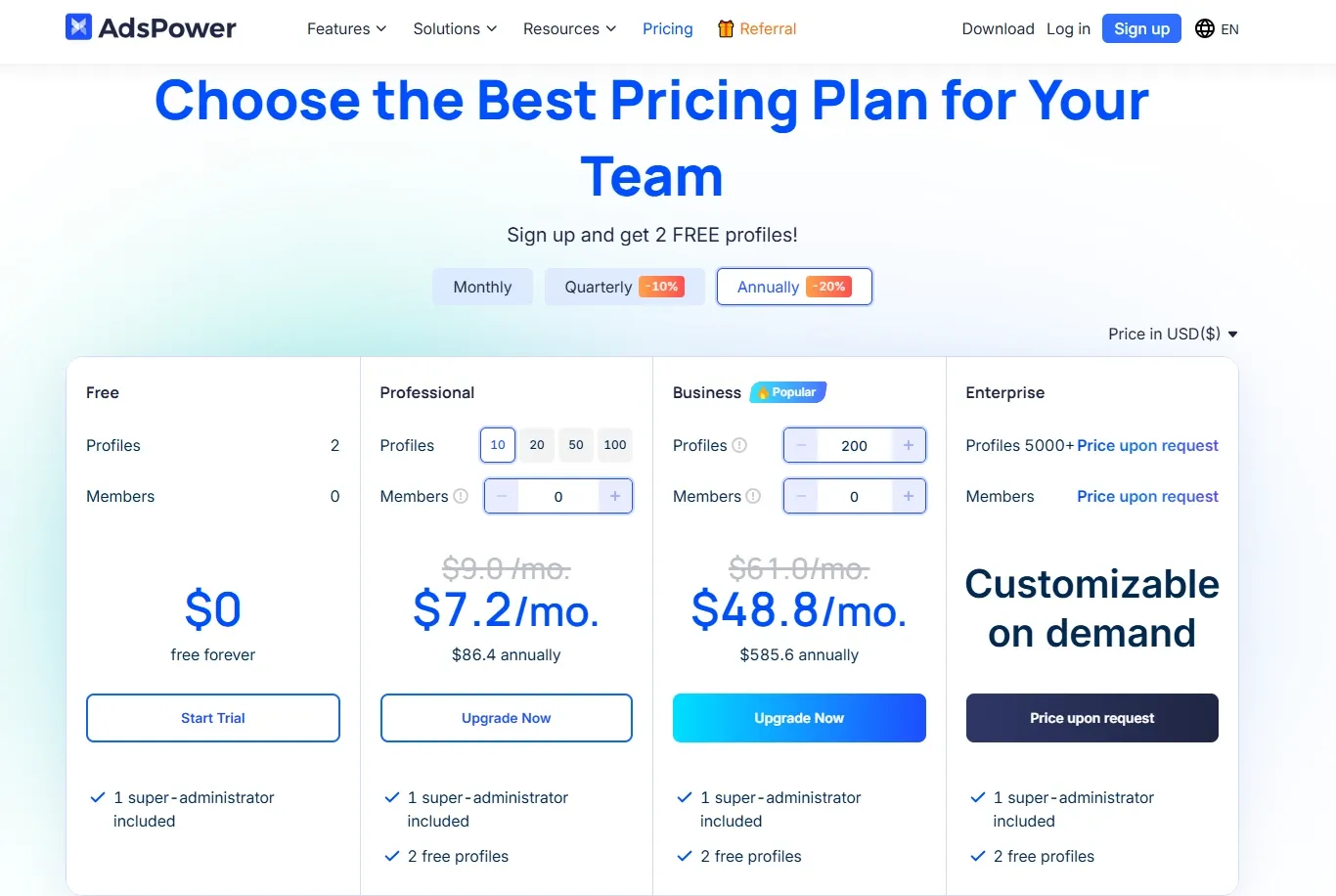
AdsPower is especially relevant for teams that already think in structured workflows. It is not automatically stronger in every dimension, but it tends to be accepted more easily where automation, e-commerce compatibility, and batch task coordination matter.
One practical difference from the morelogin proxy workflow is that AdsPower users are often better able to place proxies, accounts, stores, and scripted tasks inside one scheduling structure instead of maintaining several separate spreadsheets. The limit is that the team still needs to manage behavior rhythm, proxy quality, and operational rules itself. The tool does not replace business judgment.
6. GeeLark
Best for mobile-first matrix operations and cloud phone replacement.

Many users searching for morelogin cloud phone are not actually looking for another desktop browser with multiple windows. They are looking for Android cloud environments, mobile social workflows, app-side execution, and device-level simulation. That is a different route from a desktop fingerprint browser.
That is where GeeLark makes more sense. It fits a mobile cloud workflow more directly, so when the real question is whether there is a better replacement for that mobile setup, it is often more relevant than a traditional desktop competitor.
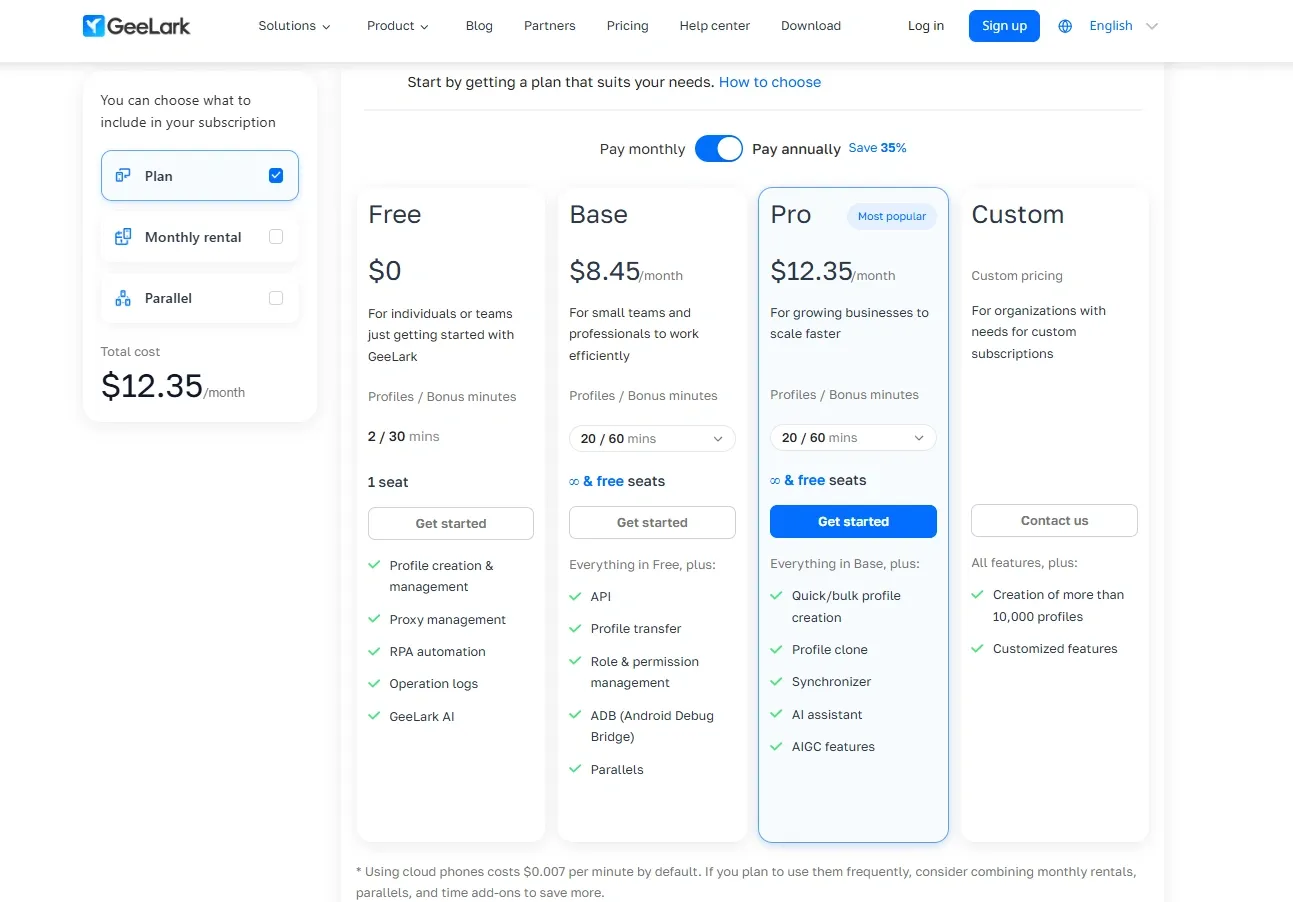
Its advantage over the morelogin browser is not stronger desktop profile control. It is a more complete mobile-side matrix, including App environment separation, mobile device parameter management, and cloud device scheduling. The boundary is also clear.
If the core workflow is still web-based multi-account management, GeeLark may not be a better fit than RoxyBrowser, MultiLogin, or AdsPower. It is better read as an answer to the morelogin cloud phone search intent, not as a universal replacement for every desktop use case.
Comparison table: MoreLogin versus mainstream alternatives
The table below is an editorial comparison based on public product positioning, common team workflows, and migration difficulty. It is not meant to assign absolute scores. It is meant to help you identify which tool aligns more closely with your current bottleneck.
Terms such as Stronger, Medium, and Weak describe comparative workflow fit, not lab-grade benchmark results. They reflect editorial judgment across fingerprint consistency, proxy binding, bulk operations, automation access, team permissions, mobile fit, and likely operating cost after scale.
| Tool | Best fit | Fingerprint focus | Storage model tendency | MoreLogin proxy replacement efficiency | Bulk operations and import/export | Automation/API | Team permissions | Mobile/cloud phone | Cost position | Main weakness |
|---|---|---|---|---|---|---|---|---|---|---|
| MoreLogin | Solo users to small teams | Basic isolation is often enough | More cloud-leaning | Medium | Medium | Medium | Basic | Weak | Medium | Management complexity rises after scale |
| RoxyBrowser | Growing to mid-sized teams | Lower-layer consistency and dual-engine diversity | Collaboration-oriented | Stronger | Stronger | Stronger | Stronger | Medium | Mid-low | Small teams may not use the full value immediately |
| MultiLogin | Enterprise teams | Stability and organizational governance | More flexible across local and cloud models | Stronger | Stronger | Stronger | Strong | Weak to medium | High | Higher entry threshold |
| GoLogin | Budget-sensitive small to mid-sized teams | Balanced | More cloud-leaning | Medium to strong | Medium | Medium | Medium | Weak | Mid-low | Lower ceiling for deep collaboration and complex workflows |
| Dolphin Anty | Affiliate and media buying teams | Batch execution focus | More local-workflow oriented | Medium to strong | Stronger | Medium | Medium | Weak | Medium | Enterprise governance and mobile are not core strengths |
| AdsPower | E-commerce and automation teams | Workflow integration focus | Hybrid workflow model | Stronger | Stronger | Stronger | Medium to strong | Weak to medium | Medium | Requires the team to control scripts and behavior discipline itself |
| GeeLark | Mobile-first matrix teams | Mobile device environment | Mobile cloud oriented | Average | Medium | Medium | Medium | Strong | Medium | Limited value as a general desktop replacement |
If you go one level deeper, the most useful decision lens is risk exposure.
For desktop teams, the main exposure points are usually Browser Fingerprint Consistency, IP geolocation alignment, and session isolation.
For mobile teams, the exposure points shift toward cloud device environments, App-side behavior paths, and mobile device scheduling.
Many tool-selection mistakes happen at the very first step, when the team misclassifies the endpoint. Replacing a pure desktop web matrix with GeeLark, or forcing a desktop tool to replace a mobile cloud task, usually creates downstream patches everywhere else. Once the endpoint type is wrong, proxy settings, scripts, and permissions all become workaround layers.
How can you tell whether the MoreLogin proxy workflow should be replaced?
Three signals are usually enough.
First, can proxies and profiles still stay stably bound one to one?
Second, when one operator takes over an account from another, do they keep having to verify region, timezone, and language manually?
Third, after new team members join, are logs and permissions still easy to trace?
If two of those issues are recurring over time, the morelogin proxy workflow is usually approaching its practical limit and a replacement review should move higher on the priority list.
Which MoreLogin alternative fits which use case?
For solo users and new teams, the first priority is still learning cost and maintenance cost. If the account count is not high, it usually matters more to split environments cleanly, keep proxies stable, and preserve login states than to buy the most complex system on the market. At that stage, the morelogin browser may not need to be replaced immediately.
For agencies and multi-client teams, permission slicing and handoff efficiency matter more. In that setting, the biggest risk is often not that one account fails. The bigger risk is that one client’s profile gets touched by the wrong operator, or that proxies, cookies, and script permissions start to overlap. That is where RoxyBrowser and MultiLogin tend to show their value more clearly. The first is more workflow-oriented for growing teams. The second is more governance-oriented for mature organizations.
For affiliate and paid-media teams, batch execution speed matters most. Creative testing, landing-page switching, and several ad accounts moving in parallel all require fast profile creation and switching. Dolphin Anty fits that tempo more naturally. If scripted task execution also needs to become part of the daily workflow, AdsPower is also worth evaluating.
For cross-border e-commerce teams, the emphasis usually shifts toward automation, marketplace compatibility, and store-matrix collaboration. Compared with social workflows, e-commerce teams rely more heavily on long-lived login states, stable proxies, and workflow continuity. That is why RoxyBrowser shows up in the shortlist more often than pure entry-level tools.
For mobile-first teams, the question changes completely. The need is not multiple web windows. It is a morelogin cloud phone replacement. In that case, GeeLark tends to match the demand more closely because it is designed around cloud-based mobile devices. One common mistake is treating morelogin cloud phone as if it were just a bonus feature attached to the morelogin browser. That misunderstanding often distorts the entire selection process from the start.
For teams focused on value for money, subscription price alone is not enough. The real comparison should include tool cost, proxy cost, seat cost, maintenance time, and exception-handling cost. A tool that looks cheaper on paper can still be more expensive over a full year if the team spends hours every week fixing proxy mismatches and profile handoff issues.
How should you compare pricing?
Do not compare only the entry price. Compare the total cost after scale.
When reviewing replacement options in 2026, there are really two price questions. First, how low is the cost of initial verification? Second, once profile count, seat count, and automation requests increase, does the bill rise gradually or jump unexpectedly?
The safest way to compare is to start with the information you can verify directly from official pricing pages.
Official pricing sources: MoreLogin pricing, RoxyBrowser pricing, MultiLogin pricing, GoLogin pricing, and AdsPower pricing.
| Tool | Official free tier or trial | Public starting price | What the first test is good for |
|---|---|---|---|
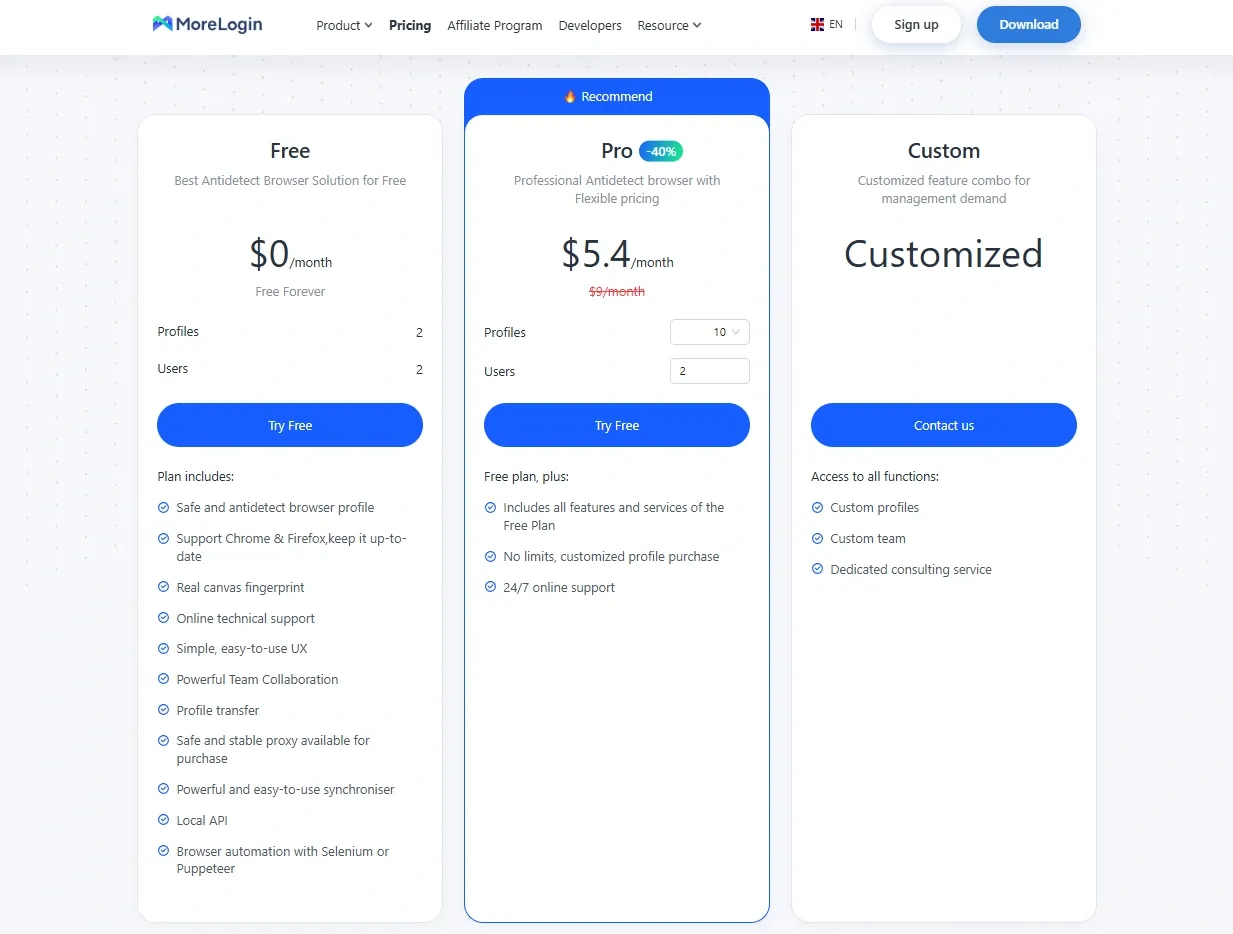
| MoreLogin | Free plan with 2 profiles and 2 users | Public Pro pricing starts at $5.4 per month yearly or $9 per month monthly for 10 profiles | Useful for checking whether basic profile isolation, team entry points, and Local API support are enough |
| RoxyBrowser | Free plan with 2 profiles and a 7-day full-feature trial for new users | Public pricing starts at $0.8 per profile for the 10-profile tier | Useful for testing real collaboration, API rate limits, and workspace cost after scale |
| MultiLogin | 3-day trial for $2 with 5 profiles, API access, and team seats | Public Pro pricing starts at $7.08 per month on annual billing | Useful for testing whether API access, team seats, and cloud profiles are worth paying for together |
| GoLogin | 7-day trial and a public free data plan with 3 profiles, but no sharing profiles or team members | Public Professional pricing starts at $24 per month | Useful for solo or lightweight teams validating the basic workflow, less useful for full collaboration testing |
| AdsPower | Free plan with 2 profiles and a separate 7-day trial path | The public page emphasizes plan structure and API tiers more than fixed static pricing for every business plan | Useful for testing bulk management, Local API access, and the permission model before a paid commitment |
Free plans are better for validating the basic workflow. Trial plans are better for validating higher-level features. Because plan terms can change, treat the figures below as point-in-time checks rather than evergreen promises.
What usually determines the 12-month cost is not the entry fee. It is collaboration seats, API rate limits, workspace logic, bulk proxy management, and migration rework after scale.
| Tool | Official scale-related cost or limit | Public signal visible on the official site |
|---|---|---|
| MoreLogin | Free plan stays limited to 2 users and 2 profiles, with scale moving into Pro or Custom tiers | Local API, Selenium, Puppeteer, Custom profiles, and Custom team options are listed publicly |
| RoxyBrowser | Workspace and Team Member pricing rise as collaboration expands | API Access is tiered at 50, 100, 200, 300, and 500 requests per minute, with profile tiers scaling from tens to very large ranges |
| MultiLogin | Larger profile pools move buyers from Pro toward Business | Business positioning includes broader seat flexibility and custom API rate limits |
| GoLogin | The free data plan excludes sharing profiles and team members | Public REST API limits scale by plan and Business/Enterprise are clearly positioned for growing teams |
| AdsPower | Free member capacity is highly limited, and larger enterprise use moves into quote-based plans | Local API limits and profile sharing permissions are described publicly |
The principle is straightforward. A cheaper entry point is only useful if the workflow still holds together after scale.
Five things to check before migrating away from MoreLogin
1. Can the current morelogin proxy pool actually be reused?
Not every proxy setup should be migrated. This is especially true if the pool mixes datacenter proxies, weak residential proxies, and temporary rotating proxies. Before switching tools, remove the proxies with unstable geolocation, high-risk ASN history, or poor long-term stability. Otherwise the team changes the browser and keeps the same underlying problem.
2. Can cookies and login states move cleanly?
Cookie Import and Export is not just file copying. You need to know whether the new tool’s isolation model is stable enough, whether browser-version differences will affect login-state recovery, and whether the target platform will trigger re-verification after an environment jump. Besides the cookie file itself, the team should check LocalStorage, extension dependencies, and startup-parameter assumptions.
3. Does the team already need a more detailed permission model?
The moment the team needs rules like “can view but cannot edit,” “can take over but cannot export,” or “can run batch actions but cannot delete assets,” the workflow has already moved beyond a single-operator model.
4. Is a morelogin cloud phone replacement actually the real need?
If the core workflow happens inside mobile apps rather than the web, continuing to compare only desktop morelogin browser competitors wastes time. This should be resolved before the vendor comparison starts, not after.
5. Will the new setup actually reduce cost after scale?
That question has to include tool cost, labor cost, proxy cost, and exception-handling cost together.
The biggest migration risk is changing rules and execution at the same time. Exporting every profile first, changing the operating rules mid-migration, and trying to clean up permissions later usually creates confusion across proxies, regions, cookies, and user roles all at once.
For most teams, a staged migration works better. Move a representative sample of profiles first. Score the migration on proxy reuse rate, login recovery rate, handoff time, and script compatibility. Keep the test live long enough to observe real handoff and recovery behavior before deciding on a full switch. In practice, that tells you more than homepage marketing copy ever will.
Conclusion: which MoreLogin alternative should teams review first in 2026?
The best morelogin alternative depends on workflow, not brand size. RoxyBrowser, MultiLogin, GoLogin, AdsPower, Dolphin Anty, and GeeLark solve different bottlenecks, so the real decision should come from proxy control, team permissions, automation needs, budget, and whether the workflow is desktop-first or mobile-first.
If MoreLogin still covers basic multi-account management, a switch may not be urgent; if the workflow already depends on shared access, larger profile pools, and more structured operations, the change should be treated as an infrastructure upgrade rather than a routine software swap.


