
Ghost Browser remains a recognizable name in the multi-account browser market. Strictly speaking, though, it is not a typical anti-detect browser. It is designed around ease of use and is better suited to users who want a simple way to open several account sessions in parallel without dealing with a steep setup process. For smaller day-to-day workloads that only need basic session isolation, it can still be a practical lightweight tool.
The problem starts when account volume grows or platform detection becomes stricter. At that point, tab-level separation is no longer enough on its own.
This guide begins with an objective ghost browser review, then compares five current ghost browser alternatives for teams that need stronger profile isolation, proxy binding, collaboration, or automation: RoxyBrowser, Multilogin, GoLogin, AdsPower, and Incogniton.
TL;DR
Ghost Browser works well for non-technical users who need lightweight parallel logins and basic tab-based session handling. If your workflow depends on deeper profile isolation, independent proxy binding, team collaboration, or automation, a stronger ghost browser alternative is the better fit. The main tools worth comparing are RoxyBrowser, Multilogin, GoLogin, AdsPower, and Incogniton.
What Is Ghost Browser?
Ghost Browser is a Chromium-based multi-session browser organized around Workspaces and Identities. Many users treat it as a ghost web browser because it lets them run several logins in one familiar browser shell instead of switching between full Chrome profiles. Public product pages emphasize workspace organization, cookie separation, proxy handling, Chrome extension compatibility, and team sync more than deep fingerprint management.
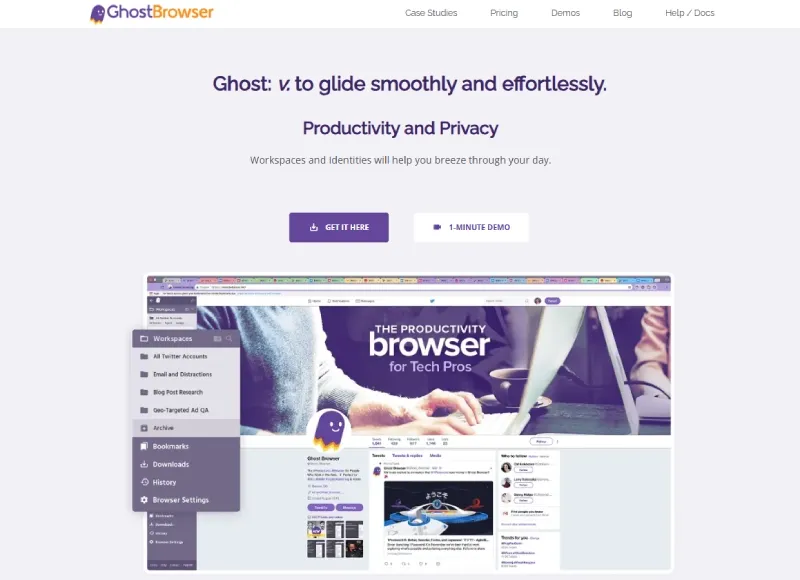
That design makes sense for certain workloads. A support team can keep several client dashboards open in one window. A QA team can compare multiple user roles side by side. A small content team can avoid repeated logins across a handful of social or storefront accounts. In those cases, Ghost Browser solves a real problem: session organization without much setup friction.
The boundary is technical rather than visual. Ghost Browser is designed to separate sessions efficiently. It is not designed as a full environment isolation layer where every account gets a deeply managed browser profile with tightly coordinated network and fingerprint signals.
Ghost Browser Review: Where It Still Works
Any fair ghost browser review should start with the product’s actual strengths rather than with replacement pitches.
Fast adoption for Chrome-based workflows
Ghost Browser stays close to standard Chromium behavior. That lowers training time for teams that already depend on password managers, help desk extensions, SEO toolbars, QA tools, or internal browser-based workflows. If your main concern is keeping your current ghost browser extension style workflow intact, Ghost Browser is still easier to adopt than many heavier platforms.
Example: a five-person support team handling tickets, admin panels, and internal dashboards usually cares more about fast switching and fewer login mistakes than about advanced fingerprint controls. In that setup, Ghost Browser can be the practical choice.
Better parallel session handling than standard Chrome
Its Identity model is smoother than rotating between Chrome profiles or private windows all day. You stay inside one active workspace instead of relaunching full browser instances. For customer support, moderation, QA, and operations assistants, that reduction in context switching can save time every day.
Example: when a QA lead needs to compare admin, editor, and customer views of the same web app, opening those sessions side by side in one browser window is often faster than launching three separate profile windows.
Strong extension continuity
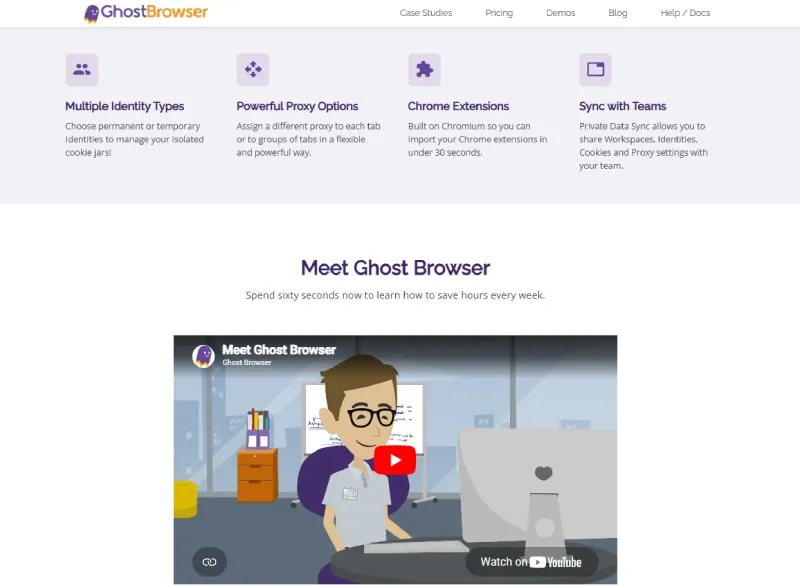
A lot of users searching for a ghost browser extension are really trying to preserve existing Chrome habits. Ghost Browser supports standard Chromium extensions natively, so migration friction stays low for teams that do not want to rebuild their stack around a more complex tool.
Enough proxy control for lighter use cases
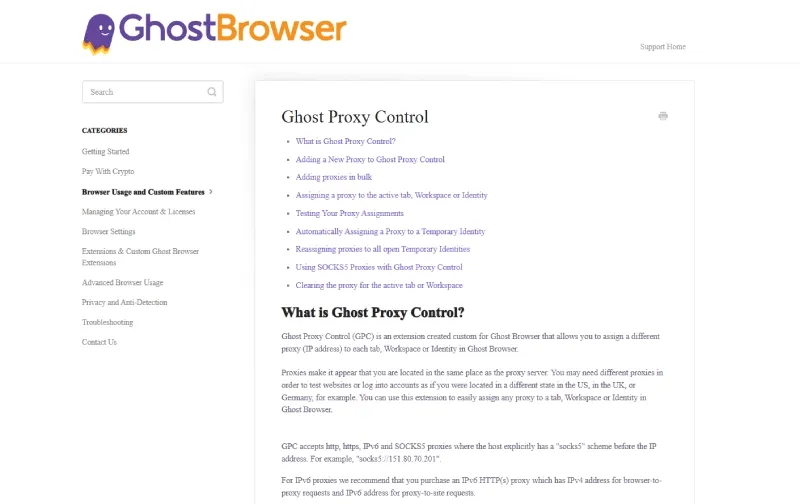
Ghost Browser’s paid plans include more granular proxy assignment than plain Chrome. That is enough for lighter region testing, inbox handling, or client-specific session routing. It is useful, but it does not automatically turn Ghost Browser into a full profile-and-network management platform.
Where Ghost Browser Starts to Fall Short
The main question is not whether Ghost Browser isolates cookies. It does. The real question is whether session isolation is enough for the platforms you work with.
Session isolation is not profile isolation
Session isolation does not equal fingerprint profile management.
Platforms do not only look at cookies. They can also look at Canvas output, WebGL rendering behavior, AudioContext differences, WebRTC exposure, timezone, language, local storage patterns, and persistent browser storage. These mechanisms are documented in public technical references such as Canvas image export, RTCPeerConnection, and IndexedDB.
Example: a team can separate cookies correctly and still produce a weak account environment if twenty accounts share the same rendering path, the same device traits, and inconsistent proxy geography. The first login may still succeed. The operational friction usually appears later through repeated verification prompts, reduced trust, or tighter rate limits.
Proxy workflows get messy at scale
A small team can live with manual proxy assignment. A larger operation usually cannot. Once you move from five accounts to fifty, you start needing reusable templates, batch imports, profile tags, permission boundaries, and clearer logging around who used what environment and when.
Example: if a media buying team rotates one proxy across several high-value accounts and lets those sessions drift between countries and timezones, the issue is not missing tabs or missing extensions. The issue is weak profile-to-network consistency.
Automation is not the product’s center of gravity
Modern multi-account workflows increasingly include APIs, synchronizers, controlled launches, RPA, or AI-assisted browser actions. Ghost Browser does not present that path as a core product layer in the same way dedicated anti-detect tools do. If your team expects automation to become part of the operation in the next quarter or two, that should be part of your replacement decision now.
Is Ghost Browser an Anti-Detect Browser?
No. Ghost Browser is better described as a multi-session browser than as a full anti-detect browser.
The difference is in the engineering target:
| Category | Primary goal | Strong at | Usually not enough for |
|---|---|---|---|
| Multi-session browser | Keep several accounts open efficiently | Cookies, tabs, basic session separation | Deep fingerprint consistency, long-lived proxy binding, large team operations |
| Anti-detect browser | Make each profile behave like a distinct environment | Profile isolation, storage separation, proxy binding, automation hooks | Lightweight tab-first simplicity |
If your problem is account organization, Ghost Browser still has value. If your problem is account environment separation, you need a ghost browser alternative built around profiles rather than tabs.
What Is Browser Fingerprint Consistency?
Browser fingerprint consistency means the technical signals inside a profile match each other and stay stable over time.
If a profile claims to be a Windows-based environment in Berlin, detection systems expect related signals to tell the same story: timezone, language, rendering path, IP geography, and storage behavior should align. A mismatch can be more suspicious than no spoofing at all.
Example: a profile using a French residential IP while exposing a US English language set and an Asia/Shanghai timezone creates conflicting signals. The problem is not just the proxy. The problem is the profile telling multiple different stories at once.
Who Can Still Use Ghost Browser?
Ghost Browser still makes sense for a narrow but valid set of users:
- solo operators managing a small number of lower-risk accounts
- support and QA teams that need parallel logins more than environment masking
- small content teams working from one office and one geography
- users who care heavily about Chrome extension continuity
Example: a content team managing 10 to 15 shared dashboards, inboxes, and social accounts within one company and one region may care more about avoiding the wrong login than about low-level profile isolation. Ghost Browser can still be efficient in that environment.
Who Should Move to a Ghost Browser Alternative?
You should evaluate ghost browser alternatives when one or more of these conditions becomes normal in your workflow:
- each account needs its own long-lived profile and stable proxy path
- the team works across countries, contractors, or separate access roles
- batch profile creation and reusable templates become necessary
- account environments need to be shared without sharing everything else
- automation, APIs, or synchronizers are entering the workflow
Example: an agency managing dozens of client-owned accounts across multiple regions cannot rely on loose session separation for long. The cost of one shared environment pattern or one weak proxy setup becomes higher than the cost of moving to a profile-first platform.
How to Evaluate a Ghost Browser Alternative
When you compare a ghost browser alternative, the useful question is not “How many tabs can it open?” The useful question is “Can it turn each account into a stable, isolated working environment?”
1. Fingerprint protection
Cookie separation is the baseline, not the finish line. A stronger tool should manage profile-level signals such as Canvas behavior, WebGL characteristics, AudioContext, timezone, locale, fonts, screen settings, and storage isolation in a coherent way.
2. Proxy integration
Proxy support matters only when the proxy binds cleanly to the profile. A usable workflow keeps one profile attached to one stable network path, then aligns timezone and locale around that path.
3. Profile management
Once you pass a few dozen accounts, templates, tags, group controls, notes, and batch actions stop being optional. They become part of your operating cost.
4. Extension compatibility
This remains one of Ghost Browser’s advantages. A good replacement should preserve enough Chrome-style or Firefox-style workflow that your team does not lose speed during migration.
5. Team collaboration
A browser that can open many profiles is not automatically a team platform. Look for workspaces, role-based access, environment sharing rules, audit logs, and project separation.
6. Automation readiness
Manual execution may be enough now, but that often changes before account count stops growing. APIs, Local API support, synchronizers, or agent hooks are not just technical extras. They define how expensive future scaling becomes.
5 Ghost Browser Alternatives to Compare in 2026
1. RoxyBrowser
RoxyBrowser is the clearest step up if you are moving from session convenience to full profile isolation. Public product pages position it as an antidetect browser built around profile environments, proxy handling, automation features, API access, workspaces, and team controls rather than simple tab management.
It stands out in three ways.
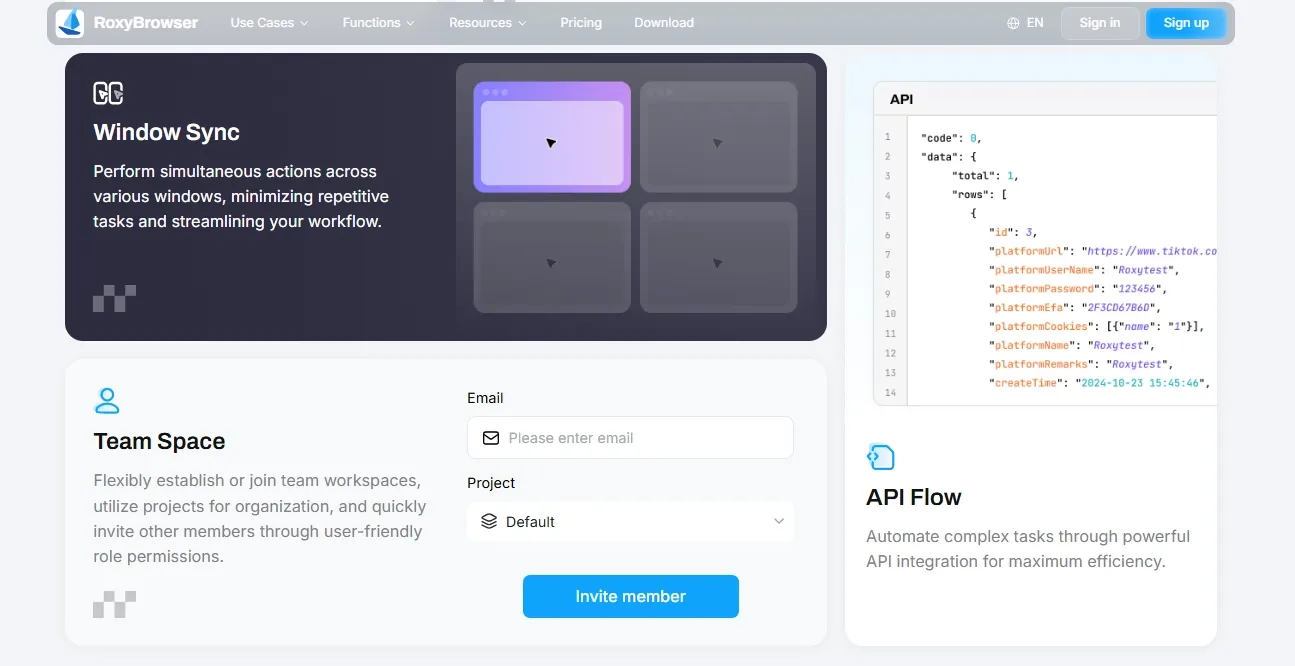
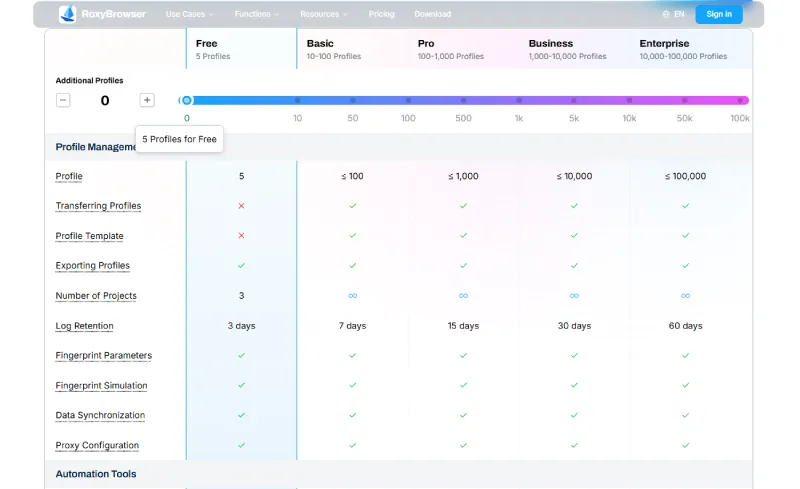
First, its product model is profile-first rather than session-first. Public feature pages describe independent fingerprint environments, profile templates, proxy panels, team spaces, Window Sync, and API Flow. The pricing page publicly lists a free tier with 2 profiles permanent for new users, which makes technical evaluation easier before a full migration.
Second, its network stack is presented as part of the same workflow. The RoxyIP product pages say the service offers more than 90 million residential IPs across 200+ countries and regions. If your team needs integrated proxy sourcing and browser-side binding inside one operating loop, that is a meaningful difference. For teams comparing browser-plus-proxy workflows, RoxyIP is part of the reason RoxyBrowser is a stronger ghost browser alternative than a session-only tool.
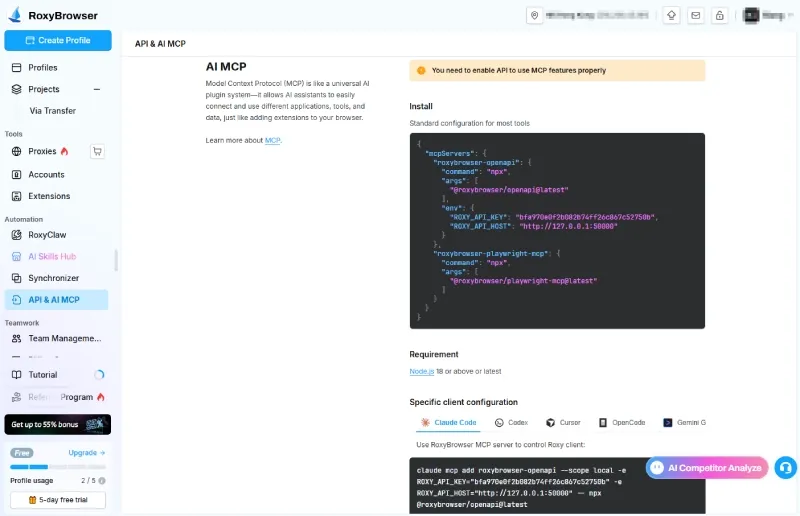
Third, RoxyBrowser exposes a broader automation path. Public pages mention AI Agent support, MCP integration, API access, and Window Sync. For teams that expect to manage multiple accounts with less manual repetition over time, that matters more than tab color coding.
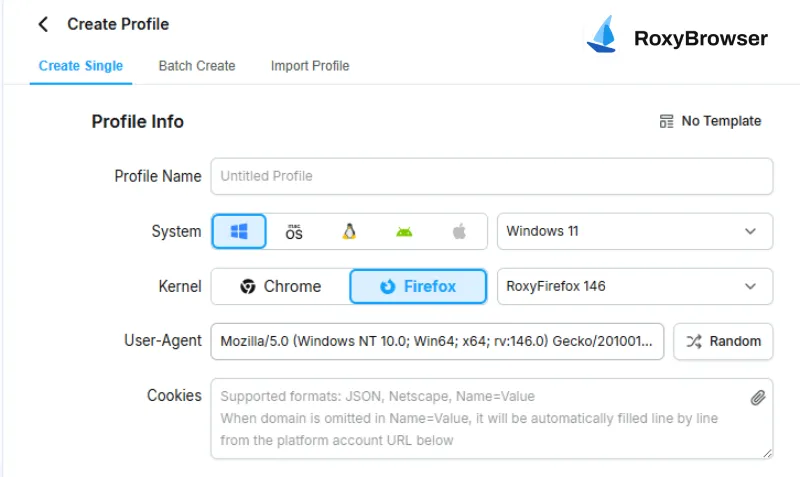
There is also a broader product-direction difference. RoxyBrowser’s public changelog shows continued work on browser engine support and product updates, including support for Firefox 146. For teams that care about engine choice and longer-term workflow flexibility, that direction may matter during evaluation.
Good fit:
- SEO teams managing separate client environments
- affiliate teams that rely on stable profile-plus-proxy pairs
- e-commerce operators running many storefront identities
- teams that expect automation to become part of the browser stack
Main tradeoff:
It has more setup depth than Ghost Browser. If your work is still limited to a few low-friction support logins, that overhead may be unnecessary.
2. Multilogin
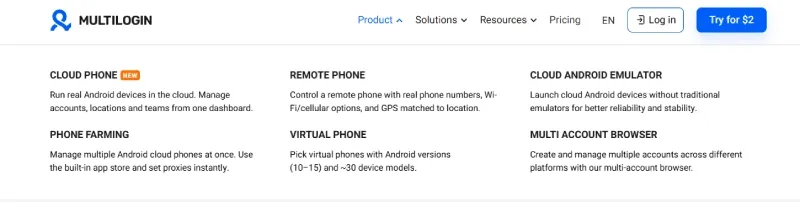
Multilogin is closer to an account operations platform than to a simple browser replacement. Its current public positioning combines multi-account browsing with cloud phones, remote phones, and cloud Android emulators. That makes it a stronger fit for teams whose workflows span desktop browser profiles and mobile device environments.
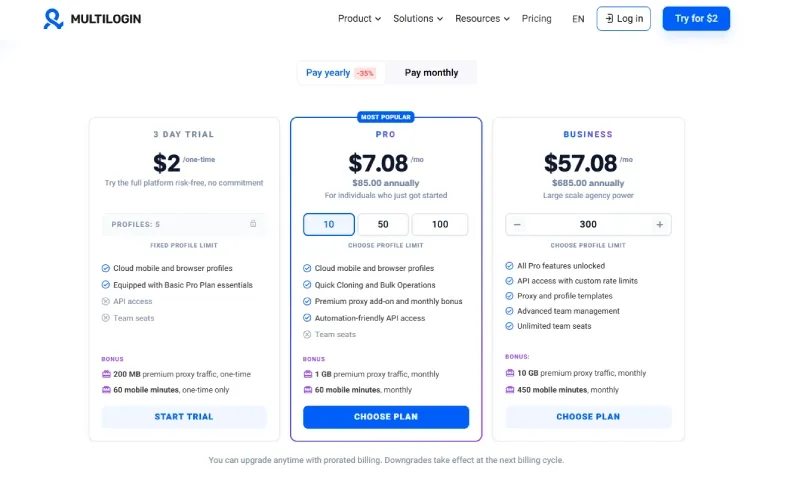
Public pricing and product pages show a 3-day trial for $2, paid tiers that scale upward, API access, and large-team collaboration features. The platform also presents its mobile and cloud-device layers as part of the same operating model rather than as separate add-ons.
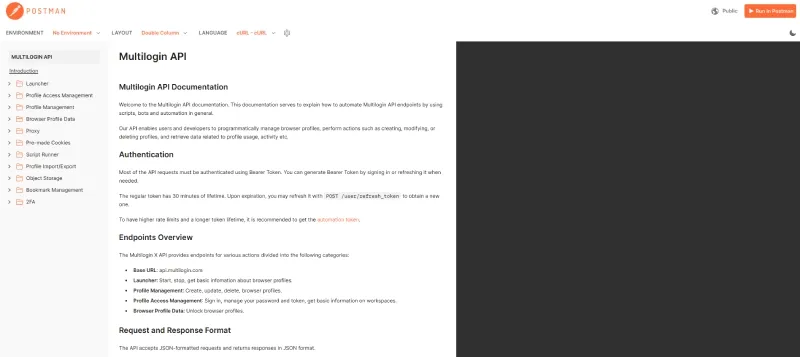
Why it works as a ghost browser alternative:
- deeper collaboration features than Ghost Browser
- stronger cross-device and mobile workflow coverage
- better fit for agencies treating account environments as managed assets
Main tradeoff:
It is harder to justify for solo users or smaller teams that only need browser-side session separation.
3. GoLogin
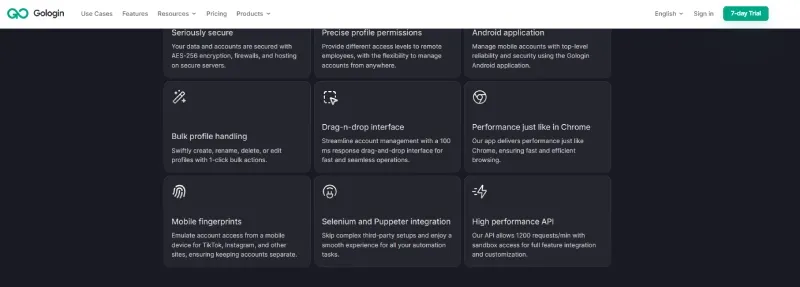
GoLogin remains one of the more accessible ghost browser alternatives for teams that have outgrown tab isolation but do not want a heavier enterprise stack immediately. Public materials position it around anti-detect browser profiles, team sharing, cloud browsing, REST API access, MCP-related features, and lower entry costs.
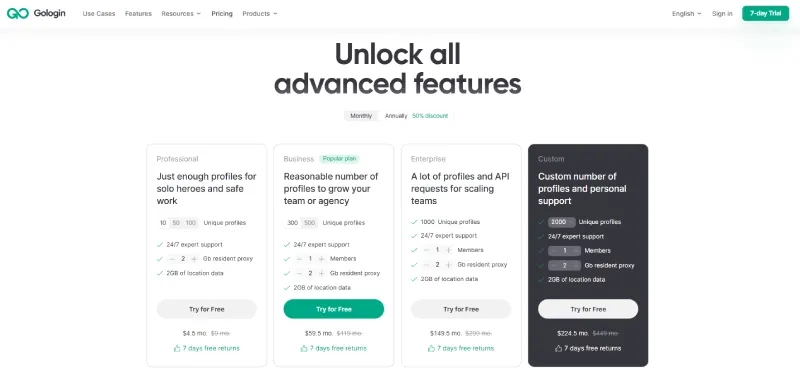
Its current public pricing includes a 7-day trial, a free plan with 3 profiles, and paid tiers that scale by feature and usage limits. That makes it attractive for teams that want a standard anti-detect workflow without jumping straight into a larger platform.
Why it works:
- clear move from session-based browsing to profile-based browsing
- useful budget entry point
- solid fit for smaller SEO, affiliate, or mid-sized e-commerce teams
Main tradeoff:
It is less lightweight than Ghost Browser and less enterprise-oriented than larger account operations platforms. That middle position is useful, but it is still a tradeoff.
4. AdsPower
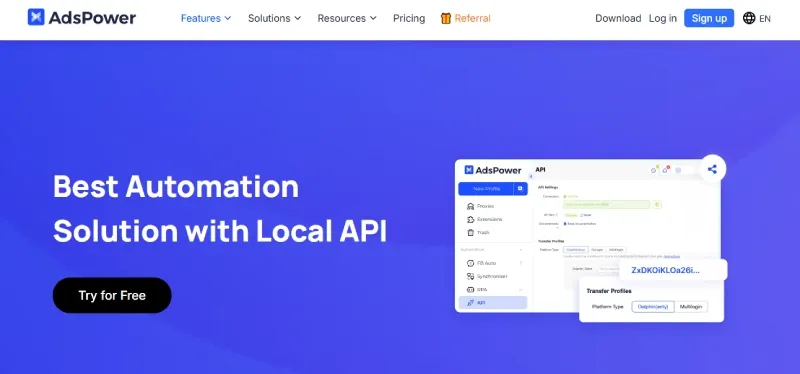
AdsPower is built for operators who care about scale, repeatability, automation, and permission control. Public product pages emphasize Synchronizer, RPA, Local API, batch profile management, and teamwork. The platform also supports both Chromium-based and Firefox-based environment options in its public materials.
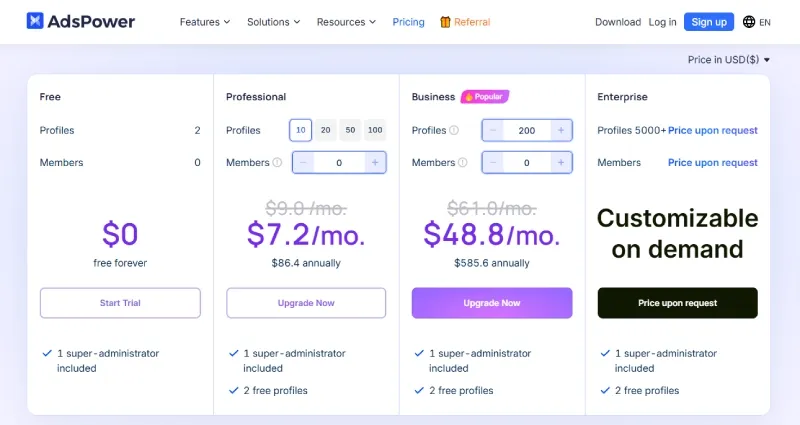
Its current pricing pages show a free tier with 2 profiles, paid plans above that, and enterprise pricing for operations that need 5,000+ profiles. That signals a very different product posture from Ghost Browser. AdsPower is not optimized around lightweight browsing convenience. It is optimized around high-volume account operations.
Why it works as a ghost browser alternative:
- strong fit for repetitive workflows
- mature automation path through RPA and Local API
- useful for e-commerce operators, media buyers, and larger execution teams
Main tradeoff:
The product model is heavier. A support team or QA team may see that as complexity rather than value.
5. Incogniton
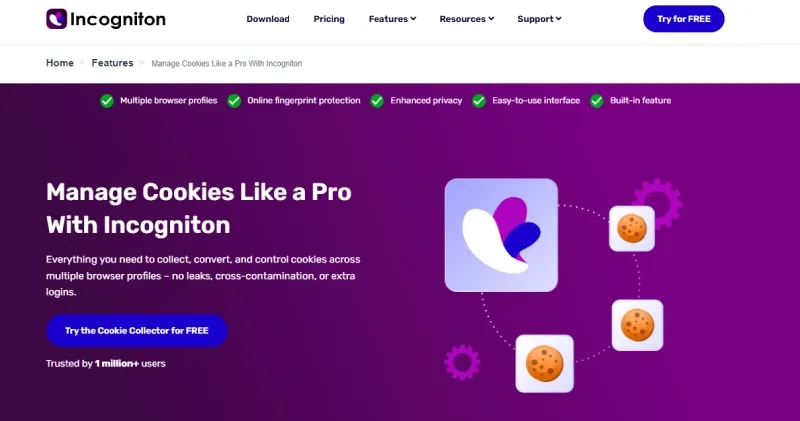
Incogniton is a practical step up for users who want more than session isolation but do not want a larger enterprise platform on day one. Public pages position it around browser profiles, proxy management, data sync, team accounts, Selenium or REST API automation, cookie handling, and bulk profile creation.
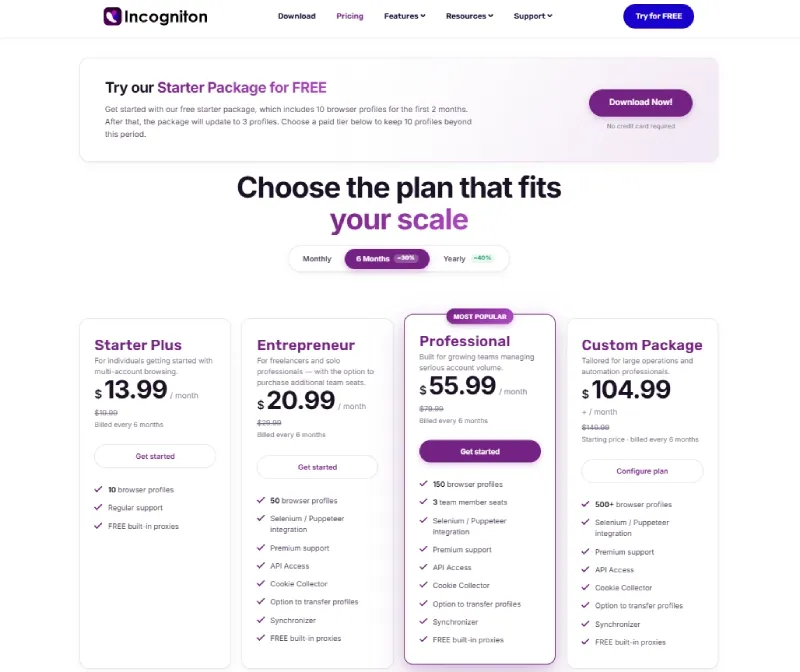
Its public pricing page states that the Starter package includes 10 free profiles for the first 2 months, then drops to 3 profiles afterward. That makes it one of the easier ways to test a profile-first workflow before a bigger team rollout.
Why it works:
- easier transition from Ghost Browser to profile-based operations
- useful proxy and cookie workflow support
- suitable for smaller teams and early-stage migration
Main tradeoff:
As team structure and permission complexity increase, it may feel less complete than platforms built around larger shared operations from the start.
Feature Comparison Matrix
| Tool | Core model | Public free tier or trial | Strongest fit | Main limitation |
|---|---|---|---|---|
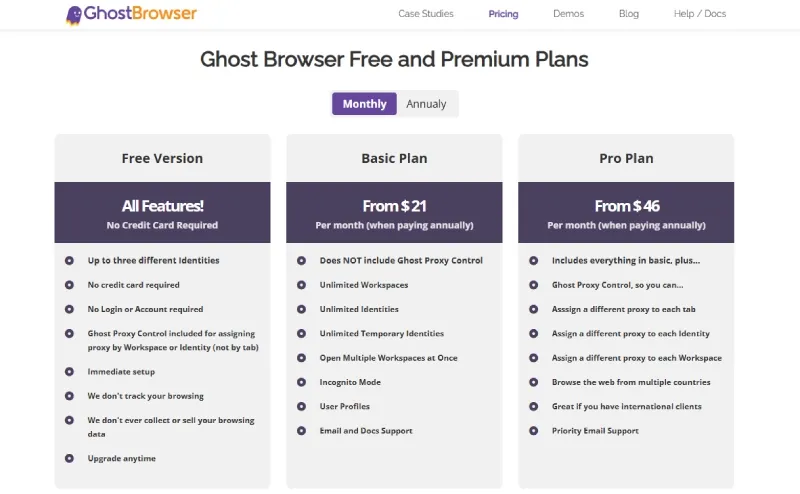
| Ghost Browser | Multi-session browser | Free version with up to 3 Identities; paid Basic and Pro tiers | Support, QA, light parallel logins | Session-first design |
| RoxyBrowser | Profile isolation plus proxy and automation | Free 2 profiles for new users (permanent) | Teams moving from tabs to full environment control | More setup depth than Ghost Browser |
| Multilogin | Browser profiles plus cloud-device stack | 3-day trial for $2 | Agencies and teams needing browser plus mobile workflows | Heavier operating model |
| GoLogin | Standard anti-detect browser | 7-day trial; free plan with 3 profiles | Budget-conscious teams adopting profile-based work | Less lightweight than a Chromium productivity browser |
| AdsPower | Large-scale profile operations plus automation | Free 2 profiles; enterprise pricing above 5,000+ | E-commerce, media buying, repetitive multi-account execution | Heavier interface and process load |
| Incogniton | Entry-to-mid anti-detect stack | 10 profiles free for 2 months, then 3 | Small teams moving beyond session isolation | Less enterprise depth as complexity grows |
Plan details, free tiers, and trial offers were checked on June 30, 2026 and may change over time.
How to Choose Between These Tools
Whether you stay with Ghost Browser or move to a ghost browser alternative depends on your actual operating needs.
- If you only need lightweight multi-login work, tab-based session organization, and a familiar Chrome extension workflow, Ghost Browser can still be a cost-effective tool.
- If your priorities have shifted to deeper fingerprint isolation, independent proxy binding, more structured team collaboration, or automation, it is more practical to choose the tool that best matches your current account scale and technical requirements from RoxyBrowser, Multilogin, GoLogin, AdsPower, and Incogniton.


