
An Avakin Life suspension can lock you out of purchased Avacoins, seasonal items, years of progress, and your friend list. Recovery depends on the restriction: a temporary suspension may end as specified in your notice, while an eligible account ban requires an official review.
TL;DR: If you find your Avakin Life account suspended, save the notice and identify the restriction first. Avakin’s guidelines exclude warnings and temporary suspensions from appeals. For an account ban, use Dispute Suspension when available and submit factual evidence.
Can You Get Your Suspended Avakin Life Account Back?
Recovery may be possible, but the notice determines your next step. Temporary suspensions and account bans follow different processes.
The Avakin Life Community Guidelines explicitly state that warnings and temporary suspensions are not eligible for appeal. For account-ban appeals, they direct you to tap “dispute suspension” on the ban screen.
| What the notice shows | What recovery depends on | What to do next |
|---|---|---|
| Warning without an access restriction | Following the warning and applicable rules | Review the stated issue; a warning is not a suspension |
| Temporary suspension | The restriction ending as specified | Check the expiry information; temporary suspensions are not eligible for appeal |
| Account ban with “Dispute Suspension” | The outcome of an eligible review | Submit a factual appeal through that option |
| Unclear restriction or no duration | Clarification of your account status | Save the message and contact official support |
| Login failure without a suspension notice | Resolving the access problem | Check your original sign-in method and recovery options |
A missing expiry does not, by itself, establish that a restriction is permanent. Ask for clarification rather than guessing its duration.
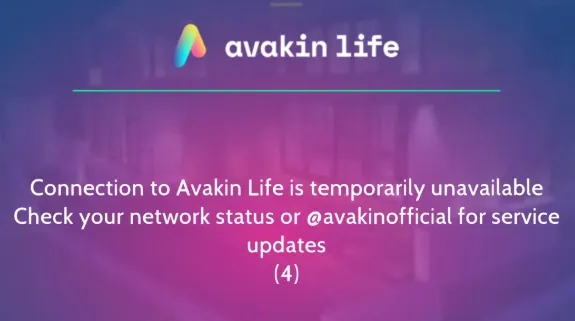
This screen shows a connection error, not a suspension notice.
What to Do Immediately When Your Avakin Account Is Suspended
If you find your Avakin account suspended, preserve the information you have before changing settings or reinstalling anything.
-
Save the notice.
Keep an uncropped screenshot showing the reason, duration, and available buttons. Record when you saw it, including your time zone. -
Write a short timeline.
Include relevant conversations, purchases, client errors, and unfamiliar activity. Distinguish events you observed from suspected causes; a crash before a suspension does not prove it caused the restriction. -
Check your linked email.
Look for account or security messages, including spam and junk folders. -
Secure connected accounts if theft is suspected.
Change compromised passwords and enable two-factor authentication on your email and linked sign-in services where available. -
Return to official channels.
Stop using modified clients or prohibited services. Preserve relevant evidence before removing them.
What If You Can Log In but See a New Level 1 Avatar?
A new Level 1 avatar may mean you signed into a different account. Check your original email and sign-in method before filing a ban dispute. For example, using a secondary email could open a different profile. The new avatar alone neither confirms nor rules out a suspension on your original account.
Why Was Your Avakin Life Account Suspended?
The reason stated in your notice should guide your response. Avakin’s published conduct rules cover the categories below, but do not provide a universal formula connecting each violation to a particular suspension length.
| Rule category | Examples covered by the guidelines | What to address in a dispute |
|---|---|---|
| Harassment and disruptive conduct | Threats, hate speech, spam, and begging for gifts | The cited incident and relevant context |
| Phishing and fraud | Deceptive attempts to obtain credentials or personal information | The actual exchange and evidence supporting your explanation |
| Unofficial software and exploits | Modified apps, hacks, prohibited currency services, or exploiting bugs | The software or activity involved and any disputed facts |
| Account sharing or trading | Sharing, selling, or trading accounts | Ownership and any unauthorized access |
| Age and safety violations | Age misrepresentation and prohibited conduct | The stated concern and any requested verification |
A receipt from an unofficial currency service may document a transaction, but it does not make that service authorized.
What If You Think It Was a Glitch or a Phishing Mistake?
Reports of disputed phishing suspensions and suspected glitches do not establish a confirmed platform-wide defect. Your appeal needs evidence about your own account.
If you believe an ordinary conversation was misinterpreted, preserve the surrounding messages and timestamps. Explain what happened before the notice appeared and which allegation you dispute. “A glitch caused it” gives a reviewer less to assess than an identifiable exchange and a clear timeline.
Shared Wi-Fi, browser changes, and multiple devices should not be presented as proven causes of Avakin Life suspensions. The public rules do not establish those explanations.
How to Contact Avakin Life Support and Appeal an Account Ban
An appeal should identify the account, explain the decision you dispute, and provide evidence the reviewer can assess.
Step 1: Prepare Your Account Details and Evidence
Keep the following together before opening the dispute:
- Your exact username and linked email, if known.
- A screenshot of the restriction and the date it appeared.
- A short timeline of the relevant events.
- Any existing support case reference.
- Relevant chat screenshots, purchase records, or security notifications.
Purchase receipts and account identifiers may help if support requests ownership evidence. Your Friend Code, device model, and operating system version can help describe the case; none is universally required or sufficient for recovery.
For a purchase, retain the official store receipt with its order identifier, date, and item details. For a conversation, preserve surrounding messages and timestamps. Descriptive filenames such as “restriction-notice” and “purchase-receipt” make attachments easier to match to your explanation.
Sensitive ownership information belongs only in official support channels. Never include passwords or verification codes, and avoid posting receipts or private account details in public discussions.
Step 2: Use the Official Dispute Route
Start with Dispute Suspension on the ban screen when it is available. That is the route specified in Avakin’s guidelines for account-ban appeals.
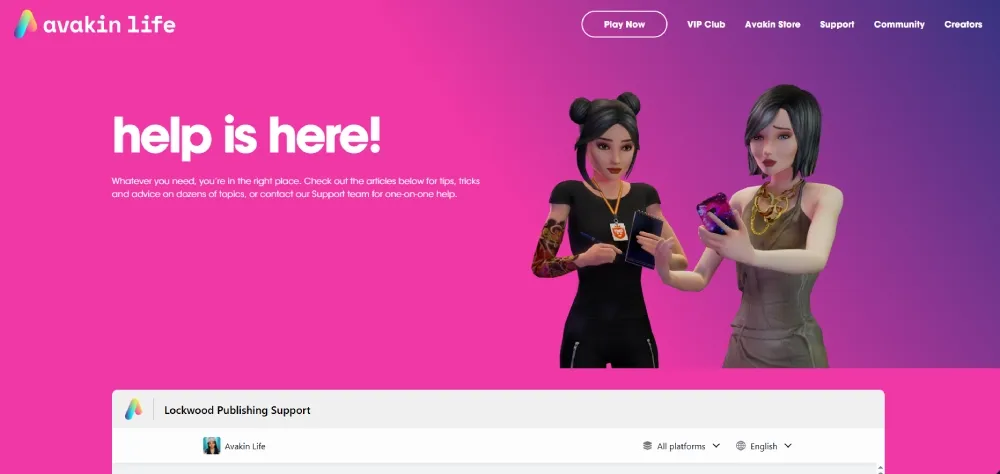
If the option is missing or inaccessible, use the Avakin Life Support page. Describe the screen you can access and ask which process applies, using the page’s current contact options.
Step 3: Submit a Short, Evidence-Based Appeal
Explain the disputed facts without adding claims you cannot support. You can adapt this template:
Subject: Account-ban review request — [username / case reference]
Hello Avakin Life Support,
My account, [exact username], displayed “[exact message]” on [date and time, including time zone]. I would like to request a review of this ban.
I believe the decision may be mistaken because [brief factual explanation]. The relevant events were [short timeline]. I have attached [evidence] to support this explanation.
Please let me know what additional information you need to verify ownership or review the decision.
Thank you.
Replace every bracketed field and make the explanation match your experience. A copied claim about a glitch is unhelpful if you have no evidence of one. If you made a mistake, describe it honestly rather than inventing an alternative explanation.
If the Account Was Hacked Before the Ban
Include your last known successful login, when you noticed unauthorized access, and which activity you dispute. An email-change alert after your last login, for example, helps establish the sequence without proving who accessed the account. Describe security steps already taken and provide ownership evidence if requested.
Recovering login credentials does not automatically reverse a ban or restore account access.
What If Support Does Not Reply or Rejects Your Appeal?
Check whether your case is awaiting a response, requesting more information, or closed before following up.
When You Have Not Received a Reply
Check the address used for the original contact, your spam folder, and any available case status. Follow the response window provided for your case; there is no universal turnaround time to promise.
Where possible, follow up within the existing conversation. Include the case reference, the original submission date, and any relevant new evidence, such as a security notification that clarifies your timeline. Keeping these details and attachments together makes your evidence easier to follow.
When the Appeal Is Rejected
Check whether the reply requests additional evidence or states that the decision is final. If further review is permitted, focus on new, material information, such as a missing receipt or a fuller message history.
Paid “guaranteed unban” offers cannot guarantee an official decision and may expose your account information to strangers.
Can an Avakin Life Ban Affect Your Other Accounts?
Yes. The official enforcement provision says actions may apply to one or all linked accounts and future accounts created. The public guidelines do not explain exactly how those links are established. A shared IP alone should not be treated as proof of a connection, and browser isolation does not erase an existing link.
If you manage more than one gaming identity, keeping track of associated email addresses, community logins, and browser sessions can become difficult. For example, a personal inbox and a creator inbox may require separate workspaces. Separating those web environments can make that workflow easier to manage.
Managing Multiple Gaming Identities? Separate Their Web Environments
Dedicated browser profiles help you identify and reopen the intended gaming-related email or community session.
When Different Accounts Share One Browser Workspace
Switching between personal and creator inboxes can mean repeated sign-outs or uncertainty about which identity is active on a support form. Websites retain sessions using cookies and, depending on their design, other browser storage. As MDN’s cookie documentation explains, cookies support session management, including login state.
A clearly named browser profile keeps the workspace separate. Standard browser profiles already separate cookies, site storage, and login sessions. Unlike a reusable profile, incognito mode is designed for temporary browsing sessions. Specialized tools add centralized management and configurable browser environments.
Protect these web sessions as well as their passwords: cookie logging can expose session cookies to theft. Keeping profiles separate does not replace securing the device and avoiding untrusted extensions or downloads.
Create Dedicated Profiles with RoxyBrowser
RoxyBrowser’s multi-account browser management provides separate profile storage and configurable browser environments. Cookie isolation keeps each profile’s session data separate, while names help you return to the intended workspace.
The profile configuration guide documents language, time-zone, and fingerprint settings, including Canvas and WebGL. These control browser-exposed information, not physical hardware. The guide recommends defaults unless customization is needed.
-
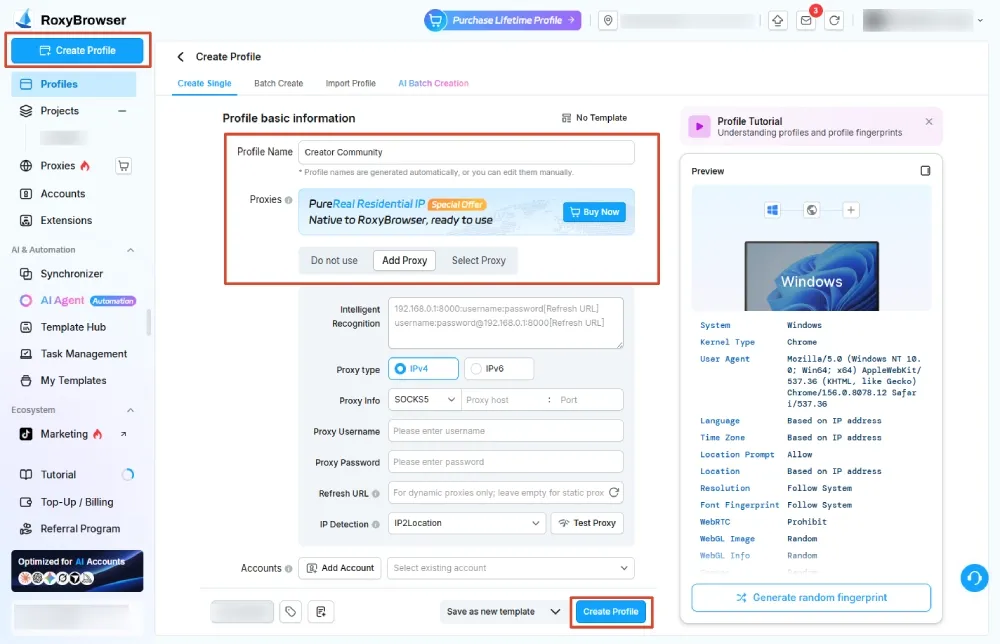
Create and name a profile.
Choose Create Profile, then set Profile Name to something recognizable, such as “Creator Community.” -
Review its settings.
Under Proxy, choose no proxy or configure one only if your workflow requires it. Complete the setup with Create profile. -
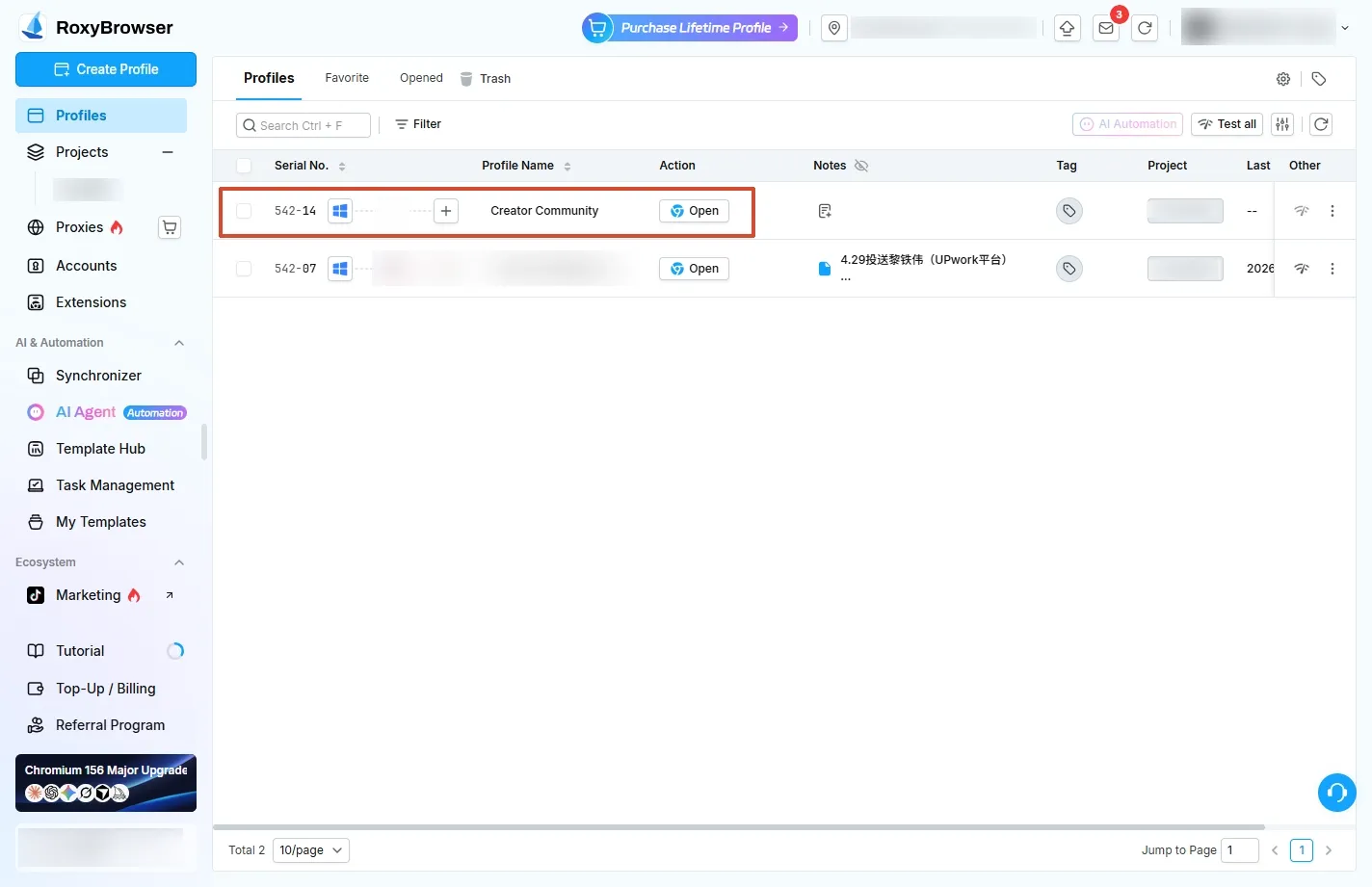
Open and reuse the workspace.
Choose Open on the main interface, confirm the correct web login, and return to that profile for the same identity.
If the wrong inbox appears, check the selected profile and signed-in identity before changing settings. This method manages browser sessions; it does not reinstate a banned account or change the native game client’s device identity.
Keep each gaming-related web identity in its own workspace. Create your first dedicated profile with RoxyBrowser.
How to Protect Your Avakin Life Account Going Forward
Follow Avakin’s conduct rules and keep recovery information usable:
- Use official clients and purchase channels. Avoid modified apps and third-party currency or item services.
- Protect linked sign-in accounts. Keep recovery details current, use unique passwords, and enable two-factor authentication where available.
- Keep credentials private. Avoid account sharing, trading, or selling.
- Report suspected bugs. If a purchase appears to grant unexpected currency, document and report it instead of repeating the action.
- Retain receipts and support correspondence. A transaction reference is more useful than a vague recollection of a purchase.
Conclusion
First identify the restriction shown in your notice. If a dispute is available, submit a concise timeline and relevant screenshots or ownership evidence through the official route. Accurate information gives the reviewer something concrete to assess. Follow the notice’s expiry instructions or use Dispute Suspension for an eligible account ban.


