Running Multiple Social Media Accounts is incredibly difficult when every new login feels like a gamble. Consequently, matrix operators constantly face captchas, shadowbans, and dreaded mass account suspensions. Fortunately, cookie logging changes the entire game by bypassing traditional login triggers altogether. Let’s explore how you can leverage this powerful method to keep your digital assets completely safe.
What Are Web Cookies
An web cookie ,as explained by Wikipedia ,is a small block of data created by a web server while a user is browsing a website and placed on the user’s computer or other device.Cookies are placed on the device used to access a website.For social media managers, however, it acts as a highly valuable digital fingerprint of trust. Platforms constantly read this stored data to verify your past browsing behavior and session history. Ultimately, a trusted cookie tells the security algorithm that you are a safe, legitimate returning user.
Web Cookie Types
Session Cookies
session cookies are strictly temporary data files that only exist while your browser remains open. the moment you close your active browsing window, these files are permanently deleted. For social media managers, this means you will need to log in manually during your next visit.
Auth Cookies
auth cookies are the absolute goldmine for any professional social media matrix operator. Once you successfully log into an account, these specific files instantly verify your authenticated status. As a result, they allow you to safely bypass strict login screens and access your profiles immediately.
Tracking Cookies
tracking cookies meticulously record your specific online behavior and detailed browsing history. While regular users simply get targeted ads from them, matrix operators face a much more severe threat. If security algorithms catch multiple accounts sharing the identical tracking cookie, a devastating mass ban is guaranteed.
What is Cookie Logging and Its Pros for Matrix Operators
Bypassing Strict Security Checkpoints
Typing a username and password from a new IP often triggers immediate security alarms. In contrast, cookie logging means directly importing a pre-warmed, active session file into your browser environment. As a result, this method effectively bypasses SMS verifications, email codes, and annoying CAPTCHAs. Therefore, your accounts stay completely under the radar, drastically reducing unexpected suspension rates.
Streamlining Account Transitions
Furthermore, managing 50 or 100 different accounts manually is a massive waste of operational time. Cookie logging entirely eliminates those repetitive typing tasks and slow manual authentications. Because of this, you can seamlessly jump between different social profiles in a matter of seconds. Ultimately, this lets you focus your energy on content strategy rather than fighting platform login barriers.
How to Implement Cookie Logging
Chrome
Standard Chrome does not have a built-in feature to import raw cookie codes. To implement cookie logging, you will need to rely on a third-party extension like “Cookie-Editor.” First, install the extension from the Chrome Web Store. Next, navigate to the specific website you want to access (e.g., facebook.com). Click the extension icon in your toolbar, select the “Import” option, paste your JSON cookie data into the box, and click import again. Finally, refresh the page to activate your session.
RoxyBrowser
You can also log in with cookies via an antidetect browser like RoxyBrowser.
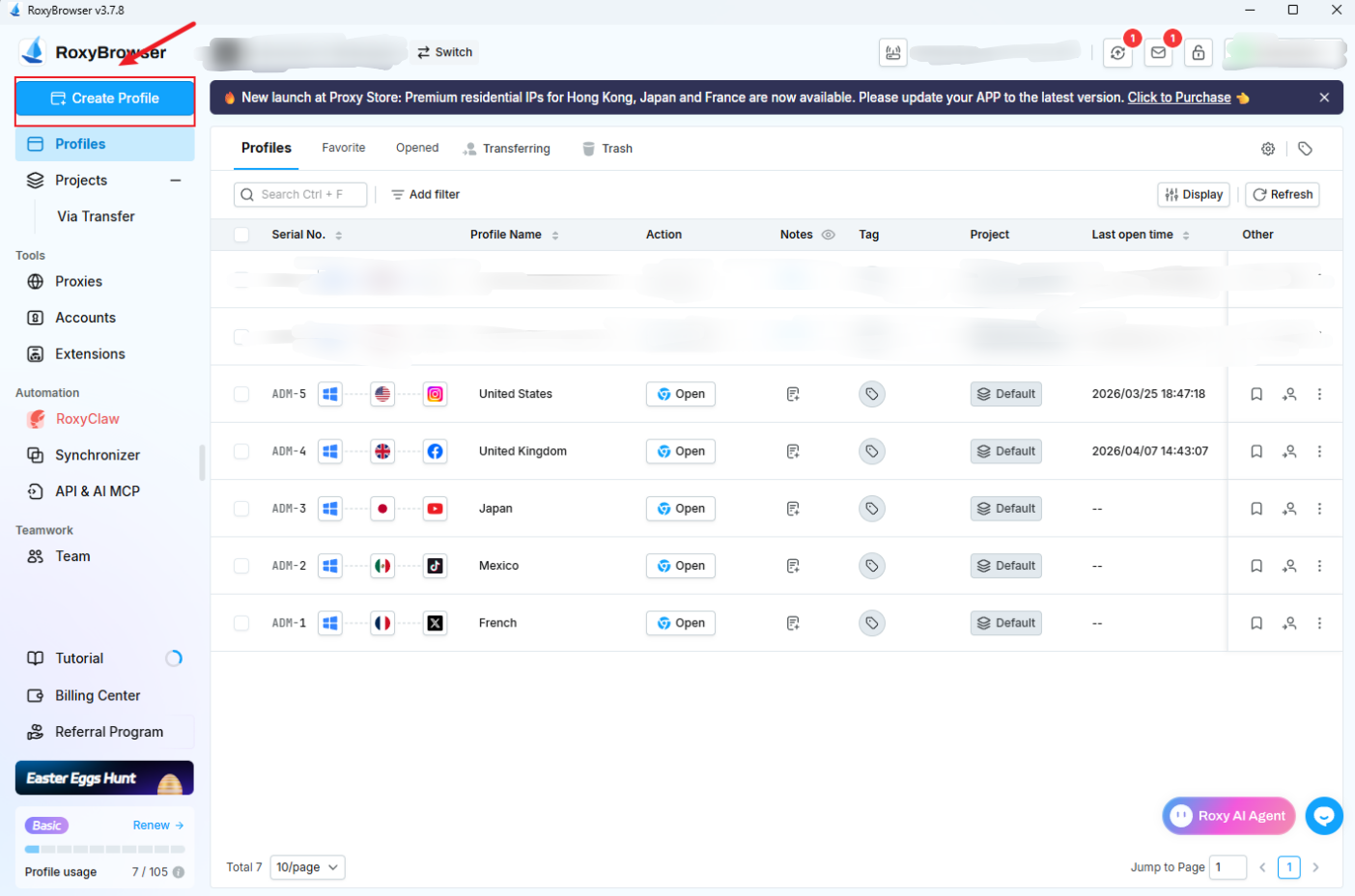
First, double-click to launch your RoxyBrowser desktop client. Next, navigate directly to the top-left corner of the main dashboard interface. From there, click the “Create Profile” button to enter the profile configuration menu.
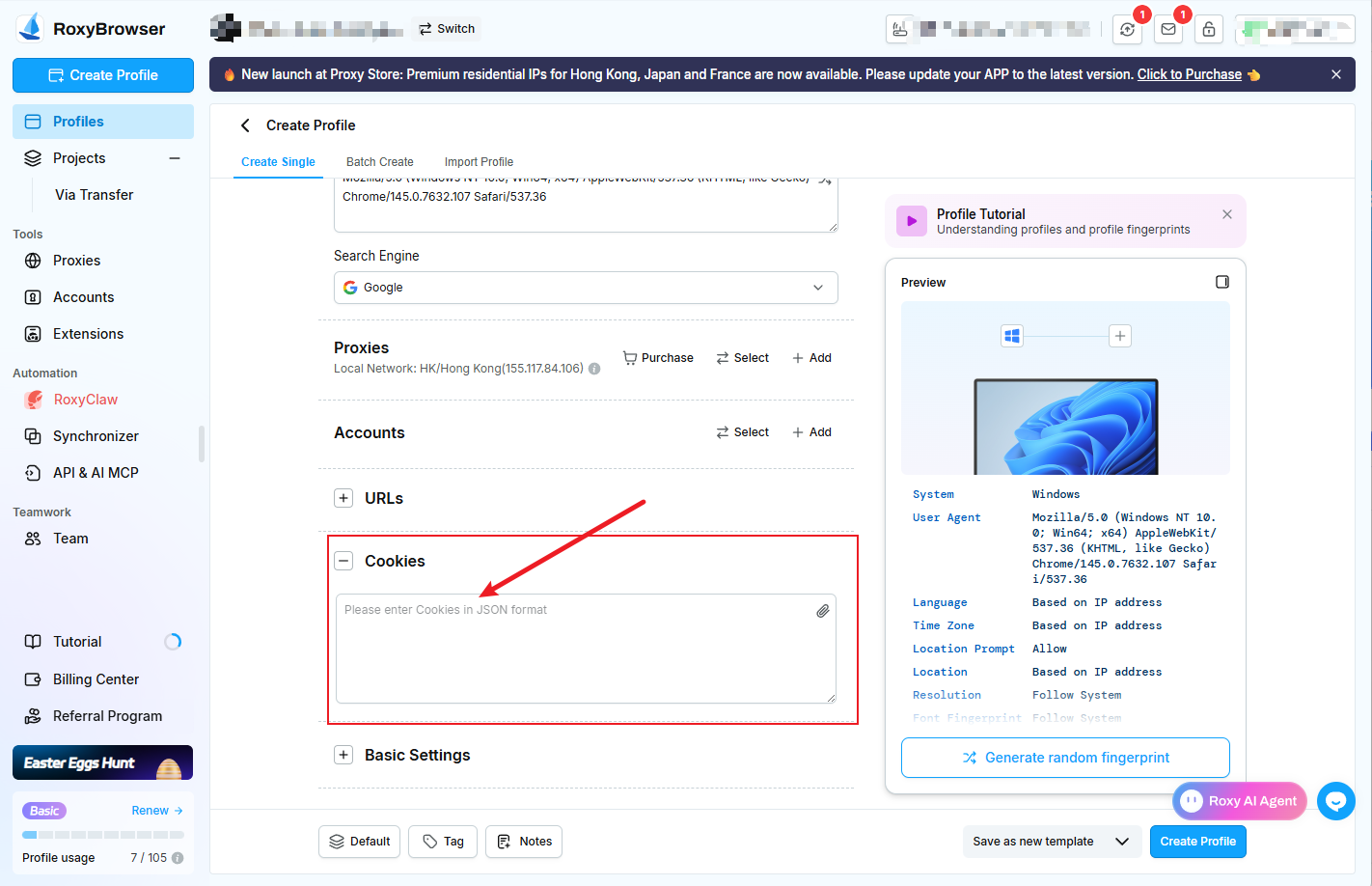
Once inside the profile configuration menu, scroll down to locate the dedicated “Cookies” field. Here, simply paste your raw cookie data directly into the provided text box. Make sure your data is formatted strictly as a standard JSON string for a flawless import.
How to Clear Browser Cookies
Chrome
When it comes to clearing data, go to Chrome “Settings” and click on “Clear browsing data.” Next, carefully select “Cookies and other site data” before hitting the clear button. However, manual clearing is actually highly dangerous for professional matrix operators as leftover cache files routinely link your accounts together and trigger devastating mass bans.
RoxyBrowser
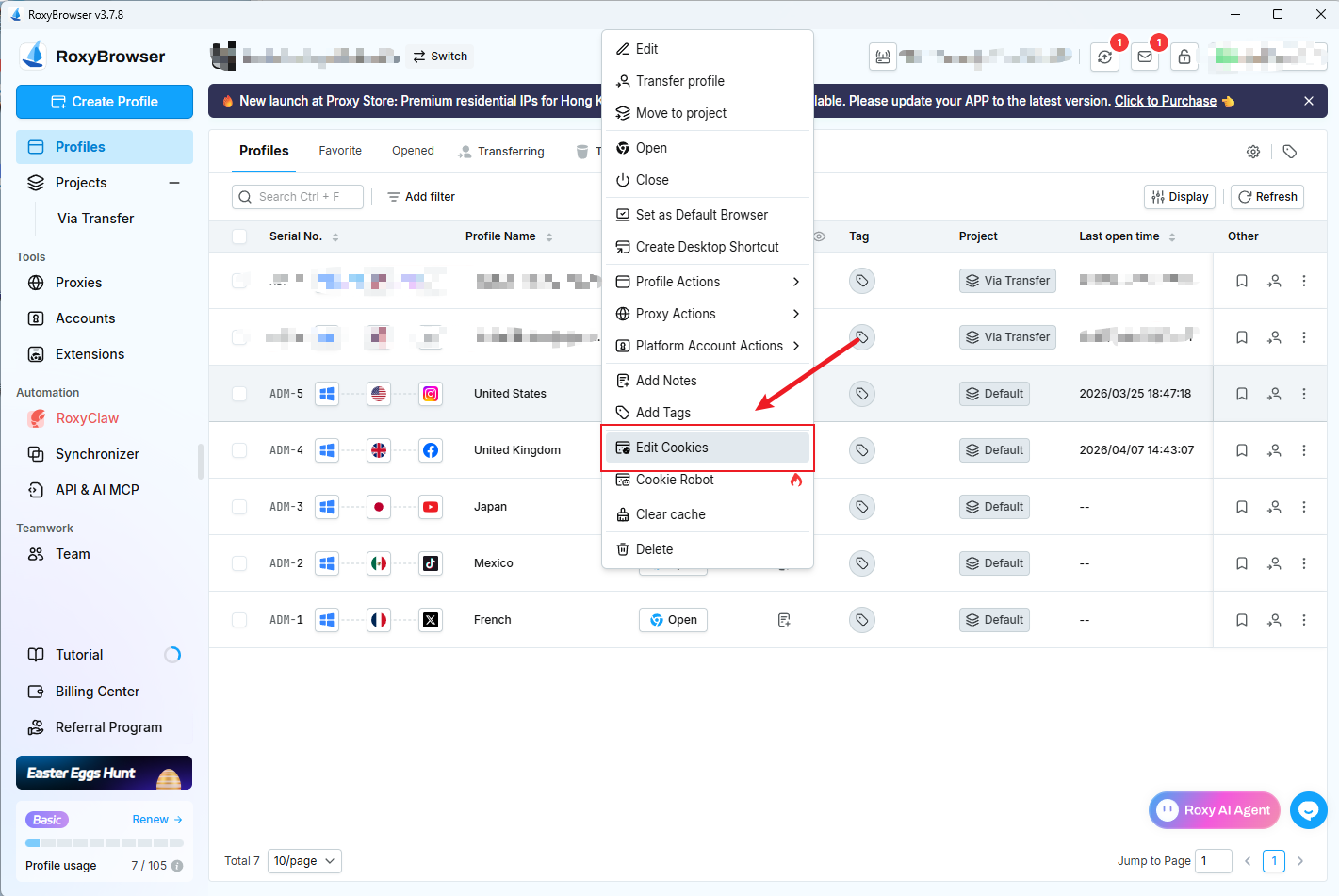
Navigate to the Profiles tab in your RoxyBrowser dashboard. Locate the specific profile you wish to manage. Right-click anywhere on that profile’s row, and select “Edit Cookies” from the context menu.
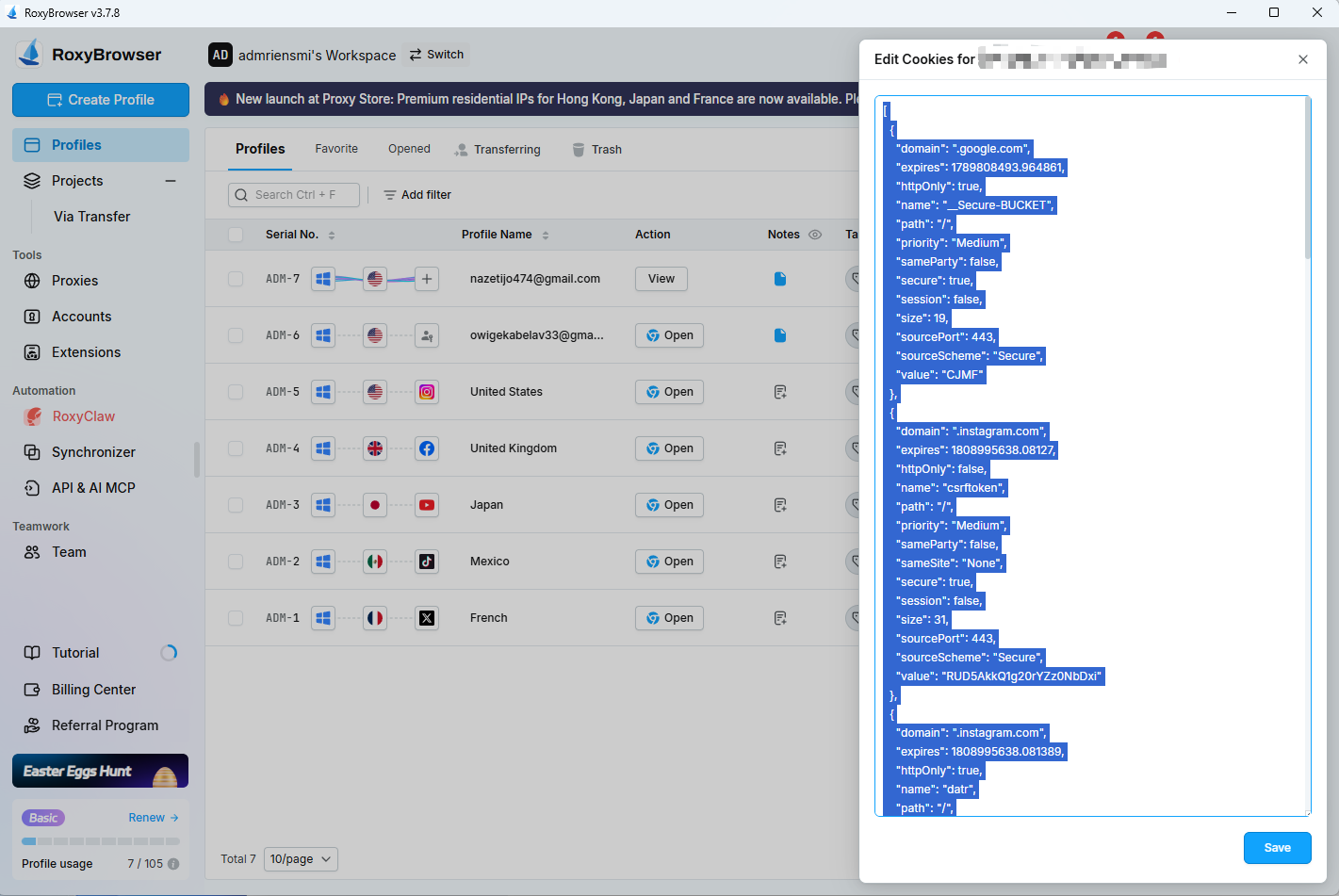
An “Edit Cookies” window will pop up, displaying all the active cookie data for that profile in JSON format. To clear the cookies, select all the text inside the box (you can use the keyboard shortcut Ctrl+A on Windows or Cmd+A on Mac). Press the Delete or Backspace key on your keyboard to empty the field, and then click the blue Save button at the bottom right.
How to Avoid Social Media Account Bans
Deep Fingerprint Spoofing & Canvas Protection
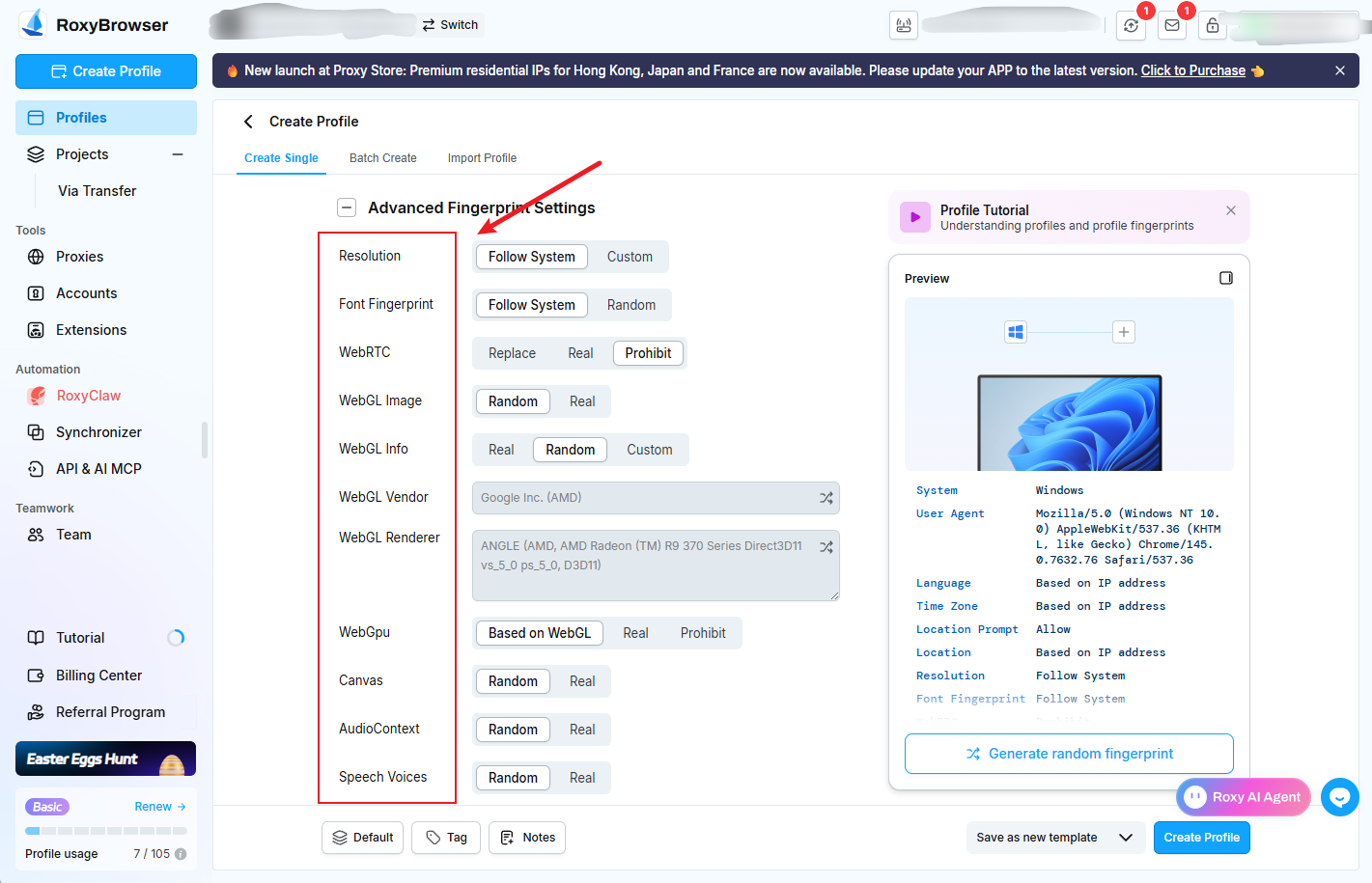
Importantly, simply isolating cookies is never enough to fool advanced platforms like Facebook or TikTok. Because of this, RoxyBrowser lets you take full control of Canvas, WebGL, WebRTC, and more. Consequently, this deep spoofing technology completely stops platforms from reading your actual hardware footprint. As a result, each account gets a strictly unique environment that perfectly mimics a real, physical device.
Bypassing “Outdated Core” Bans with Live Sync
Using an old browser version is a massive red flag for modern security algorithms. To solve this, RoxyBrowser’s custom Chromium engine rapidly syncs with live Chrome releases. In doing so, this keeps your profiles looking fresh and entirely avoids “outdated core” penalties. Therefore, you can easily and consistently bypass strict security checkpoints like Cloudflare.
Encryption for Business Assets
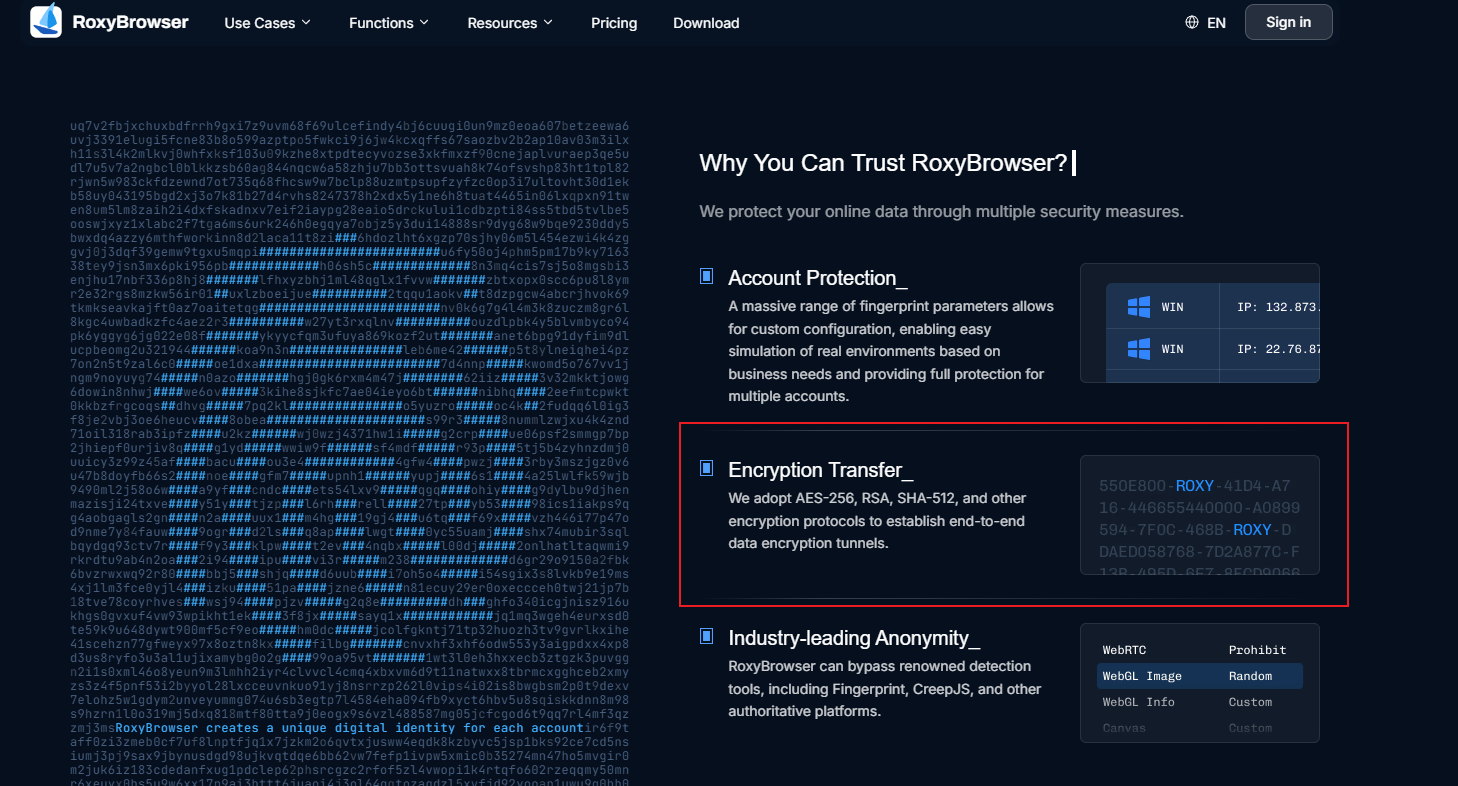
your matrix profiles are highly valuable digital real estate that must be aggressively protected. For this reason, RoxyBrowser utilizes advanced AES-256, RSA, and SHA-512 encryption protocols. By combining this professional security with flawless cookie logging, your cloud data and vital business assets remain completely safe from any potential leaks.