








If your PayPal account is permanently limited, the immediate questions are whether the notice is genuine, whether the decision can be reviewed, and when you can access the balance. Start by signing in through PayPal’s website, reading the notice in your account, and saving your transaction and dispute records. A permanent limitation normally ends your ability to use that account for new payments. It does not settle open buyer claims or automatically release your money on day 180.
In brief: Confirm the status inside PayPal, preserve the case ID and records, and respond to open disputes. Request a review with evidence that addresses the stated reason. If PayPal maintains the decision, move new sales to an approved payment provider. Check your balance and PayPal’s withdrawal instructions around the 180-day point.
Temporary or permanently limited? Check the notice first
PayPal uses limitation for different restrictions. The action available in your account matters more than the subject line of an email.
| Status shown in your account | What you can do next | What it means for funds |
|---|---|---|
| Verification or temporary limitation with requested actions | Submit the identity, bank, or transaction information shown in the Resolution Center | Access depends on the specific restriction; there is no universal clearance time |
| Payment hold or account review | Check the affected transactions and provide requested delivery or business evidence | A transaction hold is separate from an account-wide permanent limitation |
| Notice that you can no longer use PayPal, with no ordinary removal checklist | Save the notice and ask PayPal to review the decision if you have evidence of an error | PayPal’s notice and applicable agreement govern the balance and withdrawal process |
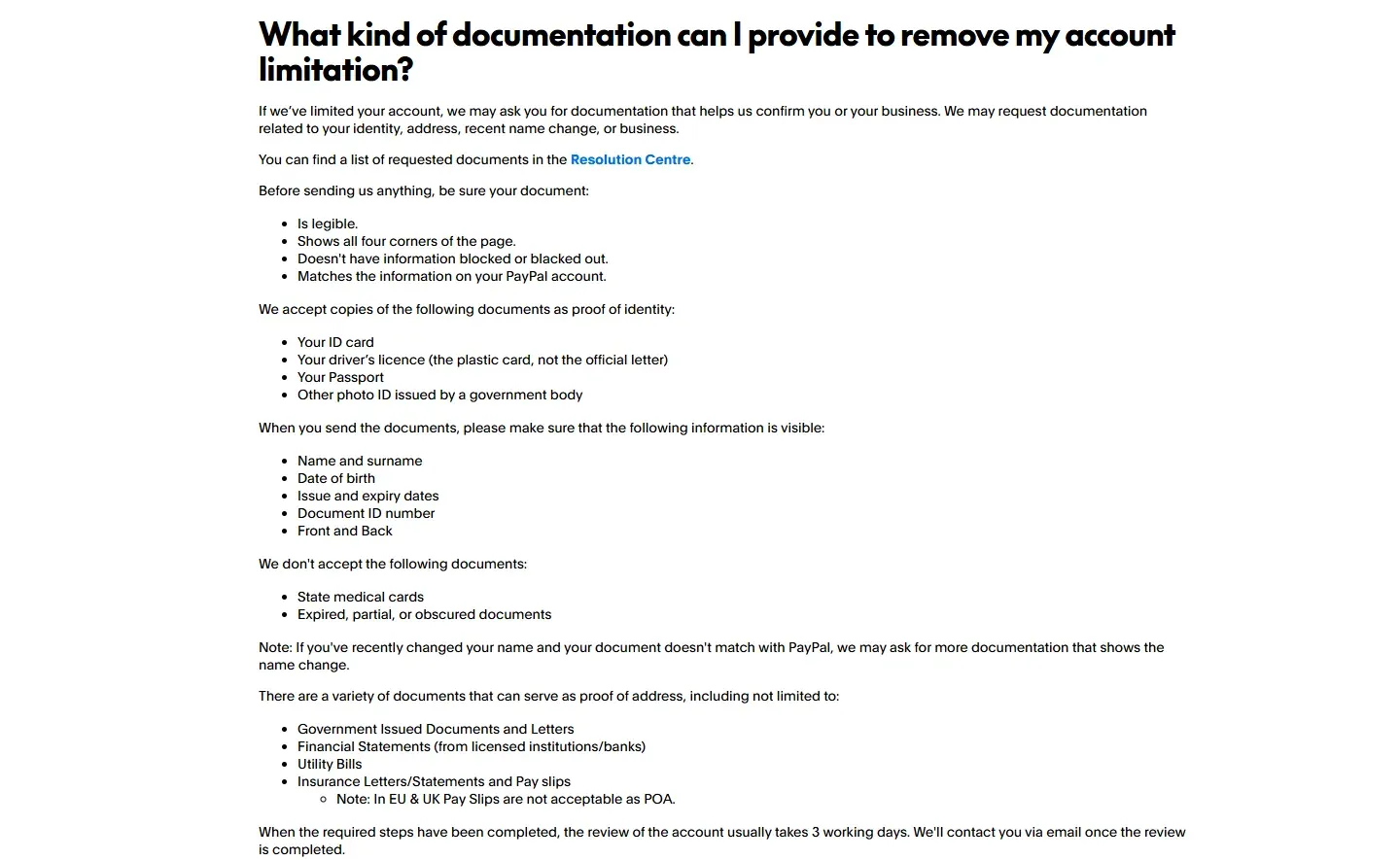
Open paypal.com yourself rather than following an urgent email link. Check your account notifications and the PayPal account-limitation guidance. If the email describes a restriction that does not appear in your account, treat it as a possible phishing attempt; PayPal publishes a reporting route for suspicious messages at its security center. Do not send an ID document or password in response to an email.
Why did PayPal permanently limit my account?
PayPal does not publish a complete account-level risk formula. A notice, the Resolution Center, transaction history, and PayPal support are the evidence you can use to investigate. If you are asking, “why is PayPal permanently limiting my account?”, separate policy, transaction, identity, and security issues before drafting an appeal.
1. Products or transactions outside PayPal’s policy
Check your catalog against PayPal’s Acceptable Use Policy and any approval requirements for your product category. A merchant selling a regulated item, a counterfeit product, or a service that needs prior approval has a different problem from a merchant who merely failed to upload a supplier invoice. An appeal should identify the exact SKU or service, the supplier, and the policy point at issue. Removing a listing after the limitation does not erase earlier transactions.
2. Buyer disputes, chargebacks, and fulfillment problems
Look for clusters of “Item Not Received” and “Significantly Not As Described” claims, late tracking uploads, refunds, and card chargebacks. A holiday campaign that doubles orders while deliveries slip can make fulfillment risk visible quickly. Do not assume that a quoted dispute rate of 0.5% or 1% is PayPal’s universal permanent-limitation threshold; PayPal has not published one threshold that applies to every account. Build an order-level record instead: payment date, promised delivery date, tracking, customer contact, refund, and dispute outcome.
3. A sharp change in sales or a mismatched business description
Compare the products and order volume in your PayPal account with the business you registered. If you began selling digital subscriptions after registering a physical-goods store, explain the change with dated site pages, invoices, fulfillment records, and updated business details. A sales spike alone does not prove a policy breach; the relevant question is whether PayPal can verify what customers bought and how you delivered it.
4. Identity or banking information that cannot be verified
Check the legal name, business registration, beneficial-owner information, address, linked bank account, and date of birth against the documents you submitted. A trade name that differs from the registered entity is explainable when the paperwork connects them. Edited or borrowed documents create a separate problem. PayPal’s limitation-removal guidance explains where requested information is submitted for an actionable limitation.
5. Unauthorized access or unusual account activity
Review security alerts, password resets, unfamiliar API credentials, and staff access. If someone entered the account without permission, secure the email address and PayPal login, report the unauthorized activity through PayPal, and preserve timestamps. An unexplained login location is a reason to investigate; it is not proof that a VPN or a particular IP address caused the permanent limitation.
6. Related accounts and inconsistent operating records
PayPal can consider information associated with an account under its User Agreement. Related legal owners, bank details, devices, browser storage, and access history can be relevant to an account review. PayPal does not publicly disclose an exhaustive set of linking signals, so claims that a specific Canvas hash, WebRTC result, or shared Wi-Fi caused a particular limitation cannot be verified from the outside. If your business legitimately operates more than one account, document ownership, authorization, and the purpose of each account rather than treating device separation as a substitute for disclosure.
What happens if my PayPal account is permanently limited?
A permanent limitation stops normal use of the account. You should plan for checkout interruption, unresolved orders, dispute handling, and a separate balance-release process. The practical answer to “what happens if my PayPal account is permanently limited?” is not simply “wait 180 days.”
| When | Action for the account owner | Record to keep |
|---|---|---|
| On receipt of the notice | Confirm it inside PayPal; stop sending customers to a broken PayPal checkout | Notice, case ID, date, balance, screenshots |
| During the restriction | Resolve open orders and respond to disputes within the deadlines shown | Tracking, delivery proof, buyer messages, refunds |
| When PayPal says a balance can be withdrawn | Follow the withdrawal instructions attached to the account | Release message, transfer confirmation, bank statement |
PayPal may retain funds to account for reversals, buyer claims, chargebacks, fees, or other liabilities under the applicable agreement. The 180-day period is a point to check your account, not an automatic payout date. The account’s country, notice, outstanding claims, legal restrictions, and available withdrawal methods determine the next step. If the balance turns negative, the obligation remains.
Export transaction reports while access remains available. Preserve customer service records securely and share only the documents PayPal requests through authenticated channels. For a merchant with outstanding orders, tell customers how fulfillment and support will continue without announcing an unverified payout date.
How to restore a permanently limited PayPal account
To request a review of a permanent limitation, identify the disputed fact and send PayPal evidence that addresses it. The following steps show how to restore a permanently limited PayPal account through a documented review request.
Step 1: Identify the exact decision and preserve evidence
Sign in to PayPal, open the Resolution Center or the notification bell on the dashboard, and record the notice text, date, case or reference number, and any requested actions. If PayPal’s message names a policy category, quote it in your appeal. If it gives no reason, ask which information would permit a review.
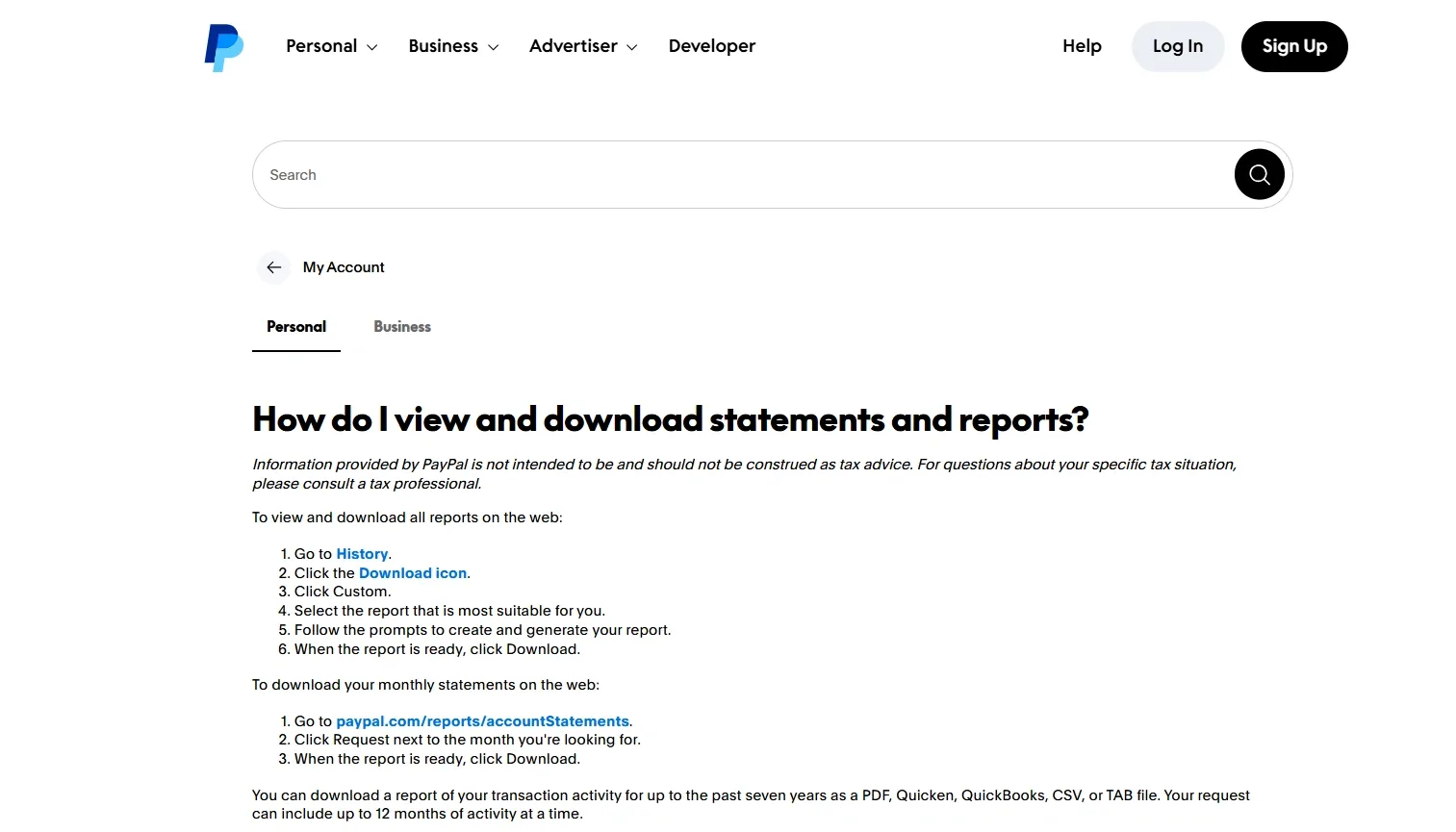
For transaction records on the US website, PayPal’s report download instructions give the path History → Download icon → Custom. Select a report, follow the prompts to generate it, and click Download when it is ready. Save the downloaded file alongside invoices, tracking, and dispute correspondence.
Completion check: You have the notice and case reference, plus a report covering the transactions relevant to the appeal. If PayPal requests additional material, record exactly what is outstanding.
Step 2: Match each document to a disputed fact
An effective packet is short and traceable:
- Identity issue: government ID, business registration, and address evidence that match the account owner.
- Product or sourcing issue: the relevant product URL, supplier invoice, authorization, and fulfillment description.
- Delivery issue: order ID, carrier tracking, delivery confirmation, and customer communication.
- Unauthorized access: dates of unfamiliar activity, security notifications, and the report made to PayPal.
For example, a seller accused of failing to deliver ten orders should submit an order-by-order table with ten tracking numbers. A generic statement that “all customers were happy” does not answer the allegation. Redact unrelated personal data, but leave the identifiers PayPal needs to match each document to the account.
Step 3: Submit one factual review request
Sign in and open Contact Us. Describe the limitation to the PayPal Assistant or select the closest account topic; PayPal displays the available support options, which can include chat or a call. You can also open Message Center to start a conversation or find an existing one. These routes are described in PayPal’s customer-service instructions.
Include the case ID and the disputed fact, then submit documents through the secure upload route PayPal provides. If the Resolution Center displays an action, use that case-specific action for the requested information. The ordinary limitation checklist is not itself a permanent-limitation appeal. Do not send altered records or publish customer and banking details on social media.
Completion check: Save the sent message or chat transcript, the case or conversation reference, the submission date, and any confirmation PayPal displays. A receipt confirms that the request was sent; it is not a decision on the limitation. Check the same conversation and account notifications for the reply or a further document request.
Appeal template
Subject: Request for review of permanent limitation — Case [CASE ID]
Hello PayPal team,
I am requesting a review of the permanent limitation placed on the account registered to [LEGAL NAME / BUSINESS NAME] on [DATE]. The notice states [QUOTE THE STATED REASON, OR “NO SPECIFIC REASON WAS PROVIDED”].
Our business sells [SPECIFIC PRODUCTS OR SERVICES] through [STORE URL]. I believe the decision should be reviewed because [ONE VERIFIABLE FACT, NOT A GENERAL DENIAL]. The attached records address that point:
- [Document, date, and relevant order or account ID]
- [Document, date, and relevant order or account ID]
- [Document, date, and relevant order or account ID]
Please confirm receipt, tell me whether further evidence is required, and provide the outcome of a manual review. I will continue to address open buyer disputes through the available account channels.
Regards,
[NAME AND AUTHORIZED ROLE]
Step 4: Escalate a process failure through the right channel
If you receive no substantive response, follow up with the case ID and a concise chronology. In the United States, a consumer complaint can be submitted to the Consumer Financial Protection Bureau. In the United Kingdom, follow PayPal’s complaint process and then check eligibility with the Financial Ombudsman Service. EU complaint routes depend on the account country and the contracting PayPal entity. A regulator or ombudsman complaint requests review of how the case was handled; it is not an account-reinstatement order. Keep deadlines and contact methods from your account’s agreement and complaint notice rather than relying on a universal 14- or 60-day escalation script.
How to withdraw money after the 180-day period
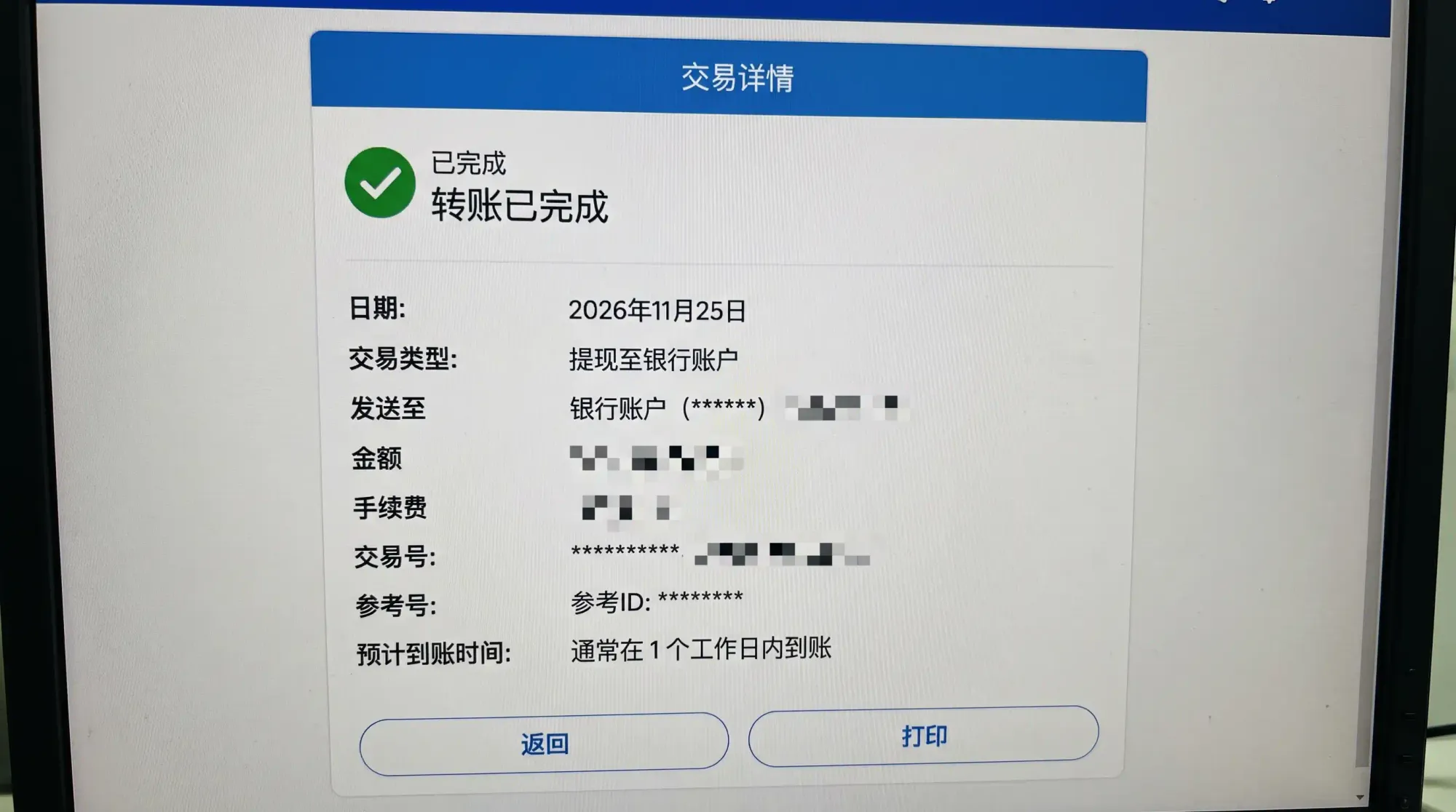
The withdrawal process begins with PayPal’s account-specific release notice or balance status, not an automatic transfer. If 180 days have passed, check the account and contact PayPal with the limitation date and case ID when no withdrawal route appears.
- Record the starting point. Save the limitation notice and its date. Set a calendar reminder around day 180 to check the balance and messages; this is a review reminder, not a guaranteed payment date.
- Manage claims during the wait. Answer each dispute by its posted deadline. Upload tracking, delivery confirmation, refund evidence, or the relevant service record. A held balance can change as claims and fees are resolved.
- Start the transfer. Once the balance is available and PayPal permits withdrawal, the US website’s documented path is Wallet → Transfer Money → Transfer to your bank. Select the available transfer type and follow the prompts to confirm the amount and destination. In the US app, the documented path is PayPal balance → Transfer → Transfer to bank → Transfer Now. PayPal lists these steps in its withdrawal guide. If a mailed check is offered for your account, the same guide explains that option.
- If funds remain unavailable, request an explanation in writing. Include the case ID, limitation date, current balance, and the release message, if any. Ask what amount remains restricted, why, and what action or date applies. Keep the written reply for a formal complaint when needed.
Completion check: Save the transfer confirmation, amount, destination, and transaction reference. Check the transfer status in PayPal and confirm that the funds actually arrive at the receiving bank. If a transfer fails or remains pending, contact PayPal with that reference and preserve the response.
To request an earlier balance review, send PayPal the case ID and relevant delivery and dispute records through the contact route above.
What if your appeal fails?
If PayPal confirms that the limitation stands, separate two tasks: maintaining a legal way to accept new payments and recovering the remaining PayPal balance. Neither task requires a second PayPal account opened to evade the first decision.
Move checkout to an approved processor
Evaluate Stripe, Airwallex, Wise Business, or a merchant-account provider against the product category, countries served, settlement currency, dispute tools, and underwriting requirements. A SaaS merchant can also evaluate a merchant-of-record service such as Paddle or Lemon Squeezy when its product and contract fit that model. Acceptance is subject to each provider’s own review.
For a live store, remove the broken PayPal button, test the replacement checkout, reissue unpaid invoices through the new provider, and tell customers where to find support. Preserve the old PayPal transaction IDs for refunds and dispute correspondence. Do not route existing customers through someone else’s personal payment account to keep checkout running.
Can you open another PayPal account?
Ask PayPal for written authorization before creating a replacement account, including when a separate legal entity is involved. A family member’s account is not a substitute for an authorized merchant relationship.
Our PayPal stealth account guide explains identity, ownership, and operational questions around separate accounts. For teams authorized to operate distinct accounts, RoxyBrowser keeps cookies, local storage, and browser profiles organized by operator and business. Explore the profile workflow and download RoxyBrowser to set up a workspace for your authorized team.
How to reduce the chance of another limitation
Prevention is an operations problem: document the business PayPal is underwriting, deliver what customers bought, and preserve a clean audit trail.
- Keep the account details current. Match the legal owner, bank account, website, product catalog, and fulfillment model to the documents you submit.
- Track dispute causes, not a mythical safe ratio. Review INR and SNAD cases weekly, respond within PayPal’s deadlines, and fix the listing or shipping process that produced them.
- Make fulfillment verifiable. Upload carrier tracking for physical goods and retain delivery or service records for other products. Seller Protection eligibility depends on the transaction and its rules; a tracking number alone does not guarantee coverage.
- Plan for volume changes. Before a major promotion, confirm stock, delivery capacity, customer support, and the account information PayPal holds about the business.
- Control staff access. Use authorized roles, strong authentication, and an access log. When several legitimate stores or teams use PayPal, keep their operational records and browser sessions clearly assigned. Multiple PayPal accounts require a policy check and genuine account ownership, not merely separate tabs.
- Maintain payment continuity. Keep an approved fallback processor and test its checkout before a restriction interrupts sales.


