








TL;DR — A PayPal stealth account is an informal name for an account someone wants to appear unrelated to another account. Browser profiles can keep merchant logins separate, and an approved network gateway can give staff a consistent connection. Neither changes who owns the money or who may operate the account. If PayPal limits an account, the next step is in the account notice.
Consider a bookkeeper who reconciles payments for two merchants. Both dashboards look familiar. Both have a button to download last month’s statement. The bookkeeper needs to know which merchant is signed in before exporting financial records. A named browser profile helps with that decision. If a merchant receives a request to verify its bank account, the bookkeeper needs a different resource altogether: someone authorized to provide that merchant’s records.
What Is a Stealth PayPal Account?
A “PayPal stealth account” is an unofficial term for a PayPal account operated with the aim of concealing its connection to another account or its common owner. The term may appear in discussions of concealed ownership or attempts to circumvent account restrictions. It is not a PayPal account type, verification status, or permission to open additional accounts.
That distinction matters when a seller offers a “verified” account. A password that works shows that the credentials are valid at the time of login. It does not establish that the buyer owns the registered business, controls its recovery methods, or has the right to receive payments in its name. Those questions become immediate if money arrives and the registered owner must respond to a verification request.
Authorized workspace management is a different activity: the owner remains accurately identified, and staff work within the permissions granted to them. For a team serving several merchants with their permission, separate business workspaces describes the task more precisely. Staff need a reliable way to open the right dashboard, act within their permissions, and keep the resulting records with the right business.
How Does a PayPal Stealth Account Compare With an Ordinary Account?
The rules that apply depend on the underlying account, its owner, and the market where it is registered. Calling it a stealth account changes none of those facts.
| Question | What determines the answer? | Does a separate browser profile help? |
|---|---|---|
| What type of account is it? | The PayPal product the owner registered for, such as Personal or Business. | It can display a useful label for staff. The registered account type stays the same. |
| Who may use the account? | The actual owner and the permissions available and granted under that account arrangement. | A workspace administrator can control who opens the workspace. PayPal access requires separate authorization. |
| Can a business open another account? | The business arrangement and PayPal terms for the relevant market. | Creating a profile adds a place to work, with no change in account eligibility. |
| What happens during a limitation? | PayPal identifies the affected functions and any available steps in the account. | A profile helps staff locate the correct account. PayPal handles the review. |
A merchant launching a second storefront might only need separate sales reports. Before opening an account, check whether order references or separate reporting can meet that need. If a different legal entity will receive the funds, settle the ownership and account questions first. For a business registered in the United States, start with the PayPal US User Agreement.
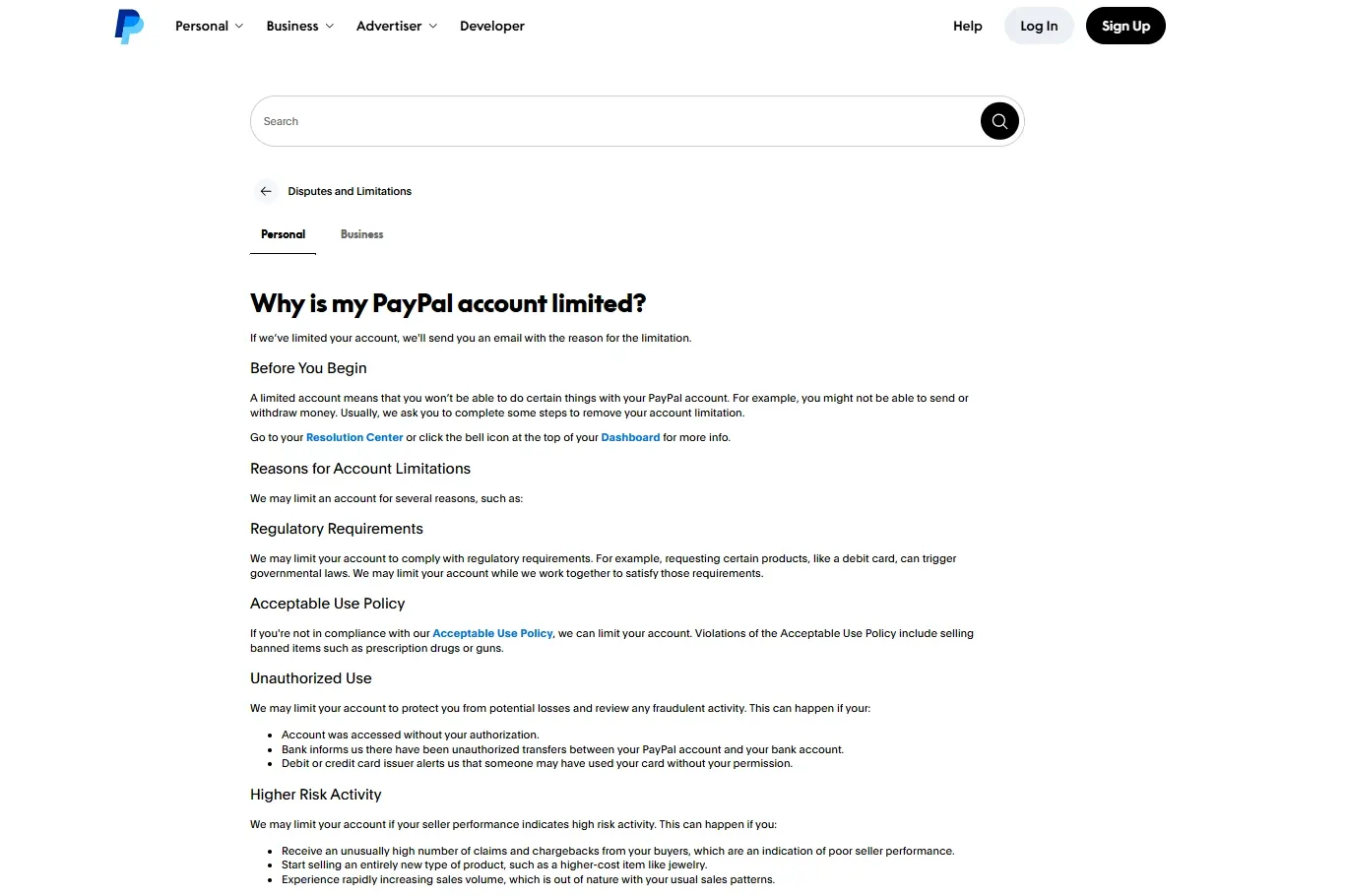
Why Might PayPal Limit an Account?
PayPal may restrict functions such as sending or withdrawing money while it reviews account activity or requests information. The notice inside the account is the starting point for understanding the restriction. A login error or a declined transaction alone does not establish that the account has been limited.
A request to confirm business ownership calls for a different response from a notice about possible unauthorized use. In the first case, the owner may need to provide business records. In the second, the immediate tasks may involve securing access. Guessing at a cause from the last IP address used can send the whole team down the wrong path.
- Open PayPal directly and sign in. If the first alert arrived by email, look for the corresponding notice in the account before uploading anything.
- Read the notification and check the Resolution Center. Identify the affected functions and any specific task or document request.
- Have the appropriate person respond through the channel shown. Keep the case reference and submission date so a colleague can follow up without collecting the same documents again.
- If the account shows no action you can take, contact PayPal through the account and refer to the notice.
Do not create another account to work around a limitation. A replacement login leaves the original case unresolved. See PayPal’s help page on account limitations.
How Do Browser Profiles Isolate Merchant Workspaces?
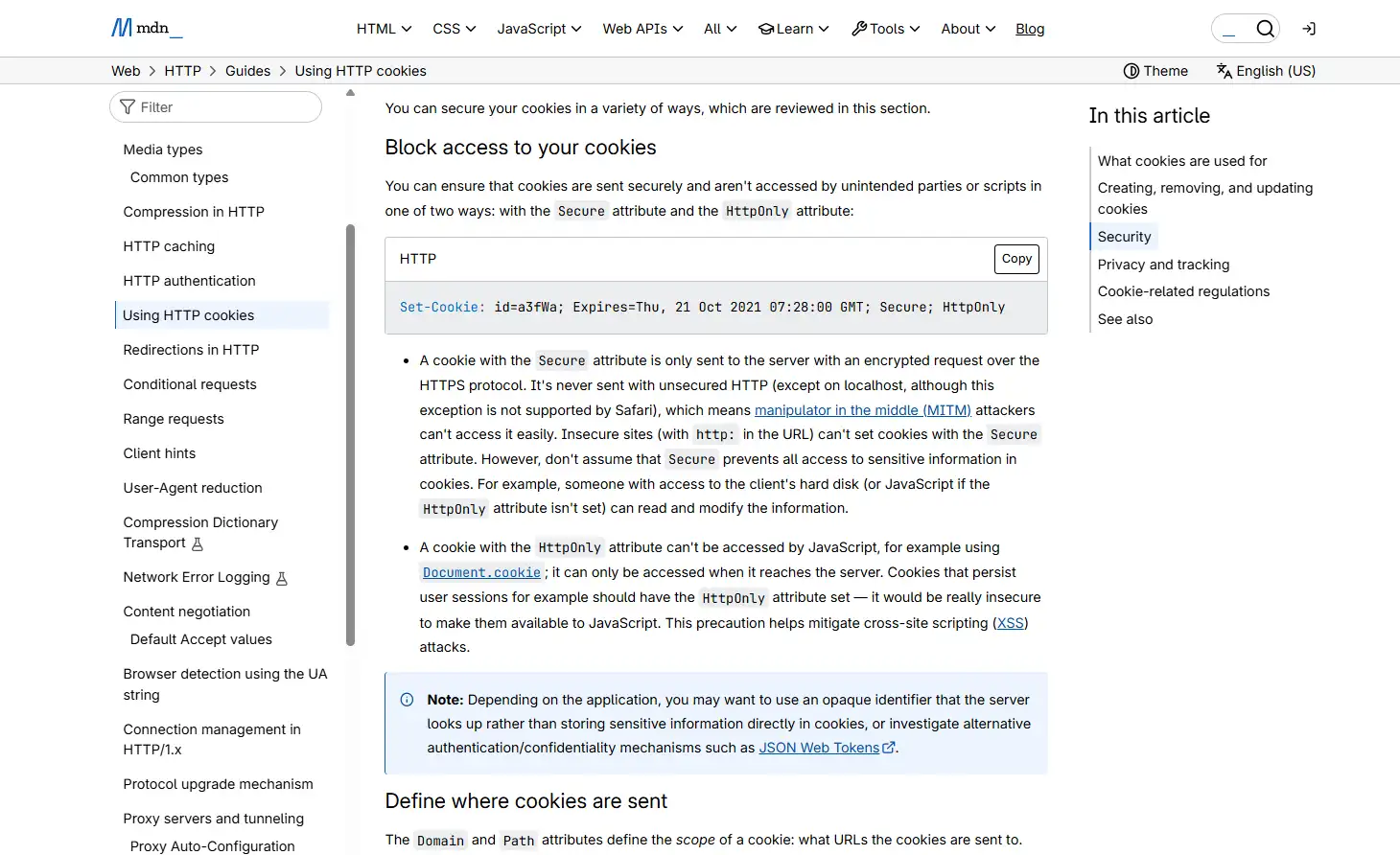
A browser profile gives a workspace its own cookies, site storage, and settings. When two merchants use distinct profiles, opening the dashboard in one workspace uses the cookies available in that profile. Opening a second regular tab in the same profile usually reuses the existing login.
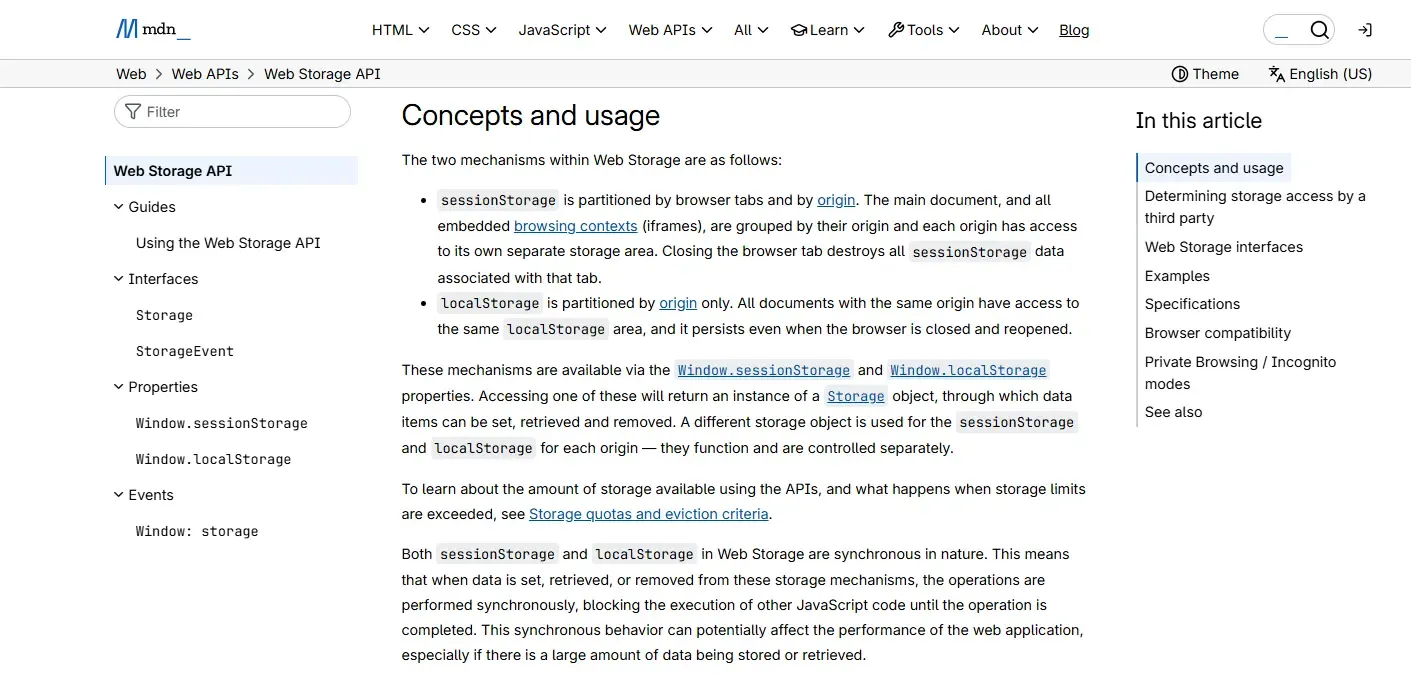
A session cookie can carry an identifier that lets a server recognize a signed-in session. The browser sends the cookie with requests that match its scope. A page can also save preferences in localStorage, which is scoped to the site’s origin within the profile. By contrast, sessionStorage is also scoped to a tab’s browsing session. That explains why two tabs can show different form entries while both still act on behalf of the same merchant. For the underlying mechanism, see MDN’s guide to HTTP cookies.
| Browser choice | What happens to site data? | Example use |
|---|---|---|
| Another regular tab | Tabs in one profile generally share the site’s login cookies. | Compare a transaction and a statement for the same merchant. |
| Private window | Uses temporary storage separate from regular browsing. Private windows may share the same private session. | Complete a one-time sign-in without retaining the session afterward. |
| Named profile | Keeps its own persistent site data across browser restarts, subject to retention settings. | Return to an authorized client workspace for monthly reconciliation. |
| Separate installation | Session separation depends on which user data directory each browser uses. | Maintain distinct company-managed browser environments where IT requires them. |
What Does an IP Address Tell PayPal?
A public IP address identifies the network exit used for a connection and can suggest a provider or approximate location. It is a poor way to determine which employee was at the keyboard. In an office, network address translation can put a roomful of employees behind a single public IPv4 address.
The reverse happens too. A merchant can start a session on office Wi-Fi and reconnect over mobile data during an outage. Two addresses may then belong to connections made by one person. A dedicated IP means an address is reserved for a customer. A static IP means the address is intended to stay the same. Neither property establishes who owns a merchant account.
Creating a browser profile does not ordinarily change the network route. Where company policy calls for an approved proxy, IT can specify the route for supported browser traffic. A team whose only problem is accidentally opening the wrong merchant dashboard can address that with profiles and access controls. Purchasing extra addresses would leave the session mix-up untouched.
What Environment Isolation Can and Cannot Separate
Environment isolation controls where browser data lives and, if configured, where traffic goes. Ownership, identity evidence, and payment records stay tied to the actual business. A useful test is to ask where a change takes effect.
| Layer | What the team can separate | What remains outside that boundary |
|---|---|---|
| Browser session | Cookies, local storage, cached site data, and settings for each workspace. | The merchant’s transaction history and PayPal’s records of account activity. |
| Network | Traffic sent through an approved business gateway. | The operator’s physical location and the business’s eligibility in a market. |
| Account ownership | Which staff members can open each internal project. | The account holder, beneficial owners, and their responsibilities. |
| Identity and payment details | Where staff retrieve documents and which merchant is open when they upload them. | The name on a bank statement, ownership of a card, and verification requirements. |
A download is an easy place to miss this boundary. Separate browser profiles can save two merchants’ statements to the same operating-system folder. The browser may have opened the right dashboard both times, yet a colleague can still attach the wrong PDF to an email. A merchant-specific destination with appropriate file permissions protects that next step.
For the distinction between persistent origin storage and tab-scoped session storage, see the MDN Web Storage API documentation. These storage boundaries do not extend to the operating system’s shared Downloads folder.
How Should a Team Separate Authorized Business Accounts?
Start with the merchant’s authorization and the work each person needs to do. Then build a workspace that reflects those decisions. A bookkeeper who downloads statements and a manager who approves refunds may both need the same merchant dashboard with different permissions.
- Record the business and its owner. Identify the legal entity, its account contact, and the staff authorized to act for it. Resolve any question about an additional account before setting up a workspace.
- Grant access by task. Use individual PayPal user permissions where available. Keep recovery credentials under the owner’s control. Opening a workspace should never be the sole approval for moving money.
- Use recognizable profile names. Match the workspace name to the merchant name on invoices or refund requests. Before submitting a transaction, check the merchant displayed in PayPal and the transaction reference.
- Document the approved connection. If finance must use a corporate gateway, record who maintains it. Staff then know whether a connectivity problem belongs with IT or an account notice belongs with the merchant.
- Plan for handoffs and departures. Agree where statements go, who handles a review, and who can revoke access. When an assignment ends, remove the workspace permission and check the person’s access inside PayPal as separate tasks.
Which Claims About PayPal Stealth Accounts Are Misleading?
Promises about PayPal stealth accounts often treat a change on the device as a change to the merchant’s standing. Four common claims illustrate the difference.
- “Private browsing gives me a fresh account.” Private browsing discards temporary session data when the private session ends. A payment made during that session remains on the account.
- “One dedicated IP per merchant proves separate ownership.” A company can use several network connections or have several staff share one exit address. A network subscription cannot establish the ownership of a business.
- “A different browser fingerprint guarantees accounts cannot be linked.” A browser fingerprint combines observable characteristics, such as display and rendering properties. Some change after a software update. They cannot erase an ownership relationship already disclosed to PayPal.
- “A fresh browser lifts a limitation.” Starting a fresh session can help diagnose a local display problem. If the account itself shows a limitation, follow the instructions for that account.
The MDN definition of fingerprinting explains how combinations of observable browser characteristics can support recognition. It does not establish which signals PayPal collects or how PayPal evaluates an account.
When Does RoxyBrowser Make Sense for a Merchant Team?
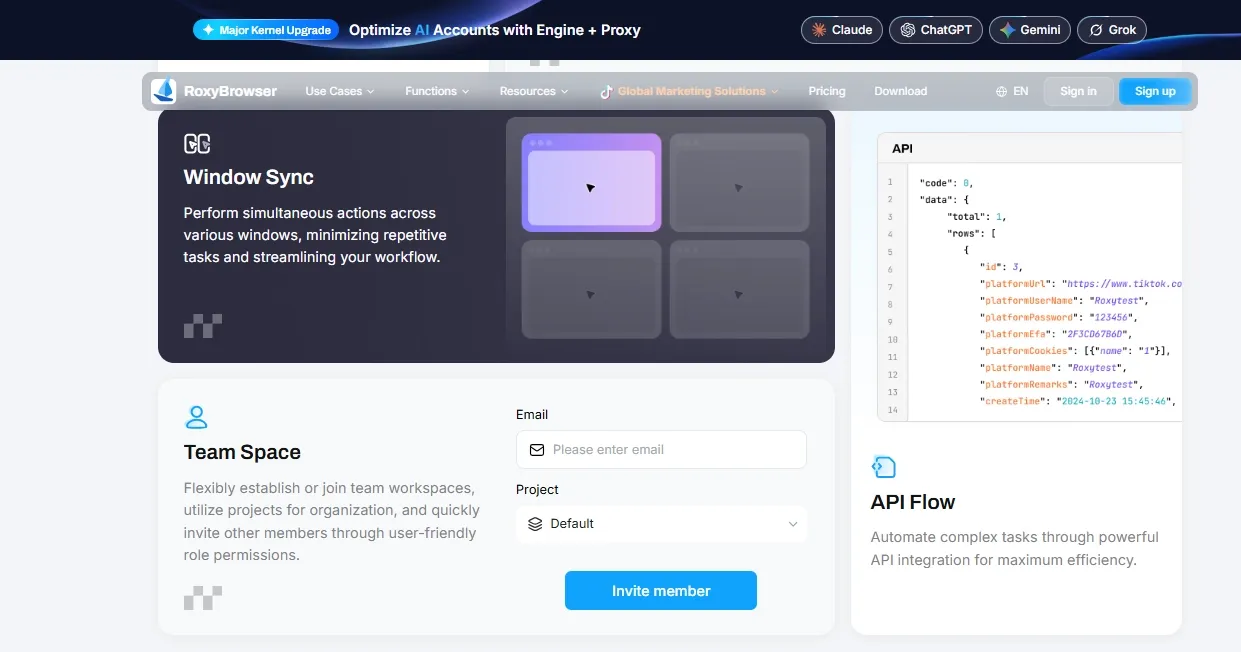
RoxyBrowser fits teams that already have authorization to work for several businesses and need to control which workspaces staff can open. Administrators can organize browser profiles by project, assign member permissions, and manage proxy settings for workspaces that require a particular network route. These are environment and collaboration features available in RoxyBrowser.
Suppose an agency serves a retailer and a wholesaler. Its lead analyst works for both. A temporary reviewer only checks the retailer’s month-end records. The administrator can give the reviewer access to the retail project while leaving the wholesale workspace available to its assigned staff. The retailer separately grants the reviewer appropriate access to its account. A logged-in profile deserves the same care as other sensitive access because anyone opening it may inherit an active session.
Before putting financial records in the workflow, try a handoff using nonsensitive test pages. Can the reviewer find the assigned workspace? Is the other project inaccessible? When the assignment ends, can the administrator revoke workspace access and confirm the change? These checks give a team a concrete basis for choosing the tool. PayPal retains responsibility for eligibility, verification, and limitation decisions.
Conclusion
A PayPal stealth account has no special standing with PayPal. The useful distinction for a merchant team is between separating work sessions and changing account eligibility: browser profiles help with the former, while PayPal determines the latter.
For authorized businesses, start with accurate ownership records, task-based permissions, clearly named workspaces, and a documented process for handling account notices. If persistent profiles and team access controls would simplify that workflow, you can Download RoxyBrowser and evaluate a test workspace before introducing financial data.


