








RoxyBrowser v4.1.2 is now available, bringing Chromium 156 and browser environment optimizations for Claude, ChatGPT, and other AI platforms. This release also adds bulk proxy IP replacement, desktop shortcuts for profiles, and cloud sync for list settings.
For teams managing multiple stores, social media accounts, or advertising accounts, these improvements simplify proxy maintenance, speed up access to frequently used profiles, and reduce repeated setup when switching computers.
Chromium 156: Better AI Platform Stability
Version 4.1.2 upgrades to the Chromium 156 kernel, with browser environments deeply optimized for Claude, ChatGPT, and other AI platforms. Account registration, login, and long-term operation are now more stable.
Improvements to rendering, interaction, and storage also deliver faster page loading and smoother performance, whether you are working with AI tools or switching between business applications.
Explore the changes in our RoxyChrome 156 upgrade overview.

Bulk Proxy IP Replacement
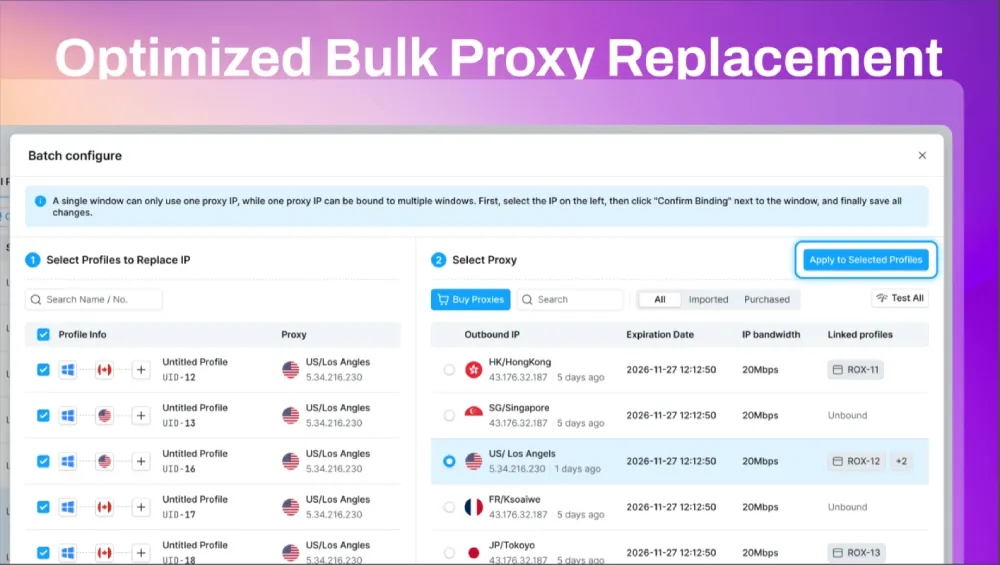
Replace proxy IPs across multiple windows in bulk instead of updating each window individually. This release also makes it easier to replace proxies after failed checks and stay on top of renewals.
- Replace proxies in bulk: Select multiple windows, then configure and apply proxy IPs in one workflow.
- Buy and replace after a failed check: When a proxy IP check fails in the window list, buy new IPs in one click and replace them across the affected windows in bulk to get them working again quickly.
- Improved expiration and renewal reminders: Keep track of proxy expiration dates and arrange renewals more easily.
Simpler Profile Management
Profile creation and daily management get several practical improvements, from saving platform accounts to restoring your working tabs.
Save Accounts During Profile Creation
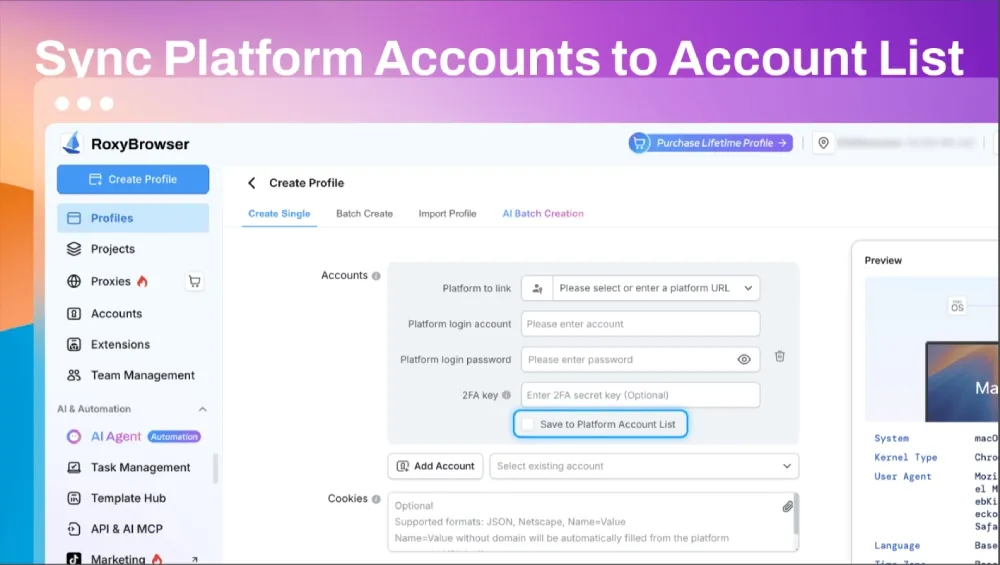
Platform accounts bound during profile creation can now be saved to the platform account list for centralized viewing and management. Organize your accounts as you set up new profiles.
Launch Profiles from Your Desktop
Add a desktop shortcut when creating a profile to open it in one click. For existing profiles, use the right-click menu in the profile list to add a shortcut and keep your everyday work within easy reach.
Clearer Profile Settings
Updated descriptions across all profile settings make each parameter easier to understand, whether you are creating a new profile or adjusting an existing one.
Restore Tabs in Their Original Order
Reopening a profile automatically restores your previous tabs in their original order, even after an unexpected exit. Pick up where you left off without finding and rearranging your pages.
Cloud Sync for List Settings
Display and sort settings for lists such as profiles, platform accounts, and proxy IPs now sync to the cloud. Switch computers without having to configure your preferred list settings again.
Team Expansion and Purchase Guidance
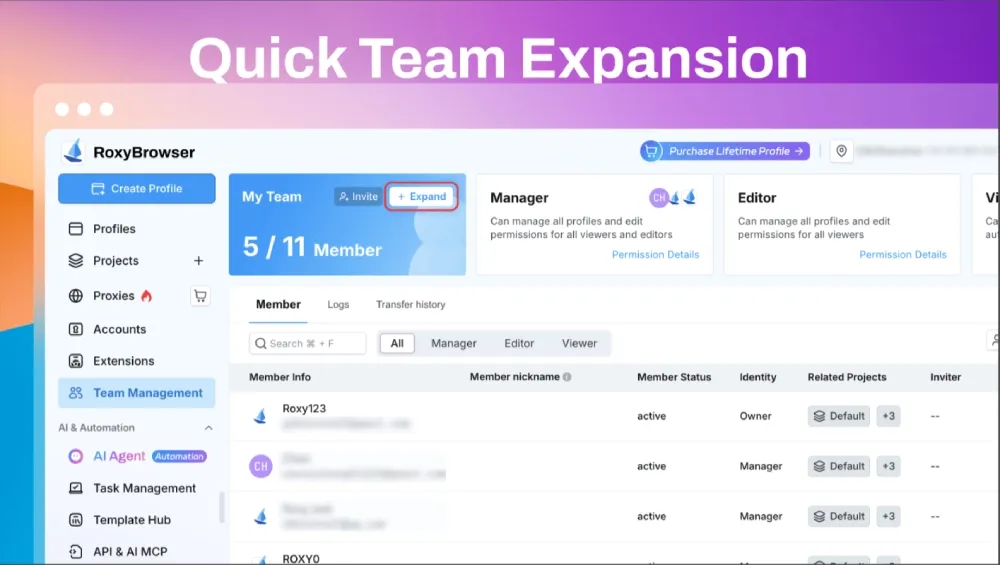
A new expansion option in Team Management lets you expand your team in one click without leaving the page.
The improved purchase success page guides you through your next steps. You also have a chance to unlock surprise rewards after purchase.
AI Agent: Task and Template Controls
New AI Agent controls make running tasks and maintaining templates easier:
- Stop tasks at any time: Use the new “Stop Task” option to end a running task.
- Update template scripts directly: Update the script while editing a template, without recreating the template.
Get RoxyBrowser v4.1.2
Open your RoxyBrowser desktop client to check for updates. Try Chromium 156, bulk proxy IP replacement, and the latest profile management and AI Agent improvements.


