
RoxyBrowser 4.0.5 is now available, bringing two improvements built around everyday team-management and automation workflows: customizable team icons and template support when creating browser profiles through the API.
Designed for ecommerce sellers, social media teams, performance marketers, and other multi-account operators, this release makes it easier to distinguish workspaces at a glance and faster to create consistent browser environments in bulk.
Customizable team icons
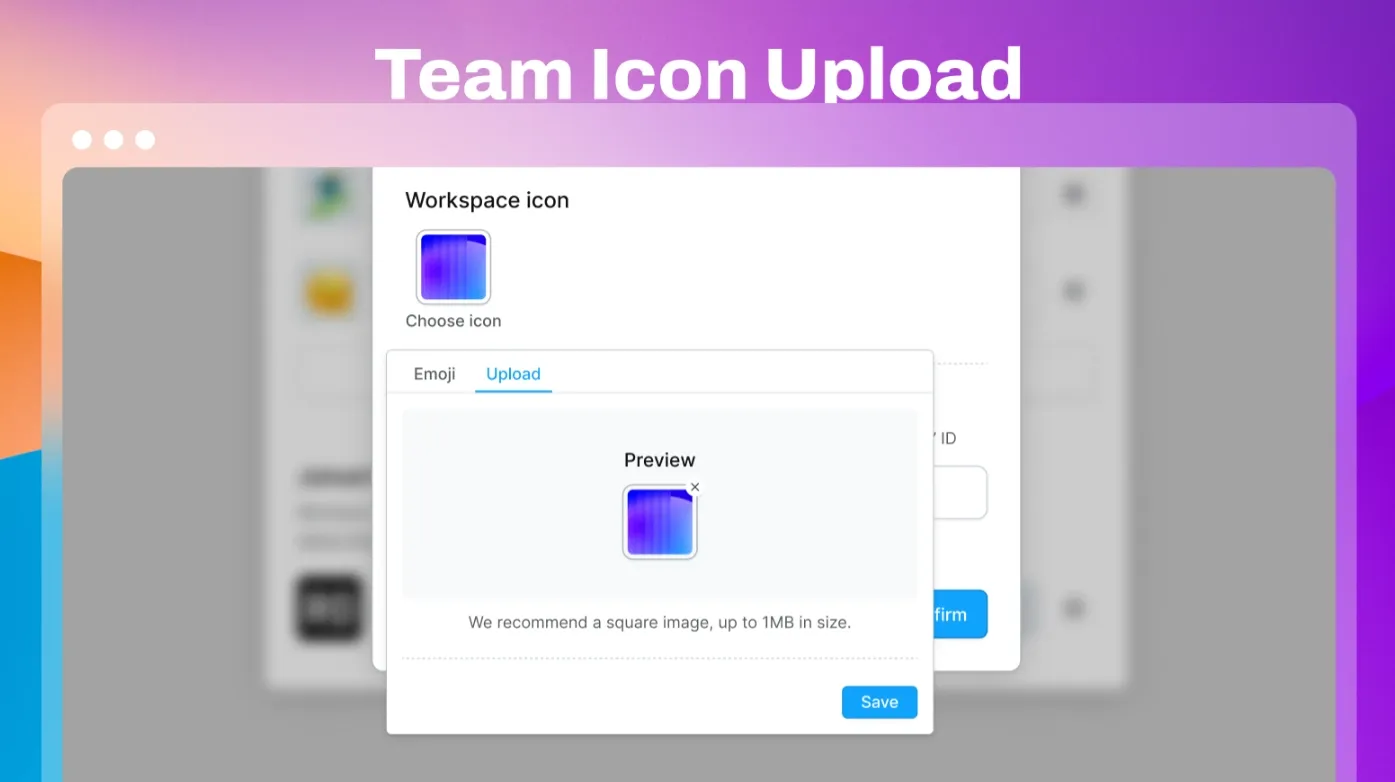
Managing several teams or projects at the same time can make it difficult to identify the right workspace, especially when team names are similar or your team list continues to grow. Version 4.0.5 lets you upload a brand logo or business mark and use it as the team icon.
Each team can now have its own visual identity, making parallel workspaces easier to recognize and organize:
- Identify teams faster: Distinguish business lines, project groups, or platform-specific teams without relying on names alone.
- Keep multi-team work organized: Clear visual markers make team ownership easier to understand as you switch between workspaces.
- Reduce cross-team mistakes: A recognizable icon helps members confirm they are working in the intended team before taking action.
Whether you manage separate social channels, ecommerce stores, or client projects, a custom icon gives every team a clear identity and makes daily collaboration more intuitive.
Create profiles from templates through the API
Bulk profile creation often involves repeating the same fingerprint, proxy, and other basic settings. Manual setup takes time and can lead to inconsistencies between browser profiles.
With version 4.0.5, API requests can reuse a preconfigured application template when creating profiles. Common settings are applied automatically, so your automation workflow can move from setup to execution with fewer repetitive steps:
- Reuse standard configurations: Define frequently used settings once and apply them whenever new profiles are created.
- Build profiles faster in bulk: Let the API handle repeated setup so teams can prepare multiple environments more efficiently.
- Keep configurations consistent: Templates help reduce parameter differences across profiles and provide a more reliable foundation for scaled operations.
Set up once and reuse at scale. For teams continuously launching environments for social media, ecommerce, advertising, or other multi-account workflows, template-based API creation makes profile deployment faster, steadier, and easier to manage.
Update RoxyBrowser
RoxyBrowser continues to evolve around the workflows that matter most to multi-account operators: secure isolated environments, clear team collaboration, and efficient automation. Update your desktop client to version 4.0.5 and try the latest improvements.


