
RoxyBrowser V3.9.1 is officially here. This release is centered on end-to-end proxy IP optimization, introducing four major feature upgrades. We’ve improved the product across four key areas: network connection methods, flexible bandwidth options, mobile proxy setup, and account environment binding.
The goal is simple: streamline operations, reduce risk, and further strengthen the all-in-one anti-detection solution built by RoxyBrowser and RoxyIP.
Here are the key highlights of V3.9.1:
1. Custom Proxy Network Settings for a Cleaner Connection Environment
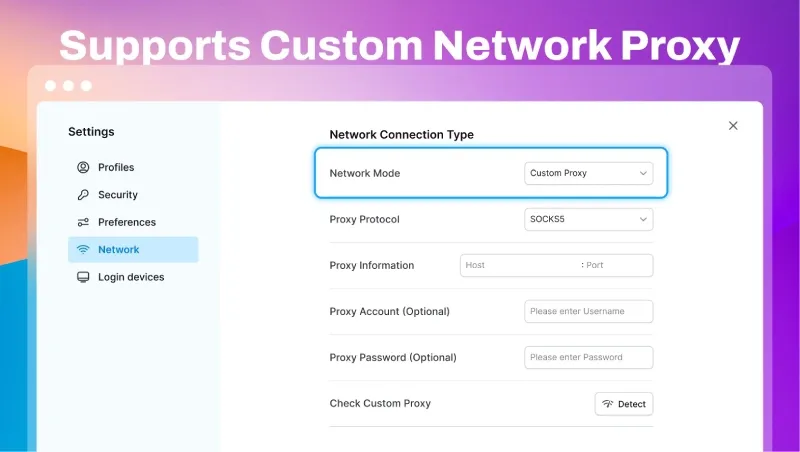
In the new version, RoxyBrowser now supports fully customized proxy client connections. This means you no longer need to enable a system-wide proxy or launch third-party proxy tools separately.
Simply go to Network Settings > Connection Method, select Custom Proxy, and enter your port information. You can then assign a dedicated proxy line to the current client only, helping isolate your local network environment more effectively.
2. Upgraded RoxyIP Bandwidth Plans for Different Business Needs
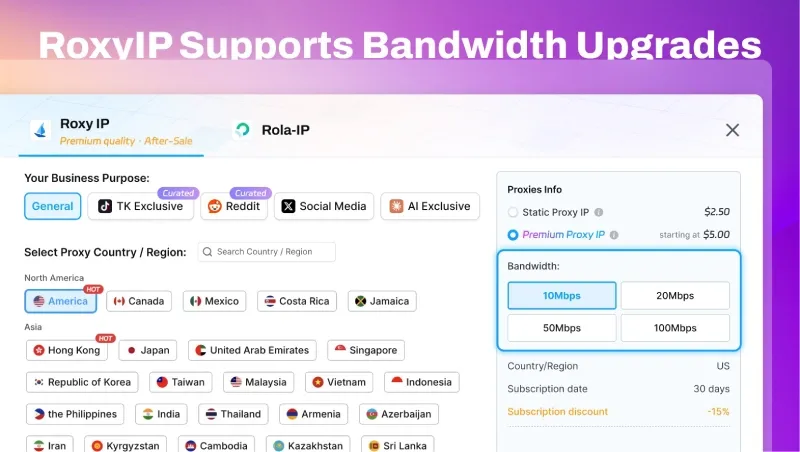
To help users avoid wasted bandwidth and reduce proxy IP costs, RoxyIP has fully upgraded its bandwidth system in this release. Four new bandwidth tiers are now available:
- 10 Mbps: Ideal for day-to-day store operations, social media image posting, and competitor monitoring.
- 20 Mbps: A good fit for small to mid-sized TikTok or Facebook account matrices and regular short-form video publishing.
- 50 Mbps: Designed for multi-account HD live streaming and bulk image or video uploads.
- 100 Mbps: Built for enterprise-scale account matrices, high-traffic promotional campaigns, and large-volume web scraping.
Note: Tiered bandwidth options let you purchase based on actual needs, helping reduce idle resources and control proxy IP costs. If you need higher bandwidth, visit the RoxyIP store or contact official technical support for a custom solution.
3. QR Code Export for Proxy IPs, Making Cross-Device Setup Easier
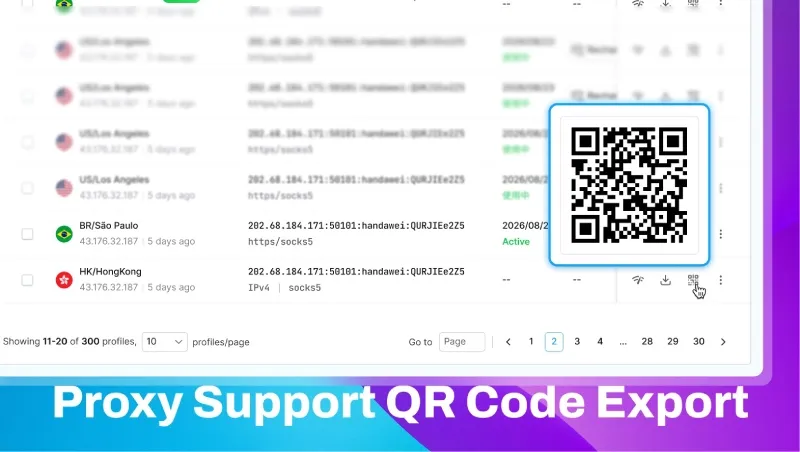
For cross-border teams, configuring proxies on mobile devices can be tedious and error-prone. To solve this common issue, V3.9.1 introduces QR code export for proxy IPs.
With a quick scan, users can instantly retrieve complete proxy configuration details and import them directly to a mobile device. For scenarios where store or social media accounts must be accessed on mobile, this feature significantly improves setup efficiency while minimizing manual input errors.
4. One-Click Window Binding in the Proxy IP List for Better Risk Control
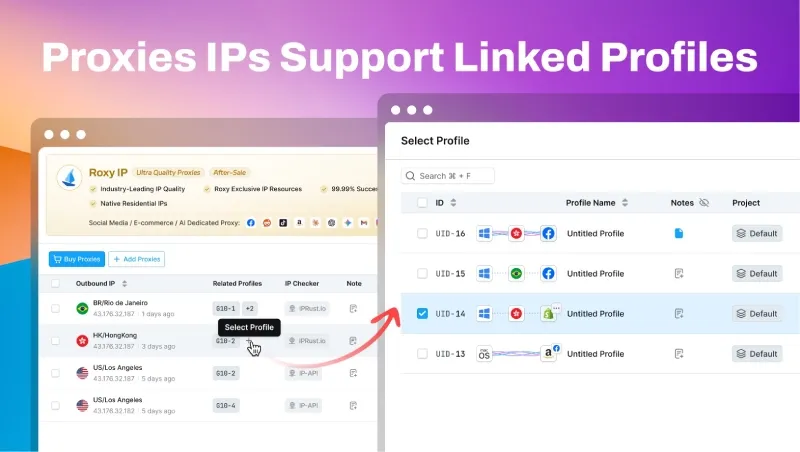
Effective anti-detection starts with precise environment isolation. In this update, the proxy IP list now includes a one-click window binding feature.
Instead of navigating through multiple menus, you can now select an IP directly from the resource list and bind it to an existing browser window in one click. Operators can also clearly view all IP resources and see how many browser windows are linked to each IP, making it easier to identify duplicate assignments or unused IPs and reduce the risk of account association caused by IP reuse.
Upgrade to V3.9.1 Today
Download the latest version of RoxyBrowser V3.9.1 from the official Download Center and experience a more efficient, more reliable proxy management workflow.
With these upgraded proxy features, RoxyBrowser helps build a stronger security foundation for your global operations. If you have any questions during the upgrade or while using the product, please refer to the official help documentation or contact the technical support team.


