
RoxyBrowser V3.8.9 has officially arrived, bringing major upgrades across AI automation, account management, and team collaboration. Built as an all-in-one solution for cross-border e-commerce operations, this release is designed to remove workflow bottlenecks for solo sellers, growing store networks, and large global teams alike.
Here’s a quick look at what’s new in V3.8.9.
Release Highlights
1. AI Agent Appreciation Event: 100 Free Credits for All Users
To celebrate the official launch of the AI Agent credit system, RoxyBrowser is rolling out a special AI Agent Appreciation Event. All users will receive 100 free credits, which can be used immediately to explore the full range of AI-powered features with no barrier to entry.
- Pay only for what you use: RoxyBrowser now supports a usage-based credit system for AI Agents. This model is designed to reduce resource waste while helping address issues such as uneven computing power allocation and task slowdowns during peak hours. AI tasks are billed based on actual usage, so you only pay for the resources you consume.
- Tiered discounts with member benefits: We are also introducing tiered pricing along with exclusive member discounts. These offers can be combined for a maximum total discount of up to 25%.
- Priority access to computing power: For teams running dozens or even hundreds of automated tasks every day, this usage-based model can be more cost-effective than a fixed monthly plan. Paid users will also receive priority access to computing power during peak periods, helping ensure more stable and uninterrupted AI task execution.
2. Window Names Now Supported on the Taskbar
For users managing dozens of active browser windows at the same time, relying on icons alone can make account switching slow and error-prone. In V3.8.9, we’ve improved window identification so that window names can now be displayed directly on your OS taskbar, making it much easier to locate the exact profile you need.
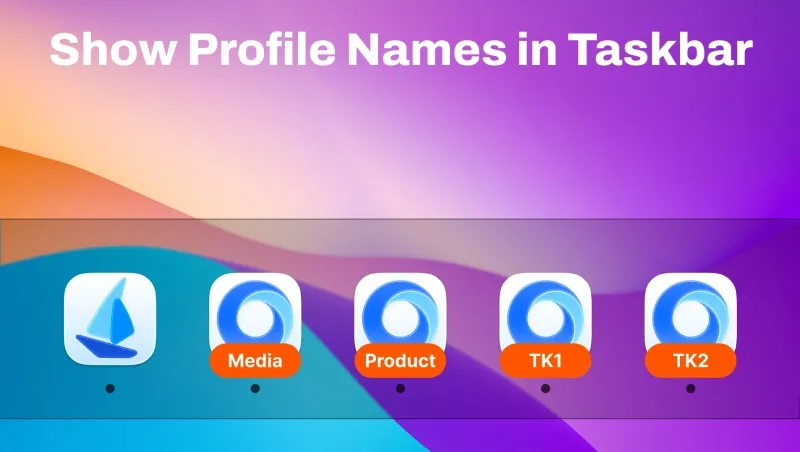
- How to enable it: Go to Settings > Taskbar Icon Display in the upper-right corner of the browser and select Window Name.
Note: This helps reduce switching time and improves efficiency when managing multiple windows in parallel.
3. Platform Account Module Fully Upgraded for Better Efficiency and Security
To address common pain points in team operations, such as disorganized account management, difficult handovers, and weak permission controls, we’ve comprehensively rebuilt the Platform Account module. This upgrade improves daily workflows across account operations, environment binding, bulk deployment, and access control.
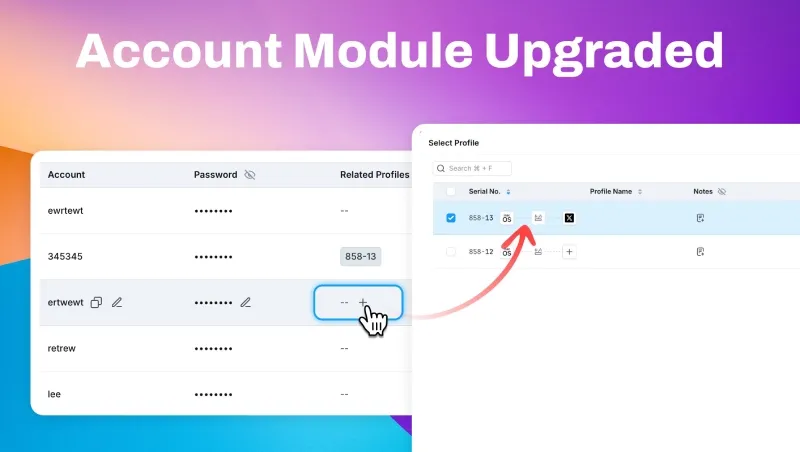
- Faster editing and copying of account information: You can now view, copy, and edit account details directly from the account list without opening the detail page, making routine management much faster.
- Quick window binding: Platform accounts can now be linked directly to browser windows within the module, allowing accounts and operating environments to be managed together for faster access and easier use.
- Template-based bulk import: You can now import platform accounts in bulk using templates, making it easier to create and onboard multiple accounts at once. This greatly reduces repetitive setup work when building new store matrices.
- More granular permission controls: New permission settings are now available for password viewing and bulk account export. Access can be configured by role, and all actions are logged for traceability. This helps teams maintain operational efficiency while keeping account assets secure.
4. “Workspace” Has Been Renamed to “Team”
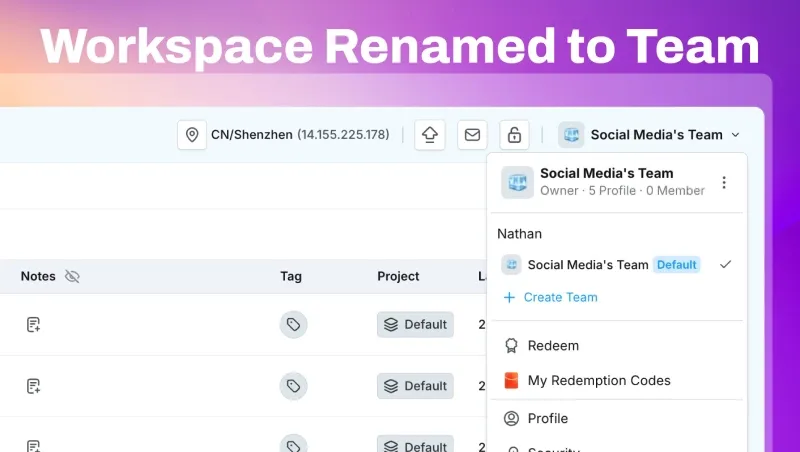
The former Workspace feature has officially been renamed Team. System hierarchy and interface copy have also been updated to reflect a clearer three-level management structure for individual users, departmental groups, and multi-branch organizations.
This new naming and structure better align with the way cross-border teams manage daily operations.
5. Roxy’s Biggest Top-Up Promotion Yet: Up to 55% Bonus

To celebrate the launch of V3.8.9, we’re also introducing our biggest top-up promotion to date.
- Promotion period: June 17, 2026 to July 1, 2026
- How it works: Top up $10 or more in a single transaction to participate. The more you top up, the more bonus value you receive.
- Universal balance usage: Your top-up balance can be used across Roxy services, including Dedicated IPs, AI Credits, and Browser Window quotas.
Whether you’re just getting started or preparing to scale, this promotion offers a practical way to reduce operating costs across your business.


