
2026/05/223 min read
The v3.8.7 update is entirely focused on three core pillars: multitasking efficiency, cross-device automation synergy, and AI-powered creation. By combining our industry-first genuine AI Agent with military-grade anti-association technology, this update brings you 5 major upgrades. Whether you are running cross-border e-commerce, managing social media matrices, or handling multiple accounts, you will find your ultimate productivity boost in this release.
1. Auto Multi-Profile Layouts for Effortless Matrix Management
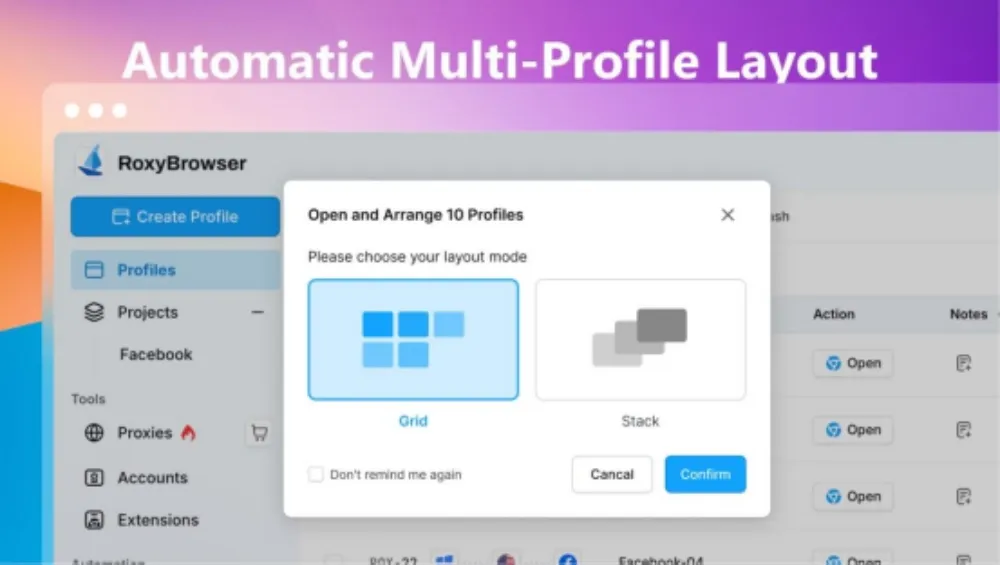
- Feature Highlights: RoxyBrowser now fully supports automatic tile, grid, and cascade layouts. The system automatically arranges your profiles, completely eliminating the hassle of manual adjustments. Paired with our deep disguise engine featuring over 210 parameters, you can run hundreds of profiles simultaneously while ensuring each environment remains absolutely independent and secure.
- Business Value: One-click tiling, gridding, and cascading. Say goodbye to dragging windows manually and hello to highly efficient parallel multitasking.
- Use Case: Ideal for multi-account matrix operations across Amazon, TikTok, or Facebook. Open dozens of windows at once, and watch them instantly snap into a perfect grid—ready when you are.
2. Lightning-Fast Cross-Device Control: WeChat ClawBot Integration

- Feature Highlights: RoxyClaw’s cross-device capabilities have received a massive upgrade, now allowing users to seamlessly connect the browser with WeChat. Combined with our platform’s AI that disrupts traditional RPA, you can ditch complex coding and command hundreds of browsers using just a single conversational AI prompt.
- Business Value: Run Roxy automation tasks directly within your WeChat environment and check the real-time status of every window. Massively boost efficiency across cross-device and cross-platform business scenarios.
- Use Case: Away from your desk? Just send a command via WeChat. Have the browsers back in your office automatically execute today’s operational tasks and send real-time status updates right to your phone.
3. Supercharge Content Production: Roxy AI Agent Text-to-Image Generation
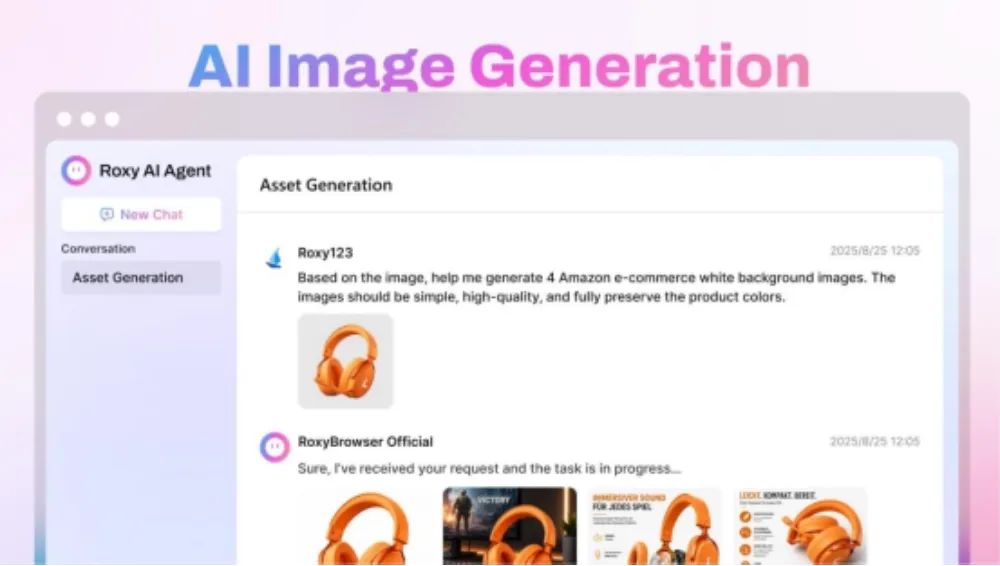
- Feature Highlights: The Roxy AI Agent has officially launched its AI image generation feature. Simply input text prompts to rapidly generate the high-quality image assets you need.
- Business Value: Streamlines your asset acquisition process, fully empowering both content creation and daily operational work.
- Use Case: Need e-commerce product images, social media graphics, or ad creatives? Generate them in bulk with a single prompt. Say goodbye to expensive outsourcing and endless stock photo searches.
4. Seamless Team Collaboration: Optimized Workspace UI with Clearer Hierarchies
- Feature Highlights: The client’s UI interaction structure has been revamped, migrating the Workspace module to the top-right corner of the interface. Built on a flexible, tiered permission system designed for teams of 100+, team collaboration has never been smoother.
- Business Value: The optimized layout makes the functional hierarchy much more intuitive, significantly improving the fluidity and user experience of switching between multiple workspaces.
- Use Case: Frequently jumping between different project or team spaces? The new placement perfectly aligns with natural visual tracking, reducing your navigation time.
5. Ecosystem Expansion: Exclusive Referral Codes & Rewards System
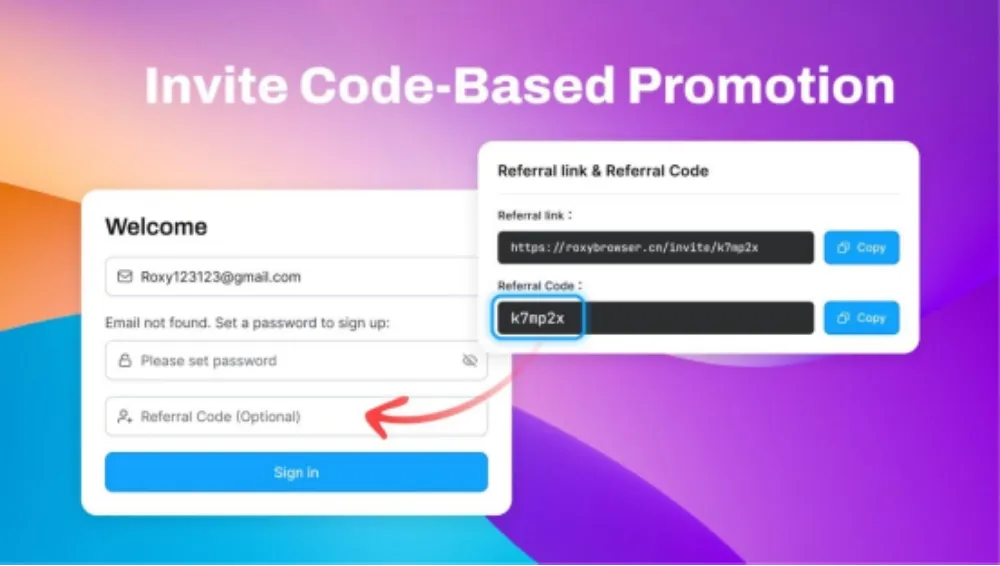
- Feature Highlights: RoxyBrowser has officially launched its exclusive referral code registration and reward mechanism.
- Business Value: Share your unique referral code to earn promotional rewards, expand your network, and accelerate your team’s growth and scale.
- Use Case: Invite new users to register and activate their accounts, and both parties will receive platform rewards. Head over to your Personal Center for full details.
Upgrade Guide
- Existing Users: Open RoxyBrowser → Click “Update” in the top right corner → Upgrade to v3.8.7 with just one click.
- New Users: Head over to our official website to download the latest v3.8.7 client. Be sure to enter a referral code during registration to claim your exclusive bonus!


