
RoxyBrowser V3.8.8 is now officially available. This update covers five areas: dual-engine expansion, AI automation, Cookie compatibility optimization, proxy visualization, and manual line switching. The two headline additions are native Firefox engine support and the launch of the Roxy AI Agent Skills Marketplace, extending the product’s capabilities across account security, operational efficiency, and ease of use for multi-account operators running cross-border platforms.
What’s New in V3.8.8
1. Dual-Engine Support: Chrome + Firefox

V3.8.8 adds native Firefox engine support alongside the existing Chrome engine, completing a dual-engine product layout. Because Chrome and Firefox have entirely independent rendering logic, WebGL, Canvas, and JavaScript execution architectures, the browser fingerprints they generate share no underlying commonalities — giving users a more diverse fingerprint environment at the engine level.
In practice, Chrome remains a solid default for standard store accounts and ad accounts where web compatibility and stability matter most. For new accounts or social media sub-accounts where stricter risk control applies, users can switch to the Firefox engine with one click. Firefox’s built-in Enhanced Tracking Protection (ETP) blocks third-party tracking and fingerprint collection at a foundational level, and some platforms have a native preference for Firefox-based access. This can help reduce the risk of bans during account registration and warm-up, and gives operators more flexibility in how they structure their account environments.
2. Full-Cycle Automation: Roxy AI Agent Skills Marketplace
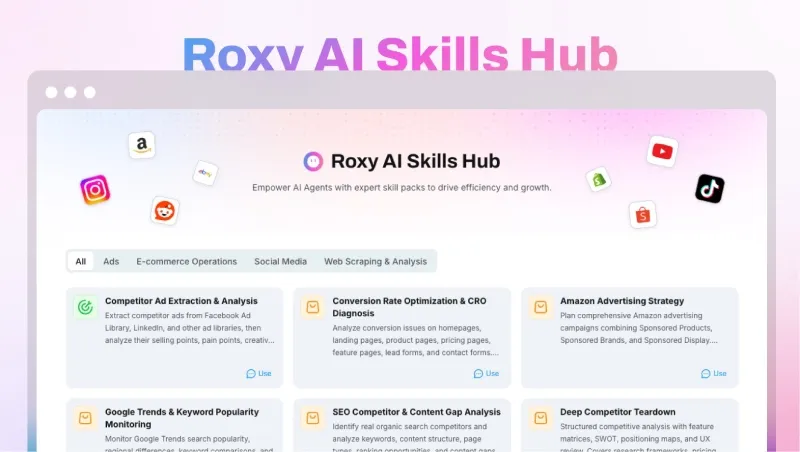
AI natural language control has been a core differentiator for RoxyBrowser. V3.8.8 takes this further with the launch of the Skills Marketplace, moving AI automation from basic operations into broader commercial use cases. It is one of the more substantial AI tool ecosystem efforts currently available in the anti-detect browser space.
Skills available in the marketplace are ready to use immediately with no additional script setup, powered by large language model capabilities:
- AI Competitor Analysis automatically collects competitor store pricing, listing frequency, ad strategies, and review data, then generates a structured analysis report to help operators track market movements.
- AI Product Selection Assistant evaluates market size, competition saturation, and estimated profit margins across global e-commerce data to help identify products worth pursuing, replacing manual category browsing.
- AI Content Generator batch-produces multilingual product listings, social media copy, and ad text to reduce the time spent on content creation.
Additional skills covering automated store inspection, smart review replies, and bulk logistics queries are in development, with more planned over time. In practice, operators can issue plain-language instructions to the AI Agent — for example, “Pull data on the top 10 competing products in the US market, filter for 3 lower-competition options, and generate English product descriptions” — and the Agent will coordinate multiple Skills to complete the task in sequence. Work that previously required 3–5 people in a day can, in many scenarios, be handled by a single operator using the platform.
3. Broader Cookie Format Compatibility
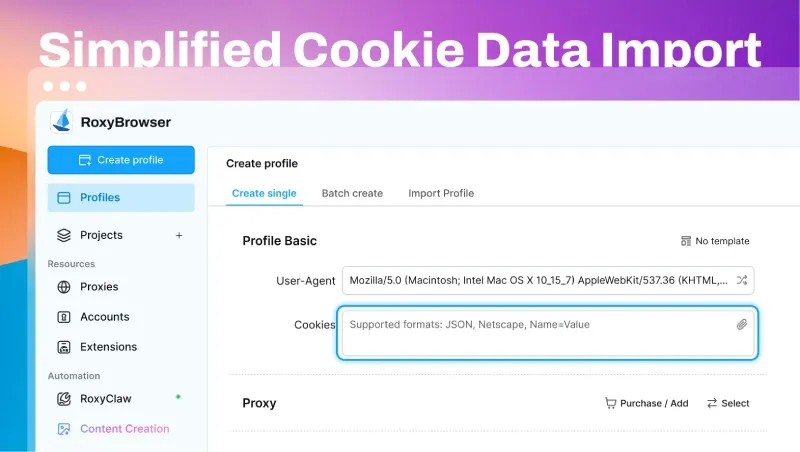
V3.8.8 expands Cookie import support to include both the name=value format and Netscape format. Cookies exported from third-party tools or other platforms can now be pasted directly without manual reformatting — the system converts them automatically to the required standard. This enables quick, passwordless account login and simplifies multi-account migration and handoffs by removing the format mismatch issues that commonly cause import failures.
4. Detailed Proxy IP Information Panel
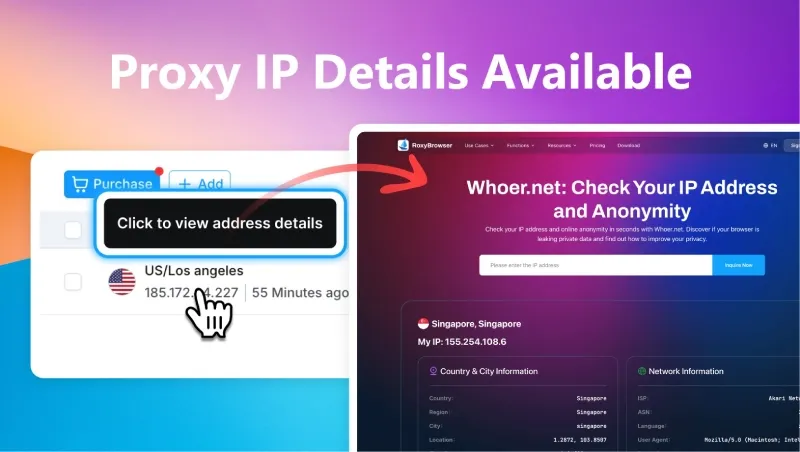
The proxy IP management interface now displays comprehensive information for each IP, including geolocation, ISP, real-time latency, anonymity level, and node status — all within the application itself. This removes the need to cross-reference external tools to assess proxy quality. Whether selecting static residential IPs in bulk or swapping in dynamic IPs on the fly, the relevant data is visible at a glance, making it easier to avoid low-quality IPs that could trigger account risk controls.
5. Manual Network Line Switching
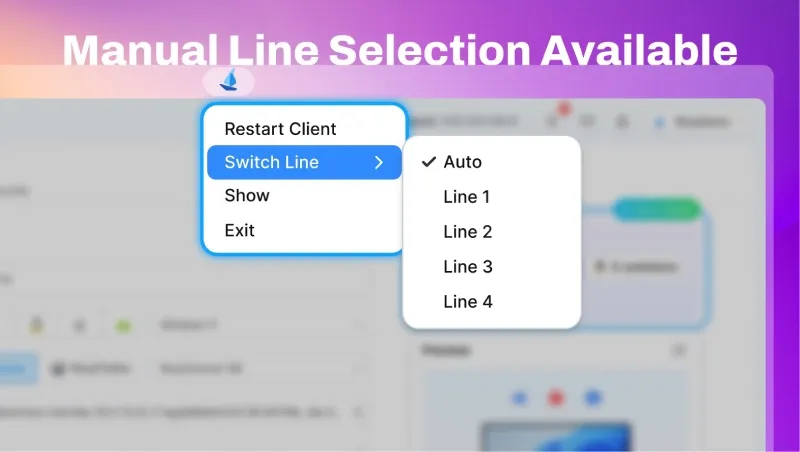
Cross-border operators frequently encounter network disruptions — local connection instability, temporary overseas node outages, or ISP congestion. Previously, the only option was to wait for the system to reconnect automatically, which could interrupt store operations, drop ad campaigns mid-run, or cause account login issues. V3.8.8 adds a manual line-switching feature in the client. When a connection degrades, users can select and switch to a backup line with one click, without closing active windows or interrupting running tasks. This is particularly useful for remote workers, multi-network cross-border setups, and operators in areas with less reliable connectivity.
Closing
V3.8.8 delivers meaningful improvements across security, automation, and day-to-day usability. Firefox engine support adds a second independent fingerprint environment. The Skills Marketplace brings ready-to-use AI automation tools to a wider range of operational workflows. Cookie format improvements, expanded proxy visibility, and manual line switching address practical friction points in multi-account management at scale.
RoxyBrowser continues to serve operators across cross-border e-commerce, overseas social media, and multi-account matrix use cases. The team plans to continue expanding the Skills ecosystem and refining core features based on real-world operator needs. V3.8.8 is available now as a free upgrade — download it to try the new dual-engine setup and AI automation features firsthand.


