
Fees, limits, and tax thresholds follow Venmo’s current terms and change often — confirm every figure against the official sources linked below.
A freelancer wants to keep client payments separate from rent money. An agency runs three brands and needs a clean ledger for each. A couple shares one bank account but tracks spending on their own profiles.
They all land on the same question. But on Venmo the answer carries more weight: Venmo holds real money, so getting your multi-account setup wrong doesn’t just deactivate a profile — it freezes funds and triggers a manual review that can run for weeks.
TL;DR
-
The Core Constraint: It’s not your phone number or email — it’s your verified identity. Under Venmo’s User Agreement, you can only hold one personal account tied to your SSN or Taxpayer ID.
-
3 Legitimate Setups:
- Personal + Business Profile: One login containing two distinct modes.
- Distinct Business Accounts: One account per business entity, not per use case. Each requires a unique EIN, phone number, and email.
- Shared Joint Account: Two separate individuals linking the same joint bank account to their respective personal profiles.
-
Risk & Detection: Venmo links accounts via device fingerprinting, IP correlation, and behavioral signals. Operating multiple compliant accounts safely requires strict isolation using dedicated browser environments and unique proxies.
1. Quick Answer: Can You Have Multiple Venmo Accounts?
Venmo allows one personal account per person. It may offer one business profile attached to that personal account. Separate business accounts are allowed only when each represents a distinct, real business with its own phone number, email, and tax ID. A second personal account under the same identity is always prohibited.
Here’s how that breaks down across the exact questions people search:
| Question | Answer |
|---|---|
| Can you have multiple Venmo accounts? | One personal account + one business profile is allowed; two personal accounts are prohibited |
| Can you have multiple Venmo accounts with one phone number? | Personal + business profile: yes (shared number). Two standalone accounts: no |
| Can you have multiple business Venmo accounts? | Yes — only if each is a genuinely separate business that can pass verification |
| Can I create multiple Venmo accounts? | Only in the scenarios above; a second personal account violates the User Agreement |
The short version rarely settles it, because the rules hinge on a distinction most people miss — the difference between an account and a profile. The next sections unpack it.
2. Venmo’s Official Rules: What the Policy Actually Says
2.1 The One Personal Account Rule
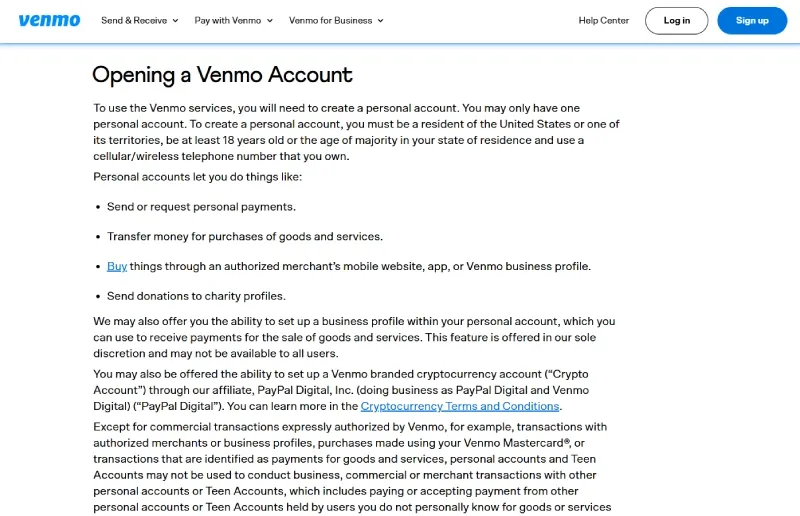
Venmo’s User Agreement is direct: a user may create a personal account, and may have only one personal account. Uniqueness is tied to a single verified identity — your Social Security Number or taxpayer identification number — not just your phone or email. That’s the anchor. You can change your number, your email, even your device, and verification still resolves to the same person.
Violating the rule isn’t a soft warning. When Venmo links a second personal account to an identity that already has one, accounts can be limited or suspended, funds held pending review, and a permanent ban can follow. The system flags the identity match, so people who assume they’ll get a heads-up before any action often find out otherwise.
2.2 Phone Numbers, Emails, and What Actually Matters
Each standalone account — personal or business — needs its own unique U.S. phone number and email. Venmo also requires a personal account holder to use a cellular or wireless number they own. That part is straightforward.
The nuance is the business profile. A business profile added to an existing personal account does not need a separate phone number; it inherits the number already on the personal account. This single fact resolves most “can you have multiple Venmo accounts with one phone number” confusion: one phone number can carry a personal account and its attached business profile, but it cannot carry two genuinely separate accounts.
A word on VOIP numbers. Services like Google Voice or TextNow can technically pass initial registration, but they carry reverification risk. Venmo can trigger an SMS re-confirmation at any time, and a VOIP number that fails the check can lock you out of an account holding a live balance. For an account you actually rely on, a carrier-issued number is the safer choice.
2.3 Verification Is the Real Gate
Venmo says a personal account or sole-proprietor business profile may require your name, physical address, date of birth, and SSN or taxpayer ID. Other business entities may need a business name, business address, TIN, and proof the business exists. This is why the real issue is identity and business legitimacy, not an email address — and why “just use a different email” never works as a workaround.
2.4 The Joint Bank Account Exception
Two separate people — partners or spouses — can each hold their own Venmo account linked to the same joint bank account. This is allowed and common. When the second person links the shared account, Venmo sends a security notification to the first. That notification is expected behavior, not a red flag; it’s the system confirming a shared funding source between two distinct identities. The condition that keeps it compliant: each person still needs their own independent identity, phone number, and email. The bank link is shared; the accounts are not.
3. The Three Legitimate Multi-Account Paths
There are exactly three setups Venmo supports. If your situation fits one of them, you’re operating within the rules.
3.1 Path A — Personal Account + Business Profile (Most Common)
One login, two modes. You switch between your personal account and your business profile from the Me tab dropdown.
- Requirements: an existing personal account, a separate business email, a U.S. address, and an EIN or your SSN/ITIN
- Limit: one business profile per personal account
- Naming: the business profile can use a DBA or brand name; the personal account must stay under your legal name
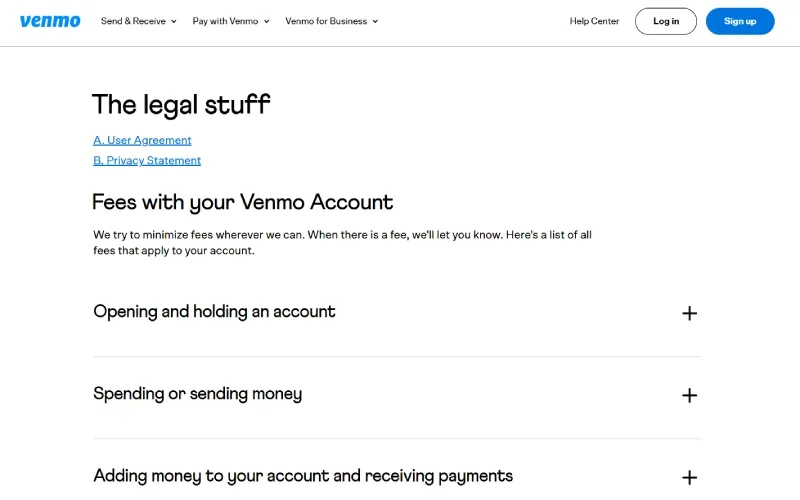
- Fees: per Venmo’s fee page, receiving payments in a business profile is 1.9% + $0.10 per payment (or 2.29% + $0.09 for Tap to Pay)
Best for freelancers, solopreneurs, and side-hustlers running a single primary business. If you’ve been wondering “can I create multiple Venmo accounts” purely to separate work income from personal payments, this path covers it without a second account at all.
3.2 Path B — Separate Business Accounts (Multi-Entity Operators)
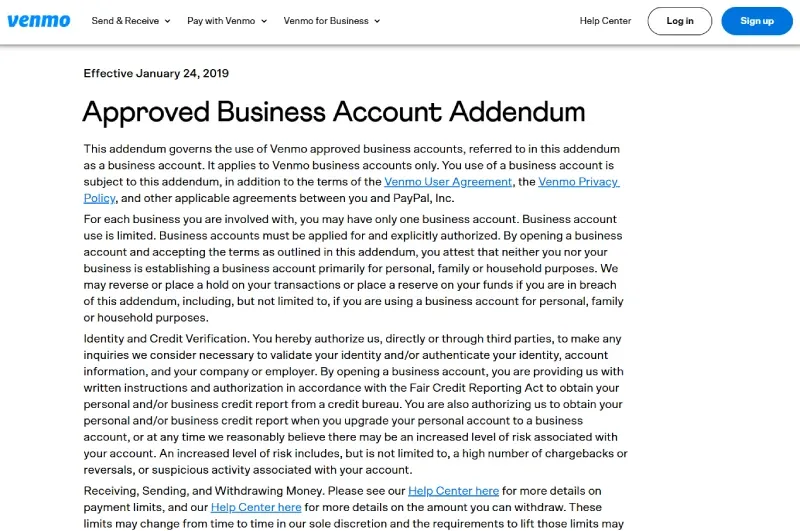
Venmo’s Business Account Addendum sets the rule: one business account for each business. So you can hold a separate account for each business you genuinely operate — but the logic is business-based, not convenience-based.
- Each account requires its own unique phone number, email, and identity/tax verification
- No shared credentials or payment methods across accounts
- This is the only compliant way to answer “can you have multiple business Venmo accounts” with more than one standalone account
A simple test: a freelancer with one sole proprietorship who wants three business accounts for three client categories has no policy basis — that’s one business split into duplicates. An operator running one consulting LLC and one separate retail business — separate records, separate tax treatment, separate operations — has a defensible structure.
Best for agency owners managing separate LLCs and multi-brand e-commerce operators. The challenge here isn’t policy; it’s keeping each account’s environment cleanly isolated so Venmo never links them, which Section 8 addresses directly.
3.3 Path C — Two Individuals, One Joint Bank Account
Each person creates their own independent account, and both link the same joint bank account. The security notification on the second link is normal. Shared funding methods can exist in practice, but they do not create permission for one person to open duplicate personal accounts — treat a shared bank account as a funding detail, not an account rule. Best for couples or household members who share money but want separate transaction histories.
What’s never allowed: a second personal account under the same identity — regardless of a different phone number, email, or device.
4. Why the Real Question Is Identity, Not the Phone Number
Most articles that rank for this topic get one thing wrong, and it’s the exact thing the “with one phone number” searcher is really asking about.
4.1 A New Phone Number Won’t Unlock a Second Personal Account
Venmo anchors account uniqueness to SSN/ITIN identity verification, not to your phone number or email. Buy a fresh SIM, register a new Google Voice line, use a different email — none of it matters. When you complete verification, it resolves to the same identity, and the system flags the duplicate. The phone number is a contact field; the identity is the key.
4.2 Personal Account + Business Profile ≠ Two Separate Logins
The business profile shares one identity and one login with your personal account. It’s a second mode, not a second account. That’s precisely why it can reuse the same phone number, while a genuinely separate account cannot. Once you internalize this, the rest of Venmo’s rules stop feeling arbitrary — and transferring money between your own personal account and business profile is treated as a standard transaction, because it’s one identity moving its own funds.
4.3 What Can Be Reused vs. What Must Be Independent
- Can share (personal + business profile): identity, login, phone number
- Must be independent (separate accounts): identity/EIN, phone number, email, and ideally device, IP address, and funding source
4.4 One Account on Many Devices ✅ vs. Many Accounts on One Device ❌
Logging into a single account from several phones is fully allowed — your account follows you across phone, tablet, and laptop without any flag. Switching between different accounts on one device is what triggers risk review. These two situations feel similar and are treated completely differently. Keeping them straight resolves most “am I breaking the rules?” anxiety on its own.
5. Personal Account vs. Business Profile: Full Comparison
| Feature | Personal Account | Business Profile |
|---|---|---|
| Transaction fees | Free for standard bank/balance transfers | 1.9% + $0.10 per payment received (2.29% + $0.09 Tap to Pay) |
| Goods & services received | 2.99% seller fee when the sender marks it goods & services | Standard business-profile fee above |
| Weekly spending limit | $299.99 before identity verification | Up to $60,000/week verified (with a combined $7,000 weekly limit on certain purchase categories) |
| Tax reporting (1099-K) | Generally not applicable to personal P2P | Applies above the federal reporting threshold |
| Accepts goods/services as a business | Prohibited as a sales channel (ToS violation) | This is the compliant channel |
| QR codes, tipping, exports | No | Yes |
| Transaction visibility | Public by default | Separate history |
| Account name | Legal name only | DBA / brand name allowed |
Fees, limits, and the 1099-K threshold change. Verify the spending limits and fees against Venmo’s payment limits and fee page, and confirm the current 1099-K reporting threshold against the IRS Form 1099-K guidance before relying on any number here.
One line in this table is a common trap: using a personal account to accept goods-and-services payments as a business is itself a Terms of Service issue, separate from the multi-account question. If you’re selling, the business profile isn’t optional — it’s the compliant channel.
6. How Venmo Detects Multiple Accounts — and What Actually Triggers Action

Venmo doesn’t publish its full fraud-scoring model — payment platforms almost never do. But the published rules, verification requirements, and consequences are enough to understand the direction of travel: risk systems score device and network consistency together, not any single signal. Understanding this is what separates operators who run compliant accounts for years from those who lose a balance in week one.
6.1 Device Fingerprinting
Risk systems build a composite device signature from your browser and app version, operating system, screen resolution, WebGL renderer, Canvas fingerprint, installed fonts, and audio context. This digital fingerprint persists across logouts and reinstalls.
Two things people get wrong: incognito mode does nothing to it, and a standard VPN doesn’t change it either — a VPN only masks your IP, while the fingerprint comes from the hardware and software layer.
The Canvas fingerprint alone is generated from pixel-hash differences in how your specific GPU renders a hidden graphic — MDN’s documentation on toDataURL() for canvas output and RTCPeerConnection in WebRTC shows why browser surfaces leak stable signals even when you think you’re “just using a different tab.”
6.2 IP Address Correlation
Multiple accounts signing in from the same IP address — even at different times of day — is a primary trigger. A shared home or office network quietly links every account that touches it. This is how family members or coworkers with separate, legitimate accounts sometimes get caught in a correlation net they never knew existed. A geolocation mismatch (a New York IP paired with a London timezone) pushes the risk score higher still.
6.3 Behavioral Signals
- Rapid account switching on the same device
- Overlapping contact lists or repeated payment counterparties across accounts
- Identical transaction-timing patterns (the same accounts active in the same five-minute window daily)
- The same funding source — a card or bank account — appearing on multiple accounts
6.4 Real Consequences
- Account limitation or suspension: a temporary hold while the case is reviewed
- Permanent ban: both accounts closed, with a limited appeal path
- Frozen funds: holds commonly run several weeks, and recovery is not guaranteed
- Bank impact: linked bank accounts can be flagged to the financial institution, which may scrutinize the relationship on their end
A concrete failure mode: an operator buys a cheap “residential” proxy to separate two business accounts, but the proxy’s underlying ASN still resolves to a datacenter range. Venmo reads the datacenter ASN as a strong automation signal, links it to the second account’s first transaction, and freezes both balances pending a review that outlasts the operator’s payroll cycle. The proxy was the weak link, not the accounts.
7. Setting Up Multiple Venmo Accounts: Step-by-Step
7.1 Adding a Business Profile to Your Personal Account
- Open the Venmo app → Me tab → Settings gear → Create a Business Profile
- Select your entity type: individual (sole proprietor) or registered business entity
- Enter the business name, registered address, business email, and EIN or SSN/ITIN
- Complete identity verification — Venmo may request a document upload
- Switch between profiles anytime from the name dropdown in the Me tab
7.2 Creating a Separate Business Account (Distinct Legal Entity)
Before you start — required per account:
- [ ] A unique U.S. phone number not used on any existing Venmo account
- [ ] A unique email address
- [ ] A separate EIN for the specific legal entity
- [ ] A distinct registered business address
Setup: Register each separate account from an isolated browser environment or a separate physical device (see Section 8) so Venmo can’t link them during sign-up. The most common mistake here is registering two accounts back-to-back in the same browser session — the shared fingerprint links them before either is even funded. Complete full identity verification for each account independently.
7.3 Linking a Shared Bank Account (Two-Person Setup)
- Person A sets up their Venmo account and links the joint bank account normally
- Person B creates their own independent account and links the same joint account
- Person B receives a security notification — confirm it to complete the link
- Both accounts stay fully independent; only the bank link is shared
8. Common Mistakes That Get Accounts Banned
| Mistake | Why It’s Risky | What to Do Instead |
|---|---|---|
| Creating a second personal account | Direct ToS violation; both accounts can be frozen | Use the business profile path |
| Logging into two accounts on one device | Device fingerprint collision links them | Use isolated browser profiles |
| Sharing a proxy across two accounts | IP correlation flags both | One dedicated proxy per account |
| Using the same card across separate accounts | Funding-source linkage | Separate payment methods per account |
| Using a personal account for business sales | Flags unusual commercial activity | Switch to a business profile for all sales |
| Ignoring the 1099-K threshold | Tax non-compliance risk | Track all business-account income |
9. Safe Management of Legitimate Multi-Account Operations
This section is for operators on Path B — people running genuinely separate, compliant accounts who need each one to stay unlinked. Everything here assumes your accounts are legitimate; the goal is preventing accidental correlation, not evading the one-personal-account rule.
9.1 Why One Device Is Not Enough at Scale
A single phone safely holds one active Venmo session. Log out and into a different account, and you leave LocalStorage and IndexedDB traces the risk system reads as suspicious switching behavior. The brute-force fix — one physical phone per account — works in theory but collapses in practice: it’s expensive, it doesn’t scale, and managing the cables, chargers, and SIMs becomes unworkable past three or four accounts.
9.2 The Professional Solution: Antidetect Browsers
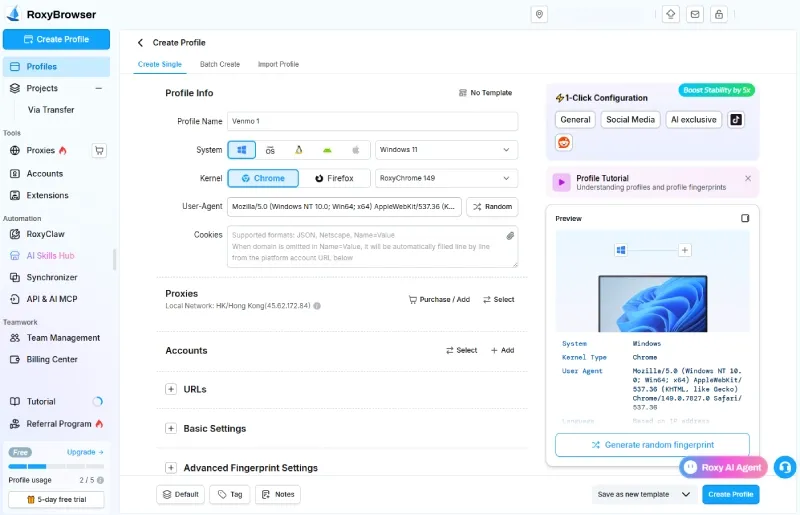
An antidetect browser creates fully isolated browser profiles, each with its own unique device fingerprint, cookies, local storage, and network identity. To Venmo’s detection systems, each profile presents as a completely distinct physical device, no matter what hardware actually runs it. This is profile isolation at the browser-core level rather than a surface-level user-agent swap.
This is where tool quality matters, because weak isolation is worse than none — it produces a fingerprint that looks almost real and fails consistency checks. A few reasons RoxyBrowser fits the payment-account use case specifically:
- Genuine fingerprint depth, not UA spoofing. RoxyBrowser customizes 210+ parameters at the browser core — Canvas, audio context, WebGL, and mobile-specific traits like battery and Bluetooth — so each environment reads as an independent real device and holds up against detectors like Pixelscan. That depth is what keeps separate business accounts from collapsing into one fingerprint.
- Hard cookie and session isolation. No bleed between profiles, which is exactly the cross-account contamination Venmo’s behavioral signals look for.
- Built-in residential proxies. Rather than sourcing proxies separately, you can assign clean residential proxy IPs from a self-operated pool of 90M+ nodes across 200+ countries, then bind one per profile so it stays locked to that account.
- Team collaboration without credential sharing. For agencies, RoxyBrowser supports granular sub-account permissions, one-second environment-template sync, and per-user action logs — so a team can manage multiple accounts collaboratively while keeping passwords and environments compartmentalized.
For operators running larger matrices, RoxyBrowser is also the first anti-association platform to build in a real AI Agent: instead of writing RPA scripts, you can direct concurrent actions across 100+ browser windows with a plain-language instruction, with MCP protocol and custom Skills support for connecting your existing toolchain. That matters less for three Venmo accounts and a lot for a payment-and-social matrix in the hundreds. None of this overrides Venmo’s one-personal-account rule — it’s operational hygiene for accounts that are already compliant.
9.3 Proxy Configuration for Multi-Account Venmo
- Proxy priority: static residential > rotating residential > mobile. Avoid datacenter proxies — payment platforms flag their ASN almost instantly
- Match each proxy’s geographic location to the account’s registered address
- One dedicated proxy per account; never share a proxy across two Venmo accounts. If you need to change your IP address, do it per profile, not globally
- Keep the proxy stable across sessions — location jumps trigger risk reviews on their own
9.4 Operational Security Checklist
- [ ] Each account has its own isolated browser profile
- [ ] Each profile has one dedicated residential proxy, location-matched to the account’s registration
- [ ] Separate email addresses per account
- [ ] Separate phone numbers for any accounts that require independent verification
- [ ] No shared cards or bank accounts across accounts that must stay unlinked
- [ ] Consistent login timing — avoid unusual hours or sudden new locations
- [ ] New accounts warmed up gradually: keep the first 1–2 weeks low and routine (small, normal transfers) rather than moving large sums on day one
Conclusion
Venmo gives you three legitimate paths for multiple Venmo accounts: a personal account paired with a business profile (one login, two modes), fully separate accounts for genuinely distinct businesses, and two individuals sharing a joint bank account. What it never allows is a second personal account under the same identity, no matter how many phone numbers or emails you bring to it.
The risk here isn’t abstract. Venmo holds real money, and a ban means a frozen balance and a multi-week review, not just a lost profile. Build your setup inside the rules from day one. For teams and operators running several legitimate accounts, an isolated environment per account — distinct fingerprint, dedicated proxy, clean session — is what makes compliant multi-account work hold up at scale. Start for free and set up your first isolated profile in minutes.
And if your operation has genuinely outgrown Venmo’s structure — U.S.-only coverage, one business profile per account, or the weekly business caps — treat that as your cue to evaluate PayPal Business or Stripe, not a reason to bend Venmo’s identity rules.


