
Digital marketers, community managers, and affiliates not only rely on Telegram as an excellent cloud-based messaging app, but they also need to run multiple Telegram accounts simultaneously to scale their business.
Can You Have Multiple Telegram Accounts on One Device
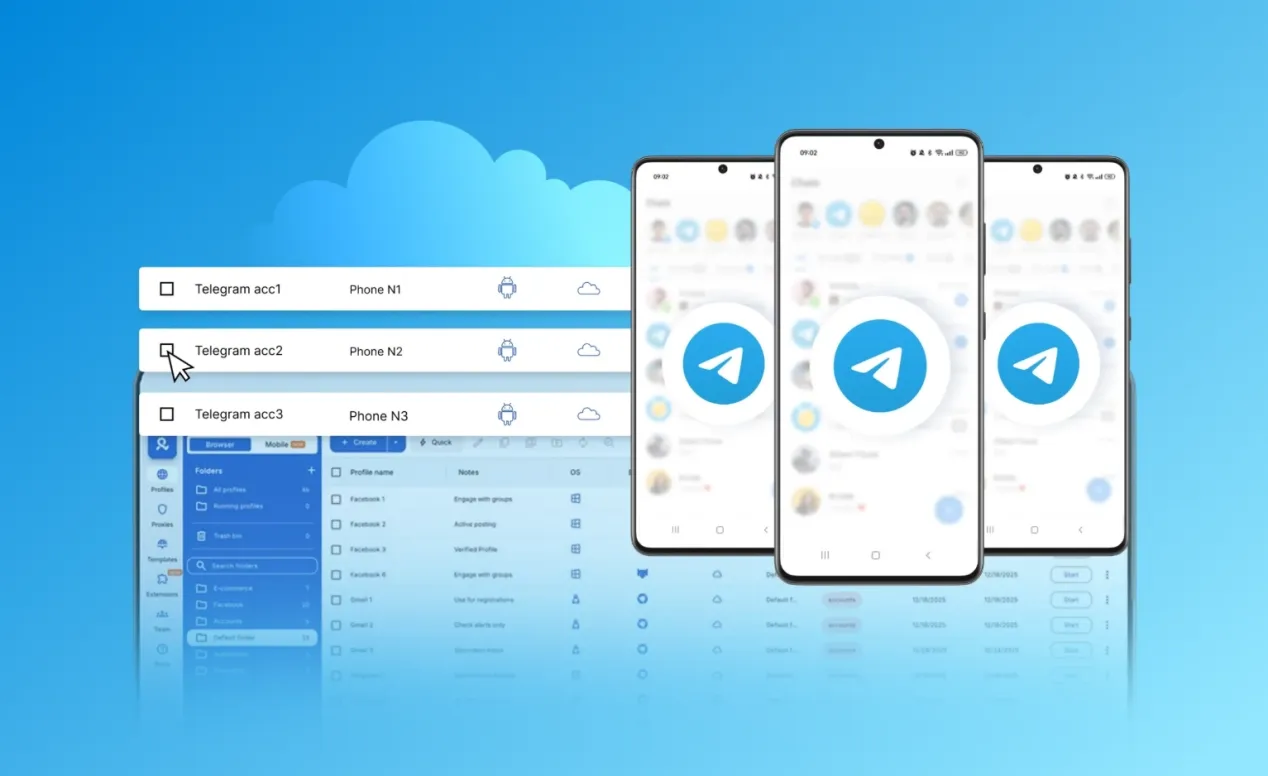
Yes, the official application allows users to manage multiple accounts on the same smartphone or computer. Standard users can add up to three accounts, each registered with a unique phone number.For users who need slightly more capacity, the platform recently updated its rules: Telegram Premium subscribers can now add a fourth account to any official desktop or mobile app. (as outlined on the official Telegram blog)
However, for professional marketing teams and digital agencies, this basic 3- or 4-account limit falls significantly short. Scaling business operations often requires managing dozens or even hundreds of profiles concurrently. The official device limitations quickly become a major bottleneck for any serious matrix marketing strategy.
How to Run Multiple Telegram Accounts on One Device
Adding extra profiles within the official Telegram app is quite easy. On a desktop, click the top-left menu, hit “Add Account,” and verify a new phone number. Mobile users can do the exact same thing by tapping their profile name in the settings menu.
Once added, users must manually switch back and forth using that same menu. This constant toggling wastes valuable working hours and ruins productivity. Furthermore, the app only highlights notifications for the currently active profile.
This means missing important client messages on other accounts is almost guaranteed. Juggling all these profiles in a single interface also leads to embarrassing human errors, like sending a personal meme to a VIP business client.
While this is the official method, it creates massive workflow problems. Only one account is visible on the screen at a time. This constant manual switching wastes valuable time and drastically slows down client response rates.
Another major issue is how the app handles alerts. Telegram mainly shows notifications for the currently active profile. Because of this setup, missing important messages on the other hidden accounts is almost guaranteed.
Also, managing different profiles in the exact same interface increases the risk of human error. It is dangerously easy to select the wrong profile and accidentally send a professional marketing broadcast to a personal contact.
The Hidden Risk: Device Fingerprinting and Account Bans

The biggest danger of standard account switching is the threat of mass bans. When multiple profiles run on one physical device, they share the exact same digital fingerprint. Platforms track hardware details, Canvas/WebGL setups, and browser data, not just IP addresses.
Even if different proxy IPs are used, the core device fingerprint remains identical. This acts like a giant digital beacon, tying all those valuable marketing accounts directly together.
If just one profile gets flagged for aggressive marketing, the security system sees the connection instantly. This triggers a chain reaction, permanently banning every single account logged into that device. Relying on official apps or simple app cloners is a fast way to lose all marketing assets overnight.
Scale Telegram marketing safely with RoxyBrowser.
RoxyBrowser modifies the core engine to mask over 200 parameters and uses 50 million built-in proxies to turn every profile into an isolated, real device. This kernel-level isolation defeats aggressive risk-control networks, ensuring a 99.9% account survival rate without mass bans. Now, I will show you exactly how to manage multiple Telegram accounts using RoxyBrowser to boost your business growth.
Step 1: Batch Create Your Isolated Profiles
Download and install RoxyBrowser from the official website. Open the main dashboard and click the “Create profile” button.
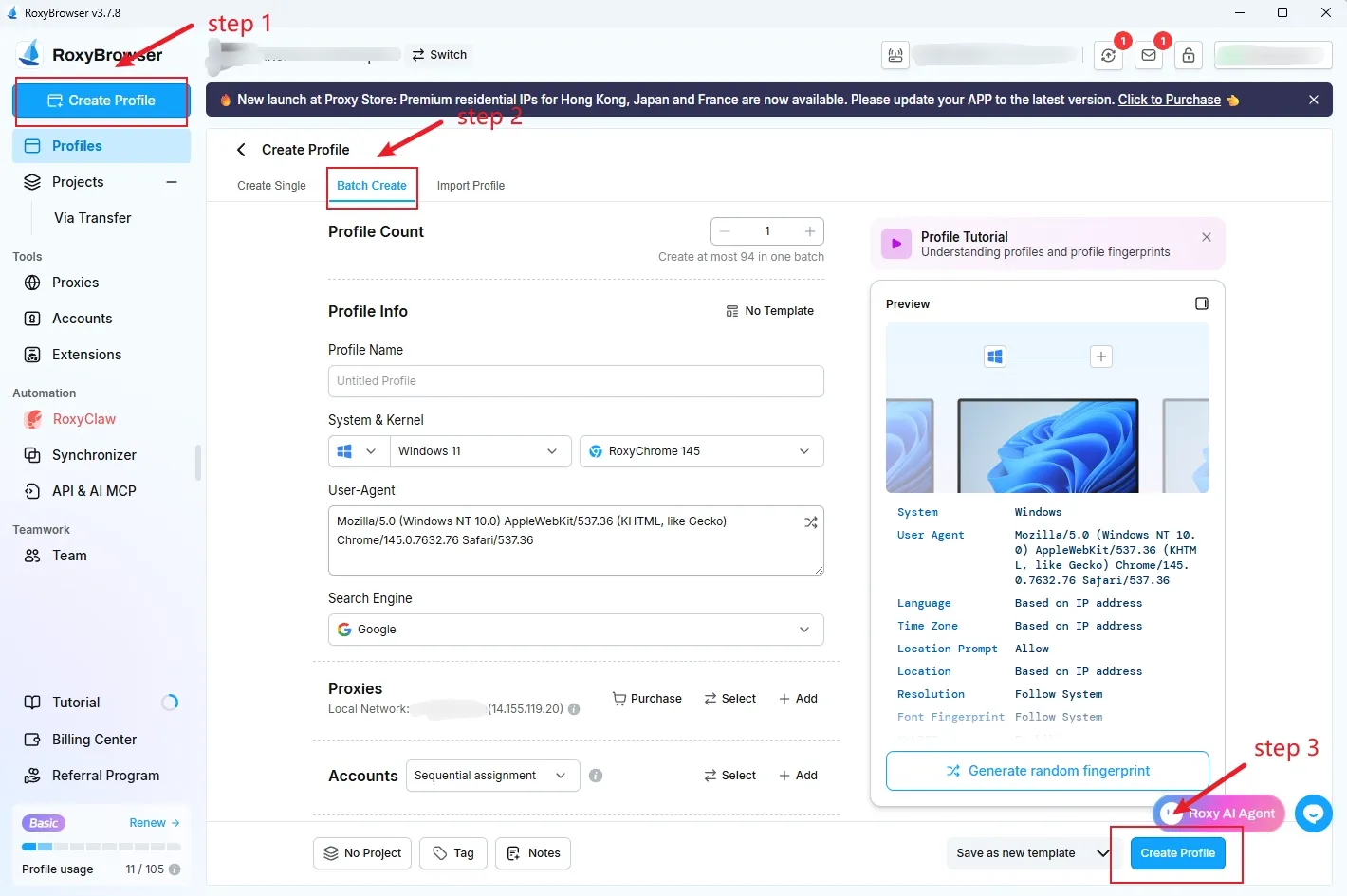
For scaling Telegram marketing, utilize the “Batch create” feature. This tool instantly generates dozens of independent, isolated browser environments to accommodate a growing Telegram account matrix with just one click.
Step 2: Bind Clean Residential Proxies
Within the creation tab, configure the network settings for each specific profile. Users can easily input third-party proxy details manually if required.
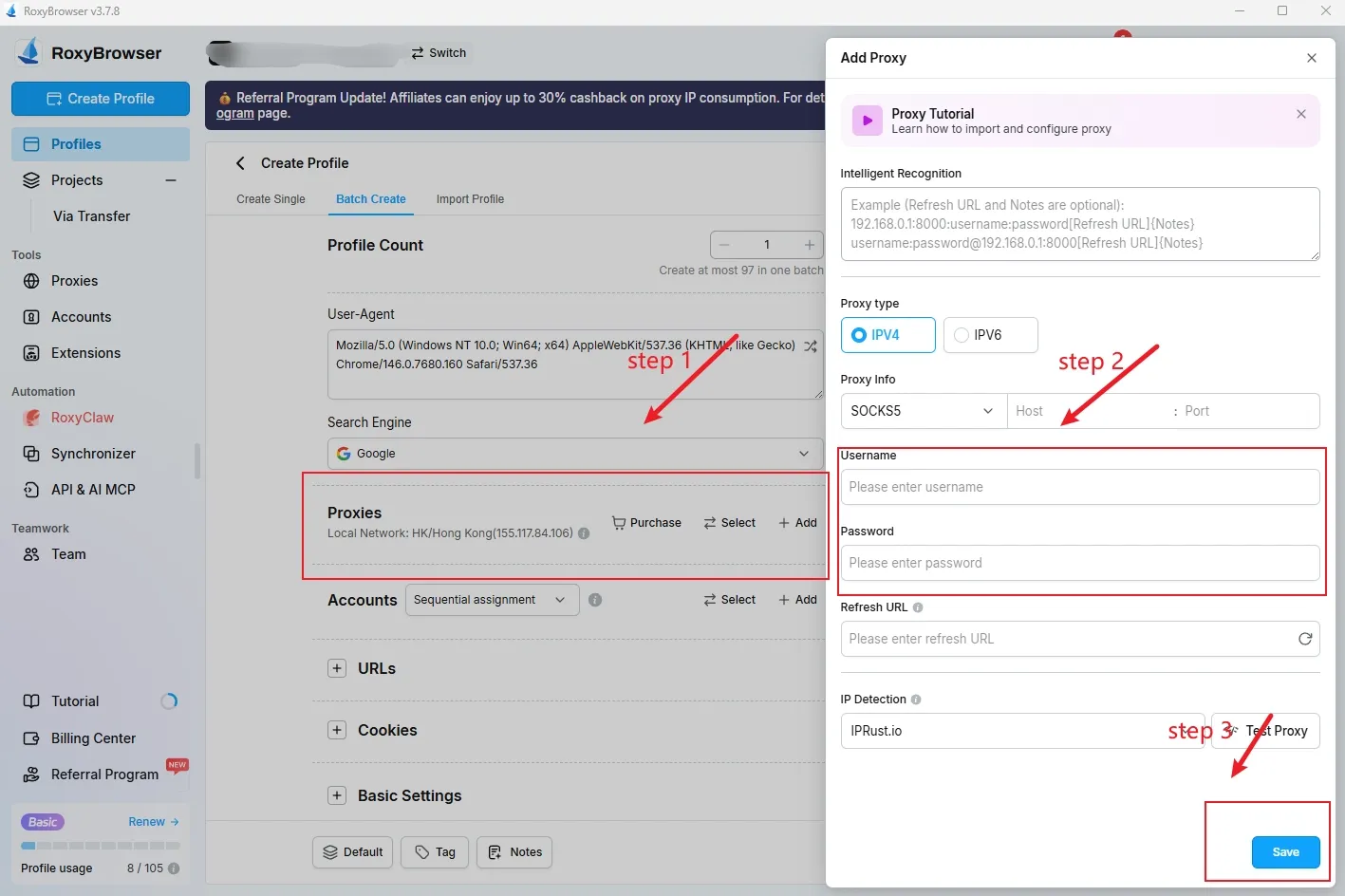
However, Telegram easily blocks poor data center IPs and shared network logins. To avoid mass bans, It is highly recommended that you use Roxy Browser’s built-in marketplace for pure residential IPs.Always follow a strict “one account, one IP” rule. Never switch locations randomly, like logging in from the US today and the UK tomorrow.
Choose Static Residential proxies for long-term, stable account management. For bulk tasks or automated scraping, Dynamic Residential proxies work best. Always select SOCKS5 or HTTPS network protocols for maximum connection security.
Combined with isolated browser fingerprints, these proxy strategies ensure every Telegram profile acts exactly like a real, independent device.
Step 3: Launch Profiles and Collaborate Seamlessly
Click to generate the environments, then hit “Open” next to each profile on the dashboard. This launches a dedicated, perfectly isolated browser window to log into Telegram Web.
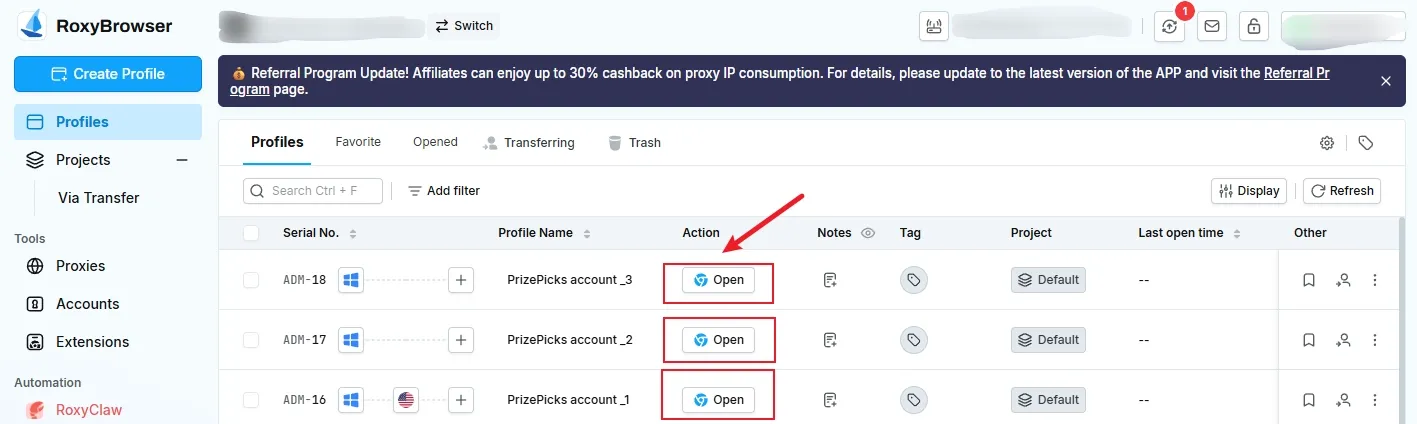
Teams can now manage multiple Telegram accounts simultaneously without any risk of cross-association. Furthermore, these active sessions can be securely synchronized and shared with remote team members. This eliminates the need for repeated SMS verifications and prevents suspicious new device login alerts.


