
If you want an anti detect browser that helps run multiple accounts at once, look no further than MoreLogin browser. As you will see in this comprehensive MoreLogin review, the browser combines features that lets you keep your browser environment separate and lets your team work together and gives you access to APIs and a cloud phone all in one place. The intent of MoreLogin is very clear that it’s not designed just for simple multi-accounting, but to meet more complex and intricate scenarios of matrix operations as well.
What is MoreLogin?
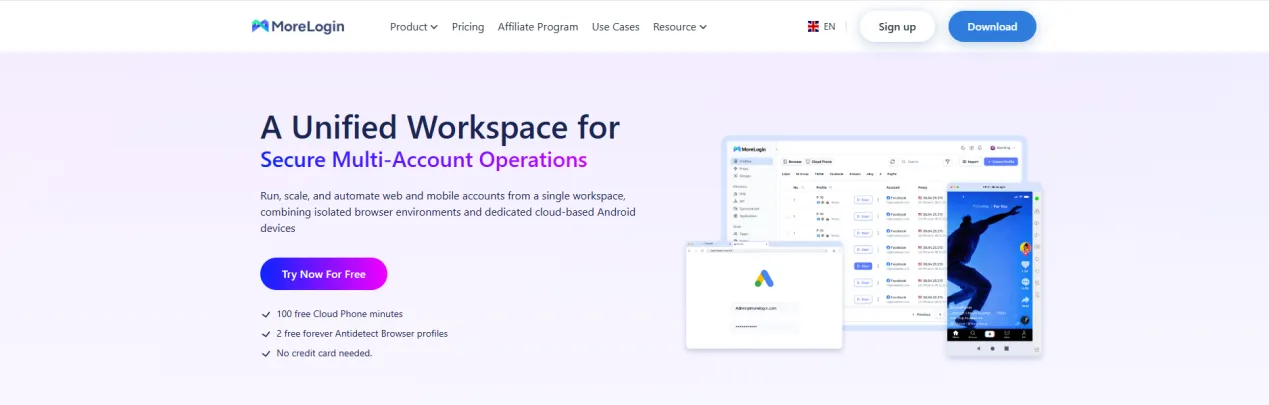
At its foundation, MoreLogin operates as a tool for managing multiple accounts. Instead of having the user browse traditionally, the basic logic of MoreLogin provides an isolated browser, or multiple browsers, per account.
Who is MoreLogin suitable for? Who is it not suitable for?
If your team is currently conducting large-scale account-related tasks through both web logins and TikTok, short videos, mobile social media applications and Android-based platforms, then the value of MoreLogin is quite apparent. The Cloud Phone element of MoreLogin is relatively complementary to situations where a pure browser based solution would be difficult to utilise.
Therefore, it would be appropriate for most of the following types of users:
Cross-border Teams that must handle many accounts concurrently.
Businesses that need simultaneous accesss to both the desktop and mobile web.
Teams of technical personnel who can use APIs and are prepared to automate.
MoreLogin can also benefit business users who require the ability to work together with multiple people on one account. They need to be able to handoff accounts to other team members, and manage permissions on the account(s).
If your only need is light-weight web-based multi-accounting and/or your team does not have technical skills (e.g., to use proxies and manage fingerprints, debug environment variables), MoreLogin will likely not be the easiest solution for you. MoreLogin is not very “user friendly”, therefore, if you are in an Operations team or something similar and simply your hope is to download a product and start using it instantly, MoreLogin will have a steep learning curve.
Key Features and MoreLogin Usability
From a functional perspective, MoreLogin’s completeness is not low.
In the browser environment section, it supports creating independent profiles, allowing configurations for browser type, operating system, User-Agent, grouping, tags, and notes. It also allows access to advanced settings pages to adjust more fingerprint parameters. When creating a profile, you can configure account information, password protection, Cookie import, startup pages, and certain synchronization and encryption options.
Regarding automation, MoreLogin supports local API, and browser profiles can integrate with Selenium or Puppeteer after launch. If your team has development capabilities, it is not just a manual operation tool but can be incorporated into automated execution links.
Its most recognizable module remains the Cloud Phone. According to official help center data, this section is positioned as cloud-based real Android devices, supporting remote operations, batch management, geo-location, and time zone matching. It also supports per-minute or monthly billing. For users only doing web multi-accounting, this might not be a strict necessity; but for businesses needing App environments, this is the core differentiator between MoreLogin and many traditional antidetect browsers.
First Run Experience: Complex or Simple?
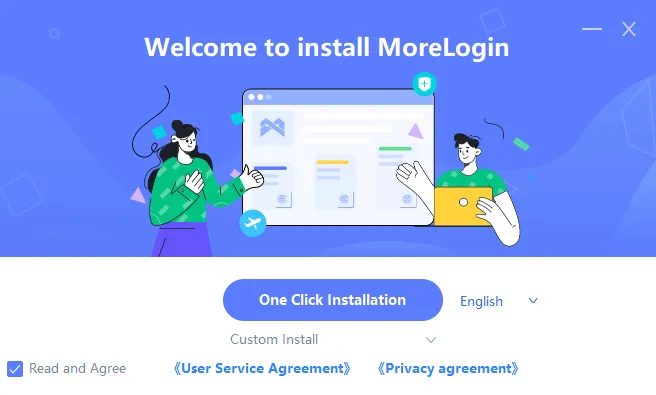
MoreLogin’s download, registration, and installation process itself is not complicated. According to official tutorials, users can register via email or Google authorization, and begin creating profiles after completing email verification. The system supports Windows 10 64-bit and above, as well as macOS 12.6.1 and above.
The real threshold appears when creating an environment for the first time. Because it provides many options, browser type, system, proxy, tags, grouping, account passwords, Cookies, and advanced fingerprint settings may all appear in the first round of configuration. For veteran users, this means high flexibility; for beginners, it means feeling overwhelmed by information upon first opening the interface.
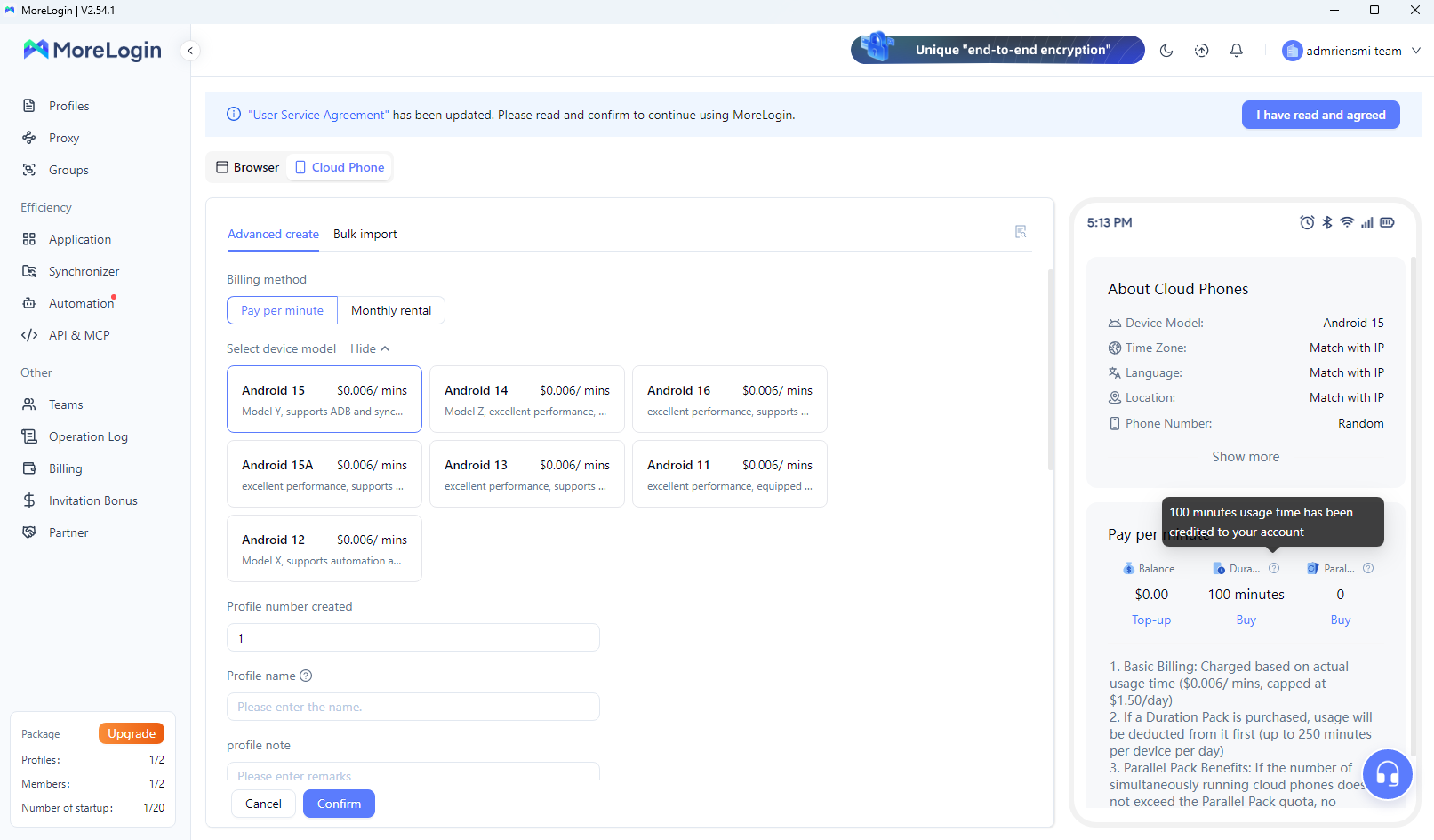
In other words, MoreLogin is not a minimalist product. It is more like a relatively complete operations backend. For teams already accustomed to profile, proxy, and permission logic, this is not an issue; but if you want members to get on board stably within minutes, its learning curve is indeed steep.
Proxy Configuration Experience: MoreLogin’s Key Shortcoming
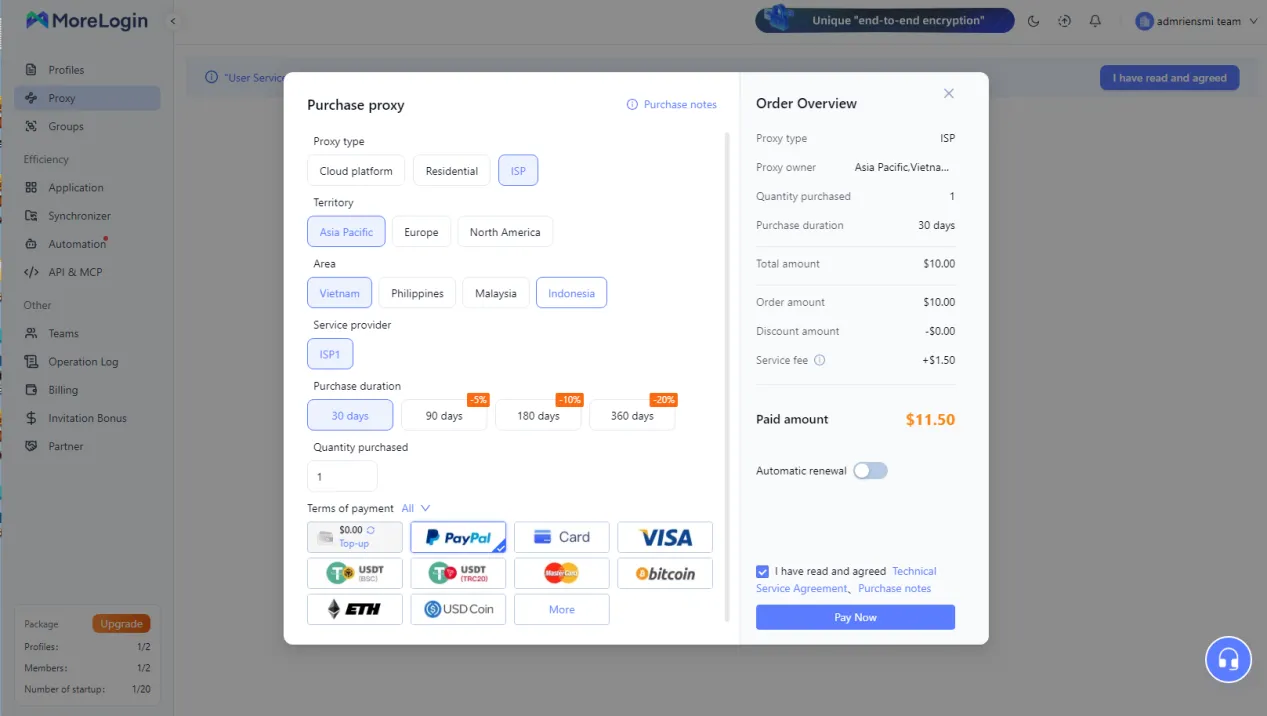
If choosing only one dimension to determine whether MoreLogin is suitable for long-term use, it would likely be proxies.
MoreLogin is not a typical closed-loop product with a built-in proxy pool. According to official tutorials, users can choose to use no proxy, use proxies purchased on the platform, or configure their own proxies. The platform itself explicitly supports external proxy integration. This means browser environment capability does not automatically equal “business readiness”; you still need to resolve issues regarding IP sourcing, purity, geo-location matching, node stability, and replacement maintenance yourself.
This is also the cost most easily underestimated by many teams. Purchasing third-party proxies is never a one-time action, but a continuous maintenance chain: finding providers, testing speeds, testing purity, troubleshooting DNS or regional conflicts, replacing invalid IPs, assigning nodes to different accounts, and ensuring team members correctly reuse this entire set of configurations.
Therefore, MoreLogin’s issue is not “cannot connect to proxies,” but “the proxy link has not been truly simplified.” For businesses with high-frequency account creation, batch operations, and multi-person collaboration, proxy management itself becomes a long-term cost.
Performance and Stability After Configuration
If you publish an official review later, it is recommended to supplement this section with your own CPU/RAM usage screenshots, multi-opening quantities, and actual test images from Iphey / Pixelscan. Looking purely at the product architecture, MoreLogin adopts a parallel dual-module logic of browser environments and Cloud Phone, making its feature hierarchy heavier than single-browser products.
The advantage of this architecture is broader scenario coverage, but the trade-off is usually a heavier client, more configuration items, and longer troubleshooting links. For users only performing lightweight web operations, its heavy-duty capabilities may not yield obvious benefits; but if you need to run multiple profiles, proxies, and automation scripts simultaneously, its stability depends not only on the browser itself but also on proxy quality, device resources, and team operational standards.
That is to say, MoreLogin’s upper limit is not low, but it demands higher organizational capabilities from its users.
How to View Third-Party Fingerprint Detection?
Many competitor articles use screenshots from Iphey.com and Pixelscan.net. These detection tools have some reference value but should not be mythologized.
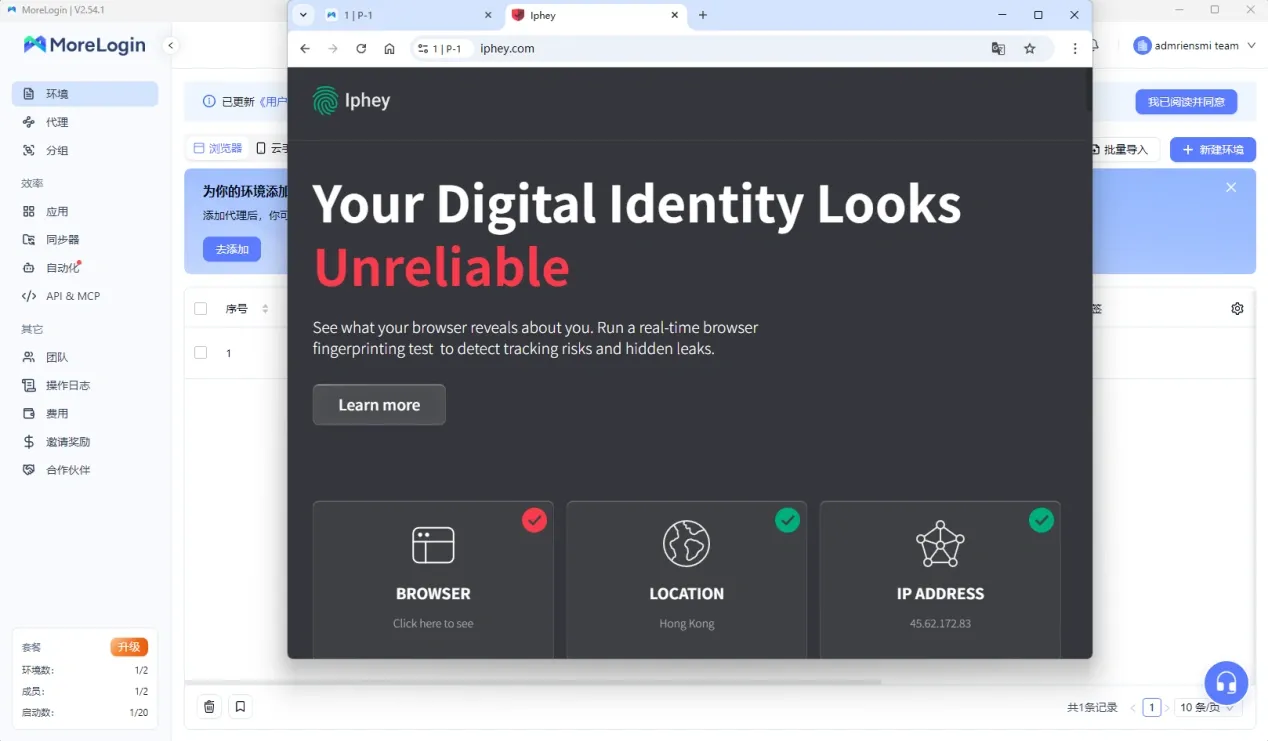
A more reliable way to judge is: if MoreLogin does not exhibit obvious geo-location conflicts, DNS leaks, WebRTC anomalies, or severe font/WebGL distortion on these sites, it indicates its basic environment disguise capability holds up; however, this does not mean your account is absolutely secure.
This is because real platform risk control never looks solely at browser fingerprints. Proxy purity, IP history, account age, operational behavior, login frequency, payment information, and device habits all influence the outcome. Therefore, third-party detection is better suited for verifying “whether the environment has obvious shortcomings” rather than directly serving as a guarantee of business success rates.
MoreLogin Cloud Phone: A Core Differentiator
Looking solely at the “antidetect browser” track, MoreLogin is not the only choice; but if the Cloud Phone is factored in, its positioning becomes more specialized.
Official data indicates that the Cloud Phone supports certain Android 12 to 15 models, allowing batch creation, batch startup, per-minute or monthly billing, and automatic matching of geo-location, language, and time zone based on IP. For scenarios like TikTok, short videos, social media matrices, and mobile e-commerce, this is not a dispensable supplementary feature, but a differentiating capability that genuinely impacts workflows.
On the flip side, the Cloud Phone also brings additional complexity: an extra layer of environment, an extra billing layer, and an extra troubleshooting logic layer. For teams without strict mobile needs, this might instead become a redundancy. So it is not a case of “the more, the better,” but whether your business truly requires this set of capabilities.
Team Collaboration and Permission Management
MoreLogin demonstrates clear product awareness regarding team users. Official materials mention the free version defaults to 2 member seats, with additional members requiring extra purchase; profile creation supports settings like grouping, tags, and password protection to assist teams with account handovers and permission control.
Such capabilities are crucial for corporate teams. What truly widens the product gap is not just “whether you can multi-open,” but “whether accounts can be securely handed over to different members,” “whether passwords will be exposed during departure or handover,” and “whether the same environment can be standardized and shared.”
From this perspective, MoreLogin is not a tool for solo operators; it clearly considers multi-person collaboration. However, whether team collaboration features are “easy to use” depends not only on the features themselves but also on permission granularity, switching efficiency, and actual operational complexity. Often, what enterprise users ultimately care about is not “does it have it,” but “will it add extra friction.”
Technical Support, Documentation, and Updates
Regarding the support system, MoreLogin’s official website and help center show they provide channels like Telegram, WhatsApp, Messenger/Facebook, and email, with the pricing page mentioning 24/7 online support. Looking at document coverage, the help center already includes profiles, network settings, automation, APIs, team management, billing, and release notes, indicating they are prepared for mid-to-senior user support.
However, a distinction must be made here: having many support channels does not mean problems are solved quickly. For real business teams, what matters more is the initial response speed, whether technical issues are handled by capable personnel, whether API documentation is clear enough, whether browser kernel updates keep pace, and whether bug fixes are continuous.
From public information, MoreLogin is more substantial in document construction and API exposure than many pure marketing-driven products, but if you are preparing an official review, it is best to supplement it with a round of real ticket testing, which will make this section more convincing.
Advantages of MoreLogin
Overall, MoreLogin’s advantages are mainly concentrated in three areas.
First, high feature completeness. It is not a single browser tool but places browser environments, automation, team collaboration, and Cloud Phone within the same system, suitable for teams with complex needs and long operational chains.
Second, mobile capability is a clear differentiator. Many competitors only cover Web account environments, whereas MoreLogin integrates an Android Cloud Phone, which is highly attractive to users needing to operate both web and App accounts simultaneously.
Third, the free version at least helps users understand the product framework. Official public data shows the free version provides 2 profiles and 2 member seats; while not generous, it is enough for teams to run through the basic logic first.
Disadvantages of MoreLogin
Its issues are also clear.
First, the proxy is not a one-stop closed loop. Whether using your own proxies or third-party proxies, the procurement, integration, testing, and maintenance costs must be borne by yourself.
Second, it is not beginner-friendly. High feature counts, numerous settings, and high flexibility mean a high information density upon first use. For inexperienced operations staff, the learning curve is not low.
Third, the true cost may not be cheap. On the surface, MoreLogin’s entry barrier is low, but once in a business environment, the superposition of browser subscriptions, proxy fees, Cloud Phone fees, team seats, and maintenance time constitutes the total cost you truly have to pay.
Is MoreLogin’s Pricing Cost-Effective?
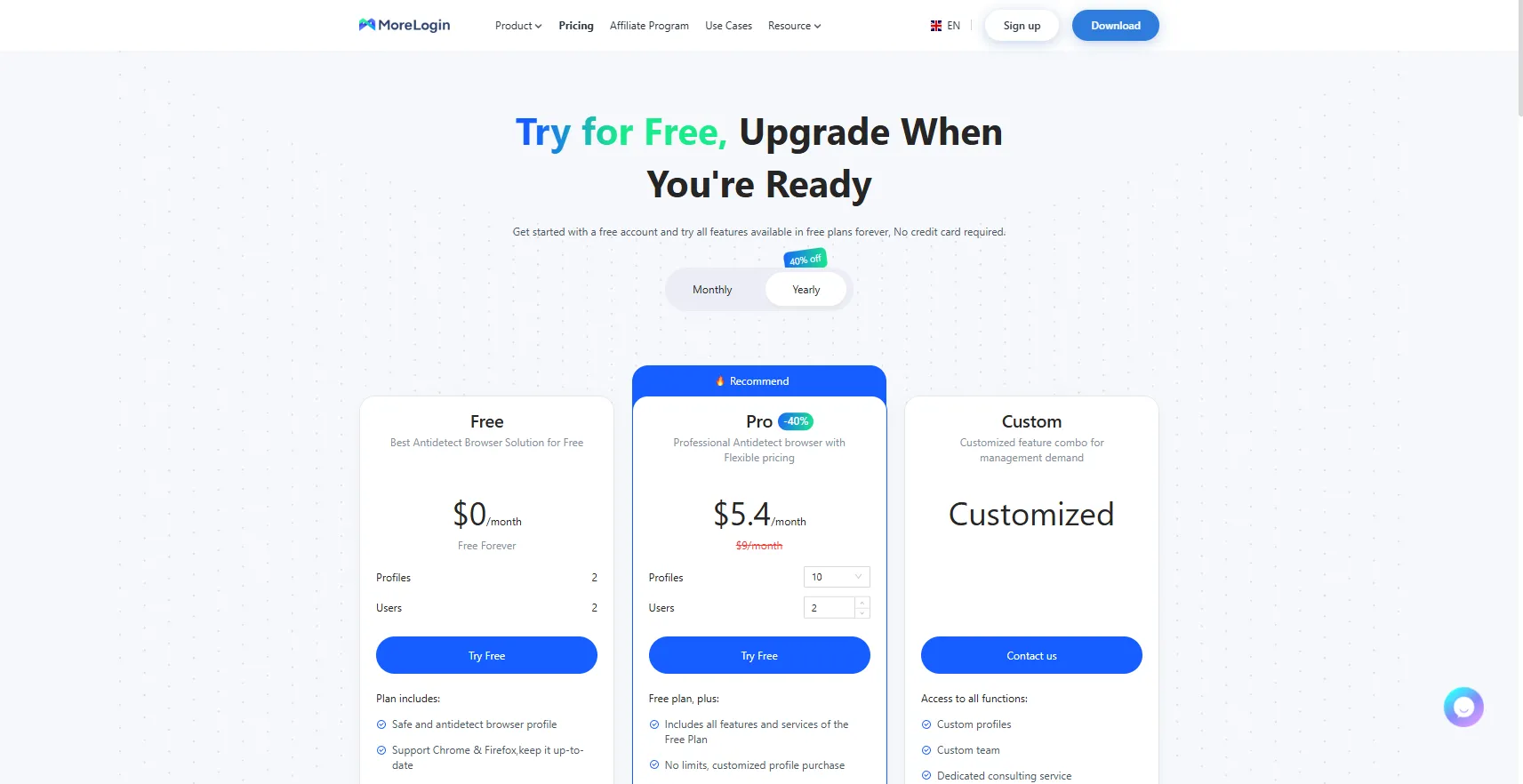
As of May 9, 2026, public information on MoreLogin’s official pricing page shows:
Free plan: $0/month, includes 2 profiles, 2 users
Pro: The page shows a starting price of around $5.4/month, originally $9/month, scaling based on the number of profiles and users
Custom: Customized solutions
Cloud Phone: Supports per-minute or monthly billing; official examples have shown rates of $0.006/minute and a daily cap of around $1.5, subject to real-time backend plans.
Looking solely at the browser subscription price, MoreLogin is not considered expensive. But from a real business perspective, its cost must be broken down into at least four layers: browser subscription cost, external proxy cost, Cloud Phone cost, and team member & maintenance cost.
Therefore, the more accurate question is not “Is MoreLogin expensive,” but “Is MoreLogin’s total cost of ownership suitable for your business model.”
Is MoreLogin Suitable as a Long-Term Primary Solution?
If your team possesses technical capabilities and your business genuinely requires Web and mobile linkage, MoreLogin can certainly serve as a long-term primary solution. Its feature depth, automation interfaces, and Cloud Phone indicate it is not designed for novice players.
However, if your core need is to rapidly create environments, quickly bind proxies, swiftly hand them over to the team, and run stably without delay, MoreLogin’s complexity might outweigh its benefits. Many teams eventually shift their criteria from “who has the most features” to “who is easier to maintain,” because in scaled operations, reducing a single configuration link is often more valuable than having an extra advanced feature.
Why RoxyBrowser is a MoreLogin Alternative Worth Considering

RoxyBrowser is a professional antidetect browser that, through deeply customized kernel technology, creates completely independent browser environments and digital fingerprints for each account, effectively preventing social media or e-commerce platforms from identifying multi-account associations.
Here are several core reasons why RoxyBrowser is a strong alternative to MoreLogin:
Say Goodbye to Complex RPA Code: Command Hundreds of Browsers with a Single AI Prompt

One of the biggest pain points of traditional batch operations is not the lack of tools, but that the tools are too reliant on scripts. Even if teams adopt RPA, they are often still bogged down by complex workflows, rigid logic, and backend maintenance costs.
One of RoxyBrowser’s core value propositions is significantly lowering the operational threshold of traditional RPA. According to official positioning, as a platform pioneering real AI Agent concepts in the antidetect industry, users only need a natural language command to schedule large batches of physical browser windows to execute tasks. For teams managing vast numbers of accounts, this means workflows previously reliant on script orchestration, manual clicking, and repetitive actions can be compressed and completed in a much shorter time.
It is officially emphasized that RoxyBrowser supports the MCP protocol and custom Skills integration; thus, it is not just a browser that “can open many windows,” but more of an orchestratable, scalable batch operations execution platform. For heavy matrix operations teams, compared to traditional antidetect browsers, this is not a minor tweak, but a transformation in the way work is done.
Professional-Grade Antidetect: Over 210 Underlying Parameter Customizations, Strengthening Long-Term Account Survival
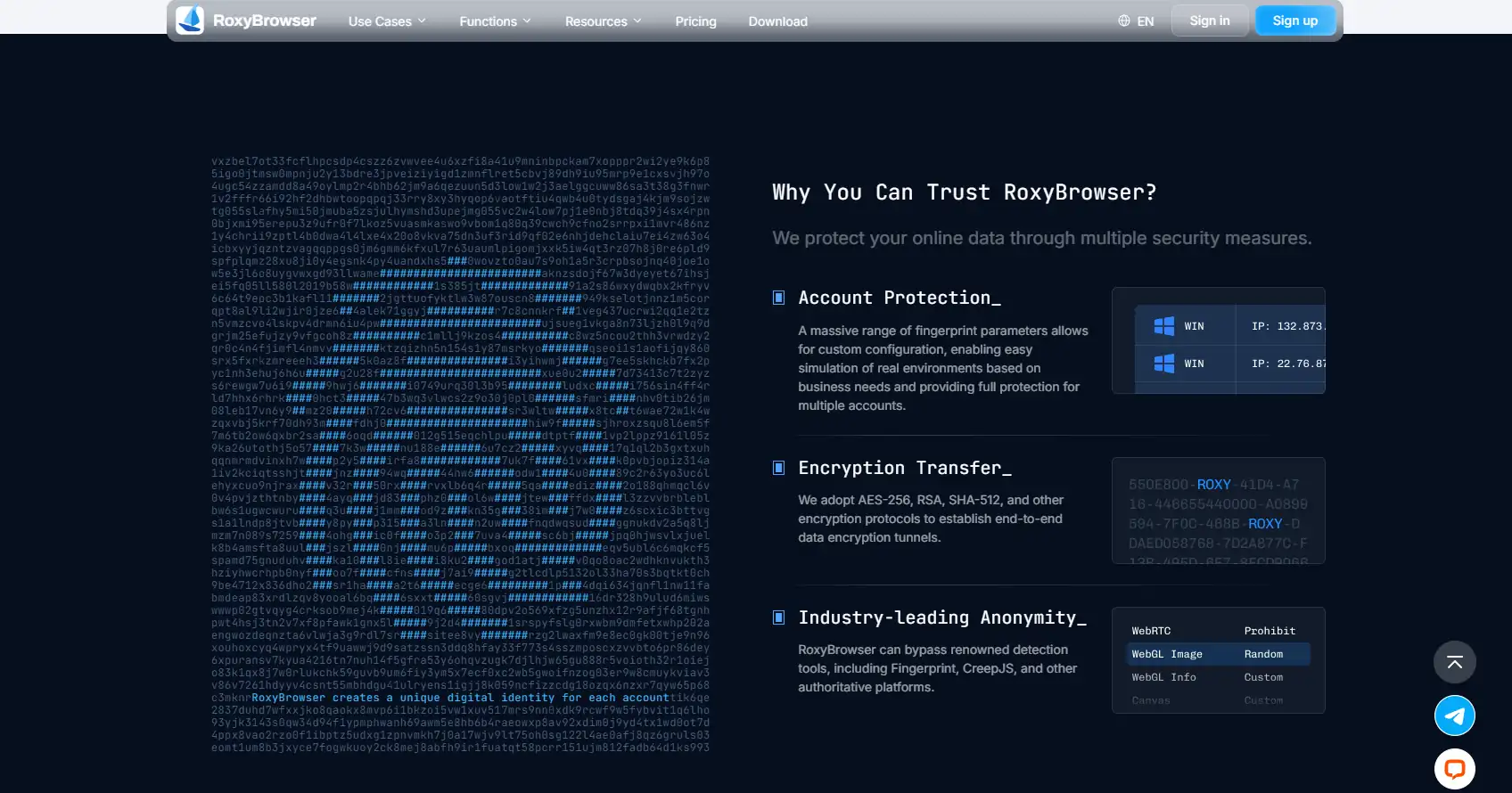
In today’s social media and ad platform environment, antidetect capabilities are no longer solved by simply modifying a User-Agent. What truly determines the quality of an account environment is whether the underlying hardware fingerprints are granular enough, realistic enough, and capable of maintaining long-term consistency.
According to official selling points, RoxyBrowser supports over 210 underlying parameter customizations, covering common detection dimensions like Canvas, AudioContext, and WebGL, extending to mobile hardware characteristics such as battery and Bluetooth. Officially described as an advanced hardware disguise solution delving deeper into the browser kernel, it emphasizes that each environment closely mimics an independent, real device.
For teams needing to manage account assets long-term, the significance of such deep disguise capabilities is that it can minimize the risks brought by environment duplication, fingerprint conflicts, and platform recognition anomalies.
While official promotions might use expressions like “100% pass on Pixelscan and other tests” or “99.9% long-term survival rate,” a more grounded interpretation is to view this as the primary focus of its product positioning—namely, attempting to maximize the stability and survival space of account environments through deeper parameter customization.
Built-in Proprietary IP Pool: 90 Million+ Pure Nodes for a Hassle-Free One-Stop Loop
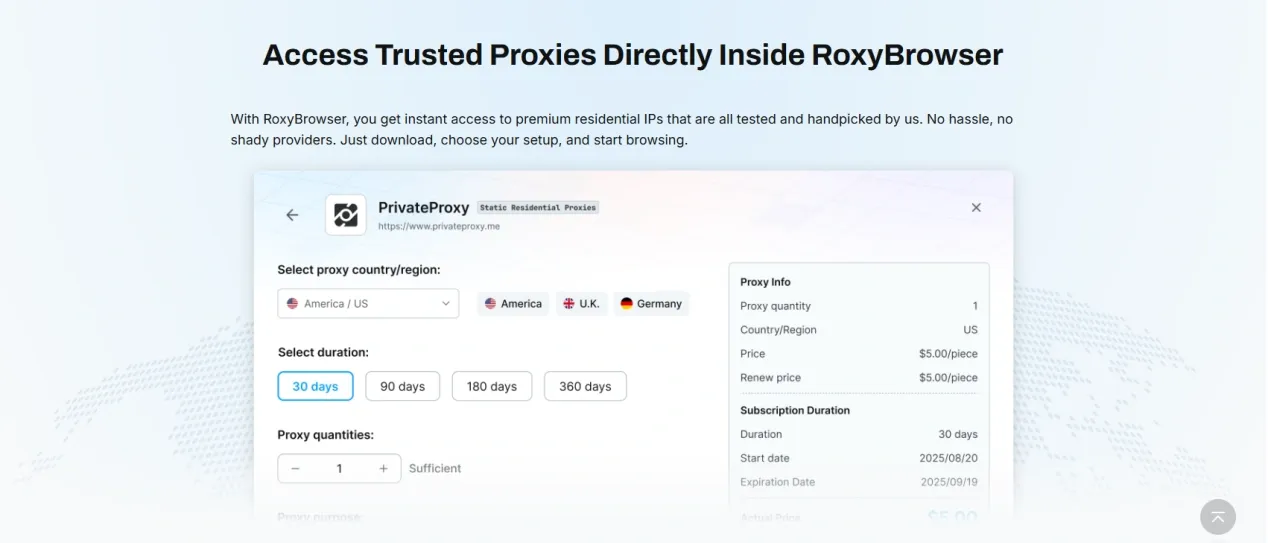
This is also one of the biggest differences between RoxyBrowser and many competitors.
MoreLogin’s obvious shortcoming is that its proxy capability is not naturally a closed loop; users typically have to find third-party IP suppliers themselves, and then handle testing, importing, replacing, and maintenance. RoxyBrowser, on the other hand, features an official proprietary residential proxy IP store, providing over 90 million real, native, pure nodes covering 200+ countries and regions, with dedicated lines separated for scenarios like social media and cross-border e-commerce.
The significance of this to business teams is highly practical. What truly consumes time is never just “having a proxy,” but where to find stable proxies, whether node purity is sufficient, whether the region matches, how to quickly replace failed ones, and whether team members can quickly reuse the same set of network configurations.
RoxyBrowser’s value lies in minimizing this chain as much as possible. According to official statements, the process from selecting an IP to binding a browser environment can be completed in a closed loop within about 30 seconds. For high-frequency account creation, batch operations, and multi-national teams, this type of one-stop network infrastructure often impacts execution efficiency more directly than merely having a few extra advanced features.
Enterprise-Grade Collaborative Matrix: Fine-Grained Permission Segmentation, Supporting Large-Scale Multi-National Collaboration
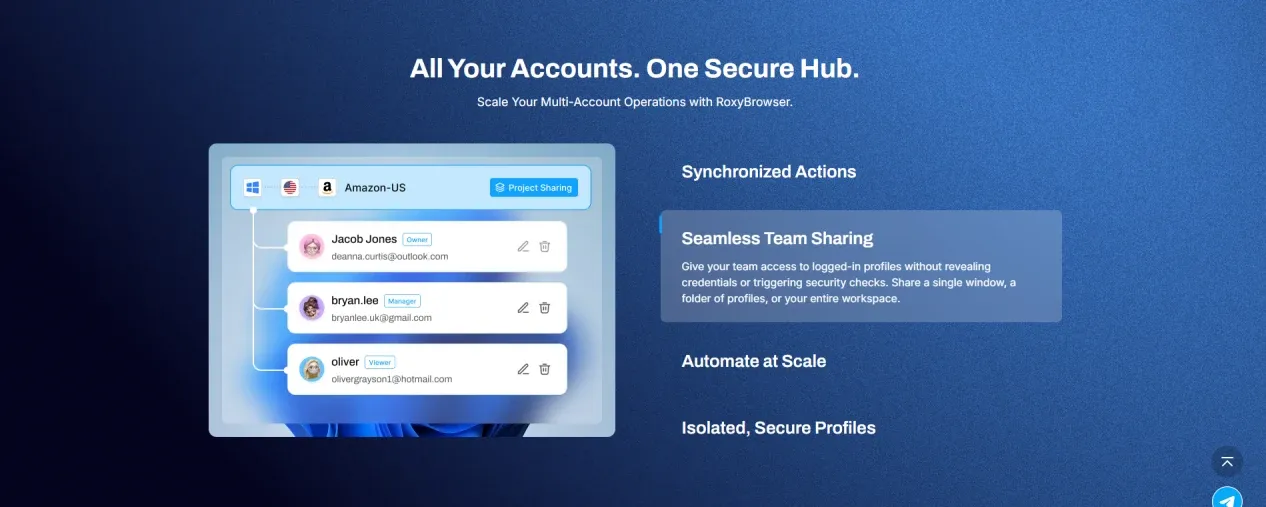
If your team size is no longer 3 to 5 people, but dozens or even hundreds, the browser itself is merely infrastructure; the real difficulty is collaboration.
RoxyBrowser’s positioning on this point is also very clear. According to official selling points, it is designed more as a collaboration platform for large studios and enterprise-level matrix teams, supporting large-scale sub-account allocation, flexible permission grading, environment template synchronization, as well as environment sharing, password isolation, and operation auditing capabilities. It is officially emphasized that it supports multi-national collaboration scenarios involving over 100 people.
The value of this design is not that “it looks like it has a lot of features,” but that it separates the management of account assets, member permissions, and operational responsibilities, reducing the most common chaotic issues that arise as a team expands. For multi-national teams, outsourcing collaboration teams, or enterprises with multiple departments operating in parallel, this type of fine-grained permission segmentation capability is critical; once the team scales up, the biggest fear is not a lack of features, but unclear boundaries regarding account environments, password assets, and member operations.
MoreLogin vs. RoxyBrowser: How to Choose?
Looking at MoreLogin and RoxyBrowser side by side, their core logic is entirely different.
MoreLogin leans more towards a traditional multi-account management tool, focusing on browser environments, Cloud Phone, team collaboration, and API automation. It is suitable for teams with longer business chains willing to invest certain configuration and maintenance costs.
RoxyBrowser clearly leans more towards a next-generation AI-driven, one-stop batch operations platform. It doesn’t just offer browser environment isolation; it integrates AI Agents, deep fingerprint disguise, proprietary proxy networks, and enterprise-grade collaboration systems into the same workflow. Compared to the traditional “manual clicking + RPA script” operations method, RoxyBrowser emphasizes allowing teams to directly control larger-scale browser matrices with less manpower and lower technical thresholds.
If your focus is on the Cloud Phone and mobile environment expansion, MoreLogin still holds its own advantages.
But if you are more concerned with batch control efficiency, antidetect depth, a closed-loop proxy system, and large-scale team collaboration, RoxyBrowser’s product direction will be more attractive.
Final Conclusion
This 2026 Morelogin review shows that it is a multi-account management tool with a relatively complete functional scope. Its advantage lies in not only providing browser environments but also integrating the Cloud Phone, API automation, and team collaboration into the same product system. For teams with mobile requirements, technical capabilities, and more complex business chains, it is not a “toy,” but a seriously designed operational tool.
However, it is not the lightest solution. Its shortcomings are concentrated in proxy dependency, initial learning costs, maintenance complexity, and true total costs. Especially when a team values “less configuration, rapid onboarding, and low-friction collaboration” more, MoreLogin’s complex features may not necessarily translate into efficiency.
If the core of your business relies on mobile cloud phone capabilities, MoreLogin is still worth testing.
If you prefer to accomplish AI batch control, deep antidetect, a proprietary IP closed loop, and large-scale team collaboration within a single platform, then RoxyBrowser will be a more progressive alternative that is better suited for scaling teams.


