
Quick Answer: Can You View a TikTok Story Anonymously?
Sometimes, but only for public content and only in a limited sense. If a public Story opens in a browser without a TikTok sign-in, you may view it without placing your main account in the creator’s Story viewer list. That is the lowest-risk answer to how to view a TikTok Story anonymously. It does not mean that TikTok receives no technical data: its services can still process browser, device, and network information under its Privacy Policy.
If TikTok requires sign-in, a separate account can keep your main account out of the viewer list, but it is not invisible. The creator can still see the secondary account as a viewer. Private, followers-only, and restricted Stories have no legitimate anonymous-access method. Access controls are a boundary, not a technical puzzle to solve.
TL;DR: The practical ways to view a public Story without exposing your main account are a signed-out browser session, or a separate compliant account when sign-in is required. Do not provide TikTok credentials, one-time codes, or downloads to third-party viewer sites. Incognito mode, Profile View History settings, and a VPN do not remove a Story view associated with the account currently in use.
Which Option Should You Use?
| Your situation | Can you view it? | Will the creator see your main account? | Best option | Main limitation |
|---|---|---|---|---|
| A public Story is available without sign-in | Sometimes | No | Use a signed-out browser session | Availability depends on the Story, region, and TikTok settings |
| A public Story requires sign-in | Usually | No, when a separate account is used | Use a separate account in its own browser profile | The creator can still see the separate account |
| You are considering a third-party viewer | Sometimes, for public content | Usually no TikTok account is shown | Use only after a strict safety check | Privacy and reliability cannot be verified |
| The Story is private, followers-only, or restricted | No legitimate anonymous option | Not applicable | Ask the creator to share it | Restrictions must not be bypassed |
For example, a creator may post the same public Story in the app and on a profile that is accessible in one country but not another. A signed-out browser test can therefore fail even when the Story is public. That result does not indicate that a tool can legitimately unlock it. A browser cannot override TikTok’s access controls.
How TikTok Story Views Work
When TikTok Records a Story View
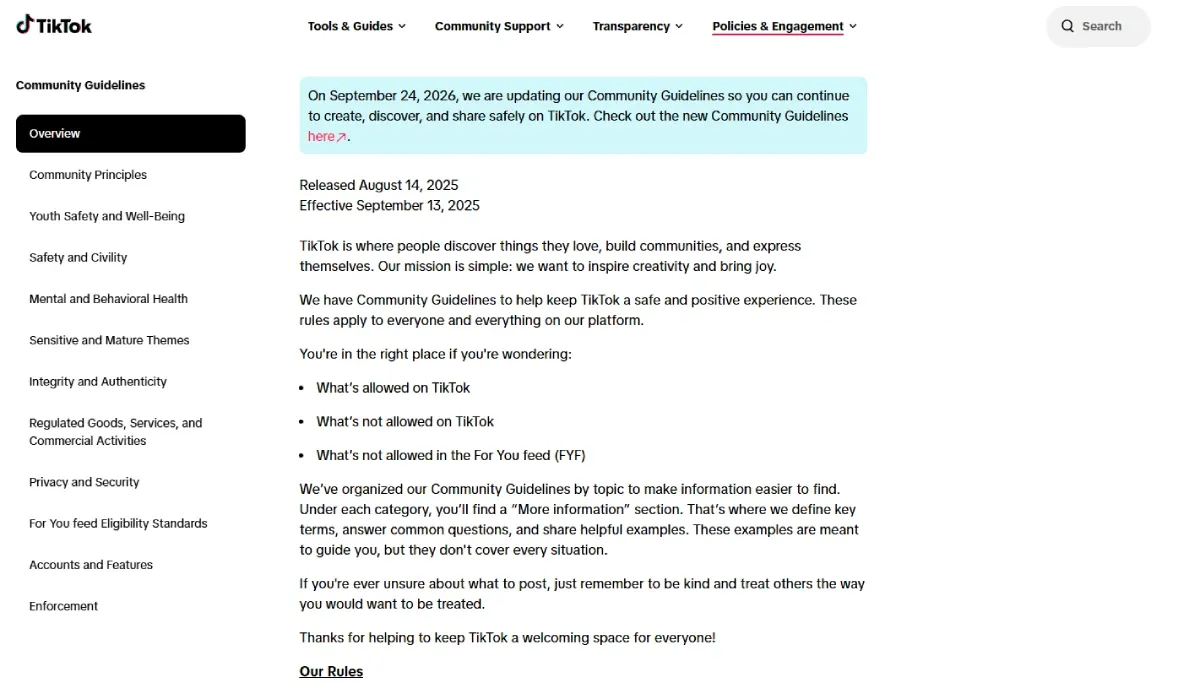
TikTok can associate a Story view with the account that is signed in when the Story is opened. A view is different from merely seeing a thumbnail in a feed: opening the Story is the relevant action. TikTok may change interface labels and visibility rules, so users should check the current in-app settings and the platform’s Community Guidelines before relying on a setting for a sensitive use case.
As a practical example, opening a Story from a notification while signed in to a personal account can create a viewer record even if the browser later moves to private mode. Closing the Story after a second does not reliably undo an already recorded event.
What the Story Creator Can See
The creator can generally see the TikTok account associated with a recorded view, subject to the product experience and the creator’s settings. They do not need your legal name to recognize an account: a recognizable display name, avatar, mutual follows, or a public bio can identify it just as clearly.
That distinction matters when people ask how to watch a TikTok Story anonymously. Keeping a main account out of the list is possible in some public-content scenarios; guaranteeing that no identifiable account, network signal, or platform record exists is not. In other words, how to view a TikTok Story anonymously is a question of account exposure, not a promise of invisibility.
Story Views vs. Profile View History
Story views and Profile View History are separate product concepts. Profile View History concerns visits to a profile and its related setting. Story viewing concerns a specific Story event. Treating one setting as a universal privacy switch is a common mistake.
Does Turning Off Profile View History Hide Story Views?
No. Turning off Profile View History does not reliably hide a Story view. It affects profile-visit visibility, not every event that may be recorded when an account opens a Story. If avoiding a main-account viewer record matters, do not open the Story while that account is signed in. That rule remains the starting point for how to view a TikTok Story anonymously.
What Actually Works to View a TikTok Story Anonymously
1. View Public TikTok Stories Without Signing In When Available
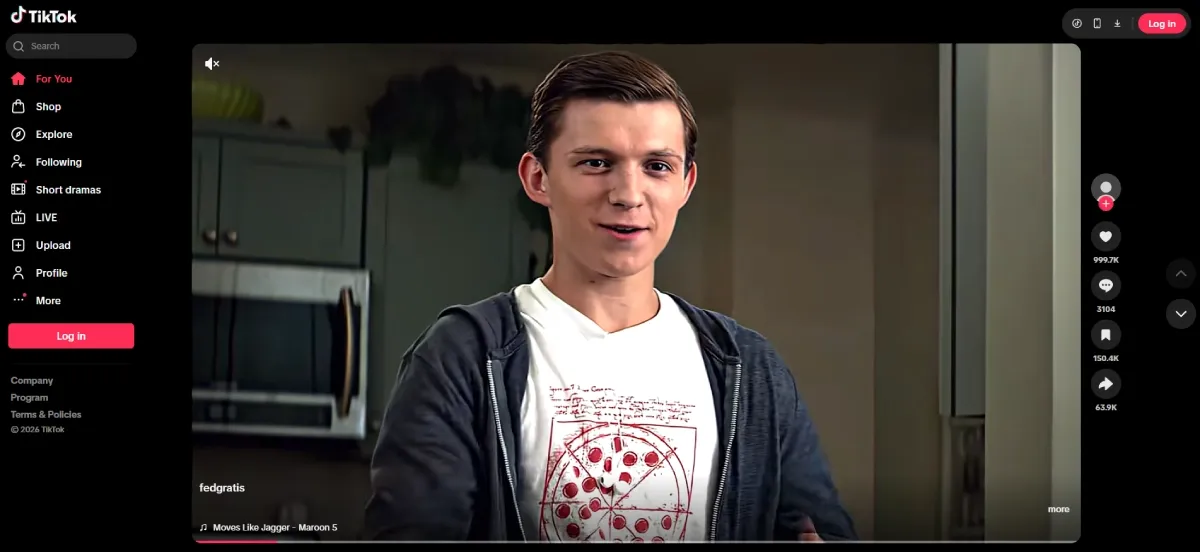
For a public Story that TikTok makes available on the web, use a normal browser session with no TikTok account signed in. Paste the public profile or Story URL, verify that the browser has no active TikTok session, and open only the content that TikTok itself serves. This is the closest available method to viewing without an account identity.
Availability is inconsistent. A login wall, age gate, regional limitation, deleted Story, or creator privacy setting can stop playback. Do not respond by trying to defeat the restriction. A signed-out session may also still expose an IP address, browser language, screen properties, and a device fingerprint to TikTok; it simply avoids attaching the view to your main TikTok account. For public pages, this is the most direct route when you want to avoid exposing a main account.
2. Use a Separate TikTok Account
When public content is accessible only after sign-in, a separate account can keep your primary identity out of the viewer list. The account must comply with TikTok’s rules, and it should not impersonate another person. The creator will see that secondary account if TikTok records the view.
Keep the account’s context distinct from your personal account. For example, do not switch between a personal login and a research login in the same browser profile, where cookies, local storage, cached login state, and saved autofill can cause an accidental account change. Use a clear account label and verify the signed-in profile before opening the Story. This protects the primary account’s identity when TikTok requires sign-in, but it does not make the secondary account invisible.
3. Consider a Third-Party TikTok Story Viewer for Public Content Only
A third-party viewer can only display content that it can lawfully retrieve from public sources. It cannot legitimately reveal a private, followers-only, deleted, or restricted Story. Claims that it can do so are a strong indication to leave the site.
When evaluating a viewer, never authenticate with TikTok. A page that requests a password, verification code, recovery code, browser extension, desktop installer, or mobile app has expanded the risk from passive viewing to possible account compromise. This method is not necessary to see TikTok Story anonymously when a signed-out public page is already available. It is also not a credible answer to how to view a TikTok Story anonymously.
A Short Note on Third-Party Viewer Tools
Third-party viewers may display public content when they can lawfully retrieve it, but their availability, privacy practices, and Story support can change. Treat them as unverified services rather than anonymity tools. Never provide TikTok credentials, verification codes, recovery codes, or payment details, and do not install an extension or application just to view a Story. A private, followers-only, deleted, or restricted Story remains unavailable through legitimate viewer tools.
4. Ask the Creator to Share the Content Directly
Ask the creator to share the content directly when a Story is private or access-restricted. This is the only appropriate route when permission has not been granted. A direct share can also be more reliable than an expiring Story link, since TikTok Stories are typically available for a limited period. There is no legitimate anonymous-access method when the creator has limited the audience.
How RoxyBrowser Helps Keep TikTok Accounts Separate
Why Account Separation Matters When Viewing Public TikTok Stories
Account separation reduces accidental cross-login; it does not override TikTok’s view tracking or access controls. This is useful for legitimate social media management, research, and team workflows where a personal account and an organization-owned account must remain distinct. In these workflows, the aim is protecting the primary account identity, not concealing a restricted action.
For example, a researcher who signs into both accounts in one ordinary browser can select the wrong account from a remembered session. Separate profiles make the active identity visually and technically distinct before the Story is opened. They are not a promise against account suspension, shadowban decisions, or platform-level account linkage detection.
Keep Primary and Secondary TikTok Sessions Isolated
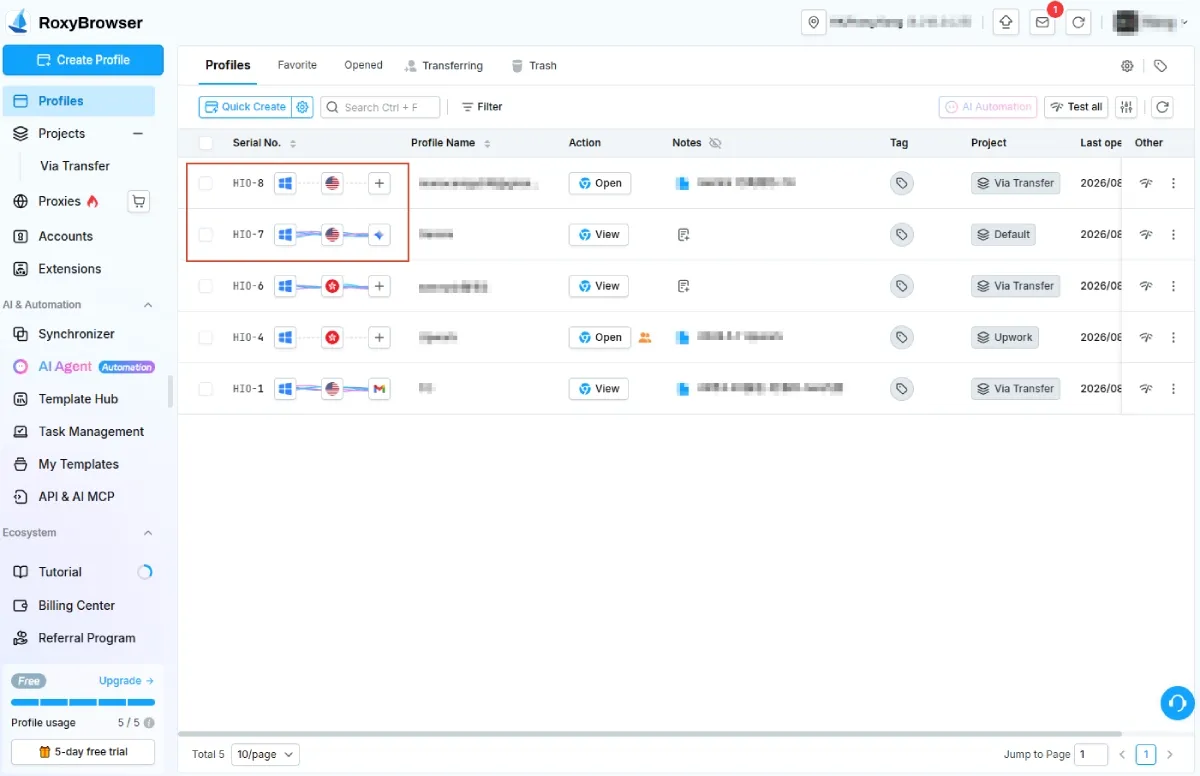
An antidetect browser can create separate browser profiles, each with its own cookies, session tokens, local storage, IndexedDB, cache, and browser fingerprint configuration. Profile isolation is useful when your organization has a legitimate need to keep authorized accounts from sharing session data. Confirm the currently supported engines and isolation features in RoxyBrowser’s official documentation before deployment.
Browser fingerprints are not limited to a User-Agent string. Websites can inspect signals such as Canvas rendering, WebGL metadata, AudioContext output, timezone, locale, and screen properties. A consistent profile keeps its own settings stable; randomizing them on every visit can itself create an unusual pattern. Keep proxy geography aligned with the profile locale and timezone, and remember that a residential proxy changes network routing, not the fact that TikTok can record a view from the signed-in account.
Avoid Cookie Conflicts and Accidental Account Switching
Use one profile for one approved TikTok identity. Before each session, check the profile name, account avatar, and login state. Do not import a personal account’s cookies into a team or research profile, and do not share passwords. These habits matter because session isolation covers more than cookies: cached tokens and local storage can preserve login context after a browser tab is closed. They also reduce the chance of an accidental main-account view.
Teams that need permissions and auditability can use manage multiple accounts workflows to assign access without handing a personal login to another operator. The goal is clean operational separation, not to misrepresent identity or evade platform safeguards.
Organize Legitimate Research and Team Accounts
Use descriptive profile names such as Brand Research - US or Support - UK, document the approved purpose, and restrict access to the people who need it. Where network routing is required for a valid business reason, bind a stable approved connection to the relevant profile rather than changing locations frequently. A residential proxy may be appropriate for authorized regional testing, but it is not an anonymity guarantee and should never be used to defeat a creator’s access restriction.
What RoxyBrowser Cannot Do
RoxyBrowser cannot prevent TikTok from recording a Story view from the TikTok account in use. It cannot unlock private Stories, bypass followers-only or regional restrictions, or make an unsafe third-party viewer trustworthy. It also cannot guarantee that TikTok will never connect accounts, because platform decisions can combine account data, behavior, network history, and other signals beyond a browser profile.
Methods That Do Not Make You Anonymous

Using TikTok From Your Main Account
Using the main account is the clearest way to expose it in a Story viewer list. This remains true whether the Story is opened in the app or a browser. If you do not want your main account associated with the view, do not use it to open the Story. No privacy setting changes that basic account-level fact.
Browser Incognito Mode or TikTok Private Settings
Incognito mode mainly limits local browser history and clears session data when its windows close. It does not erase a view recorded by TikTok while you are signed in. TikTok privacy settings also govern defined platform features, not a blanket anonymous mode. Incognito therefore does not hide a Story view from a signed-in account.
Turning Off Profile View History
Profile View History should not be treated as a privacy control for Story views. It applies to profile visits, while TikTok may handle Story-view visibility separately. To avoid associating a view with your main account, do not open the Story while that account is signed in and check TikTok’s current in-app settings.
Using a VPN Alone
A VPN can change the public IP address observed by a website, but it does not replace the TikTok account that opened a Story. If your main account is logged in, the creator can still see that account when TikTok records the view. VPN use may also affect access based on TikTok policies or regional rules. It does not hide the account identity when the account is signed in.
Logging In to a Third-Party Viewer With Your TikTok Account
Never enter TikTok credentials into a Story viewer. Logging in defeats the stated privacy goal and may expose your account to phishing or unwanted authorization. Use TikTok’s own sign-in page only when you have chosen to sign in. A credential request is a reason to stop, not a privacy step.
How to Check Whether a TikTok Story Viewer Is Safe
Start With the Risk: No Viewer Is Guaranteed Safe or Anonymous
No third-party viewer can prove complete anonymity. A site may log your IP address, browser details, search request, and timestamps even when it does not request a TikTok login. Treat public-content viewers as unverified services, not privacy tools. For that reason, begin with TikTok’s own public web experience.
Never Enter Your TikTok Password or Verification Code
TikTok passwords, one-time codes, recovery codes, and passkeys belong only on TikTok’s official sign-in flow. A viewer that requests any of them should be closed immediately. The same rule applies to QR-code login prompts, which can authorize a session without exposing a typed password.
Avoid Viewer Tools That Claim to Show Private Stories
Private-Story claims conflict with the purpose of privacy controls. A service making that promise may be collecting credentials, redirecting users to adware, or displaying recycled public content. Do not test the claim with a real account. Private content falls outside any legitimate anonymous-viewing method.
Watch for Fake Login Pages, Downloads, and Browser Extensions
Do not install an extension, APK, desktop application, or browser profile merely to view a Story. Extensions can read page content and, depending on their permissions, interact with browser activity. A public Story viewer has no legitimate need to install software for basic playback.
Review Permissions, Privacy Policies, and Reputation
Before using any viewer, read its privacy policy, identify the operator, inspect requested permissions, and look for independent reports rather than testimonials displayed on the same site. The absence of these basic details is enough reason not to proceed.
Leave a Site That Promises Guaranteed Anonymous Viewing
Leave when a service promises guaranteed anonymity, private-Story access, or immunity from account restrictions. Those claims cannot be verified and misstate what a third-party site can control.
Before You View: A 30-Second Privacy Checklist
- Confirm which TikTok account is currently signed in.
- Use a signed-out browser session when a public Story is available without login.
- Do not use your primary account when you do not want it shown in the viewer list.
- Do not enter a TikTok password, one-time code, or recovery code on a viewer site.
- Do not install an unknown extension, app, or download to view a Story.
- Do not attempt to bypass a private, followers-only, or restricted Story.
Final Takeaway
The dependable answer to how to view a TikTok Story anonymously is narrow: use a signed-out browser only when TikTok makes a public Story available without login. If login is required for public content, a separate compliant account can protect your main account from appearing in the viewer list, but the secondary account remains visible to the creator. Private and restricted Stories require permission. For legitimate teams, separate browser profiles help prevent cookie conflicts and accidental account switching; they do not create invisibility or bypass TikTok controls.


