
Online social media user base is continuing to grow, now totaling 5.6 billion, or nearly 70% of the world’s population. Marketing specialists were quick to realize that it’s an excellent brand awareness and conversion channel, which you can capitalize on to grow your business.
But you will soon notice that a lucrative social media marketing campaign requires dozens or even hundreds of warmed-up accounts. Because many social networks restrict the number of accounts per single entity, you risk losing them without additional online account privacy protection.
We developed our anti-detect browser to avoid such situations. In this article, we will show you how to integrate IPRoyal proxies into RoxyBrowser for safe multiple online account management.
Why Do You Need Proxies With RoxyBrowser?
Social networks use multiple methods to identify fake accounts and bots. But periodically, they can block legitimate accounts that brands use to reach hundreds of thousands of potential buyers. Also, you may need multiple accounts in different regions for worldwide brand positioning, so avoiding detection is essential.
Our browser takes care of profile isolation and lets you spoof dozens of metrics, like timezone, user agent, resolution, and more. But you still have to mask your original IP address and ensure each profile has a different one.
That’s where IPRoyal comes into play, offering millions of proxy servers located worldwide. You can assign any one of IPRoyal’s proxies to a chosen account so that social networks cannot link them to your original IP. It’s an efficient online account privacy protection method that we’ll demonstrate shortly. But before that, let’s see what IPRoyal offers.
IPRoyal’s Key Features and Benefits
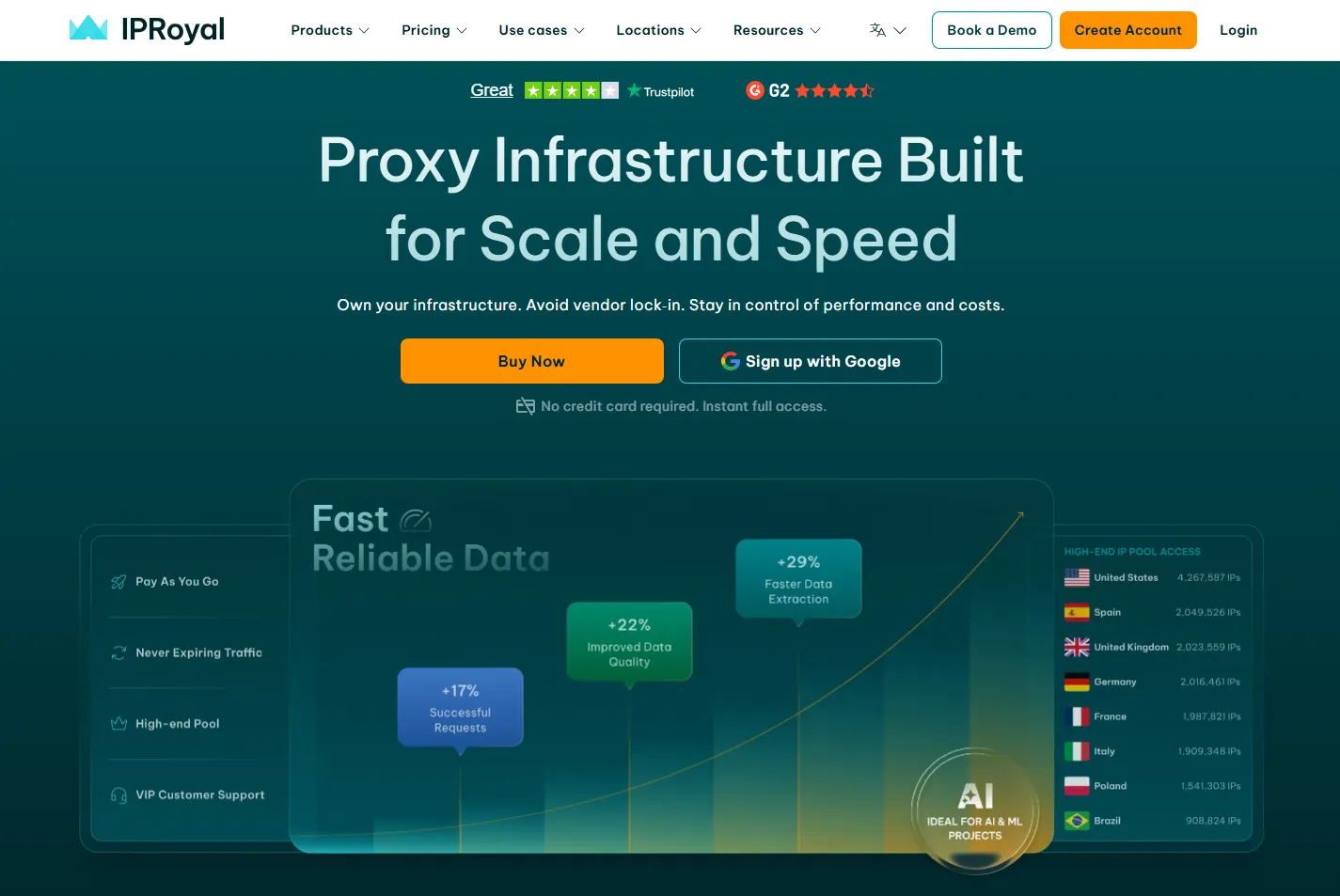
Residential Proxy Network
IPRoyal offers over 32 million residential proxies in 195 locations with several outstanding features. It supports state and city-level targeting, so you can pinpoint IP address location to a specific browser profile. You can also use High-end Pool proxies, which automatically select the IPs with the best reputation and performance to minimize detection and risk bans.
Non-Expiring Traffic
Warming up accounts takes time, and you may only need them when ready for digital marketing. IPRoyal’s residential proxies have no traffic expiration limits. After you order bandwidth, it remains available until you’re ready to use it. It’s a unique selling point, as many proxy services use traffic expiration dates.
Flexible Payment Plans
This proxy service offers subscription-based pricing, as well as a pay-as-you-go model for residential proxies. You can pay via VISA, Mastercard, American Express, PayPal, and over 25 cryptocurrencies. It’s a very flexible payment policy, but don’t take only our word for it. Currently, PCMag has awarded IPRoyal the best payment options award.
Five Proxy Types
While residential proxies are most popular for online account management, other types also have unique advantages. IPRoyal also offers highly affordable datacenter and ISP proxies with fully customizable plans. You can get mobile proxies that have the best IP trust scores. There are also enterprise proxies optimized for scaling your marketing campaigns.
Additional Features
An AI-powered Website Unblocker is one of the most recent IPRoyal benefits. It uses AI to bypass geo-restrictions, Cloudflare blocks, and CAPTCHAs, which is essential if you’re web scraping. IPRoyal also offers Chrome and Firefox browser extensions, a free Proxy Tester, Video Scraper API, and TCP/IP Fingerprint Test.
IPRoyal Pricing
Before proceeding to the IPRoyal and RoxyBrowser integration guide, let’s take a look at its prices.
| Proxy type | Starting price | Best for |
|---|---|---|
| Residential | $7/GB | Private multiple account management, geo-block bypass, ad verification |
| Datacenter | $1.8/proxy | Price monitoring, large-scale scraping of public data |
| Mobile | $130/month | Social media management, scraping most challenging sources |
| ISP | $4/proxy | A combination of residential proxy benefits with datacenter affordability |
| Enterprise | Contact sales | Business and marketing campaign scaling |
How to Set Up IPRoyal Proxies in RoxyBrowser
Our browser has built-in proxy support, so setting them up is effortless. Here’s how to do it in a few easy steps:
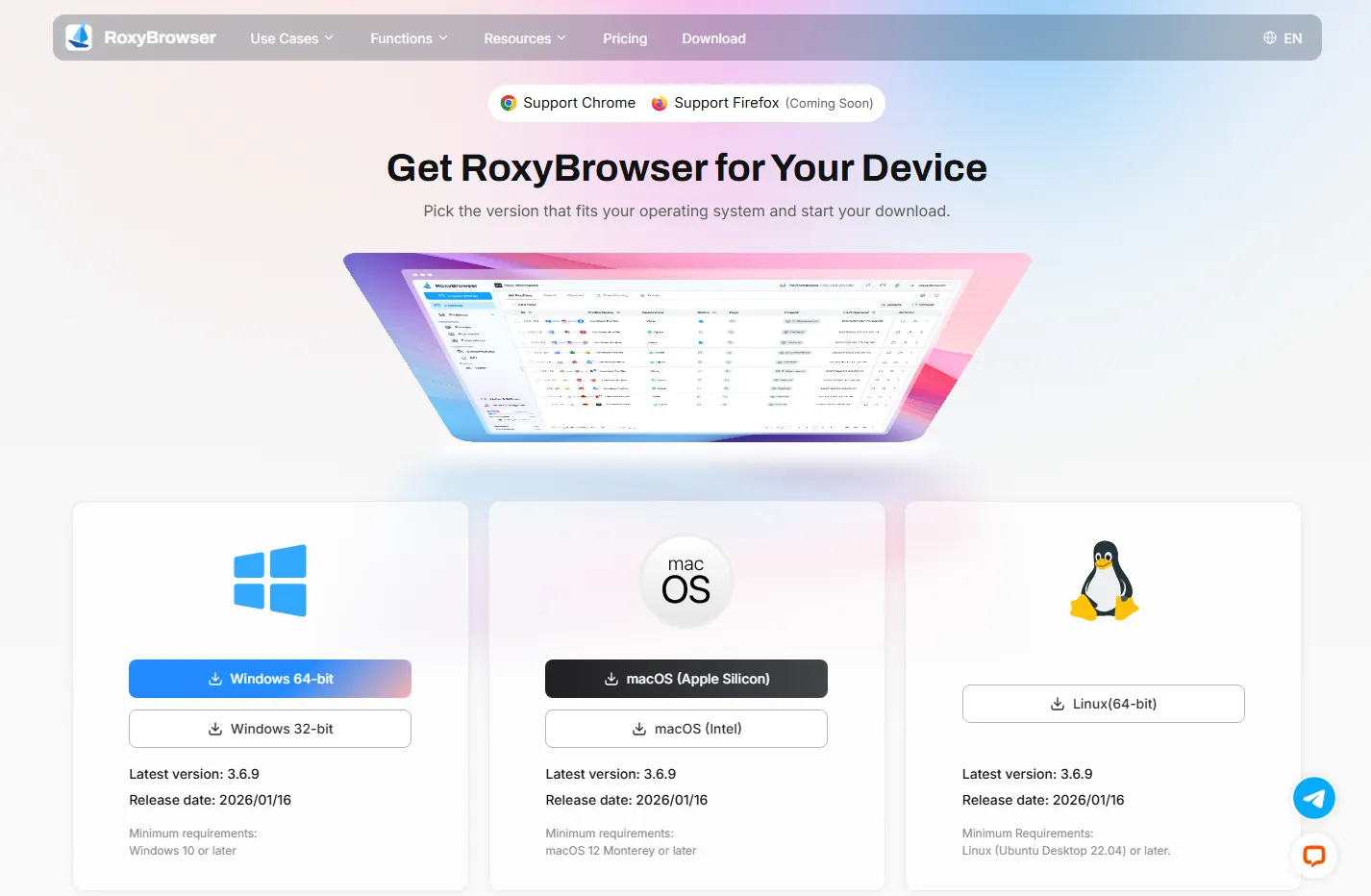
Step 1: Download and Install RoxyBrowser
Go to our official download page and install RoxyBrowser on your operating system. We have a 7-day free trial to take it out for a run.
Step 2: Start Creating a Profile
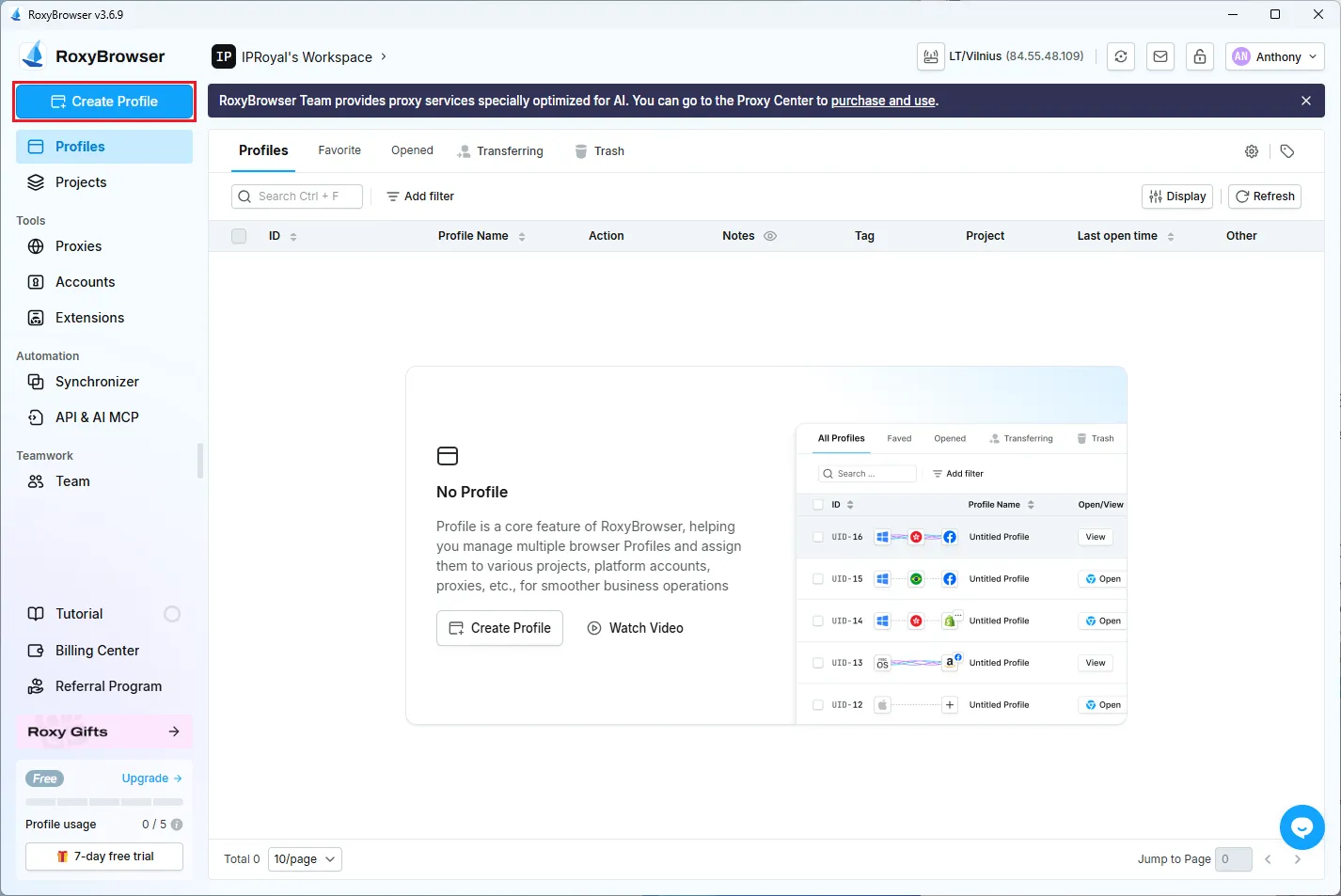
Launch the RoxyBrowser and click Create Profile on the main screen.
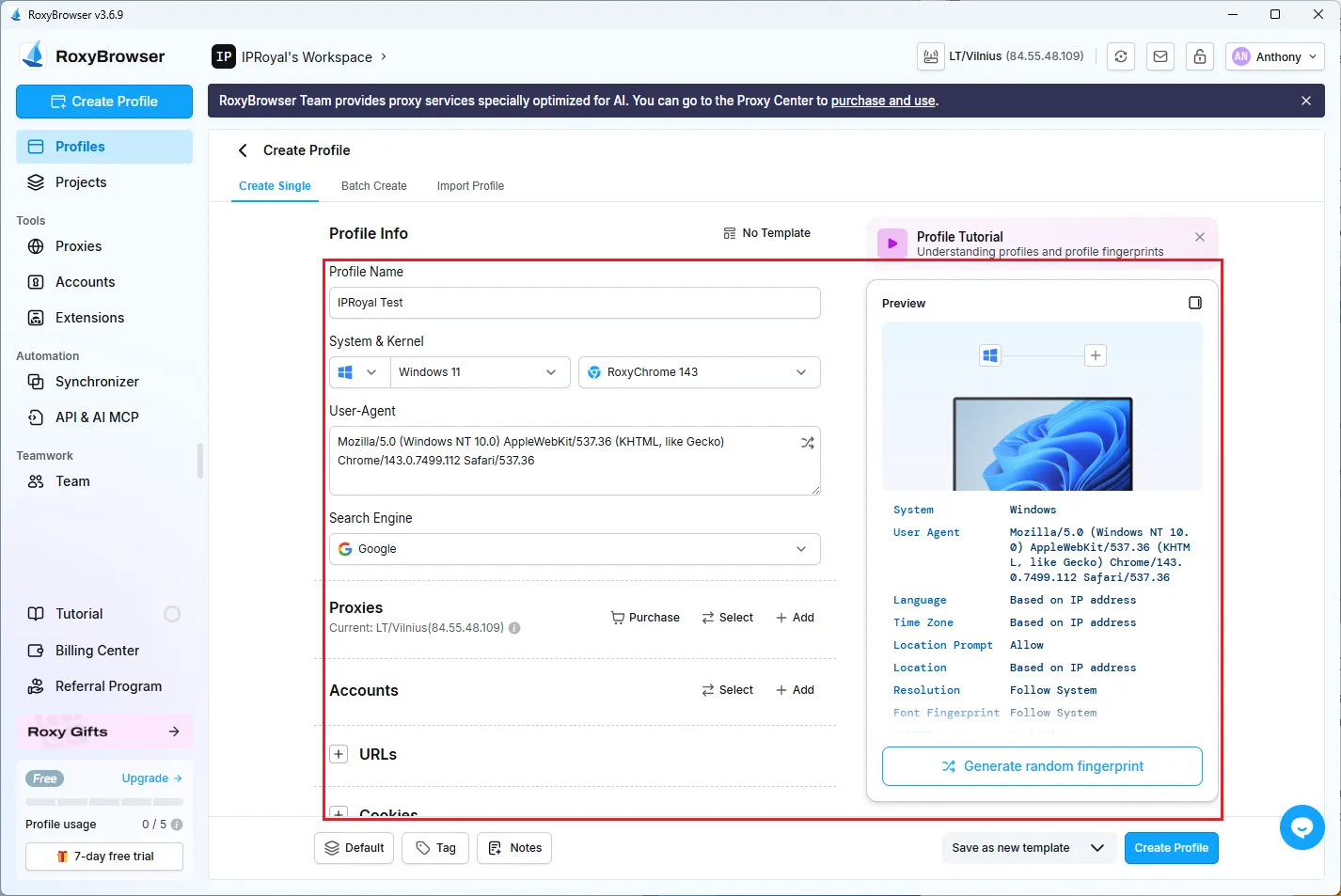
Step 3: Configure Your Profile
You must input Profile Name, Proxies, and select specific profile metrics or generate a random fingerprint.
Step 4: Configure Your IPRoyal Proxies
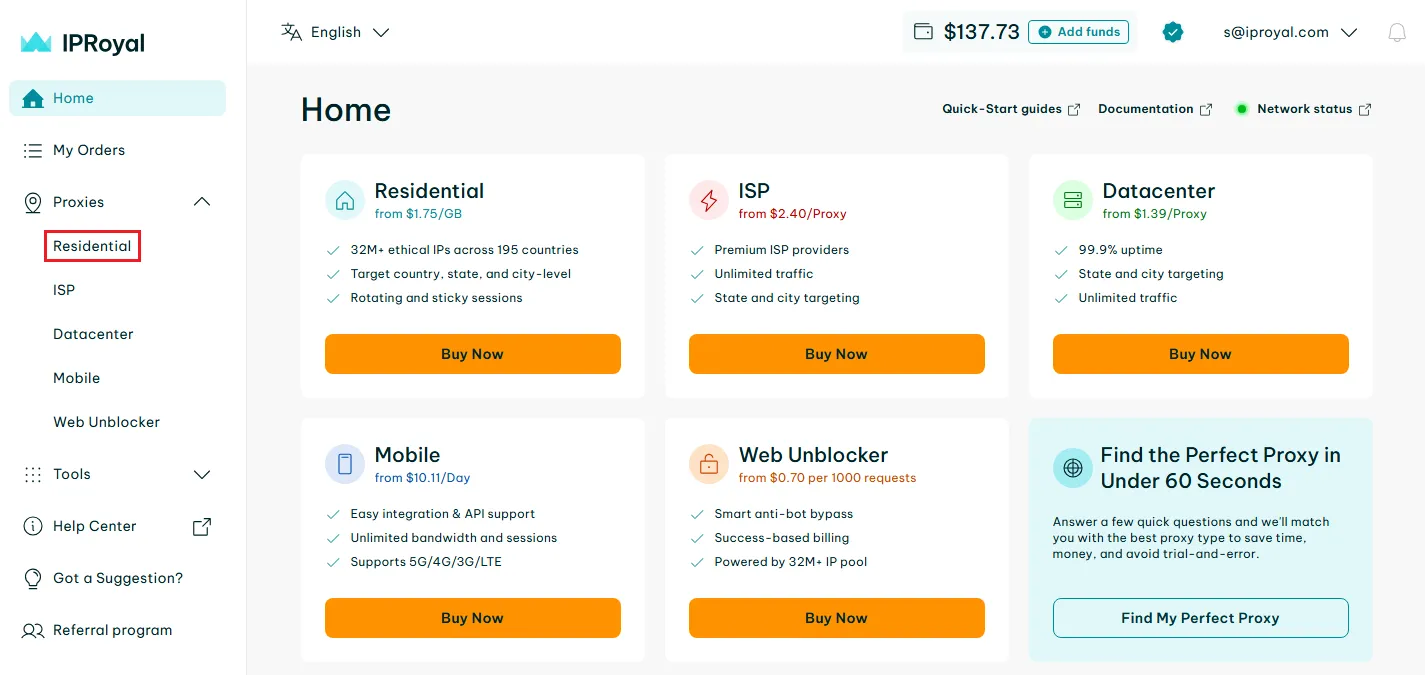
Create an IPRoyal account and purchase proxies. After placing an order, log in to your account and select the desired proxy type. We’ll go with Residential Proxies.
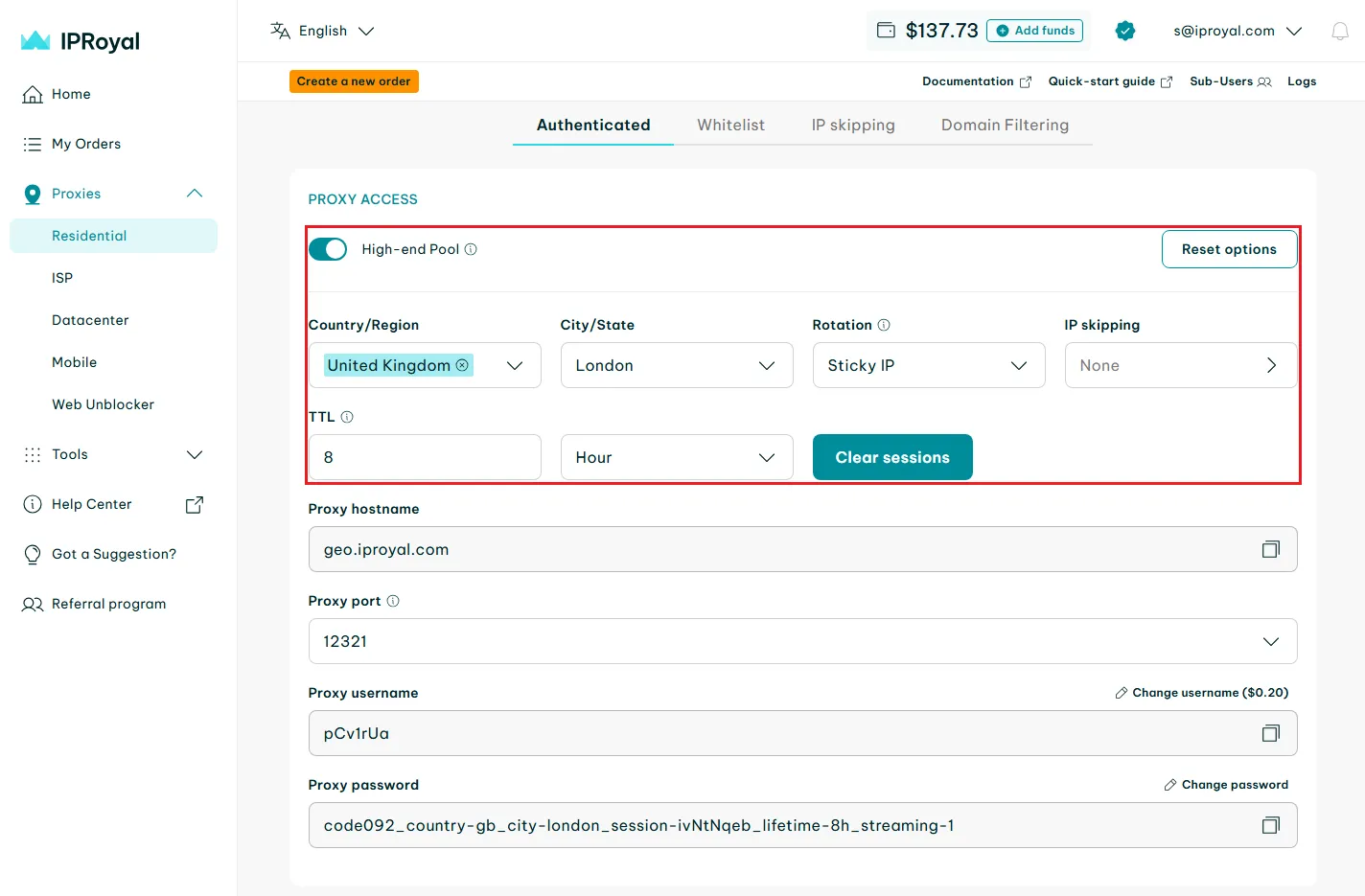
Scroll down and input details as seen in the image below: High-end Pool, Country/Region, City/State, and Rotation (for sticky sessions). IPRoyal will automatically fill the proxy port, username, and password fields.
Step 5: Copy the Proxy Credentials
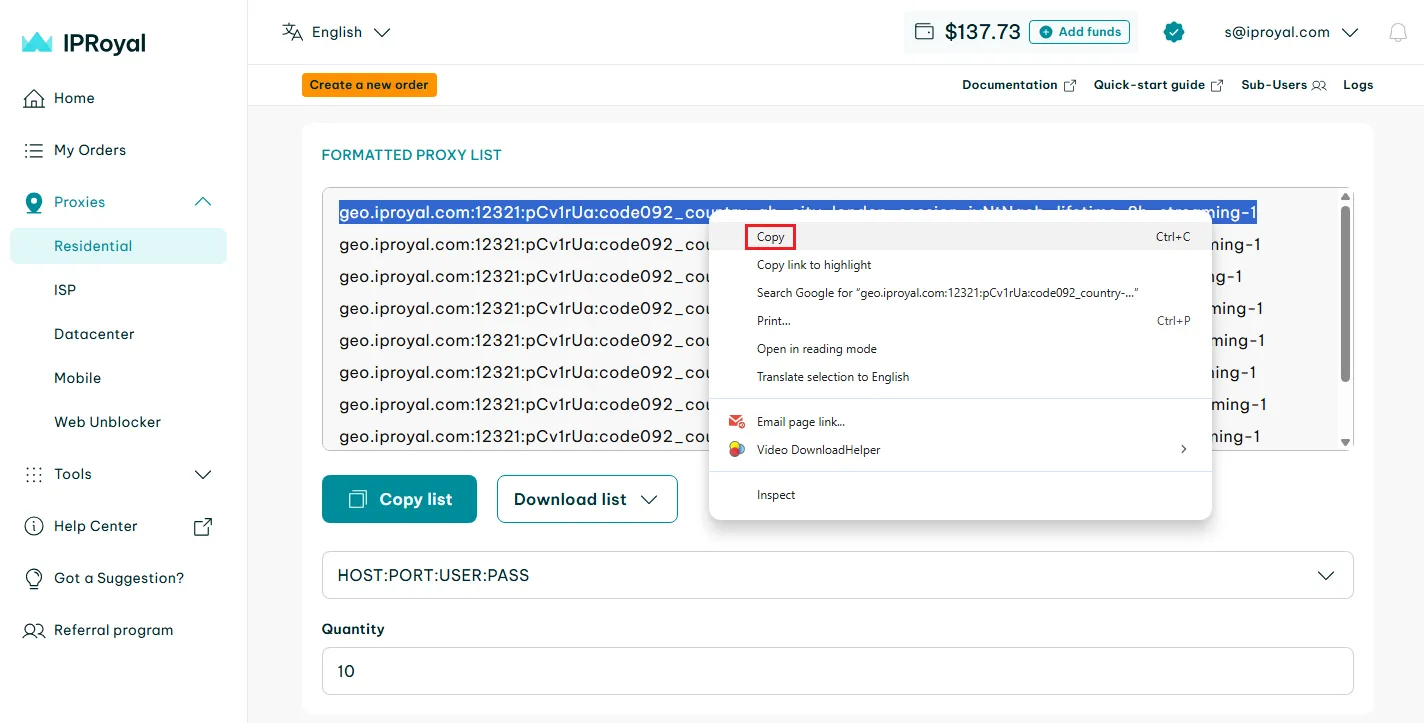
Scroll down until you see the Formatted Proxy List. Select the proxy string from the formatted list and copy it to the clipboard.
Step 6: Configure Proxy in Roxy Browser
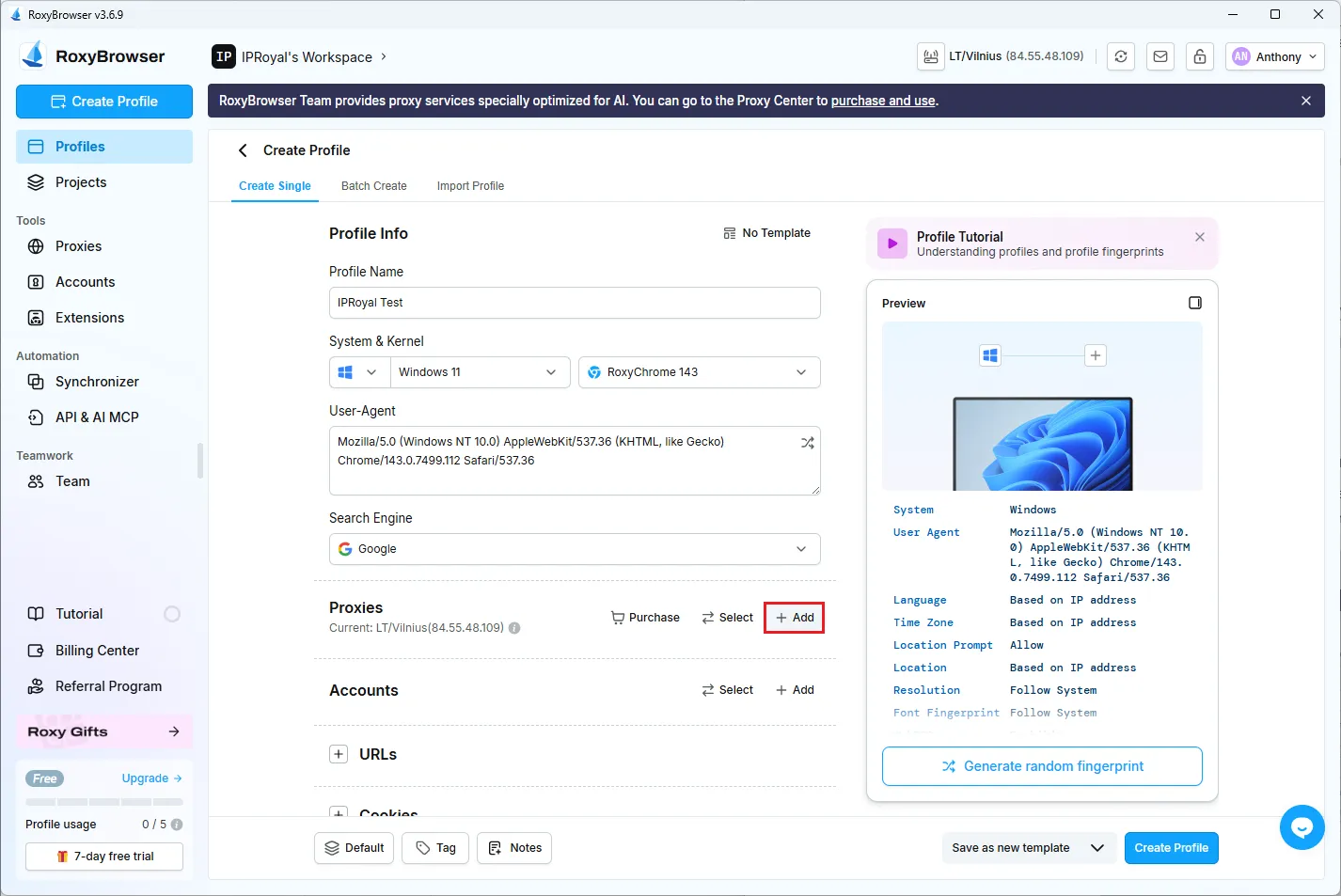
Click the Add button in our Create Profile Proxies section.
Step 7: Add Your Proxy Credentials
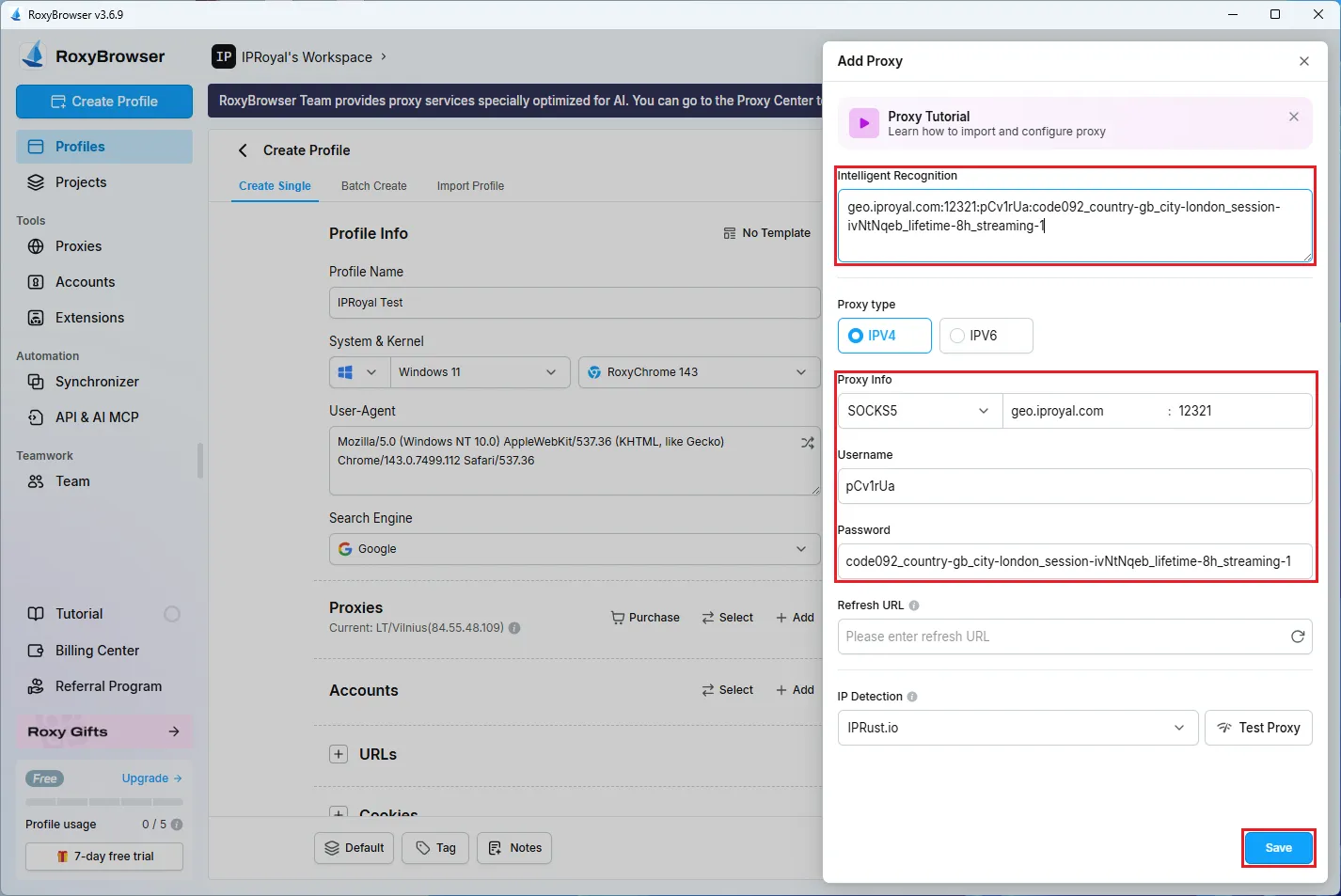
Post the copied proxy string into the Intelligent Recognition field, and our browser will autofill all relevant fields. Click Save in the lower right corner of this window.
Step 8: Finish Setting Up Your Profile
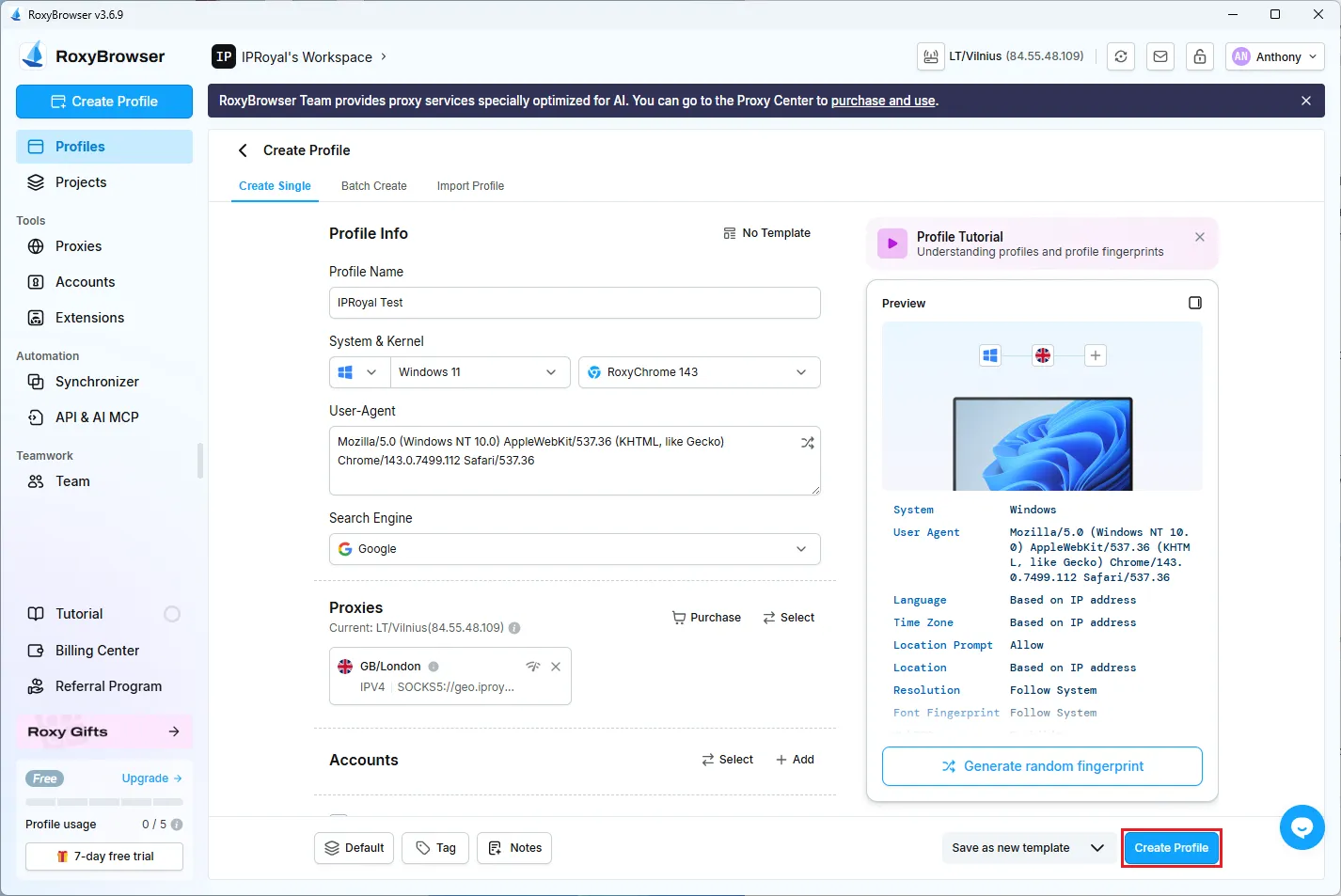
Click Create Profile in the lower right corner of the main window.
Step 9: Launch Your Profile
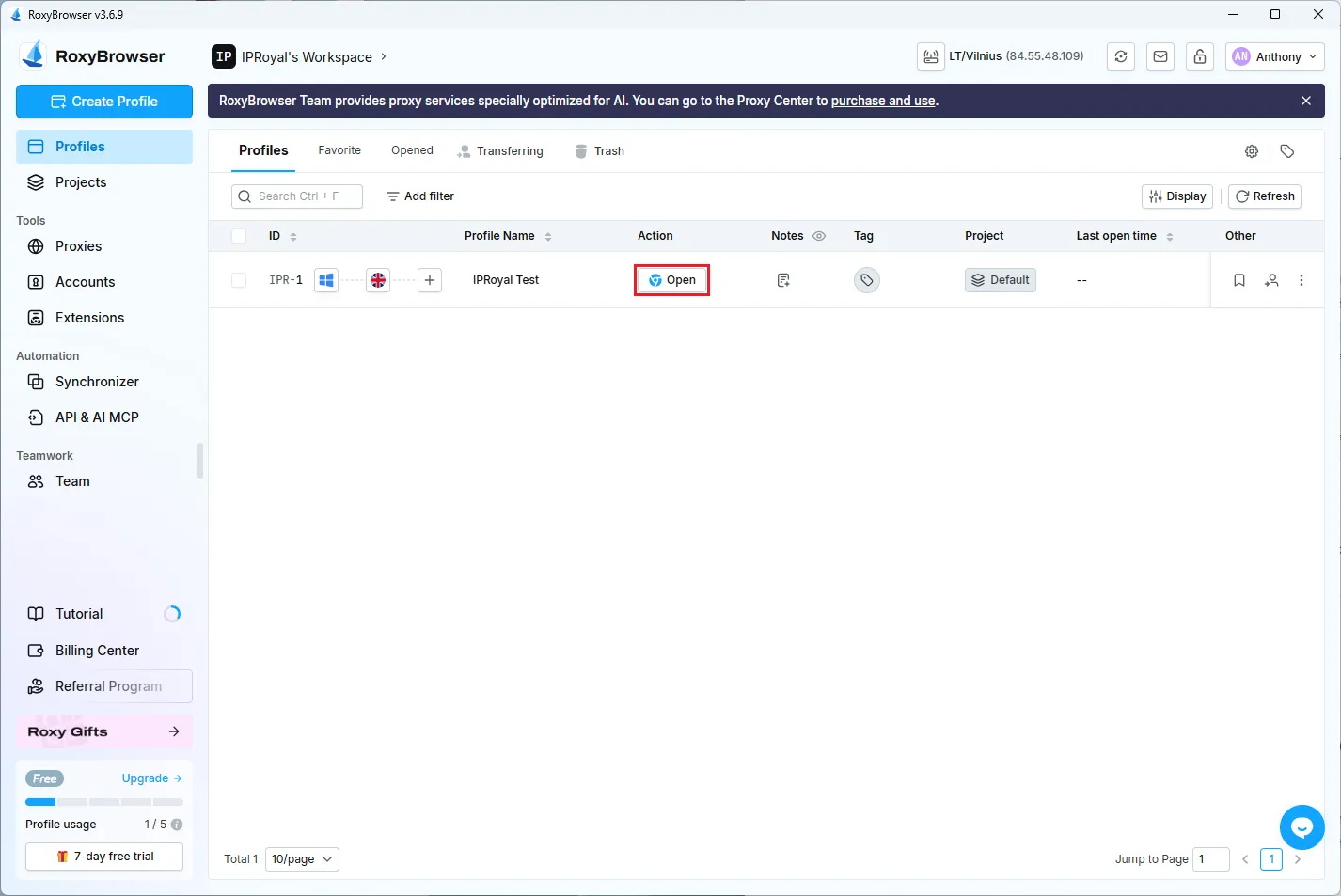
Now you can see the newly created profile on the main screen. Click the Open option next to the profile name.
Step 10: Verify Configuration
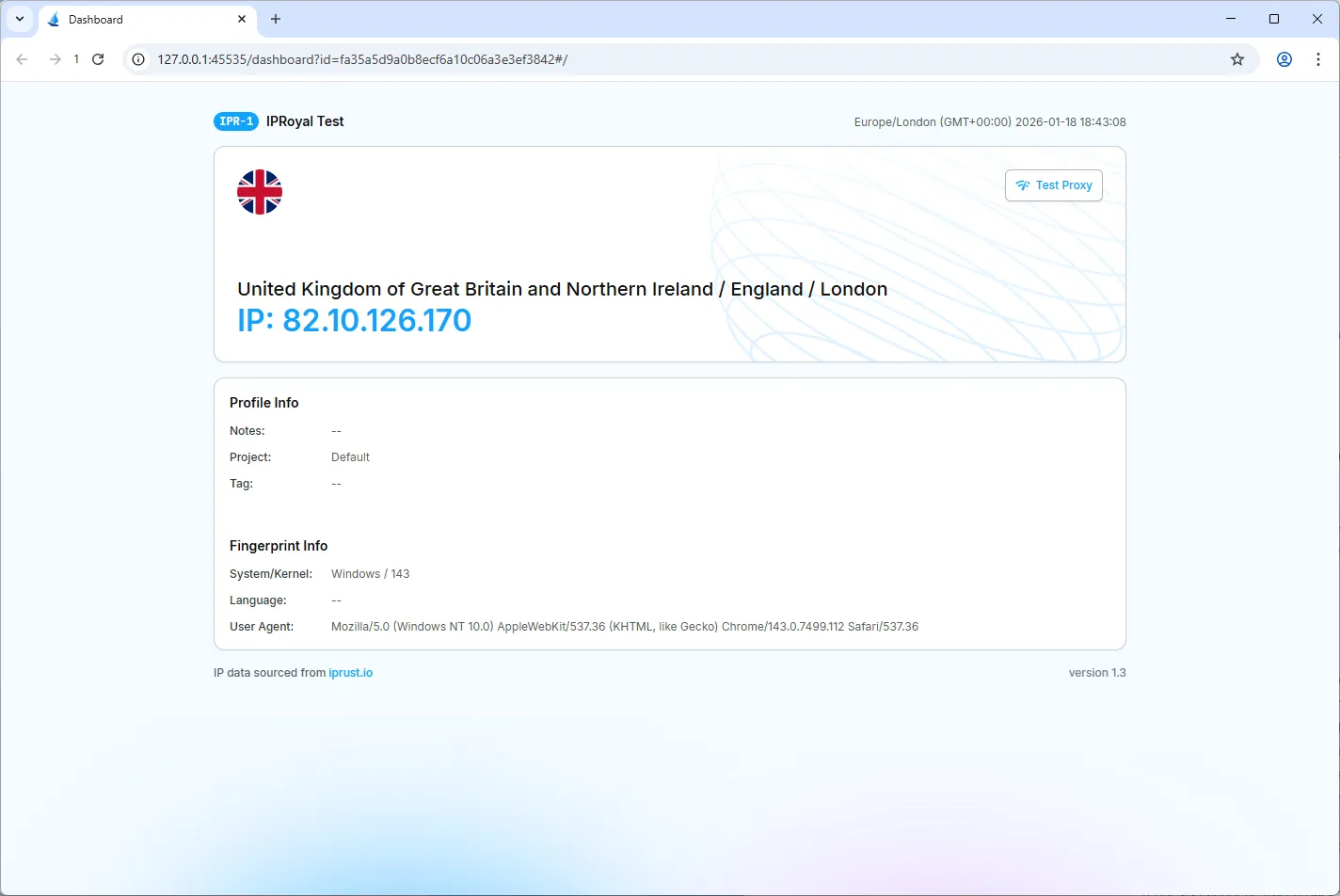
A new RoxyBrowser window appears that now uses a new IP address and fingerprint, confirming everything works as it should.
An Efficient Combination: Why RoxyBrowser and IPRoyal Proxies are a Perfect Fit
Our browser offers elaborate browser profile management options, but it still needs high-end proxies to perform at full capacity. IPRoyal fills in this gap by providing millions of high-trust-score IPs you can assign to our profiles.
Key Benefits:
-
Bypass geographical blocks: By connecting to a proxy server in a different country, you can browse the internet as if you were physically there. This way, you can join local social networks, forums, and localize your marketing campaign.
-
Strengthen your fingerprint: If you spoof a particular timezone in your profile, make sure your IP address reflects it. Use a proxy server in the same timezone to avoid triggering anti-bot alarms.
-
Start scaling: Hundreds of IPs at your disposal allow creating hundreds of isolated social media profiles. You can start scaling for better brand visibility and conversion rate.
-
Successful web scraping: Our browser is fully capable of scraping the web and supports the MCP protocol. To get the best results, rotate IPRoyal’s IP addresses to ensure your data collection requests cannot be traced back to the same user.
Final Words: Avoid Detection and Scale Visibility
Businesses of all sizes utilize social media to drive more attention to their brand. But at the same time, social networks and websites limit what different accounts can do, and sometimes without a good reason.
It becomes a challenge for most marketing specialists to work around that. As we’ve demonstrated above, RoxyBrowser combined with IPRoyal proxies is an excellent way to separately manage as many browser profiles as you need.


