Incogniton Browser 2026 Review: Features, Pricing, and Best Alternatives
Is Incogniton browser still worth it in 2026? Compare its paid plans and free tier against RoxyBrowser to find the most cost-effective multi-account management tool.


Incogniton browser is a prevalent anti-detect browser that often serves as a standard starting point for multi-account management. Despite offering an initial free plan and basic team permissions, the browser comes with some important downsides to consider. These include a strict profile limit after two months and frequent failures on fingerprint checkers like Whoer.net and Iphey.
What’s changed in 2026? Walk through this review to get a clearer picture if Incogniton suits your case, or if a more reliable alternative like RoxyBrowser is a smarter choice for protecting valuable accounts.
Features of Incogniton
registration and login
Regarding accessibility, the software currently lacks support for Asian languages such as Chinese, Japanese, and Korean. Users from these regions will find the interface challenging to navigate without relying on screen translators or local localization tools.
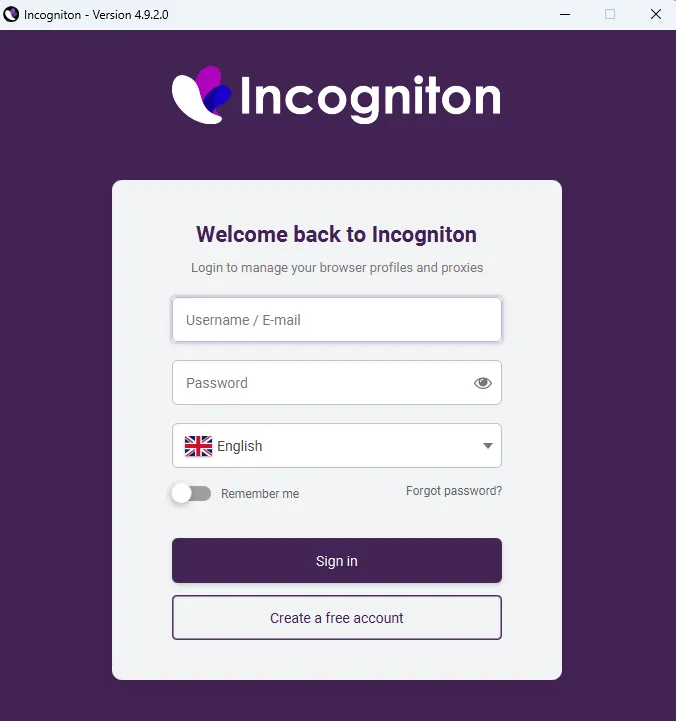
The signup process is fairly simple, requiring only a quick email verification and a standard captcha. However, the experience breaks momentum right after account creation. Instead of dropping new users straight into the dashboard, it forces them back to the login page.
This adds an annoying extra step right from the start. Users have to type their login details all over again. Anyone who happens to forget the password they just created is instantly stuck doing a password reset before even trying the browser.
First impressions
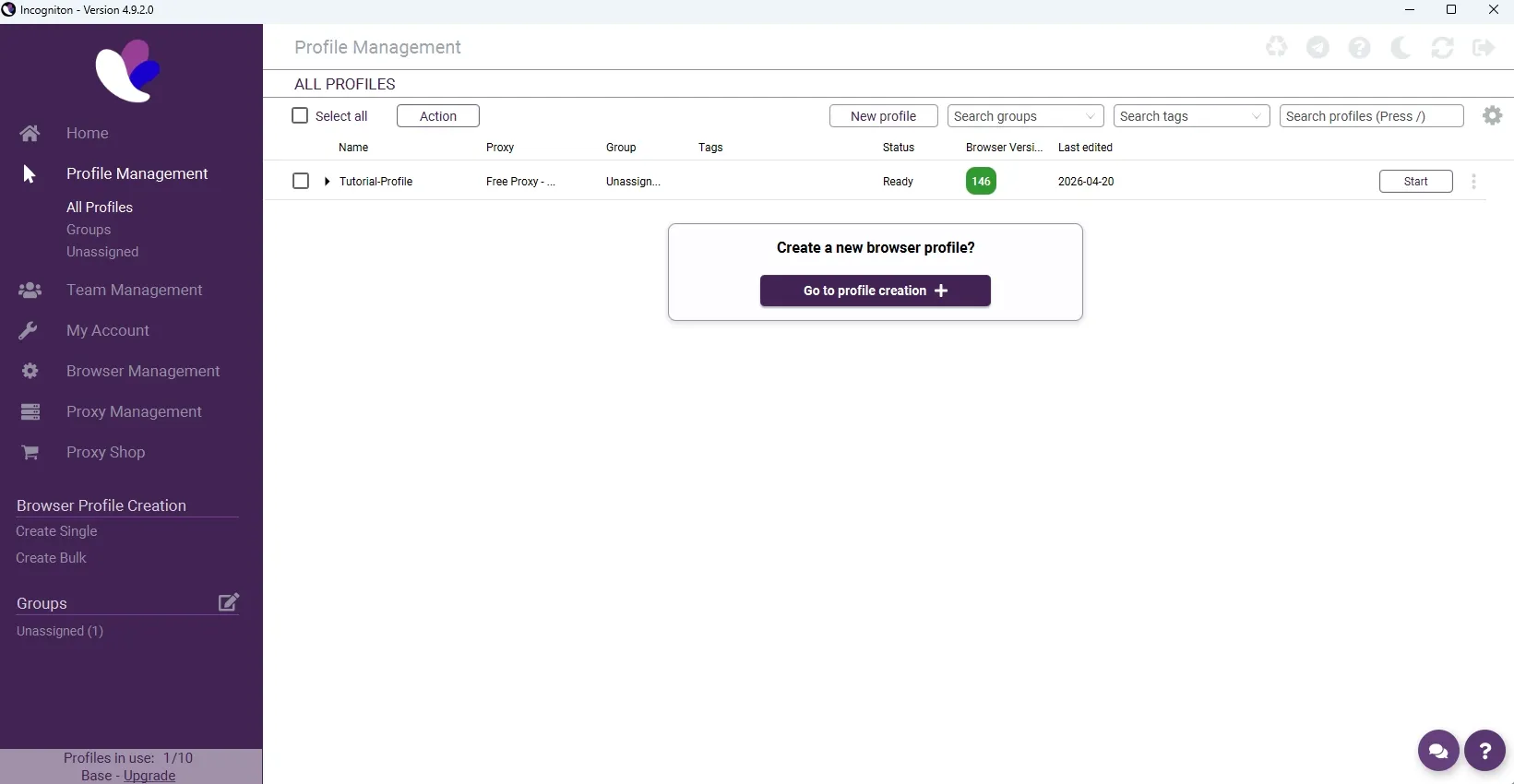
After typing the login details all over again, users finally reach the main dashboard. The experience kicks off with a simple, quick tutorial, and the interface itself is actually clean and straightforward.
However, anyone sticking to the free starter package will quickly notice that a lot of features are locked. Helpful tools like the Cookie Collector and the Synchronizer are completely unavailable on this free plan. These specific limitations will be covered in much more detail later in the post.
Comfort of use & Features
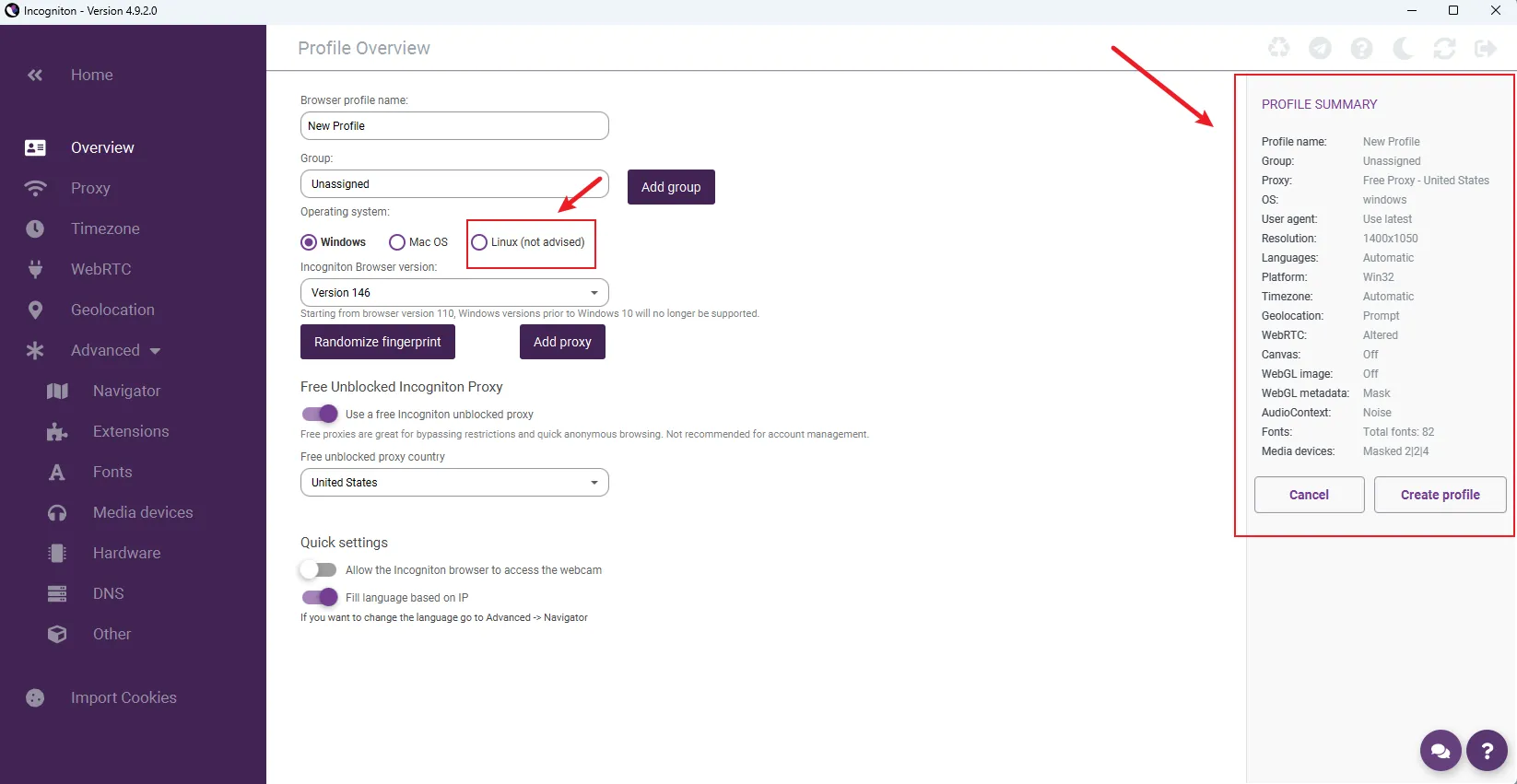
When setting up a single profile, the Linux option is clearly marked as "not advised." This is a major downside for anyone wanting to manage accounts or run scrapers on Linux. Plus, there is no option to customize fingerprints—the software only gives you randomly generated ones.
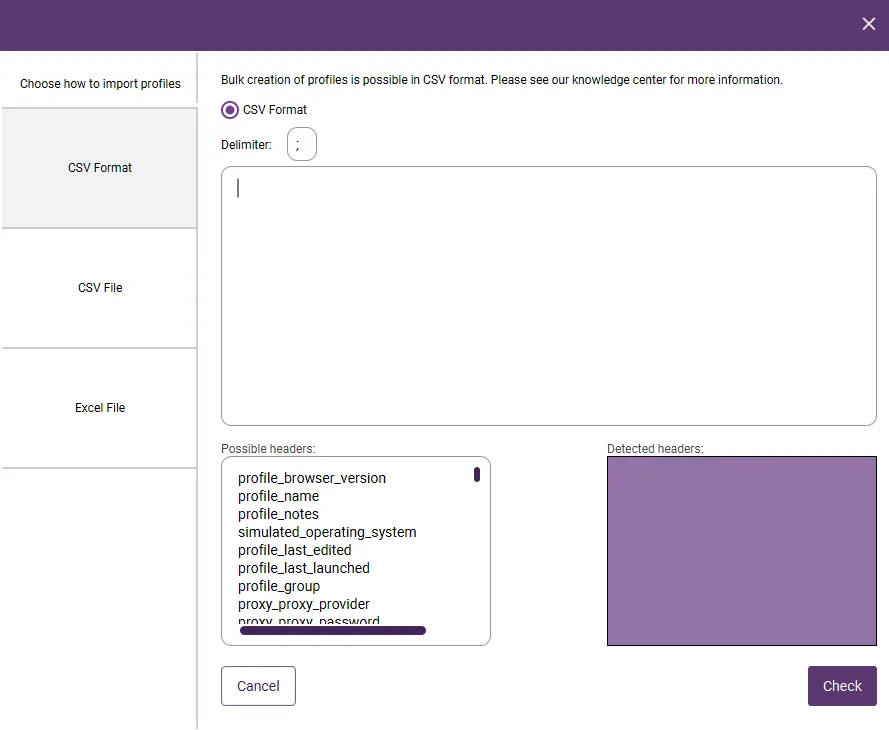
Cookie features are almost completely locked on the free plan, which is pretty frustrating. Bulk creation is also a bit of a headache because it only works via CSV uploads. It’s a tedious process that feels way too complicated for beginners who just want a simple, fast setup.
Support and updates
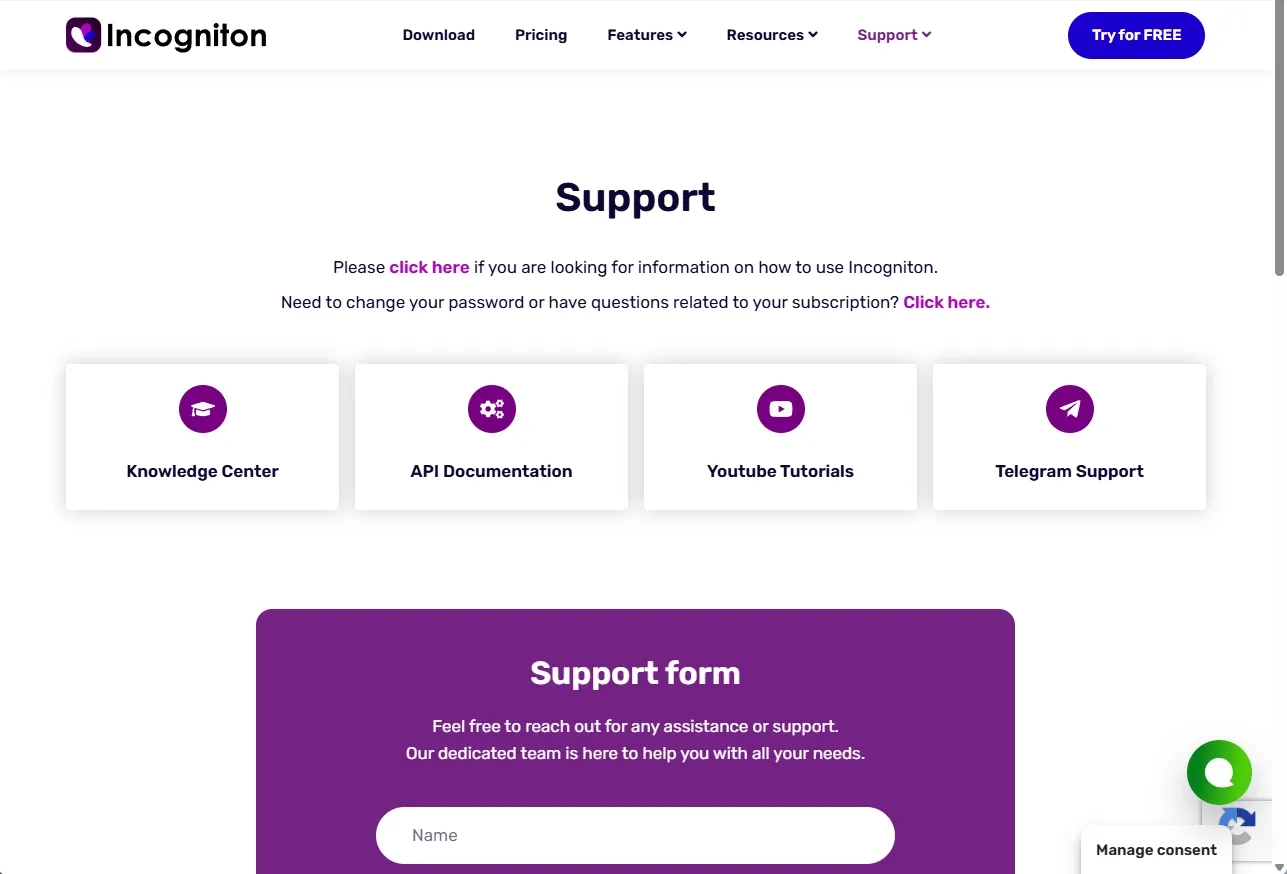
For basic troubleshooting, users can easily check out the Knowledge Center or watch the YouTube tutorials to find quick answers. There is also standard online chat and Telegram support available for everyday questions.
However, getting hands-on help requires an upgrade. Choosing a paid package unlocks premium support, meaning users can request a video call or an AnyDesk session on top of regular email support.
As for updates, the browser core is currently running on version 146. It isn't the absolute newest version out there, but it still gets the job done for most standard tasks.
Roxy browser as the best Incogniton alternative
For small studios and social media managers on a tight budget, Incogniton might seem like a cheap choice at first. However, the free plan is heavily restricted, and the proxy quality issues leave users at a real risk of sudden account bans.
Plus, the standard fingerprint masking often struggles to pass tests on stricter platforms. For users needing a stable, cost-effective alternative to address these technical gaps, RoxyBrowser serves as a highly practical option.
Incogniton vs RoxyBrowser: Proxy Quality
While Incogniton does offer built-in proxy options, the actual IP quality often falls short. Users frequently deal with unstable connections and lower-tier nodes, which can easily trigger security checks and leave accounts at risk of sudden bans.
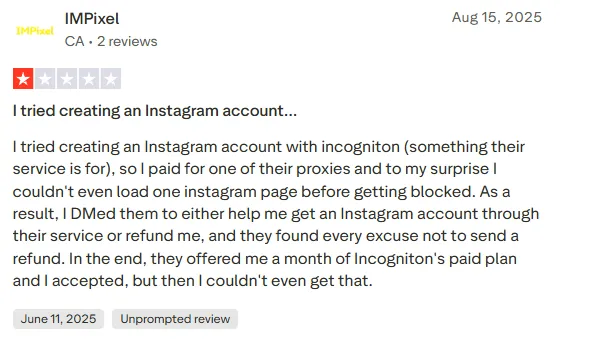
RoxyBrowser takes built-in proxies to a much higher level. Instead of settling for poor connections, users get direct access to a premium proxy store loaded with over 50 million clean residential IPs across 200+ countries.
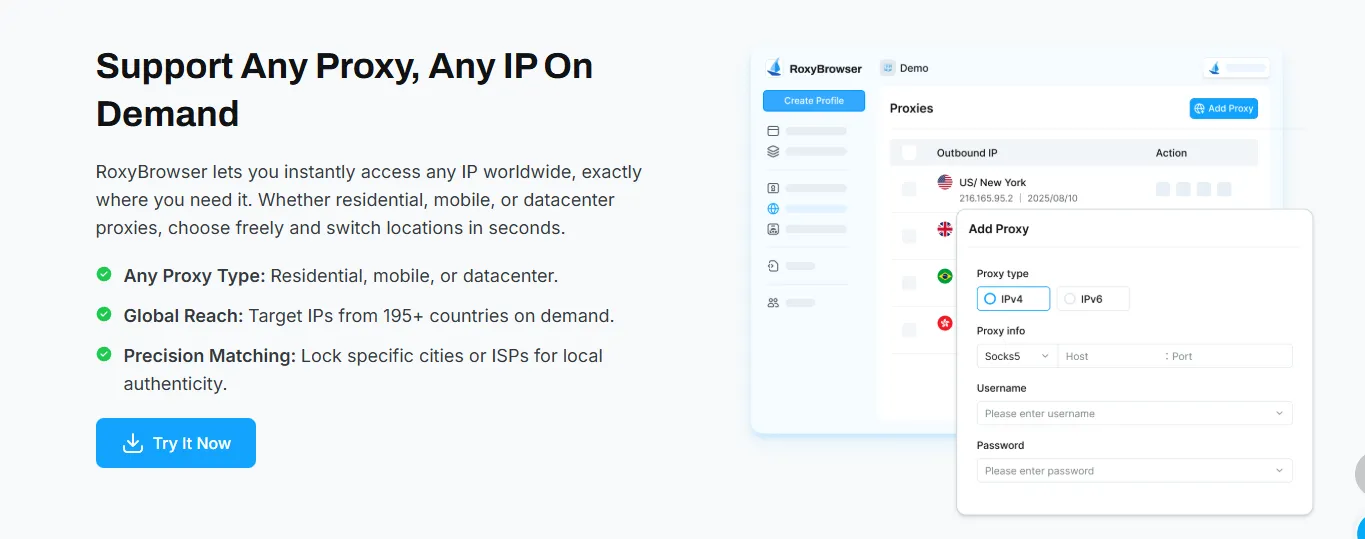
Designed perfectly for social media matrices and e-commerce, these premium nodes guarantee a 99.9% uptime. The setup is incredibly fast—users can pick an IP and bind it to a profile in just 30 seconds, creating a secure, low-latency foundation all in one place.
Incogniton vs Roxy browser:Third-party testing(fingerprint checks)
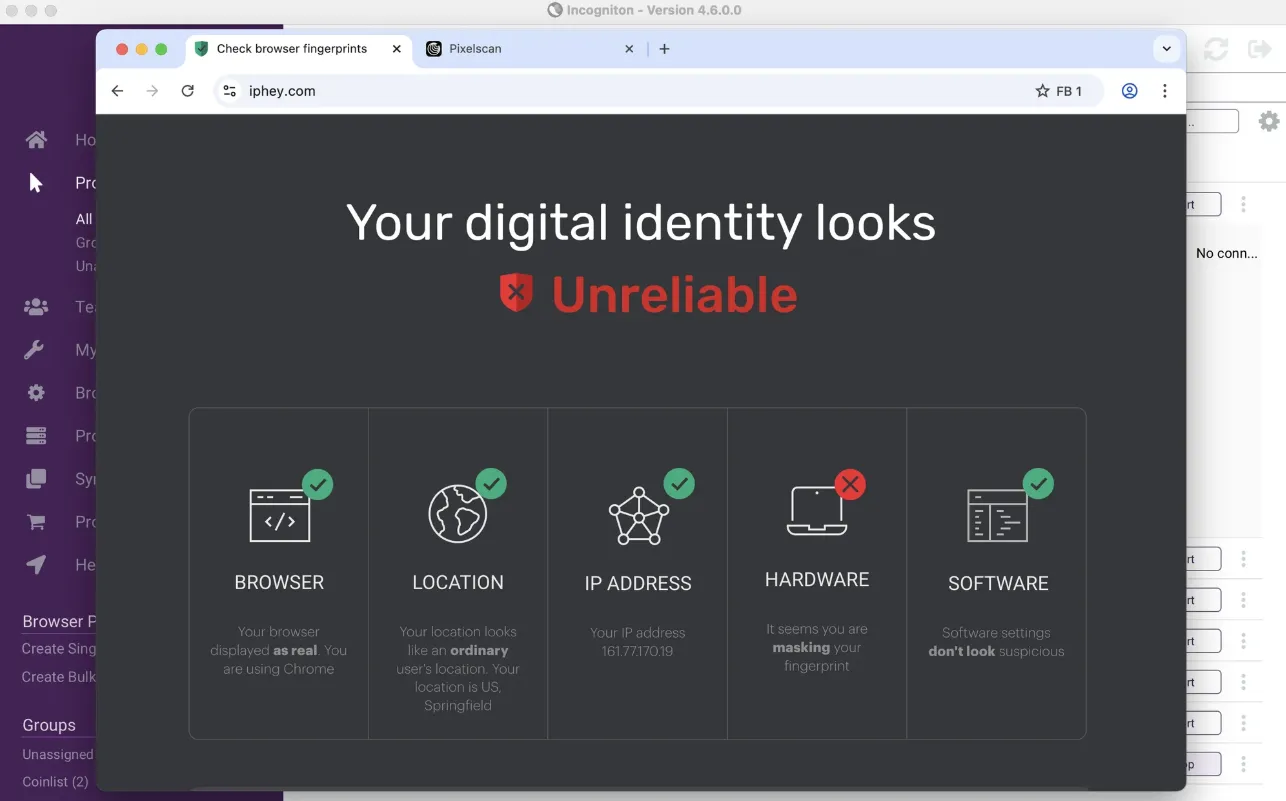
When it comes to passing strict security tests, Incogniton often struggles to keep a clean record. It frequently fails top-tier fingerprint checkers like Iphey and Pixelscan, which is a major red flag. These failures mean the browser isn't fully hiding a user’s digital identity, making it much easier for platforms to detect and link multiple profiles together.
RoxyBrowser takes a much more advanced approach by modifying the core browser engine directly. Instead of just surface-level masking, it spoofs over 200 hardware and software parameters. This includes everything from Canvas and AudioContext to mobile-specific details like battery levels and Bluetooth APIs, making every single profile look like an entirely separate, real device.
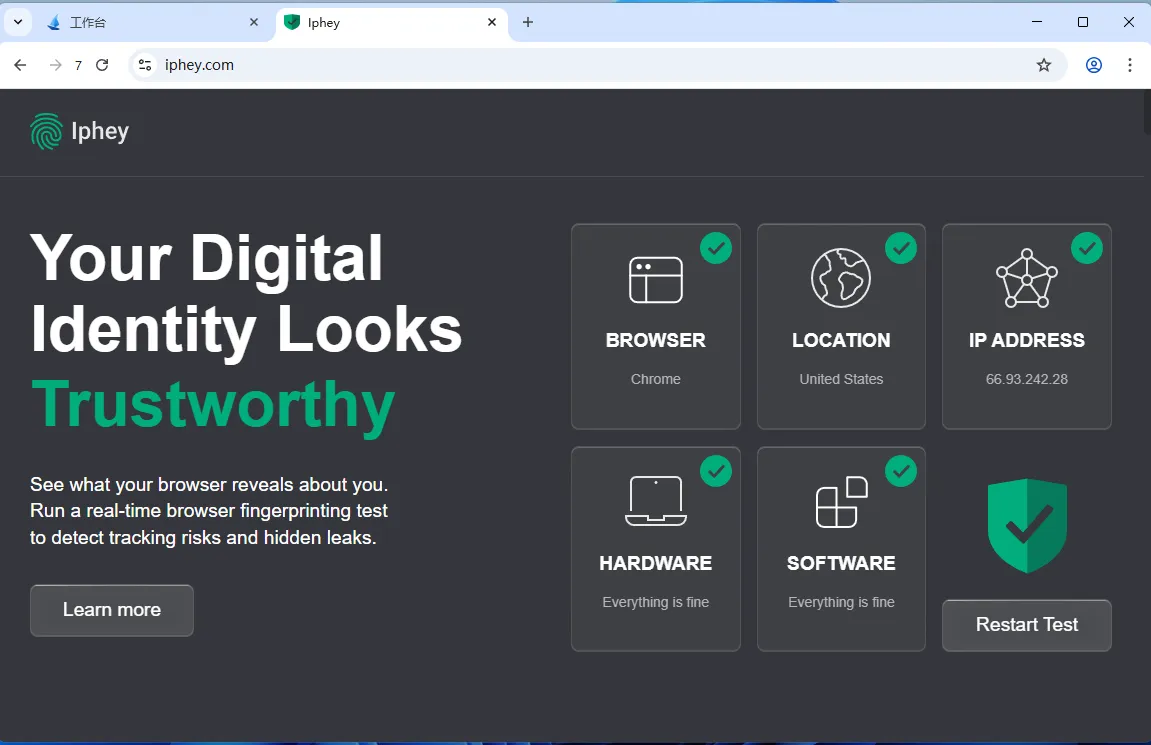
Because of this deep-level customization, RoxyBrowser consistently passes rigorous checks on sites like Pixelscan. With a 99.9% account survival rate, it allows users to scale their operations with total peace of mind, ensuring zero link-ups and zero bans across all managed accounts.
Incogniton vs Roxy browser: Team engagement and collaboration
For growing teams, Incogniton’s Team Management features come with a catch: they are strictly locked behind a paid subscription. Users on the free starter package can't add team members or assign roles, making it hard to see if the software actually fits a team's workflow without paying upfront.
RoxyBrowser handles things differently by offering full access to all features—including team management—even on the free plan. This allows teams to test out collaboration tools and permission settings without any initial investment. It’s the ideal way to see if the tool meets a team's needs before committing to a larger operation.
Incogniton vs Roxy browser: Pricing comparison
One look at Incogniton's pricing page shows that their tier system is pretty rigid. Just getting the basic 10 browser profiles costs $19.99 a month. If users want to unlock management features, like three team seats, they are forced to jump straight to the $79.99 Professional plan. That is a steep price tag for a small studio.
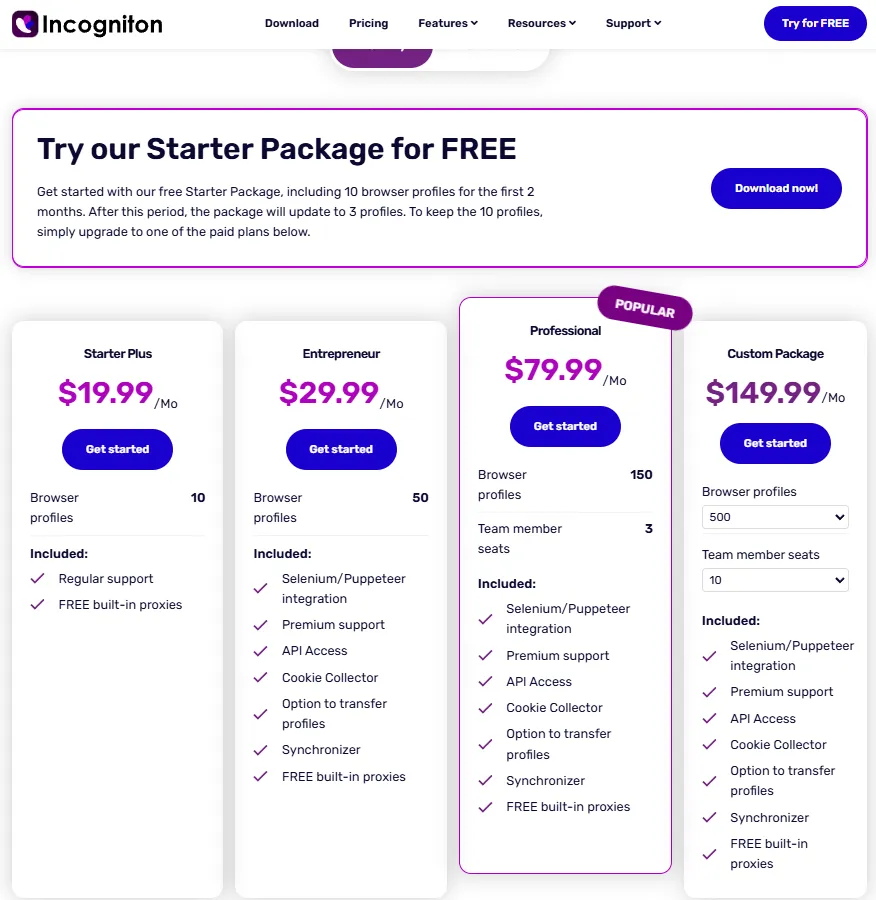
The free plan comparison is where the value gap really shows. Incogniton’s free package technically starts with 10 profiles, but it acts more like a temporary trial. If a paid subscription isn't started within two months, the limit drops to just three profiles with very limited functionality. On the other hand, RoxyBrowser provides five profiles permanently on its free plan, and it unlocks every single feature without restrictions from day one.
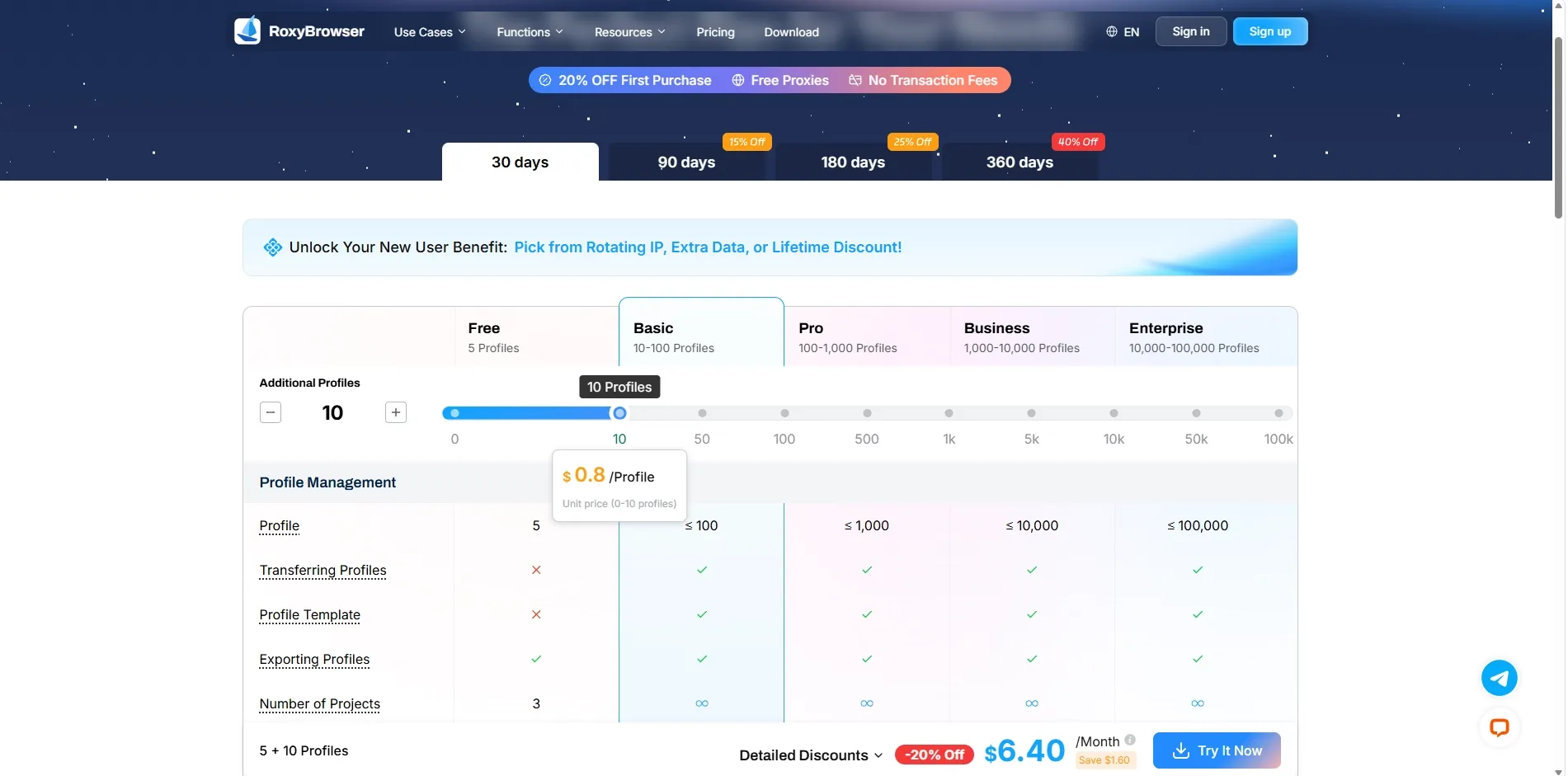
Overall, RoxyBrowser takes a much more practical approach for businesses looking to scale. Not only does it use a flexible sliding scale—where 10 profiles cost as low as $6.40 a month—but it consistently offers a higher number of browser profiles across every single pricing tier compared to Incogniton. Users simply get more room to grow while paying for exactly what they need, without wasting a single dime on overpriced, locked-in plans.
Incogniton vs Roxy browser: 2026 Review Summary
In 2026, Incogniton browser remains a functional starting point, but its unstable proxy integration and struggles with strict fingerprint checkers make it a risky choice. Combined with a restrictive free tier and steep paywalls for basic team features, it simply no longer offers the best overall value.
| Feature | RoxyBrowser | Incogniton |
|---|---|---|
| Overall Rating | ⭐⭐⭐⭐⭐ 9.8/10 | ⭐⭐⭐ 7.2/10 |
| Fingerprint Protection | ✅ Advanced Engine-Level (200+ params) | ⚠ Standard (Basic Masking) |
| Detection Avoidance | ✅ Excellent (Passes Pixelscan/Iphey) | ❌ Frequent Failures (Struggles with tests) |
| Proxy Quality | ✅ Premium Built-in (50M+ Residential IPs) | ⚠ Standard Built-in (Often Unstable) |
| Free Plan Access | ✅ Permanent 2 Profiles (All features unlocked) | 3 profiles** (If not upgraded to a paid plan within 2 months) |
| Team Collaboration | ✅ Available on Free Plan | ❌ Paid Plans Only |
| Setup Speed | ✅ Fast (IP bind in 30 seconds) | ⚠ Slower (CSV imports/Manual setup) |
| Multi-Language Support | ✅ Global | ❌ Limited (No support for Chinese, Japanese, or Korean) |
| Account Survival Rate | ✅ 99.9% | ⚠ Moderate (Proxy/Detection risks) |
RoxyBrowser steps up as the ultimate alternative, solving these exact headaches with deep engine-level spoofing and a premium built-in proxy store. By offering permanently unlocked features on its free tier and highly flexible pricing, it delivers enterprise-grade security without breaking the bank.