How to Manage Multiple Twitter Accounts Safely in 2026
Learn how to manage multiple Twitter(X) accounts in 2026 without bans — covering anti-association, residential proxies, antidetect browsers, team SOPs, and account warming.

Executive Summary
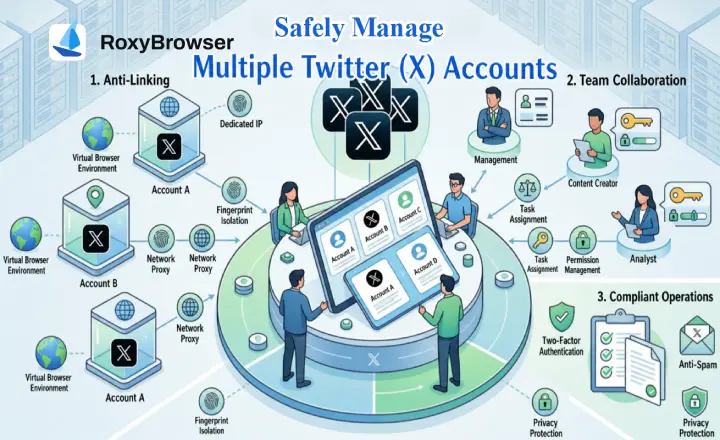
Core Conclusion: Under X's current anti-abuse framework, securely managing multiple Twitter accounts requires strict consistency across three dimensions: browser fingerprints, IP addresses, and behavioral profiles. The fundamental rule is: one dedicated IP, one unique fingerprint, and one distinct behavioral profile per account.
Three-Tier Framework
- 1–5 Accounts: Use the official X native app or web interface switcher combined with separate browser profiles. This approach incurs zero additional cost.
- 5–10 Accounts: Layer official whitelist API tools (such as Circleboom or Hypefury) to manage multiple accounts on Twitter for post scheduling and data aggregation.
- 10–100+ Scale Matrix: Implement a robust infrastructure combining anti-detect browsers (e.g., RoxyBrowser), static residential proxies, and humanized behavioral scripts to achieve physical isolation. This should be supported by standardized operating procedures (SOPs) and a 0 to 30-day account warming schedule.
Introduction
As social media marketing becomes highly sophisticated and cross-regional operations expand, learning how to manage multiple Twitter accounts effectively is no longer just about increasing impressions. It has become a core strategy for brand segmentation, Web3 community engagement, and SEO backlink matrix building. However, as the platform's anti-spam detection evolves, X increasingly flags environmental anomalies such as shared IP addresses, identical browser fingerprints, and automated patterns.
To navigate these challenges, this guide moves past superficial operational advice to analyze secure account management from both technical and compliance perspectives. Whether you are an individual creator needing to switch between 3 to 5 Twitter accounts, or an enterprise team seeking to scale to over 100 profiles safely, this blueprint provides actionable steps from low-level profile isolation to high-level operational SOPs to help maximize efficiency within platform guidelines.

Why Do You Need to Run Multiple X Accounts?
Before exploring technical and security solutions, it is essential to clarify the business logic behind managing multiple Twitter accounts. Typically, businesses or individuals build a multi-account ecosystem based on two core strategic needs:
1. Brand Positioning and Audience Segmentation
Modern social media marketing prioritizes precise audience targeting. Mixing various content types on a single profile makes it difficult for the algorithm to identify your core demographic, which can lower overall engagement rates. Therefore, the industry standard for those learning how to manage multiple Twitter accounts is to separate personal brands, official corporate profiles, customer support, and niche content channels.
| Account Type | Core Objective | Operational Strategy & Practical Experience |
|---|---|---|
| Corporate Official | Brand Endorsement & Authoritative Announcements | Maintain low posting frequency with high quality. Best for PR releases and major product updates. |
| Personal Brand / Executive | Building Trust & Thought Leadership | Share industry insights from a founder's perspective. Typically generates the highest engagement. |
| Customer Support | Fast Response & Problem Resolution | Handle user feedback and isolate negative interactions to protect the main brand's image. |
| Niche Content | Targeted Traffic & Audience Retention | High-frequency content on specific long-tail keywords (e.g., SEO tips) to attract targeted followers. |
2. Matrix Building and SEO Strategy
From a macro perspective of traffic acquisition, building a cross-regional, multilingual matrix—combined with website backlink generation and affiliate marketing—is a practical approach to increasing overall online visibility. When you manage multiple accounts, distinct profiles can secure more real estate on search engine results pages (SERPs). Furthermore, operating independent multilingual profiles allows you to better accommodate audiences across different time zones and cultural nuances. This synergy drives traffic growth and conversions, which is a primary reason cross-border teams rely on specialized tools to manage multiple accounts.
X's 2026 Rules & Ban Triggers
When learning how to manage multiple Twitter accounts, your primary task is to clearly understand the platform's risk control boundaries. According to X's official Platform Rules and Policy, the system maintains strict criteria for determining account association.
1. Permitted Operational Boundaries
X officially allows users to create and operate multiple Twitter accounts to accommodate various business needs, such as separating product lines, building brand matrices, or providing dedicated customer support.
- Native App Switching: X's iOS/Android apps and its web interface support switching between up to 5 accounts natively (X official function, subject to the latest version). Within this threshold, conducting daily logins and routine management through the official client constitutes a compliant use case—provided that each account serves an independent and authentic purpose.
2. Core Triggers for Risk Control (Shadowbans and Suspensions)
When you manage multiple Twitter accounts, security risks typically arise when the system flags your activity as "Coordinated Activity" or "Abuse of Automation." The following actions are the primary reasons for triggering Twitter shadowbans or permanent account suspensions:
- Bulk Following/Unfollowing: Executing a high volume of follow or unfollow actions within a short timeframe is flagged as spam intended to artificially inflate follower counts, routinely tripping rate-limit detections.
- Identical Duplicate Posting: Publishing identical content—including tweets, replies, and links—across multiple accounts simultaneously is recognized by X as malicious spam or characteristic of a content farm.
- Coordinated Engagement Manipulation: Using multiple accounts under your control to like, retweet, or reply to one another in an attempt to artificially amplify a tweet's metrics or manipulate trending topics. This type of coordinated manipulation is a high-priority violation for X and routinely triggers account association detection.
Which Multi-Account Operational Tier Do You Fit Into?
Before implementing a strategy, evaluating your operational scale is critical. Different tiers require specific risk control measures and tools; adopting an overly advanced solution creates unnecessary overhead, while ignoring safety isolation exposes you to immediate suspension. Based on industry experience, managing multiple Twitter accounts generally falls into three stages:
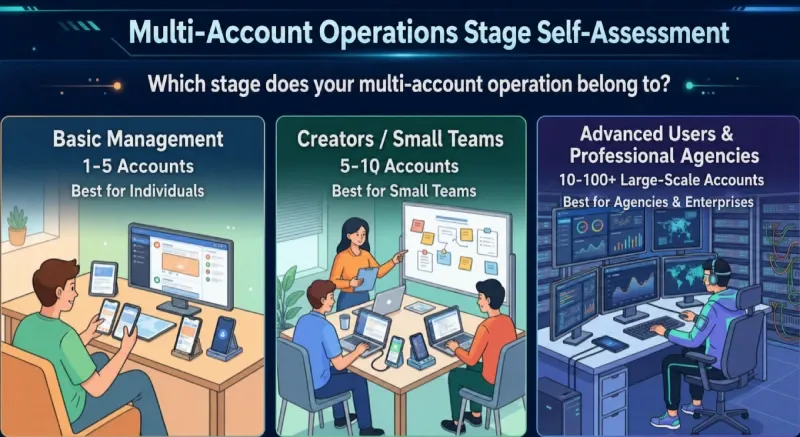
Native Management (1–5 Accounts; Ideal for Individuals)
This stage is tailored for individual creators or early-stage startups. At this volume, the most straightforward way to manage multiple Twitter accounts is by leveraging the platform's built-in features.
- Device-Level Switching: You can switch accounts directly within the official iOS or Android applications, where the platform's stable limit is typically 5 profiles.
- Web-Level Isolation: On desktop, it is highly recommended to utilize the multi-user profile feature (Browser Profiles) built into mainstream browsers. This provides basic web-level isolation and reduces the risk of local data and cache cross-contamination.
Creators & Lightweight Teams (5–10 Accounts)
As your footprint grows to between 5 and 10 profiles, manual switching becomes time-consuming and prone to human error during publishing. At this point, finding an efficient way to manage multiple accounts on Twitter becomes a core operational requirement.
- API Management Tools: Operators at this stage usually rely on whitelisted API management tools like Circleboom or Hypefury.
- Core Advantage: These tools streamline content calendar scheduling and basic data aggregation, centralizing key metrics from multiple accounts to provide lightweight teams with necessary data support and efficiency gains.
Advanced Operators & Professional Agencies (10–100+ Large-Scale Matrices)
When your matrix scales into dozens or hundreds of profiles, the central challenge shifts from "improving efficiency" to "preventing account association and ensuring low-level security." Native switching and standard API tools are insufficient against the platform's deep risk detection.
- Emphasis on Physical Isolation: To address the security gaps of conventional tools, you must implement hardware-level isolation within your underlying architecture.
- Independent Hardware Environments: This setup requires professional anti-detect browsers to assign a dedicated, isolated environment to each account. Building this fundamental defense layer ensures the stable running of a large-scale matrix while keeping the risk of cross-account association to a minimum.
10–100+ Large-Scale Matrix: Anti-Association and Security Solutions
When your operations scale to dozens or hundreds of accounts, standard API scheduling tools can no longer satisfy platform risk controls. To long-term manage multiple Twitter accounts stably, you must rebuild your security mechanisms from the ground up by focusing on deep physical isolation.
1. How X (Twitter) Identifies and Associates Your Accounts
To keep your network safe, you must understand exactly what the platform tracks. X primarily detects account matrices by analyzing network environments, behavioral fingerprints, and low-level hardware characteristics:
- Network Environment (IP): Consistently logging into multiple profiles from the same IP address or adjacent subnets flags them as an associated matrix. Advanced network-layer signals also include WebRTC IP leaks, DNS leaks, TLS fingerprinting, JA3/JA4 hashes, and ASN/ISP detection.
- Low-Level Hardware Features: Browsers inherently expose device hardware configurations when visiting web pages. This includes Canvas fingerprinting, drawing characteristics, WebGL rendering data, AudioContext fingerprinting, font enumeration, User-Agent strings, User-Agent Client Hints (UA-CH), and timezone/locale settings. Combined, these data points form your device's unique digital fingerprint.
- Behavioral Fingerprints: The platform analyzes behavioral biometrics, including typing speeds, page scrolling frequencies, mouse movement entropy, and keystroke dynamics. Highly consistent, mechanical behavior is a major risk indicator that routinely triggers anomaly detection models.
2. Building a Secure Matrix via a Three-Layer Defensive Tech Stack
To minimize risks while managing multiple Twitter accounts, professional teams deploy a structured, three-layer defensive technology stack:
Identity Isolation Layer: Establishing Independent Hardware Environments
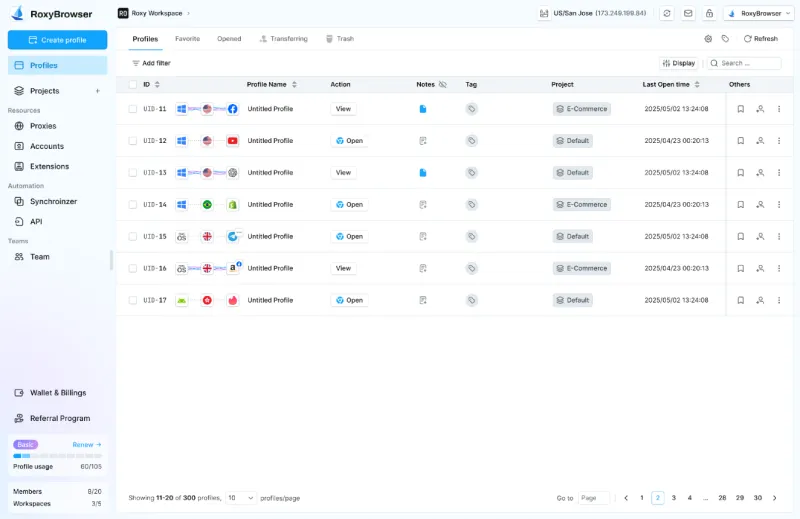
The core of this layer involves using anti-detect browsers (such as RoxyBrowser) to assign a distinct hardware environment to each profile. Through dedicated configuration files and isolated cookies, the platform reads each account as running on an entirely separate, authentic physical computer while maintaining browser fingerprint consistency.
To assist in your software selection, here is a comparison of 6 mainstream anti-detect browsers on the market. For social media matrix building, we highly recommend RoxyBrowser due to its balanced performance in low-level fingerprint consistency and cost-efficiency for multi-account management.
| Browser Brand | Core Advantage | Operational Evaluation & Best Use Case |
|---|---|---|
| RoxyBrowser | Optimized for social media matrices; stable low-level fingerprint consistency at a competitive price. | Clean interface, developer-friendly API. Ideal for operating matrices of 10–100+ accounts by accurately simulating real user environments. |
| AdsPower | Rich RPA automation capabilities with a highly complete plugin ecosystem. | Great for teams requiring complex automated workflows. Subscription costs can become relatively high for large-scale deployments. |
| Multilogin | Long-standing industry veteran with an exceptionally stable and authentic fingerprint library. | Premium pricing. Primarily geared toward high-end enterprise clients with substantial budgets. |
| GoLogin | Powered by cloud browser profiles; supports cross-platform multi-device synchronization. | Quick learning curve, though fingerprint pass-rates are average when facing aggressive low-level hardware sweeps. |
| Dolphin Anty | Explicitly tailored for affiliate marketing and media buying with convenient bulk management. | Well-suited for ad buyers; certain specialized features may feel redundant for pure, organic Twitter content matrices. |
| Incogniton | Offers a basic free tier, making it highly accessible for beginners. | Relatively high local system resource consumption; prone to lagging when running more than a dozen windows simultaneously. |
(Comparison based on internal testing, evaluation methodology available on request)
Network Isolation Layer: Deploying Clean IPs
Hardware isolation alone is incomplete without proper network-level separation. In practice, you must deploy static residential proxy IPs, binding them to profiles to guarantee a strict "one account, one IP, one fingerprint" setup. Because residential proxies originate from genuine home broadband networks, their ASNs map to consumer-grade ISPs. This gives them significantly higher trust weights than data center IPs, making them the standard solution for severing network ties between accounts.
- Geographic Alignment: The physical location of the proxy IP must perfectly match your browser settings, including timezones, languages, currency preferences, and keyboard layouts. Any single mismatch acts as an immediate risk signal.
Behavioral Humanization Layer: Avoiding Automated Signatures
Once your underlying environment is set up, daily operations must adapt to humanized behavior. We recommend utilizing automation frameworks like Python/Selenium, Puppeteer, or Playwright via the Chrome DevTools Protocol (CDP) to implement rate-limiting and staggered scheduling.
When publishing tweets in bulk, always program random delay intervals into your scripts and mimic natural mouse movement paths (increasing mouse movement entropy). Furthermore, ensure at the kernel level that the navigator.webdriver flag is not explicitly exposed as true by your automation framework. Avoiding headless browser detection allows you to more naturally manage multiple Twitter accounts and secure the long-term safety of your digital assets.
Avoiding Internal Pitfalls: Team Collaboration SOPs and Content Publishing Strategies
When operating a large-scale matrix, technical isolation merely lays the hardware foundation. Many teams ultimately suffer account suspensions or algorithmic throttling because of poorly structured internal collaboration, falling into traps regarding content and personnel management. Therefore, establishing strict Standard Operating Procedures (SOPs) for team collaboration and content publishing is critical.
1. Anti-Duplication Content Strategy
When you operate multiple Twitter accounts, syncing identical posts across all profiles to save time is the most common reason for triggering the platform's "Spam and Platform Manipulation" rules.
- Establish Distinct Persona Boundaries: Every account within the matrix must have clear positioning and a distinct persona. Even if they serve the same overarching brand, they must approach topics from different angles. For instance, a technical profile focuses on hard-core development insights, the main corporate handle manages official announcements, and a personal brand leans toward daily interactions and opinion-sharing.
- Structural Paraphrasing of Core Ideas: If a trending industry topic or core concept requires coordinated posting across the matrix, the team must strictly avoid mechanical copy-pasting. Editors should deeply restructure the content—adjusting sentence patterns, tone of voice, and even visual styles. This ensures each tweet presents independent content characteristics, lowering the probability of being flagged for coordinated manipulation and allowing you to naturally manage multiple Twitter accounts.
2. Team Permissions and Approval Workflows
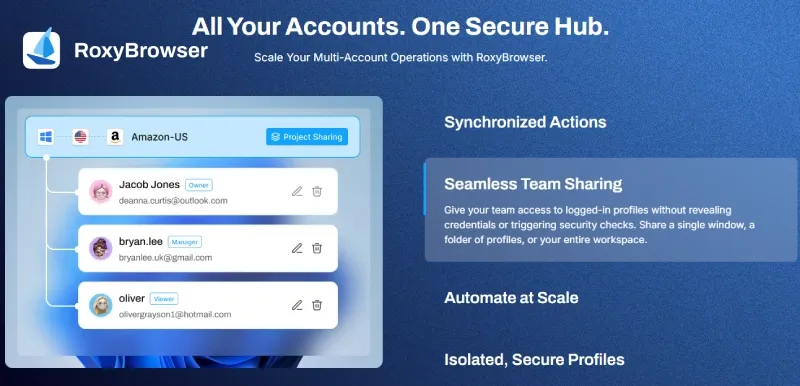
As your team expands, sharing a single set of login credentials not only poses security risks (such as password leaks or accidental actions) but also frequently triggers X’s unusual login verification due to shifting device locations.
- Password-Free Security Solutions: During collaborative efforts, avoid distributing raw account passwords to standard operators. Utilizing the team collaboration features of anti-detect browsers (like RoxyBrowser) or integrating third-party matrix management tools allows administrators to authorize configured browser environments via the cloud. Employees can directly launch the session and log in without ever seeing the password.
- Role-Based Permissions and Approval Flows: A standardized team must establish a three-tier "Draft-Review-Publish" workflow. Copywriters or junior marketers should only hold permissions to "Create and Edit Tweets." Once drafted, the content must be submitted to a project manager or team lead for review. Only after approval should a user with "Publish Permissions" execute the post. This decentralized management drastically reduces the chances of accidental posts, missed schedules, or compliance violations, making it a standard setup for enterprise-level teams learning how to manage multiple Twitter accounts.
3. Account Handover and Asset Protection
Social media accounts are vital digital assets. Personnel turnover frequently introduces significant security vulnerabilities in multi-account management.
- Institutionalized Onboarding and Offboarding: Upon joining, new employees should be assigned a company-domain email address, which is then bound to the Twitter profile. When an employee leaves, the offboarding process must be institutionalized: technical leads must immediately revoke environmental access within the anti-detect browser and reset the associated email passwords.
- 2FA and Isolated Backup Codes Management: When managing multiple Twitter accounts, Two-Factor Authentication (2FA) is mandatory for every profile. In practice, do not use employees' personal phone numbers for SMS verification; rely on app-based authenticators (like Google Authenticator) instead. Concurrently, the system-generated Backup Codes must be securely isolated and stored by the highest-level administrator in an encrypted local file or password manager. This ensures that even if an employee departs unexpectedly, the company can rapidly reset the account via backup codes without compromising asset security.
Data Tracking and the 0–30 Day Account Health Calendar
A common mistake operations teams make when launching a massive matrix is rushing the process. Immediately after registration, they deploy high-frequency promotional posts, bulk-follow users, or activate automated scripts. Under X's increasingly stringent machine-learning risk models, skipping a transition period causes new profiles to be flagged as spam right out of the gate. Thus, establishing a scientific, progressive usage calendar (account warming) and a cross-account tracking system is a foundational pillar for safely managing multiple Twitter accounts.
1. Account Health Usage SOP (0–30 Days)
During the initial registration phase, a new account's trust score (an unofficial industry term) within X's system is exceptionally low. We recommend a 0–30 day progressive, rhythmic, and low-intensity usage pattern to build a normal interaction history, exhibiting the behavioral characteristics of a genuine human user.
| Warming Phase | Core Operational Focus | Strategies and Precautions |
|---|---|---|
| D0 - D3 | Profile Setup & Light Following | Complete basic info (Avatar, Banner, Bio), bind independent email, and enable 2FA. Lightly follow 2-3 authoritative accounts in your niche daily. Do not rush to post or launch commercial promotions. Avoid frequently editing profile details to prevent triggering the system's registration lock verification. |
| D4 - D10 | Rhythmic Interaction & Natural Browsing | Maintain 10-15 minutes of natural browsing daily; consistently like or retweet popular posts. Attempt 1-2 daily tweets sharing general opinions. Tweets must strictly contain NO external outbound links. Use normal interaction patterns to gradually migrate the account out of the high-risk observation zone. |
| D11 - D19 | Deep Engagement & Community Integration | Leave high-quality replies under industry KOL tweets; participate in relevant hashtag discussions. When you manage multiple Twitter accounts, stagger operational times across profiles. Do not bulk-reply to the same tweet simultaneously from different matrix accounts. |
| D20+ | Gradual Shift to Full Operations | Trust scores stabilize. You may moderately embed official website links or tracking codes in tweets and initiate small-scale DM customer support. Even at full capacity, daily follows and posts must remain within reasonable limits; avoid explosive, anomalous data spikes. |
2. Cross-Account Data Analysis and Attribution
When you manage a large footprint, lacking centralized data monitoring means you cannot accurately assess which profiles yield the highest conversion rates, nor can you promptly detect if an account faces a shadowban.
Establishing a Unified Dashboard for Engagement Monitoring
- Implementation Path: Relying on manual, account-by-account logins to check X Analytics is impractical for matrices with dozens of profiles. Professional teams utilize third-party API tools or custom-built dashboards to consolidate impressions, engagement rates, and follower growth curves onto a single screen.
- Risk Early Warning: A unified dashboard isn't just for assessing performance; it functions as a critical early warning system. If an account's engagement rate drops precipitously, or if its content disappears from specific keyword searches, data anomalies alert operators to potential shadowbans, allowing them to adjust publishing strategies immediately.
Leveraging GA4 for Precise Traffic Attribution and Lead Conversion
- Implementation Path: The ultimate goal of social media marketing is business conversion. When you manage multiple accounts on Twitter, you must use Google Analytics 4 (GA4) to distinctly trace which specific sub-account drove traffic to your independent site or landing page.
- UTM Parameter Standardization: Teams must enforce strict link management protocols. Every outbound link published must include customized UTM parameters (e.g.,
?utm_source=twitter&utm_medium=matrix&utm_campaign=account_A). - Conversion Attribution Analysis: By configuring "Explore" reports in the GA4 backend, you can clearly track the on-site behavioral journeys of users driven by different Twitter accounts. Observing funnel conversions helps identify which profiles generate high-quality inquiries and leads versus those merely attracting generalized, low-intent traffic.
Emergency Manual: Recovery Guide for Locked and Suspended Accounts
Encountering account anomalies is a common industry reality given the platform's strict risk controls. When facing these situations, staying calm and taking compliant actions is key. Based on X's official appeal channels and numerous real-world cases we have handled, the following guide objectively breaks down the recovery paths for three common restriction states.
1. Phone Verification Locks
This is the lightest risk control measure. When the system detects abnormal login activity (such as sudden cross-border IP shifts) or a high volume of identical direct messages sent within a short period, it triggers mandatory phone verification to protect the account.
- Triggers & Official Mechanisms: According to X's automated rules, these locks are typically flagged as "requiring a security check." At this stage, the account is not suspended; outbound functions are merely paused.
- Quick Unlock Process & Practical Experience: After logging in, follow the system prompts to input a phone number and receive an SMS verification code. For teams managing multiple Twitter accounts, it is highly recommended to use physical SIM cards. While virtual number platforms exist, X has flagged many virtual ranges as abusive nodes (resulting in a lower device reputation score). Using them may lead to verification failure or further decrease the account's trust score.
- Resource Allocation: A healthy physical phone number can typically verify 2 to 5 accounts safely. Once verified, the account usually returns to normal immediately, though we advise lowering your interaction frequency for the next 24 hours.
2. Shadowbans
A shadowban is an implicit algorithmic demotion. Although the platform rarely uses this exact term, its policies explicitly state they may "limit the visibility of tweets." This usually occurs because the account exhibits spam-like behavior, such as abusing trending hashtags or posting frequent, identical replies.
- How to Self-Test Visibility: If an account experiences a sudden drop in metrics, use a clean, unassociated account (on a different IP and browser profile) to search for the restricted account's
@usernamein X's search bar. If it does not appear in the "Latest" or "People" tabs, a shadowban has likely been triggered. - The "Cold Treatment" Recovery Path: When facing a shadowban, continuing to post at high frequencies is counterproductive. The most reliable strategy is the "cold treatment." First, immediately halt all automated API scripts. Second, refrain from publishing new tweets, retweeting, or liking content for the next 48 to 72 hours—simply maintain normal login status. Based on our testing data, most lightly penalized accounts automatically regain search visibility after a 3 to 7-day silent period.
3. Permanent Suspensions
This is the platform's severe penalty. It is triggered when the system determines an account has severely violated the "Platform Manipulation and Spam Policy," or clearly identifies the use of improper management methods (such as bot-driven engagement farming).
- Recovery Strategies & Appeal Materials: It must be acknowledged that not all permanent suspensions are reversible. If an account is banned for severe automation abuse, the probability of a successful appeal is low. However, if it results from a machine learning misjudgment, appealing through official channels is effective.
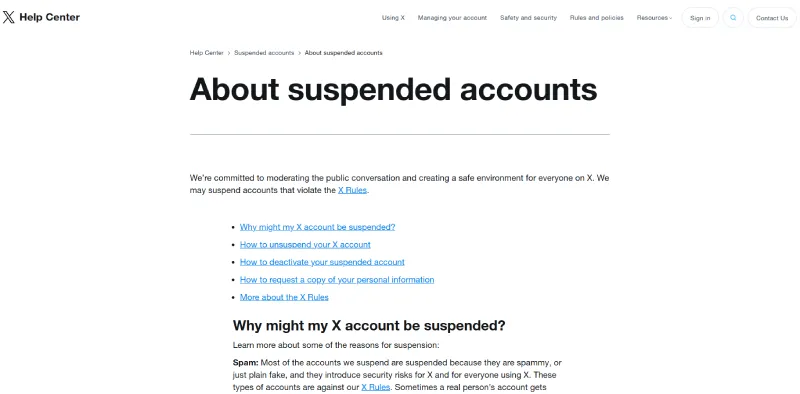
- Appeal Workflow: Visit the official X Help Center appeal form and submit a ticket under "Suspended Account." You can refer to X's official "Suspended Accounts" documentation for specific logical parameters.
- Key Points for the Appeal: Maintain a professional and sincere tone. Clearly articulate the authentic business purpose of the account in English (e.g., dedicated customer service for a specific region, or sharing industry-specific news). Confirm that you are a human operator and commit to having reviewed and abiding by platform policies. Avoid using emotional or aggressive language. The official review team typically responds within 3 to 10 business days.
Summary and Recommendations
In 2026 social media marketing, securely managing multiple Twitter accounts is not merely about clicking to switch profiles. It is a systematic engineering task involving low-level hardware anti-association, team collaboration, and content planning.
Reviewing the strategic roadmap of this guide, operational teams should match their management strategies and security layers to their actual business scale:
- Tier 1 (1–5 Accounts): Fully utilize the platform's native features for daily maintenance, maintaining low-cost, healthy operations.
- Tier 2 (5–10 Accounts): Introduce official whitelist API tools to improve execution efficiency through automated calendar scheduling.
- Tier 3 (10–100+ Accounts): You must abandon conventional methods and establish low-level physical isolation. Utilizing anti-detect browsers paired with independent residential proxy IPs is the core framework supporting the safe operation of large-scale matrices.
Understanding and respecting the boundaries of the platform's underlying algorithms is the key to longevity. Regardless of how risk control mechanisms evolve, ensuring strict environmental consistency—one account, one IP, one device environment—remains the optimal practice for protecting your enterprise's digital assets.